
1. Introduktion
Thank you for choosing the ZACO A11s Pro Robot Vacuum and Mop Cleaner. This device is designed to provide efficient and automated cleaning for your home, combining powerful vacuuming with effective mopping capabilities. Featuring advanced laser navigation (LDS) and obstacle detection (TOF), the A11s Pro intelligently maps your home, ensuring thorough coverage and avoiding collisions. With 4000 Pa suction power and a long battery life of up to 150 minutes, it is suitable for various floor types, including hard floors and carpets, and is particularly effective at handling pet hair. This manual provides essential information for setup, operation, maintenance, and troubleshooting to ensure optimal performance of your robot cleaner.

Image 1.1: The ZACO A11s Pro Robot Vacuum and Mop Cleaner.
2. Sikkerhedsinstruktioner
Before using the ZACO A11s Pro, please read all safety instructions carefully to prevent injury or damage. Keep this manual for future reference.
- Dette apparat kan bruges af børn i alderen 8 år og derover og personer med nedsatte fysiske, sensoriske eller mentale evner eller mangel på erfaring og viden, hvis de har fået opsyn eller instruktion i brugen af apparatet på en sikker måde og forstår de involverede farer. .
- Børn må ikke lege med apparatet. Rengøring og brugervedligeholdelse må ikke udføres af børn uden opsyn.
- Brug kun den originale strømadapter, der er leveret af producenten.
- Brug ikke robotten i miljøer med åben ild, brandfarlige materialer eller ætsende væsker.
- Ensure the charging dock is placed against a wall on a level surface, with adequate clear space around it.
- Remove any loose cables, small objects, or fragile items from the cleaning path before operation to prevent entanglement or damage.
- Nedsænk ikke robotten eller dens elektroniske komponenter i vand.
- Rengør børster og filtre regelmæssigt for at opretholde optimal ydeevne og forhindre tilstopninger.
- Hvis netledningen er beskadiget, skal den udskiftes af producenten, dennes serviceagent eller lignende kvalificerede personer for at undgå en fare.
3. Pakkens indhold
Pak forsigtigt kassen ud, og sørg for, at alle varer er til stede og i god stand. Hvis der mangler eller er beskadigede varer, bedes du kontakte kundesupport.
- ZACO A11s Pro Robot Vacuum and Mop Cleaner
- Opladningsdock
- Strømadapter
- Dustbin
- Water Tank (for mopping)
- Sidebørster (2 par)
- Højeffektivt filter (forinstalleret)
- Rengøringsværktøj
- Brugermanual

Image 3.1: The ZACO A11s Pro with its various accessories, including brushes, charging dock, and cleaning tools.
4. Opsætning
4.1 Placering af ladestation
Place the charging dock against a wall in an open area, ensuring there is at least 0.5 meters (1.6 feet) of clear space on both sides and 1.5 meters (4.9 feet) in front. Connect the power adapter to the charging dock and plug it into a power outlet. Ensure the power cord is neatly arranged to prevent entanglement.
4.2 Indledende opladning
Place the robot onto the charging dock. The robot will automatically align and begin charging. For first-time use, fully charge the robot for at least 6 hours. The indicator light on the robot will show charging status.
4.3 App-download og -forbindelse
Download the ZACO app from your smartphone's app store (available for iOS and Android). Follow the in-app instructions to connect your ZACO A11s Pro to your home Wi-Fi network. This will enable advanced features like remote control, scheduling, and map management.
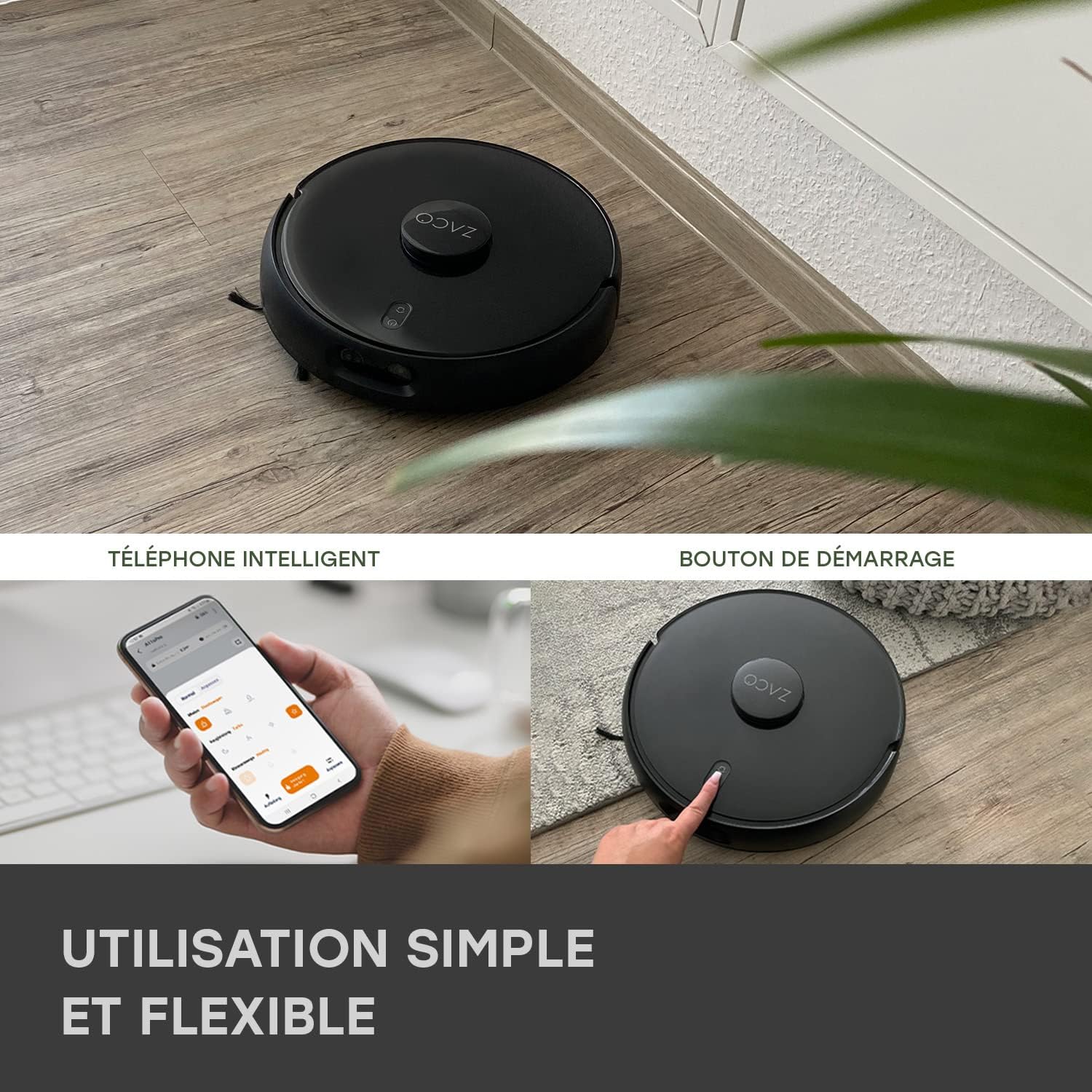
Image 4.1: The ZACO A11s Pro can be controlled via a smartphone app or by pressing the start button on the device.
4.4 Kortoprettelse
For optimal navigation, allow the robot to complete a full cleaning cycle to create an initial map of your home. Ensure all doors are open to areas you wish to be mapped. The laser navigation system (LDS) will accurately scan and store the layout.

Image 4.2: The robot uses Laser Navigation (LDS) and Obstacle Detection (TOF) to map its environment and avoid obstacles.
5. Betjeningsvejledning
5.1 Start/stop af rengøring
- Manuel start: Press the power button on the robot once to start a cleaning cycle. Press again to pause.
- App kontrol: Open the ZACO app, select your robot, and tap 'Start' to begin cleaning. You can also pause or send the robot back to its charging dock via the app.
5.2 Rengøringstilstande
The A11s Pro offers versatile cleaning modes:
- Kun støvsuger: Use the dustbin for dry vacuuming. Ideal for carpets and general debris.
- Kun moppe: Install the water tank and mopping pad for wet mopping. The active mopping function with ultrasonic vibration ensures effective cleaning of hard floors.
- Støvsuger og mopper: Use the combined dustbin/water tank for simultaneous vacuuming and mopping.

Image 5.1: The ZACO A11s Pro features an active mopping function with ultrasonic vibration, suitable for parquet, tile, and vinyl floors.
5.3 Planlægning og zonerengøring
Using the ZACO app, you can:
- Fastsæt rengøringsplaner for bestemte tidspunkter og dage.
- Define virtual walls or no-go zones to restrict the robot from certain areas.
- Vælg specifikke rum eller områder til målrettet rengøring.
5.4 Integration af stemmeassistent
The ZACO A11s Pro is compatible with Amazon Echo and Google Home. Follow the instructions in the ZACO app to link your robot with your preferred voice assistant for convenient voice control.
6. Vedligeholdelse
Regular maintenance is crucial for the longevity and optimal performance of your robot cleaner. Always turn off the robot and disconnect it from the charging dock before performing any maintenance.
6.1 Rengøring af støvbeholder og filter
- Tøm skraldespanden efter hver rengøringscyklus.
- Tap the filter to remove dust. Rinse the filter under running water if necessary, but ensure it is completely dry before re-installing. Replace the filter every 3-6 months depending on usage.
6.2 Hovedbørste og sidebørster
- Fjern hovedbørsten, og brug rengøringsværktøjet til at klippe og fjerne sammenfiltrede hår eller snavs.
- Check side brushes for wear and tear. Replace them if they are bent or damaged.
6.3 Vandtank og moppepude
- Tøm eventuelt resterende vand fra tanken efter hver moppesession.
- Clean the mopping pad thoroughly. It can be hand-washed or machine-washed.
6.4 Sensorer og opladningskontakter
- Wipe the cliff sensors, obstacle detection sensors, and charging contacts on both the robot and the charging dock with a clean, dry cloth.
7. Fejlfinding
If you encounter issues with your ZACO A11s Pro, refer to the following common problems and solutions:
| Problem | Mulig årsag | Løsning |
|---|---|---|
| Robotten starter eller reagerer ikke. | Lavt batteri; strømafbryder slukket; robotten sidder fast. | Sørg for, at robotten er opladet; kontroller tænd/sluk-knappen; fjern eventuelle forhindringer. |
| Dårlig sugeevne. | Fuld støvbeholder; tilstoppet filter; sammenfiltrede børster. | Tøm støvbeholderen; rengør/udskift filteret; rengør hoved- og sidebørster. |
| Robotten kan ikke finde ladestationen. | Charging dock obstructed; robot too far from dock. | Ensure clear space around dock; manually place robot closer to dock. |
| Navigation errors or rooms not recognized. | Sensors dirty; new obstacles; map corruption. | Clean all sensors; remove new obstacles; reset map in app if necessary. |
| Moppefunktionen virker ikke. | Empty water tank; clogged water outlet; incorrect tank installed. | Fill water tank; clean water outlet; ensure mopping tank is correctly installed. |
| Problemer med app-forbindelse. | Incorrect Wi-Fi password; router issues; robot offline. | Verify Wi-Fi password; restart router; re-pair robot with app. |
8. Specifikationer
| Feature | Detalje |
|---|---|
| Mærke | ZACO |
| Modelnummer | A11s Pro |
| Farve | Sort |
| Dimensioner (L x B x H) | 35 x 35 x 9.5 cm (13.8 x 13.8 x 3.7 tommer) |
| Vægt | 3.4 kilo (7.5 lbs) |
| Sugekraft | 4000 Pa |
| Batterilevetid | Op til 150 minutter |
| Batteritype | Lithium-ion (1 inkluderet) |
| Vandtankkapacitet | 550 milliliter |
| Magt | 50 watt |
| Voltage | 14.4 volt |
| Støjniveau | 65 decibel |
| Navigationstype | Laser Navigation (LDS) & Obstacle Detection (TOF) |
| Controller type | App kontrol |
| Produktkompatibilitet | Amazon Echo, Google Home, Smartphone |
| Overfladeanbefaling | Carpets, Hard Floors, Parquet |
| Særlige funktioner | Hard floor brush, Pet hair cleaning |
9. Garanti og support
ZACO is committed to providing high-quality products and customer satisfaction. The ZACO A11s Pro comes with a commitment to spare parts availability for 2 years. For any questions, technical support, or warranty claims, please contact ZACO customer service. Our German support team is available to assist you.
For further assistance, please visit the official ZACO website or contact our support team directly via the contact information provided on our webwebsted.