
1. Introduktion og overview
This manual provides instructions for the safe and efficient use of your CJP-Geek AC-DC Adapter, model CJP-Geek-PSA-20221025-CA227. This adapter is specifically designed to power and charge the RP-PB054 RAVPower 20100mAh Portable Powerstation.
Key features of this adapter include a wide input voltage range of 100-240V AC, ensuring compatibility with various power outlets worldwide. It is designed for portability and includes multiple safety protections to ensure reliable operation.

Image 1: The CJP-Geek AC-DC Adapter, showing the main power brick, detachable AC input cable, and DC output cable with connector.
2. Pakkens indhold
Bekræft, at din pakke indeholder følgende varer:
- 1 x AC / DC Power Supply Charger (CJP-Geek AC-DC Adapter)
3. Opsætningsvejledning
- Bekræft kompatibilitet: Ensure that the output specifications of this CJP-Geek AC-DC Adapter match the power input requirements of your RP-PB054 RAVPower 20100mAh Portable Powerstation. Refer to your power station's manual for specific input voltage og nuværende krav.
- Opret forbindelse til enhed: Insert the DC output plug of the adapter firmly into the charging port of your RP-PB054 RAVPower 20100mAh Portable Powerstation.
- Tilslut til stikkontakten: Plug the AC input cable into a standard 100-240V AC wall outlet.
- Bekræft opladning: Observe your power station's charging indicator to confirm that it has begun charging.
4. Betjeningsvejledning
- The adapter is designed for continuous use when charging compatible devices.
- Always operate the adapter in a well-ventilated area to prevent excessive heat buildup.
- Do not cover the adapter with cloths or other materials during operation, as this can impede heat dissipation.
- Disconnect the adapter from the power outlet and your device when it is not in use for extended periods.
5. Vedligeholdelse
- Rensning: Keep the adapter clean and free from dust. Use a dry, soft cloth for cleaning. Do not use liquid cleaners or solvents.
- Opbevaring: Opbevar adapteren et køligt, tørt sted væk fra direkte sollys og fugt, når den ikke er i brug.
- Kabelinspektion: Regularly inspect the power cables for any signs of damage, such as fraying, cuts, or exposed wires. If any damage is observed, discontinue use immediately and replace the adapter.
- Miljøforhold: Avoid exposing the adapter to extreme temperatures, high humidity, or corrosive environments.
6. Sikkerhedsoplysninger
Vigtig sikkerhedsmeddelelse: Before connecting, always double-check that the adapter's output specifications (voltage and current) are compatible with your device's input requirements. Using an incompatible adapter can damage your device or the adapter itself.
This CJP-Geek AC-DC Adapter is CE certified and incorporates multiple protection features to ensure safe operation:
- Kortslutningsbeskyttelse: Forhindrer skader fra elektriske kortslutninger.
- Overstrømsbeskyttelse: Beskytter mod for høj strøm.
- Over-bindtage Beskyttelse: Beskytter mod voltage bølger.
- Overbelastningsbeskyttelse: Forhindrer skader forårsaget af for meget strømforbrug.
- Overopladningsbeskyttelse: Helps prevent overcharging of connected devices.
- Temperaturbeskyttelse: Overvåger og regulerer den indre temperatur.
Generelle sikkerhedsforanstaltninger:
- Adapteren må ikke skilles ad eller modificeres.
- Opbevar adapteren utilgængeligt for børn.
- Kun til indendørs brug. Må ikke udsættes for regn eller fugt.
- Do not use the adapter if it has been dropped or damaged.
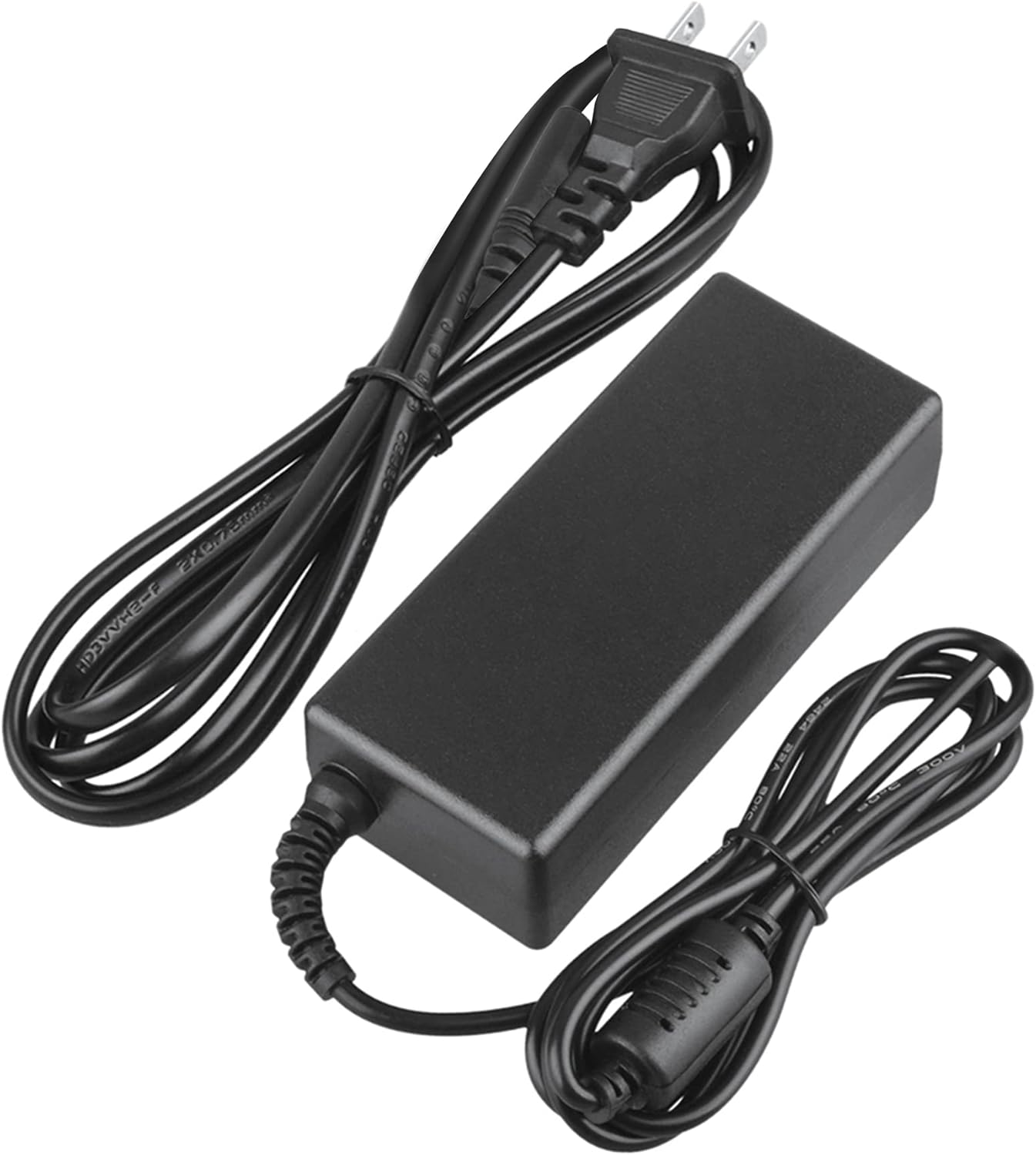
Image 2: Visual representation of the safety features, including overload, over voltage, over charge, over current, short circuit, and temperature protection.
7. Fejlfinding
- Enheden oplades ikke:
- Sørg for, at adapteren er korrekt tilsluttet både stikkontakten og din enhed.
- Kontroller om stikkontakten fungerer ved at tilslutte et andet apparat.
- Verify that the adapter's output specifications are correct for your device.
- Inspect the adapter and cables for any visible damage.
- Overophedning af adapter:
- Sørg for, at adapteren er placeret et godt ventileret område og ikke er tildækket.
- Disconnect the adapter and allow it to cool down before resuming use.
- Hvis overophedningen fortsætter, skal du stoppe brugen og kontakte kundesupport.
- Ingen strømindikator på enheden:
- Bekræft, at alle forbindelser er sikre.
- Test with a different wall outlet.
- If possible, test the device with another compatible power source to rule out a device issue.
8. Specifikationer
| Attribut | Specifikation |
|---|---|
| Modelnummer | CJP-Geek-PSA-20221025-CA227 |
| Input bindtage | 100-240V AC, 50/60Hz |
| Produktion | Refer to device requirements for RP-PB054 RAVPower 20100mAh Portable Powerstation |
| Produktmål (L x B x H) | 5 x 3 x 8 tommer |
| Varens vægt | 9 ounce |
| AC kabellængde | Cirka 47 tommer (1.2 meter) |
| DC kabellængde | Cirka 47 tommer (1.2 meter) |
| Total Cable Length (approx.) | 7.87 feet (2.4 meters) including adapter body |

Billede 3: Detaljeret view of the adapter's dimensions and features, including cable lengths and a 'Copper interface' for stable output.
9. Garanti og support
Garantioplysninger:
- 30 dages pengene-tilbage-garanti
- 60 Days Free Exchange with Paid Return Label
- 2 Years Worry-Free Warranty
Kundesupport:
For any product-related issues or inquiries, please contact CJP-Geek customer service. We are committed to assisting you in resolving any problems you may encounter. If the item is found to be defective within the 2-year warranty period, a replacement will be provided without the need to return the defective unit.