
ORIA 001
ORIA 3-in-1 Foldable Wireless Charger Model 001 User Manual
Efficient and Portable Charging Solution
1. Introduktion
Thank you for choosing the ORIA 3-in-1 Foldable Wireless Charger. This device is designed to provide a convenient and efficient charging solution for your compatible iOS phone, Apple Watch, and AirPods simultaneously. Its foldable design enhances portability, making it ideal for both home and travel use. Please read this manual carefully before use to ensure proper operation and to maximize the product's lifespan.

Image 1.1: The ORIA 3-in-1 Foldable Wireless Charger in its unfolded state, accompanied by its USB-C charging cable.
2. Pakkens indhold
Tjek venligst pakken for følgende varer:
- 1 x ORIA 3-in-1 Foldable Wireless Charger
- 1 x Type-C ladekabel
- 1 x Brugermanual (dette dokument)
3. Produktet er slutview
The ORIA 3-in-1 Wireless Charger features three dedicated charging modules for your smartphone, smartwatch, and wireless earbuds. Its soft silicone material allows for a 180° fold, enabling it to be used flat or as a stand. The device incorporates intelligent protection mechanisms to ensure safe charging.
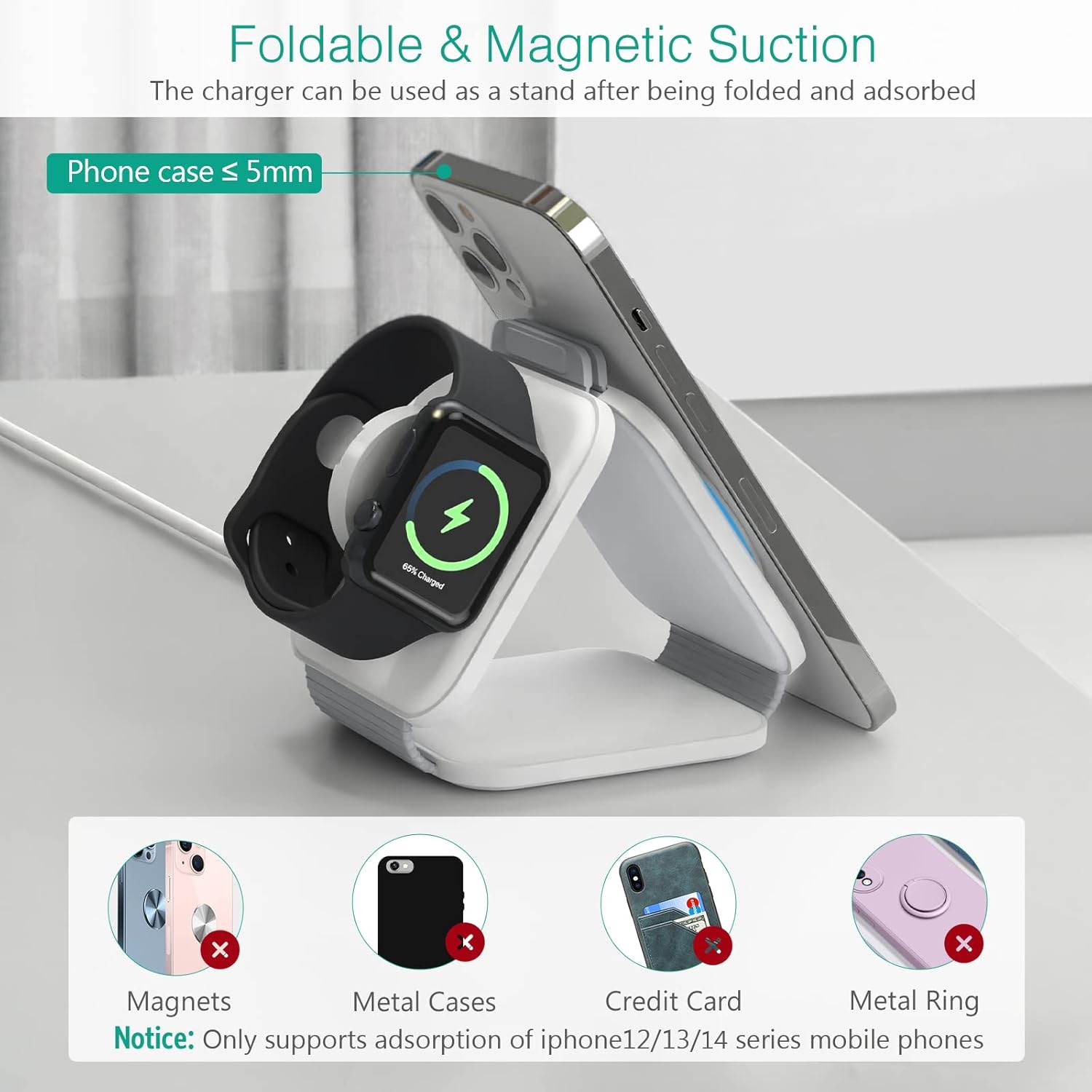
Image 3.1: The charger folded into a stand configuration, supporting a smartphone and an Apple Watch for charging.
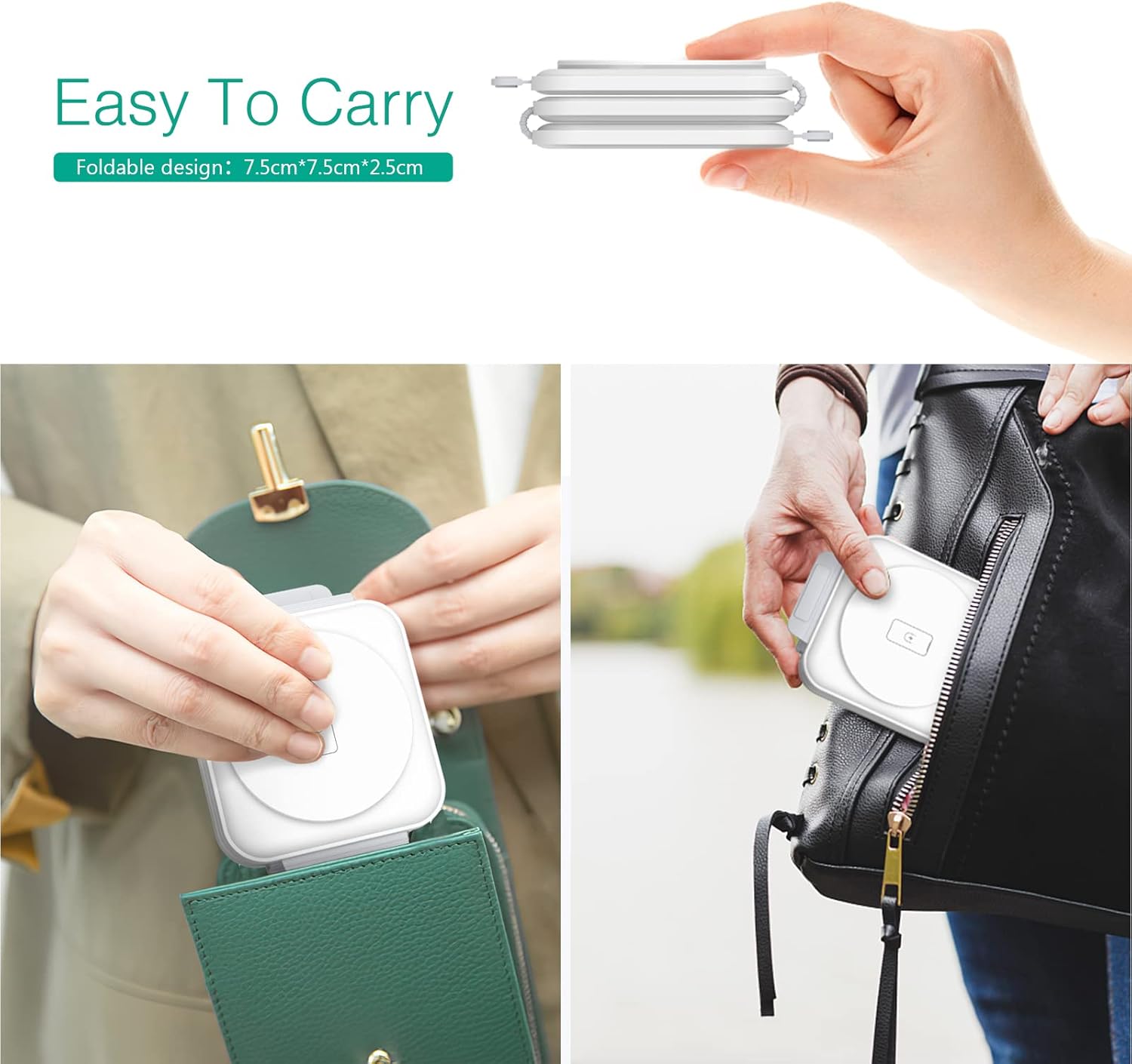
Image 3.2: The compact, folded design of the charger, demonstrating its portability by fitting into a pocket and a small bag.
4. Opsætningsvejledning
- Tilslut strøm: Connect the provided Type-C charging cable to the charger's input port and then to a compatible power adapter.
- Krav til strømadapter: For optimal performance and fast charging, use a Type-C 18W power adapter (not included). Using an adapter with lower wattage may result in slower charging speeds or insufficient power for multiple devices.
- Placering: Place the charger on a flat, stable surface. You can use it in its flat, extended form or fold it into a stand configuration as desired.

Image 4.1: Illustration of the 3-in-1 charger in use, emphasizing the requirement for an 18W Type-C adapter for fast charging.
5. Betjeningsvejledning
Once the charger is connected to a power source, it is ready for use. Simply place your compatible devices on their respective charging areas.
- Opladning af smartphone: Place your iOS phone on the designated phone charging pad. Ensure the phone is centered for proper alignment with the charging coil. The charger supports magnetic adsorption for iPhone 12/13/14 series mobile phones when used as a stand.
- Apple Watch opladning: Place your Apple Watch on the circular watch charging module.
- AirPods opladning: Place your AirPods case on the central charging pad for earbuds.
The charger will automatically detect the device and begin charging. You can charge all three devices simultaneously.

Image 5.1: The charger in operation, simultaneously charging a smartphone, AirPods, and an Apple Watch.
6. Opladningsindikatorlys
The phone charging module features an indicator light to communicate the charging status:
- Grønt lys: Indikerer standbytilstand.
- Blue Light (breathing): Angiver aktiv opladning.
- Alternating Blue and Green Lights: Indicates foreign body detection (FOD) or an error. Remove any objects from the charging pad.
A dedicated button allows you to manually turn off the indicator light at any time, which can be useful in dark environments.
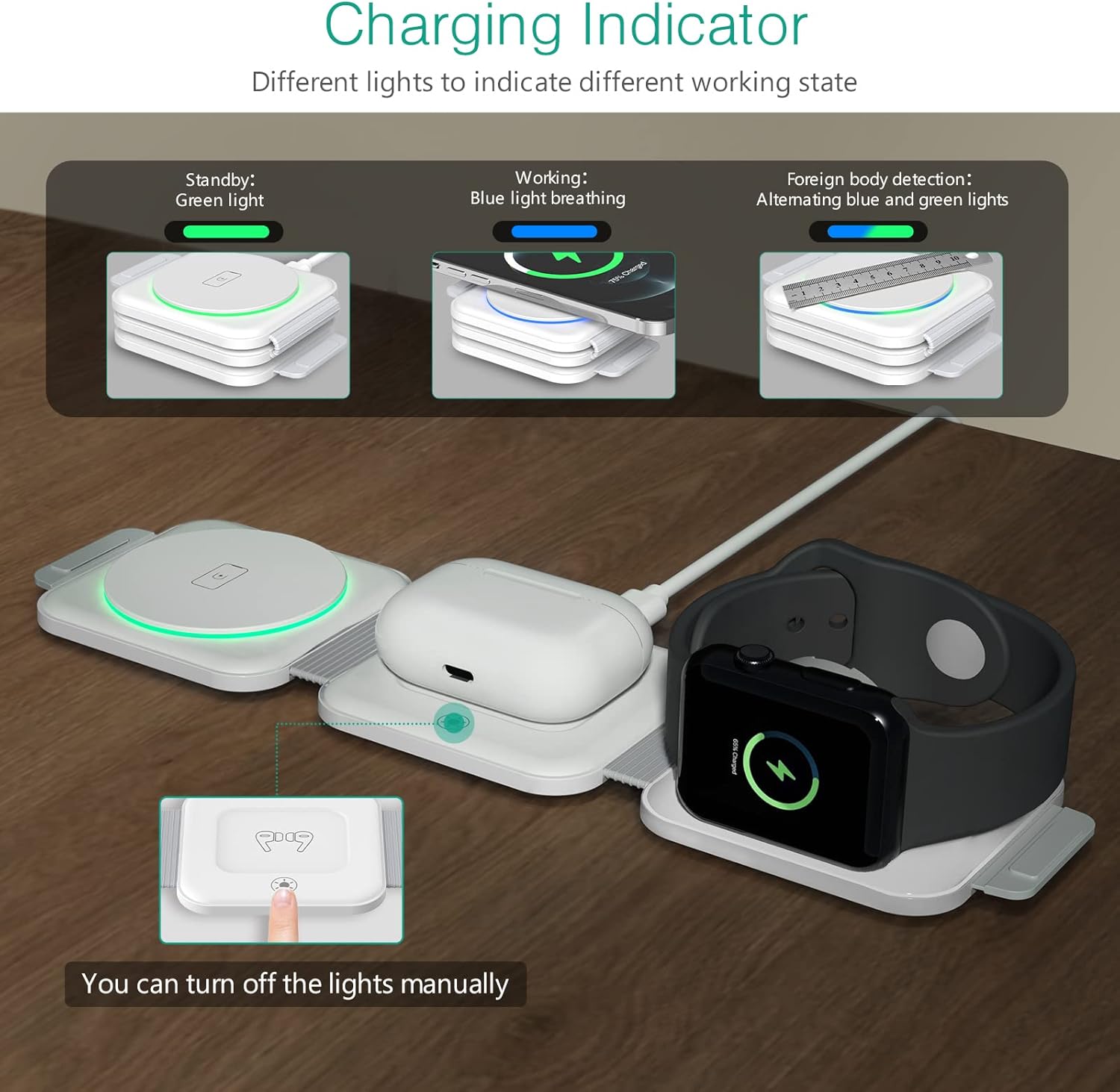
Image 6.1: Visual representation of the charging indicator light's different states and their meanings.
7. Sikkerhedsforanstaltninger
The ORIA 3-in-1 Wireless Charger is equipped with intelligent chips that provide multiple safety features:
- Overvoltage Beskyttelse: Forebygger skader fra overdreven volumentage input.
- Overstrømsbeskyttelse: Beskytter mod for høj strøm.
- Kortslutningsbeskyttelse: Protects the device and connected electronics from short circuits.
- Temperaturkontrol: Styrer driftstemperaturen for at forhindre overophedning.
- Foreign Body Detection (FOD): Detects metallic objects on the charging surface and stops charging to prevent heat buildup and potential damage.
Vigtige bemærkninger:
- Only use a Type-C 18W adapter for charging.
- Ensure your phone case is no thicker than 5mm for effective wireless charging.
- Remove any magnets, metal cases, credit cards, or metal rings from your phone before placing it on the charger, as these can interfere with charging or trigger foreign body detection.
- Du må ikke selv adskille, ændre eller reparere enheden.
- Hold opladeren væk fra vand, fugt og høje temperaturer.

Billede 7.1: En intern view of the charger highlighting its multiple protection features for safe operation.
8. Vedligeholdelse
- Rensning: Disconnect the charger from the power source before cleaning. Use a soft, dry cloth to wipe the surface. Do not use harsh chemicals or abrasive cleaners.
- Opbevaring: When not in use, store the charger in a cool, dry place, away from direct sunlight and extreme temperatures. Its foldable design makes it easy to store and transport.
9. Fejlfinding
- Enheden oplader ikke:
- Ensure the charger is properly connected to a working power outlet and an 18W Type-C adapter.
- Verify that your device is placed correctly and centered on the charging pad.
- Remove any metallic objects, magnets, or thick cases from your device.
- Check if the indicator light is showing an error (alternating blue and green).
- Bekræft, at din enhed er kompatibel med trådløs opladning.
- Langsom opladning:
- Ensure you are using an 18W Type-C power adapter. Lower wattage-adaptere vil resultere i langsommere opladning.
- Avoid charging multiple devices if you require the fastest possible charge for a single device, as power is shared.
- Ensure proper alignment of the device on the charging coil.
- Indicator light flashing blue and green:
- This indicates foreign body detection. Remove any objects from the charging surface and try again.
- Opladeren føles varm:
- It is normal for the charger to become slightly warm during operation. If it becomes excessively hot, disconnect it immediately and contact support.
10. Specifikationer
| Feature | Detalje |
|---|---|
| Modelnummer | 001 |
| Input bindtage | 5 volt |
| Ampslette | 2 Amps |
| Samlet USB-porte | 1 (Type-C) |
| Connector Type | USB Type C |
| Kompatible enheder | Cellular Phones, Apple Watch, AirPods |
| Kompatible telefonmodeller | iOS phones (e.g., iPhone 14/14 Pro, 13/13 Pro, 12/12 Pro, 11/11 Pro, SE, X, 8) |
| Kompatible urmodeller | iWatch 1/2/3/4/5/6/SE/7/8 |
| Kompatible øretelefonmodeller | Airpods 2/3, Airpods Pro 1/2 |
| Særlige funktioner | Charging Indicator, Short Circuit Protection, Overvoltage Protection, Overcurrent Protection, Temperature Control, Foreign Body Detection |
| Varens vægt | 7 ounces (ca. 198 g) |
| Pakkedimensioner | 4.06 x 3.46 x 2.28 tommer |

Image 10.1: Detailed compatibility and charging wattage information for various devices.
11. Garanti og support
ORIA products are designed and manufactured to the highest quality standards. For information regarding warranty coverage, technical support, or customer service, please refer to the contact information provided with your purchase or visit the official ORIA webwebsted. Gem venligst din købsbevis til garantikrav.
Ask a question about this manual
Ask about setup, troubleshooting, compatibility, parts, safety, or missing instructions. Manuals+ will review the question and use this page’s manual context to help answer it.