
1. Produktet er slutview
The DIHOOM Wireless Outdoor Security Camera is a 1080P rechargeable battery-operated device designed for outdoor surveillance. It features 2.4 GHz Wi-Fi connectivity, human motion detection, color night vision, two-way audio, and IP65 weatherproofing. This camera provides clear video monitoring and enhanced security for your property.

Billede 1.1: Front view of the DIHOOM Wireless Outdoor Security Camera, showing the lens, spotlight, and dual antennas.
2. Pakkens indhold
Kontroller venligst, at alle varer er til stede og i god stand, når du åbner pakken:
- DIHOOM Wireless Outdoor Security Camera
- Monteringsbeslag og skruer
- USB opladningskabel
- Brugermanual
3. Produktdiagram
Familiarize yourself with the components of your security camera:
Billede 3.1: Detaljeret view of the camera. Key components include the camera lens, infrared LEDs, spotlight, PIR motion sensor, microphone, speaker, charging port, and reset button (typically under a cover).
- Kameraobjektiv: Optager video footage.
- Spotlight: Giver belysning til farvenatsyn og fungerer afskrækkende.
- PIR Motion Sensor: Detects human and animal movement.
- Mikrofon: Optager lyd til tovejskommunikation.
- Højttaler: Muliggør tovejs lydkommunikation.
- Antenner: For 2.4 GHz Wi-Fi connectivity.
- Monteringsbase: Til vægmontering.
- Opladningsport: For recharging the internal battery (usually Micro USB or USB-C).
- Nulstil knap: Used to reset the camera to factory settings (often located under a rubber cover).
- SD-kortplads: For local video storage (often located under a rubber cover).
4. Opsætning
4.1 Indledende opladning
Before first use, fully charge the camera's built-in rechargeable battery. Connect the provided USB charging cable to the camera's charging port and a standard 5V/1A USB power adapter (not included). The charging indicator light will typically show red during charging and turn blue or off when fully charged. A full charge supports approximately 2400 wake-up calls.
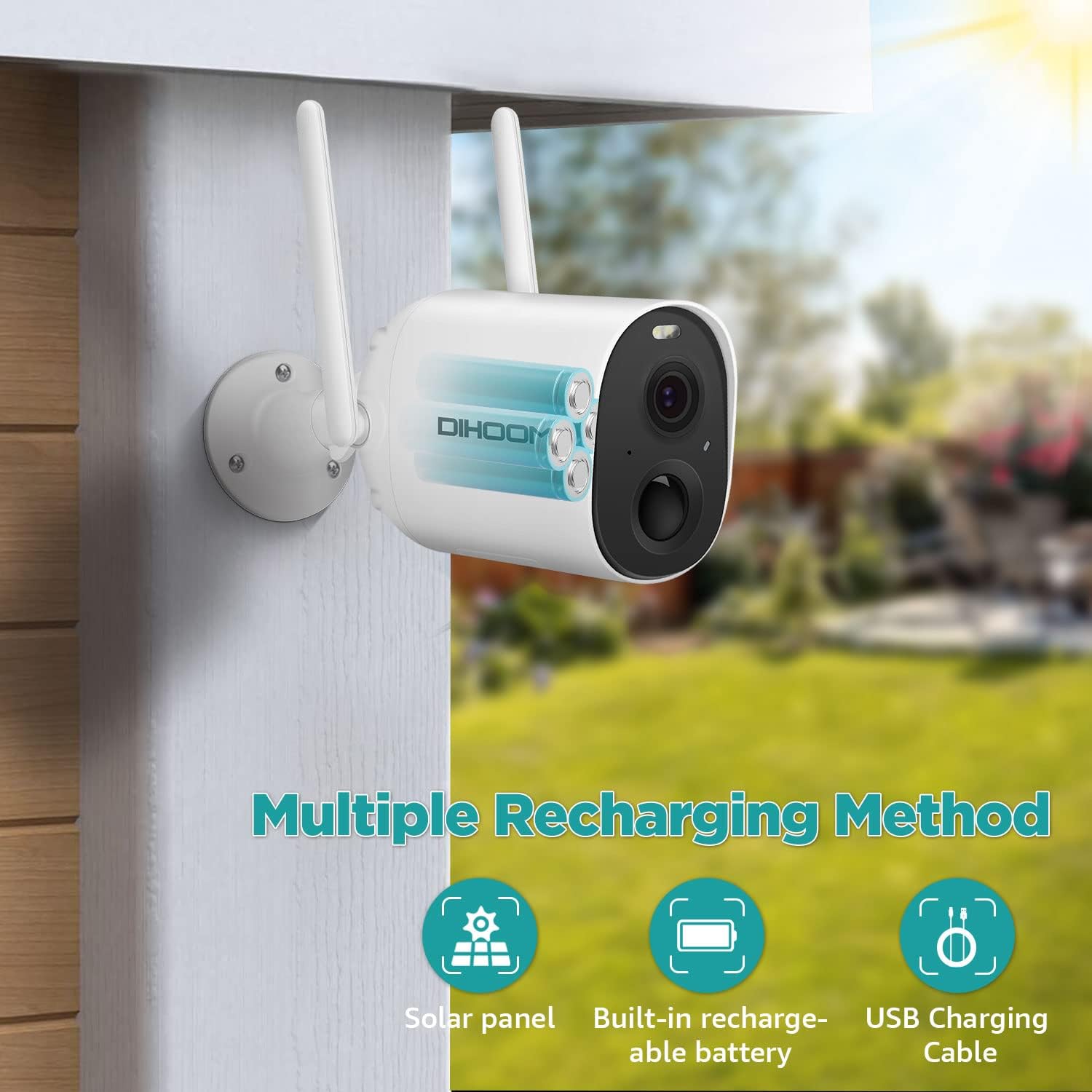
Billede 4.1: Illustration of the camera's internal battery and various recharging options, including USB charging.
4.2 Appinstallation
Download og installer VicoHome app på din smartphone eller tablet. Søg efter "VicoHome" in your device's app store (iOS App Store or Google Play Store).
4.3 Enhedsparring og Wi-Fi-forbindelse
- Åbn VicoHome-appen, og opret en konto, eller log ind.
- Tryk på ikonet "+" for at tilføje en ny enhed.
- Follow the on-screen instructions to power on the camera and put it into pairing mode (usually indicated by a flashing LED). You may need to press the reset button for a few seconds.
- Select your 2.4 GHz Wi-Fi network and enter the password. The camera only supports 2.4 GHz Wi-Fi.
- Appen genererer en QR-kode. Placer dit kamera for at scanne denne QR-kode fra din telefonskærm.
- Once the camera successfully scans the QR code, it will connect to your Wi-Fi network. A voice prompt or LED indicator will confirm successful connection.
4.4 Montering af kameraet
Choose a suitable outdoor location for mounting. Ensure the area has good Wi-Fi signal strength and provides the desired viewing angle. The camera is IP65 weatherproof, suitable for various outdoor conditions.
- Brug det medfølgende monteringsbeslag som skabelon til at markere borehuller på væggen.
- Bor huller og isæt vægankre om nødvendigt.
- Fastgør monteringsbeslaget til væggen med skruerne.
- Fastgør kameraet til monteringsbeslaget, og juster vinklen for optimal dækning.
5. Betjeningsvejledning
5.1 Live View
Open the VicoHome app and select your camera from the device list to access the live video feed. You can view 1080P resolution footage remotely on your phone or tablet at any time.
5.2 Bevægelsesdetektion og advarsler
The camera features intelligent PIR sensors for human motion detection. When motion is detected, the camera will:
- Trigger spotlights and alarms (if enabled).
- Send a mobile app notification to your device.
- Record the event.
You can customize detection sensitivity and alert settings within the VicoHome app. The camera supports intelligent detection of humans, vehicles, pets, and packages, classifying motion alerts to help identify threats.

Billede 5.1: Screenshot of the VicoHome app demonstrating classified alerts for human, pet, and vehicle detection.
5.3 Nattesyn
The camera automatically switches to night vision mode in low-light conditions. It supports full-color night vision, allowing objects to be clearly seen within 66 feet at night, in addition to standard infrared mode.

Billede 5.2: Visual comparison showing the clarity and detail provided by full-color night vision versus traditional infrared night vision.
5.4 Tovejslyd
Utilize the two-way audio feature to communicate with individuals near the camera. Tap the microphone icon in the live view interface of the VicoHome app to speak, and release to listen.

Billede 5.3: An illustration of using the two-way audio function to communicate with a delivery person at the door.
5.5 Videolagring
Kameraet understøtter to lagringsmuligheder for optagede billedertage:
- Micro SD-kort: Indsæt et Micro SD-kort (op til 128 GB, medfølger ikke) i den dertil beregnede plads til lokal lagring.
- Cloud Storage: Encrypted secure cloud storage is available through the VicoHome app (subscription may be required).
5.6 Multiple-User Sharing
You can share access to your camera with family members or trusted individuals. Within the VicoHome app, locate the sharing option and scan the QR code to grant access. This allows for collaborative monitoring of your property.
6. Vedligeholdelse
6.1 Batteristyring
Monitor the battery level through the VicoHome app. Recharge the camera when the battery is low to ensure continuous operation. The camera can also be connected to a compatible solar panel (sold separately) for continuous charging.
6.2 Rengøring
Rengør kameralinsen og huset med jævne mellemrum med en blød kludamp cloth to remove dust and dirt. Avoid using harsh chemicals or abrasive materials that could damage the lens or finish.
6.3 Vejrbestandighed
The camera has an IP65 weatherproof rating, meaning it is protected against dust and low-pressure water jets. Ensure all covers (e.g., for charging port, SD card slot) are securely closed to maintain its weather resistance.

Billede 6.1: The DIHOOM camera mounted outdoors, with rain falling, illustrating its IP65 weatherproof design.
7. Fejlfinding
- Kameraet opretter ikke forbindelse til Wi-Fi: Ensure your Wi-Fi network is 2.4 GHz. Verify the Wi-Fi password is correct. Move the camera closer to the router to improve signal strength. Reset the camera and try pairing again.
- Dårlig videokvalitet: Tjek din Wi-Fi-signalstyrke. Sørg for, at kameralinsen er ren og fri for blokeringer.
- Bevægelsesdetektion virker ikke: Verify that motion detection is enabled in the app settings. Adjust sensitivity levels. Ensure there are no physical obstructions blocking the PIR sensor.
- Batteriet aflades hurtigt: Reducer hyppigheden af live-indspilninger view access. Adjust motion detection sensitivity to minimize unnecessary recordings. Ensure the camera is fully charged. Consider a solar panel for continuous power.
- Problemer med tovejslyd: Ensure your phone's microphone and speaker are enabled for the VicoHome app. Check the camera's microphone and speaker for obstructions.
8. Specifikationer
| Feature | Specifikation |
|---|---|
| Modelnavn | security camera outdoor wireless |
| Effektiv videoopløsning | 1080 pixel |
| Trådløs kommunikationsteknologi | Wi-Fi (kun 2.4 GHz) |
| Strømkilde | Batteridrevet (1 Lithium Polymer batteri inkluderet) |
| Batterilevetid | Approx. 2400 wake-up calls per full charge |
| Vandmodstandsniveau | IP65 vandtæt |
| Viewi vinkel | 150 grader |
| Nattesyn | Color Night Vision, Infrared Mode (up to 66 feet) |
| Opbevaringsmuligheder | Micro SD-kort (op til 128 GB), Cloud-lagring |
| Særlige funktioner | 2-Way Audio, HD Resolution, Motion Sensor, Night Vision |
| Kompatible enheder | Smartphone (iOS, Android) |
| Varens vægt | 585 g |
| Produktdimensioner | 8 x 5 x 10 cm |
9. Garanti og support
DIHOOM offers lifetime support for DIHOOM brand products. If you encounter any issues or have questions regarding your security camera, please contact the DIHOOM support team for assistance. Refer to the contact information provided in your product packaging or on the official DIHOOM webwebsted.