
1. Introduktion
The XORO HMT 600 V2 is a versatile all-in-one stereo internet radio system designed to provide a comprehensive audio experience. This micro-compact unit integrates modern radio functions, including Internet Radio, DAB+, and FM reception, offering access to over 30,000 stations worldwide. It also features a CD player, USB port for MP3 playback, Bluetooth connectivity for wireless music streaming, and support for UPnP streaming from your home network or PC. The device includes integrated stereo speakers housed in a wooden fiber cabinet, delivering rich sound. Its full-graphic color TFT display provides essential information such as station, music title, date, and time, and can show a five-day weather forecast in standby mode.
2. Produktet er slutview
2.1 Nøglefunktioner
- All-in-One Audio System: Combines Internet Radio, DAB+, FM, CD Player, USB, Bluetooth, and UPnP streaming.
- Extensive Station Access: Over 30,000 Internet radio stations, plus DAB+ and FM reception.
- Sømløs skift: Transition between DAB+/FM and Internet Radio for the same station to maintain reception quality.
- Flere afspilningsmuligheder: CD player, USB 2.0 port, MP3 streaming (UPnP) from PC or home network.
- Trådløs forbindelse: Bluetooth 5.2 for streaming from smartphones or tablets (up to 10m range, environmental conditions apply).
- Integrerede stereohøjttalere: Housed in a wooden fiber cabinet for rich sound.
- Full-Graphic Color TFT Display: Shows station, music title, date, time, and a five-day weather forecast in standby.
- Podcast Support: Access a wide selection of interesting podcasts.
- Spotify Connect: Integrated support for Spotify streaming.
2.2 Komponenter og kontroller
The XORO HMT 600 V2 unit consists of the main radio unit and a remote control. Familiarize yourself with the layout for optimal use.

Billede 1: Front view of the XORO HMT 600 V2 Internet Radio with its remote control. The radio features a central display, control buttons, and speaker grilles on both sides. The remote control provides convenient access to various functions.

Billede 2: Bag view of the XORO HMT 600 V2, highlighting the connectivity ports. These include a headphone jack, USB port, DC IN for power, and an AUX IN port for external audio sources. An extendable antenna is also visible for improved radio reception.

Billede 3: Nærbillede view of the integrated CD player tray on the XORO HMT 600 V2. The tray is shown open, ready to accept a compact disc for playback.
3. Opsætning
3.1 Udpakning og placering
- Carefully remove the XORO HMT 600 V2 from its packaging.
- Place the unit on a stable, flat surface away from direct sunlight, heat sources, and moisture. Ensure adequate ventilation around the device.
- Extend the telescopic antenna for optimal DAB+ and FM reception.
3.2 Tilslutning af strøm
- Tilslut den medfølgende strømadapter til DC IN port on the rear of the unit.
- Sæt strømadapteren i en passende stikkontakt.
3.3 Guide til indledende opsætning
Upon first power-on, the device will guide you through an initial setup wizard:
- Sprogvalg: Use the navigation controls to select your preferred language and confirm.
- Tid og dato: Set the current time and date. The device can often synchronize this automatically via network connection.
- Netværkskonfiguration:
- Vælge Wi-Fi as your connection type.
- Radioen vil søge efter tilgængelige Wi-Fi-netværk. Vælg dit netværk fra listen.
- Enter your Wi-Fi password using the on-screen keyboard and navigation buttons. Confirm your entry.
- Når der er oprettet forbindelse, vises Wi-Fi-ikonet på displayet.
4. Betjeningsvejledning
4.1 Grundlæggende kontroller
The XORO HMT 600 V2 can be operated using the buttons on the front panel or the included remote control. The central navigation dial and surrounding buttons allow for menu navigation, volume control, and function selection.

Billede 4: The 2.4-inch color display of the XORO HMT 600 V2, showing menu options. The image also illustrates the possibility of controlling the device via a dedicated smartphone application, offering an alternative interface for navigation and function selection.
4.2 Internetradio
Få adgang til tusindvis af radiostationer fra hele verden via din Wi-Fi-forbindelse.
- Tryk på Mode button (or select from the menu) to choose Internet radio.
- Navigate through categories (e.g., Location, Genre, Popular Stations) or use the search function to find specific stations.
- Vælg en station for at starte afspilningen.
- To save a station as a favorite, refer to the Favorites section in your full manual.
4.3 DAB+ radio
Nyd digitale radioudsendelser i høj kvalitet.
- Tryk på Mode button (or select from the menu) to choose DAB+ radio.
- The radio will perform a scan for available DAB+ stations. This may take a few moments.
- Once the scan is complete, a list of available stations will appear. Use the navigation controls to select a station.
4.4 FM radio
Stil ind på traditionelle analoge FM-udsendelser.
- Tryk på Mode button (or select from the menu) to choose FM radio.
- Use the navigation controls to manually tune to a frequency or initiate an auto-scan for available stations.
4.5 CD-afspiller
Afspil lyd-cd'er fra din samling.
- Gently insert an audio CD into the CD slot on the front of the unit. The disc will be drawn in automatically.
- The device should automatically switch to CD mode and begin playback. If not, select CD-afspiller from the mode menu.
- Use the Play/Pause, Skip, and Stop buttons on the unit or remote control to manage playback.
4.6 USB-afspilning
Afspil MP3 files fra en USB-lagerenhed.
- Indsæt et USB-flashdrev (formateret til FAT32) med MP3 files ind i USB port on the rear of the unit.
- Vælge USB from the mode menu.
- Naviger gennem mapperne og files on the USB drive using the display and controls.
- Vælg en file for at starte afspilning.
4.7 Bluetooth-forbindelse
Stream music wirelessly from your smartphone or tablet.
- Vælge Bluetooth from the mode menu. The radio will enter pairing mode, indicated on the display.
- Aktiver Bluetooth på din smartphone eller tablet, og søg efter tilgængelige enheder.
- Select "XORO HMT 600 V2" from the list of devices to pair.
- Once paired, you can play music from your device, and it will be streamed through the XORO HMT 600 V2.
4.8 UPnP/DLNA Streaming
Stream music from a PC or network-attached storage (NAS) device on your home network.
- Ensure your PC or NAS is running a UPnP/DLNA server and is connected to the same network as the XORO HMT 600 V2.
- Vælge UPnP or Mediecenter from the mode menu.
- The radio will scan for available media servers. Select your desired server.
- Browse your music library and select tracks for playback.
4.9 Spotify Connect
Control and play Spotify music directly through your radio.
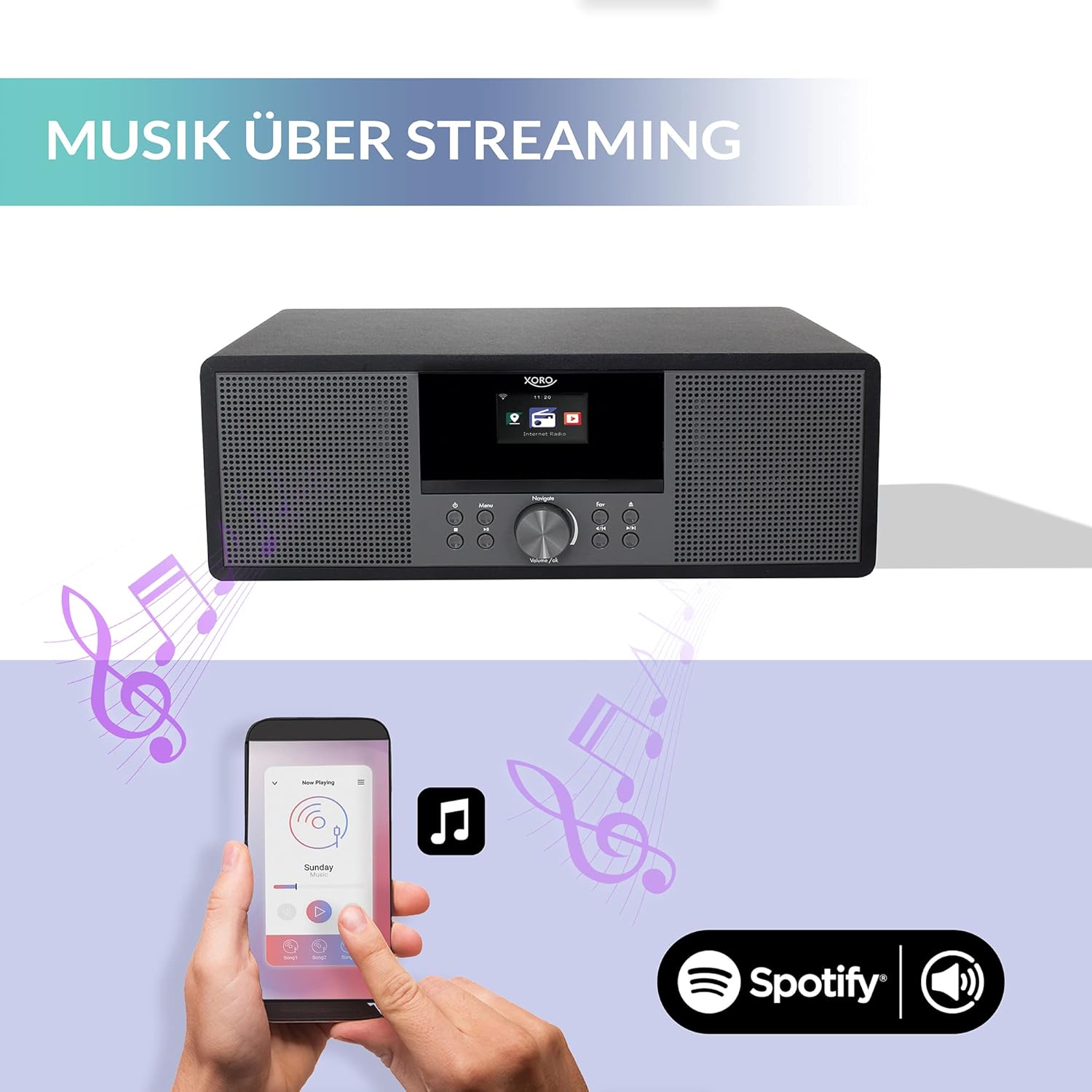
Billede 5: The XORO HMT 600 V2 demonstrating music streaming capabilities. A smartphone is shown interacting with the radio, indicating the use of Spotify Connect to stream audio directly to the device.
- Ensure your XORO HMT 600 V2 is connected to the internet.
- Åbn Spotify-appen på din smartphone, tablet eller computer.
- Play a song and tap the Tilgængelige enheder icon (usually a speaker or computer icon).
- Select "XORO HMT 600 V2" from the list of available devices. Your music will now play through the radio.
4.10 podcasts
Explore and listen to a wide range of podcasts.
- Vælge Podcasts fra hovedmenuen.
- Browse by category, search for specific podcasts, or access your subscribed podcasts (if applicable).
- Select an episode to begin playback.
4.11 Alarm og sleeptimer
The XORO HMT 600 V2 includes alarm clock and sleep timer functions. Refer to the detailed instructions in your full manual for setting these features.
4.12 Vejrudsigtsvisning
In standby mode, the display can show a five-day weather forecast for a selected location. Configure this option in the system settings.
5. Vedligeholdelse
5.1 Rengøring
- Afbryd altid strømadapteren før rengøring.
- Brug en blød, tør klud til at tørre enhedens udvendige overflader af.
- Brug ikke slibende rengøringsmidler, voks eller opløsningsmidler, da de kan beskadige finishen.
- Brug en blød, fnugfri klud, der er specielt designet til skærme, til skærmen.
5.2 Generel pleje
- Undgå at udsætte enheden for ekstreme temperaturer, fugtighed eller direkte sollys.
- Bloker ikke ventilationsåbninger.
- Handle CDs and USB drives carefully to prevent damage.
6. Fejlfinding
If you encounter issues with your XORO HMT 600 V2, please consult the following common problems and solutions:
| Problem | Mulig årsag | Løsning |
|---|---|---|
| Ingen strøm | Strømadapteren er ikke tilsluttet; stikkontakten er defekt. | Sørg for, at strømadapteren er korrekt tilsluttet enheden og en fungerende stikkontakt. |
| Ingen lyd | Lydstyrken er for lav; Mute-funktionen er aktiv; forkert lydkilde er valgt. | Increase volume; check if mute is active; ensure the correct mode (e.g., Internet Radio, CD) is selected. |
| Kan ikke oprette forbindelse til Wi-Fi | Forkert adgangskode; Wi-Fi-signal for svagt; routerproblemer. | Verify Wi-Fi password; move unit closer to router; restart router; check network settings. |
| Dårlig DAB+/FM-modtagelse | Antennen ikke strakt ud; område med dårligt signal. | Fully extend the telescopic antenna; reposition the unit for better signal. |
| CD'en afspiller ikke | CD'en er isat forkert; CD'en er snavset eller ridset; diskformatet understøttes ikke. | Reinsert CD correctly; clean CD with a soft cloth; ensure it's an audio CD. |
| Bluetooth-parring mislykkes | Device not in pairing mode; other device already connected; Bluetooth disabled on source device. | Ensure radio is in Bluetooth pairing mode; disconnect other Bluetooth devices; enable Bluetooth on your source device. |
For more detailed troubleshooting, refer to the comprehensive manual or contact customer support.
7. Specifikationer
Technical specifications for the XORO HMT 600 V2:
| Feature | Specifikation |
|---|---|
| Mærke | Xoro |
| Modelnummer | HMT 600 V2 |
| Farve | Sort |
| Forbindelsesteknologi | Wi-Fi, Bluetooth |
| Særlige funktioner | Integrated Clock, Internet Radio, DAB+, FM, CD Player, USB Playback, Spotify Connect, UPnP Streaming |
| Kompatible enheder | Tablet, Smartphone, PC/NAS (via UPnP) |
| Tuningteknologi | DAB+ |
| Understøttede radiobånd | 3 bands (Internet, DAB+, FM) |
| Strømkilde | Elektrisk med ledning |
| Produktdimensioner | 38L x 14W x 26H centimeter |
| Inkluderede komponenter | Internet radio, power supply unit, user manual, infrared remote control |
| Softwareopdateringer garanteret indtil | 6. oktober 2026 |
8. Support og garanti
8.1 Kundesupport
For technical assistance or inquiries, please contact XORO customer service:
- Telephone (Germany): 04161 - 800 24 24 (Monday-Friday: 11:00 AM to 5:00 PM)
- E-mail: support@ensservice.de
8.2 Garantioplysninger
Specific warranty details are typically provided with your purchase documentation. Please retain your proof of purchase for warranty claims. Software updates are guaranteed until October 6, 2026.