

1. Introduktion
This manual provides detailed instructions for the safe and efficient use of your yobola Wireless Earbuds, model LY-20230101. Please read this manual thoroughly before using the product and retain it for future reference.

Image: yobola Wireless Earbuds, highlighting features like HiFi Lossless Audio and a Big Brand Chipset for superior sound quality.
2. Hvad er der i æsken
Produktpakken indeholder følgende varer:
- Trådløse øretelefoner
- Opladningsetui
- USB-C kabel
- Brugermanual
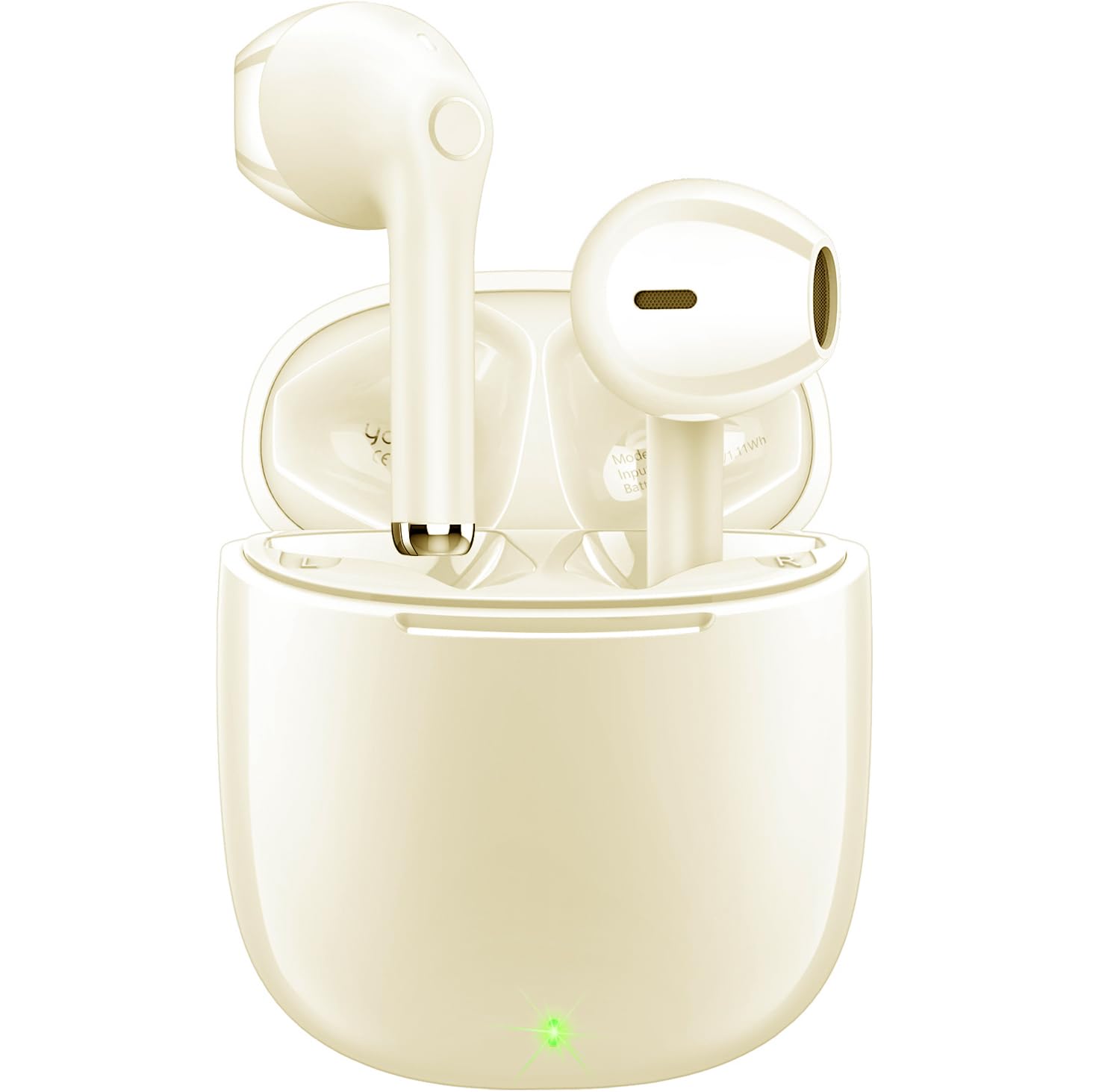
Image: The yobola Wireless Earbuds and their charging case, as typically found in the product packaging.
3. Specifikationer
| Feature | Detalje |
|---|---|
| Modelnavn | LY-20230101 |
| Mærke | yobola |
| Forbindelsesteknologi | Trådløs (Bluetooth 5.0) |
| Bluetooth rækkevidde | 10 meter |
| Støjkontrol | Lydisolering (ENC til opkald) |
| Kontrolmetode | Røre |
| Batterilevetid | 5 timer (ørepropper) |
| Opladningsgrænseflade | USB-C |
| Vandmodstandsniveau | Vandtæt (IPX7) |
| Varens vægt | 4 Grams (each earbud) / 0.141 ounces |
| Produktdimensioner | 0.71 x 0.71 x 1.34 tommer |
| Materiale | Acrylonitrilbutadienstyren (ABS), polycarbonat (PC) |
| Kompatible enheder | iOS, Android, Windows, Smartphones, Laptops (all Bluetooth devices) |

Image: The lightweight design of the earbuds, weighing only 3.7g each, for comfortable wear.
4. Opsætning og parring
Follow these steps to set up and pair your yobola Wireless Earbuds with your device:
- Oplad øretelefonerne: Before first use, ensure the earbuds and charging case are fully charged using the provided USB-C cable. The indicator lights on the case will show charging status.
- Tænd: Åbn opladningsetuiet. Ørepropperne tændes automatisk og går i parringstilstand.
- Aktiver Bluetooth: Aktiver Bluetooth på din enhed (smartphone, tablet, bærbar computer).
- Vælg enhed: In your device's Bluetooth settings, search for available devices and select "T7" (or similar name, refer to product packaging if different) from the list.
- Bekræft forbindelse: Once selected, the earbuds will connect automatically. You will hear an audio prompt confirming the connection.
The earbuds are designed for automatic pairing. After the initial setup, they will automatically connect to the last paired device when removed from the charging case.

Image: Illustration of the automatic pairing process with a smartphone.
5. Betjeningsvejledning
5.1 Tryk på kontrolelementer
The earbuds feature intuitive touch controls for managing audio playback and calls:
- Afspil/pause: Et enkelt tryk på begge øretelefoner.
- Næste nummer: Tryk to gange på den højre øretelefon.
- Forrige nummer: Dobbelttryk på venstre øretelefon.
- Besvar/afslut opkald: Et enkelt tryk på begge øretelefoner.
- Afvis opkald: Tryk på en af øretelefonerne, og hold den nede i 2 sekunder.
- Lydstyrke op: Tryk og hold den højre øreprop nede.
- Skrue ned for lyden: Tryk og hold den venstre øreprop nede.
- Aktivér stemmeassistent (Siri/Google Assistant): Tryk tre gange på en af øretelefonerne.

Image: Proper placement of the earbud in the ear for optimal comfort and sound.
5.2 Opkaldshåndtering
The earbuds are equipped with a 4-microphone system and Environmental Noise Cancellation (ENC) technology to ensure clear calls by reducing up to 90% of ambient noise.
- Besvarelse af opkald: Tryk én gang på en af øretelefonerne.
- Afslutning af opkald: Tap either earbud once during a call.
- Afvisning af opkald: Press and hold either earbud for approximately 2 seconds when a call comes in.

Image: The earbud's 4-microphone system and ENC technology for clearer calls.
6. Vedligeholdelse og pleje
For at sikre dine øreproppers levetid og optimale ydeevne skal du følge disse retningslinjer for vedligeholdelse:
- Rensning: Rengør regelmæssigt ørepropperne og opladningsetuiet med en blød, tør og fnugfri klud. Undgå at bruge slibende materialer eller barske kemikalier.
- Vandtæthed: The earbuds have an IPX7 waterproof rating, meaning they can withstand immersion in water up to 1 meter for 30 minutes. However, the charging case is not waterproof. Ensure earbuds are dry before placing them back in the charging case.
- Opbevaring: Store the earbuds in their charging case when not in use to protect them from dust and damage. Store in a cool, dry place away from extreme temperatures.
- Opladning: Brug kun det medfølgende USB-C-kabel eller et tilsvarende certificeret kabel til opladning. Undgå overopladning.

Image: The earbuds demonstrating their waterproof capability.
7. Fejlfinding
If you encounter issues with your yobola Wireless Earbuds, refer to the following common solutions:
- Ørepropper parrer ikke:
- Sørg for, at begge øretelefoner er opladet.
- Sæt ørepropperne tilbage i etuiet, luk låget, og åbn det derefter igen for at nulstille.
- Sluk og tænd for din enheds Bluetooth.
- Forget "T7" (or similar) from your device's Bluetooth list and try pairing again.
- Ingen lyd fra den ene øreprop:
- Sørg for, at begge øretelefoner er opladet og tilsluttet.
- Try placing both earbuds back in the charging case and taking them out again.
- Perform a factory reset if available (refer to specific product instructions if a reset button is present).
- Opladningsproblemer:
- Kontroller USB-C-kablet og opladningsadapteren for skader.
- Sørg for, at opladningsporten på etuiet er ren og fri for snavs.
- Kontroller, at strømkilden virker.
- Dårlig opkaldskvalitet:
- Sørg for, at ørepropperne er rene, især mikrofonområderne.
- Kontroller for stærk Bluetooth-interferens i dit miljø.
- Ensure your phone's signal is strong.
8. Enhedskompatibilitet
The yobola Wireless Earbuds are designed for broad compatibility:
- Compatible with iOS devices (Apple iPhones, iPads).
- Compatible with Android devices (smartphones, tablets).
- Compatible with Windows devices (laptops, desktops).
- Supports all devices with Bluetooth connectivity.

Image: The earbuds are compatible with various operating systems including iOS, Android, and Windows.
9. Officiel produktvideo
Video: En officiel produktvideoasing the yobola Wireless Bluetooth Earbuds, demonstrating their features and usage. This video provides a visual overview of the product's design, functionality, and key benefits.
10. Garanti og support
Specific warranty information is typically provided with your product packaging or can be found on the official yobola website. For technical support, troubleshooting assistance, or warranty claims, please refer to the contact information provided in your product documentation or visit the yobola brand store on Amazon.
yobola Brand Store: Visit the yobola Store