
1. Introduktion
Thank you for choosing the Superboost WiFi Range Extender. This device is designed to expand your existing wireless network coverage, eliminate Wi-Fi dead zones, and provide a stable, high-speed internet connection throughout your home or office. With its easy setup and versatile operating modes, the Superboost extender ensures seamless connectivity for all your devices.

A white Superboost WiFi Range Extender with two external antennas, plugged into a standard wall power outlet. The device features indicator lights on its front panel.
2. Produktfunktioner
- Udvidet dækning: Eliminates Wi-Fi dead zones, extending coverage up to 9000 sq ft.
- Høj hastighed: Supports data transfer speeds of up to 300 Mbps on the 2.4 GHz band.
- Flere driftstilstande: Functions as a Wireless Router, Repeater, Access Point, Client, and WISP.
- One-Touch Setup (WPS): Simplifies installation with a single button press.
- Ethernet-port: Provides wired connectivity for devices like smart TVs, gaming consoles, or PCs.
- Avanceret sikkerhed: Supports WEP/WPA/WPA2 encryption protocols for network protection.
- Universal kompatibilitet: Works with any standard router or gateway.

A front-facing image of the Superboost WiFi Extender, displaying its power, WiFi, and WPS indicator lights, which provide status information during operation.
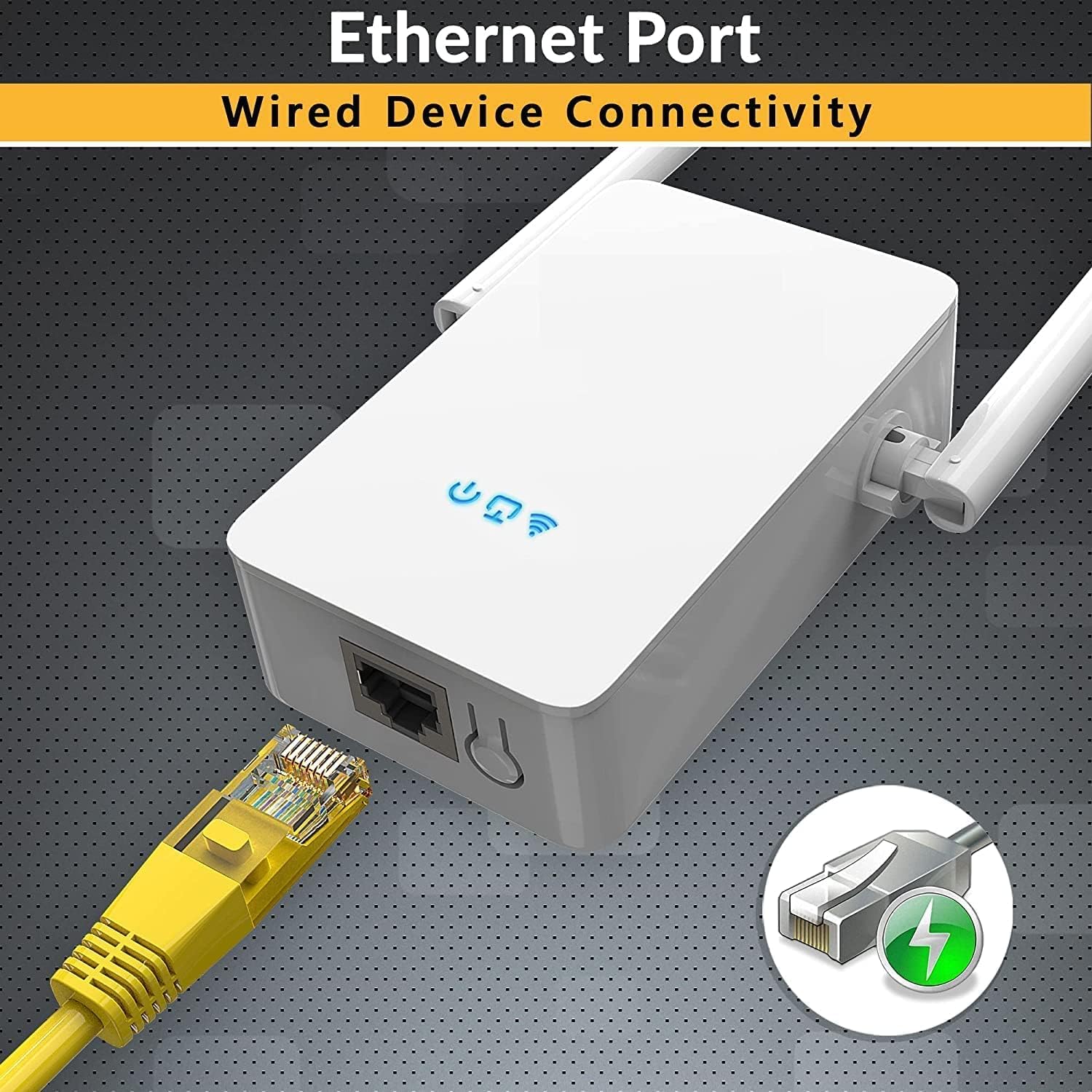
En detaljeret view of the Superboost WiFi Extender's bottom, highlighting the Ethernet port. A yellow Ethernet cable is shown plugged into the port, indicating its wired connectivity capability.
3. Opsætningsvejledning
3.1. WPS-metode (Wi-Fi Protected Setup)
The WPS method is the quickest way to set up your Superboost extender if your router supports WPS.
- Plug the Superboost extender into a power outlet near your existing router.
- Vent på, at strøm-LED'en på forlængeren lyser konstant blåt.
- Tryk på WPS-knappen på din router.
- Within 2 minutes, press the WPS button on the Superboost extender.
- The Extender's Wi-Fi LED will blink and then turn solid blue, indicating a successful connection.
- Unplug the extender and relocate it to a desired location within your router's Wi-Fi range, ensuring optimal signal strength.

This image shows the Superboost WiFi Extender plugged into a wall, with an arrow indicating the connection process to a router via the WPS (Wi-Fi Protected Setup) button. A smartphone screen is also visible, suggesting easy configuration.
3.2. Manual Setup Method (Via Web browser)
If your router does not support WPS or you prefer manual configuration:
- Plug the Superboost extender into a power outlet near your existing router.
- Connect your computer or mobile device to the extender's default Wi-Fi network (e.g., "Superboost_Ext"). No password is required initially.
- Åbn a web browser and enter the default IP address (check the device label or manual for the exact address, commonly 192.168.10.1 or similar).
- Follow the on-screen instructions to log in (default username/password is usually "admin"/"admin").
- Select "Repeater Mode" or your desired mode.
- Scan for available Wi-Fi networks and select your home network.
- Enter your home Wi-Fi password and confirm the settings.
- The extender will restart. Once the Wi-Fi LED is solid blue, the setup is complete.
4. Driftstilstande
The Superboost WiFi Range Extender supports five operating modes to suit various networking needs:
- Repeater-tilstand: Udvider rækkevidden af et eksisterende trådløst netværk.
- Access Point (AP) tilstand: Transforms a wired network connection into a wireless one.
- Wireless Router Mode: Functions as a primary router, creating a new wireless network.
- Klienttilstand: Allows wired-only devices to connect to a wireless network.
- WISP-tilstand: Connects to a wireless ISP network and shares the internet connection wirelessly.

A detailed diagram showing how the Superboost WiFi Extender effectively expands wireless coverage across multiple rooms and floors in a home, eliminating dead zones.
5. Optimal placering
For best performance, consider the following when placing your Superboost extender:
- Placer forlængeren halvvejs mellem din router og Wi-Fi-dødzonen.
- Avoid placing it near large metal objects, concrete walls, or appliances that emit electromagnetic noise (e.g., microwaves, cordless phones).
- Ensure it is in a clear line of sight to your router if possible, or at least with minimal obstructions.
- Use the signal indicator lights on the extender (if available) to find the optimal spot with good signal strength from your router.

An illustration demonstrating the Superboost extender's capability to maintain strong signal integrity even when passing through common household obstacles like walls and doors.
6. Vedligeholdelse
To ensure the longevity and optimal performance of your Superboost WiFi Range Extender:
- Hold enheden ren og fri for støv. Brug en blød, tør klud til rengøring.
- Udsæt ikke enheden for ekstreme temperaturer, fugt eller direkte sollys.
- Avoid blocking the ventilation holes on the device.
- Tjek regelmæssigt for firmwareopdateringer på producentens website to ensure the latest features and security enhancements.
- If the device becomes unresponsive, try unplugging it from the power outlet for 10 seconds and then plugging it back in.

En eksploderede view of the Superboost WiFi Extender, revealing its internal components such as the overvoltage protection controller, intelligent WiFi chip, and security encryption module, emphasizing its superior quality and design.
7. Fejlfinding
If you encounter issues with your Superboost WiFi Range Extender, refer to the following common problems and solutions:
- Ingen internetadgang efter opsætning:
- Sørg for, at extenderen er inden for rækkevidde af din primære router.
- Bekræft, at den Wi-Fi-adgangskode, der blev indtastet under opsætningen, er korrekt.
- Prøv at genstarte både din router og extender.
- If using Repeater mode, ensure your router's Wi-Fi is working correctly.
- Langsom forbindelseshastighed:
- Flyt extenderen tættere på din primære router.
- Tjek for interferens fra andre elektroniske enheder.
- Sørg for, at din primære router leverer tilstrækkelig hastighed.
- Kan ikke få adgang Web Ledelsesside:
- Sørg for, at din enhed er forbundet til extenderens Wi-Fi-netværk.
- Verify the IP address entered in the browser is correct.
- Ryd din browsers cache og cookies, eller prøv en anden browser.
- WPS-opsætning mislykkes:
- Ensure your router supports WPS and it is enabled.
- Try the manual setup method via web browser.
- Glemt login-adgangskode:
- Perform a factory reset on the extender by pressing and holding the reset button for 5-10 seconds. This will revert all settings to default.
8. Specifikationer
| Feature | Specifikation |
|---|---|
| Model | WFR-N300 |
| Mærke | TEKNIK |
| Trådløs Standard | 802.11a/b/g/n, 802.11abg |
| Frekvens | 2.4 GHz |
| Dataoverførselshastighed | Up to 450 Megabytes Per Second (Mbps) |
| Sikkerhedsprotokoller | WEP, WPA, WPA2 |
| Havne | 1 x Ethernet (RJ45) |
| Dimensioner | 8 x 4 x 8 cm |
| Vægt | 100 g |
| Kompatible enheder | Router, Wireless Devices, Wired Devices |
9. Garanti og support
TECHFACTURE products are designed for reliability and performance. For specific warranty details, please refer to the warranty card included with your product or visit the official TECHFACTURE website. If you require technical assistance or have questions not covered in this manual, please contact TECHFACTURE customer support through their official channels.

A man smiling while looking at his smartphone, with the Superboost WiFi Extender and a WPS button icon in the foreground, illustrating the ease of setup and fast connection.