
1. Introduktion
Thank you for choosing the CLIKBUTM BYJ76-G Rechargeable Green Laser Pointer Presentation Clicker. This device is designed to enhance your presentations with its wireless control capabilities and bright green laser pointer. It offers seamless navigation through slides and is compatible with various operating systems and presentation software.

Image 1.1: The CLIKBUTM BYJ76-G Presentation Clicker, showcasing dens elegante design.
2. Produktet er slutview
Familiarize yourself with the components and controls of your presentation clicker.
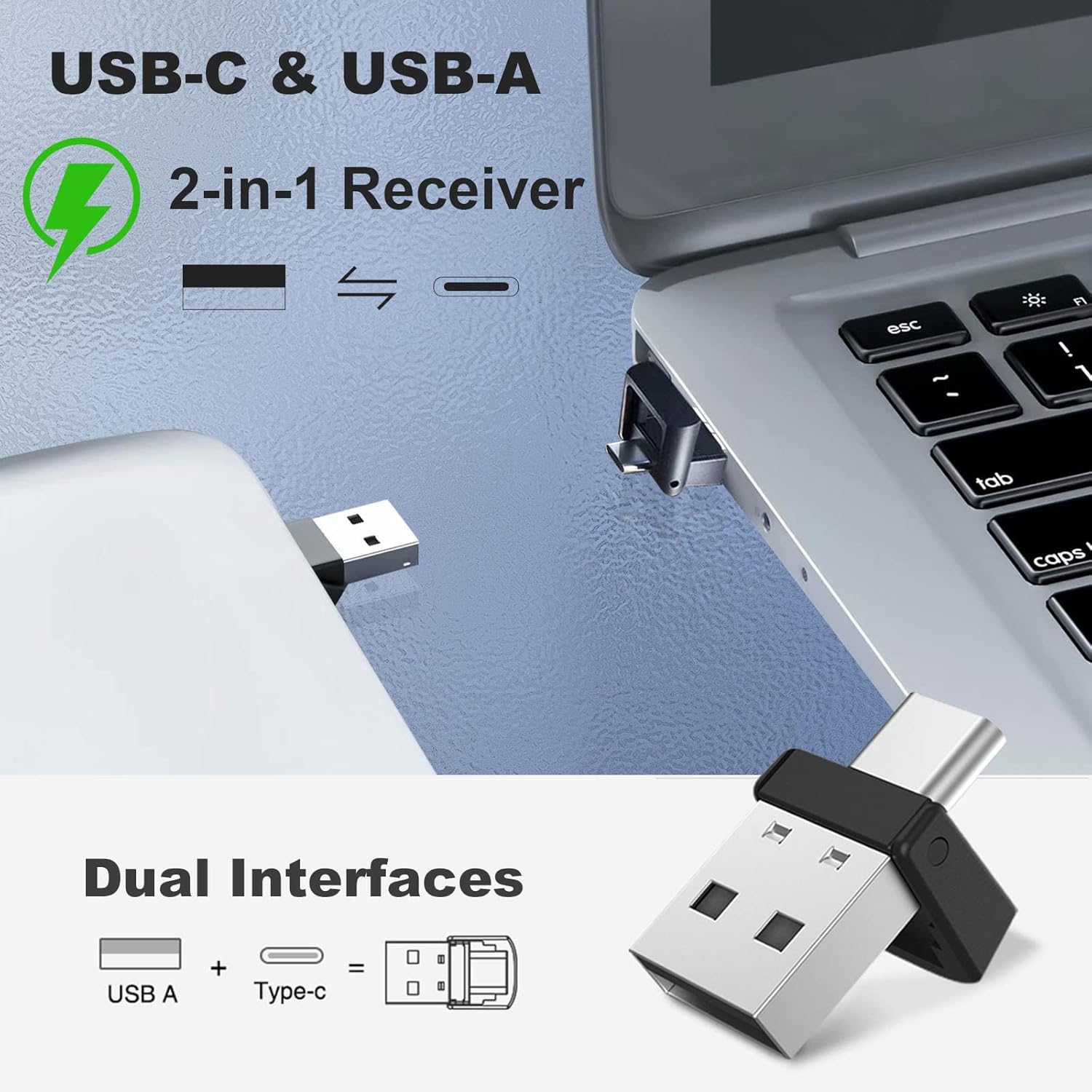
Image 2.1: Detailed diagram of the presentation clicker with key features labeled.
- Laserpointer: Emits a green laser beam for highlighting.
- Side op-knap: Advances to the next slide or scrolls up. Also functions as Full Screen/Exit Full Screen.
- Side ned-knap: Returns to the previous slide or scrolls down. Also functions as Black Screen.
- Laserknap: Activates the green laser pointer.
- Afbryderen: Tænder eller slukker for enheden.
- Opladningsport: USB-C-port til genopladning af det interne batteri.
- Indikatorlys: Viser forbindelsesstatus og batteriniveau.
- Knapper til lydstyrke op / ned: Styrer systemets lydstyrke.
- USB-modtager: Wireless dongle for connecting to your computer.

Image 2.2: The magnetic design allows for secure storage of the USB receiver within the clicker body.
3. Opsætning
The CLIKBUTM BYJ76-G is a plug-and-play device, requiring no software installation.
- Hent USB-modtageren: Gently pull the USB receiver from its magnetic storage slot at the bottom of the presentation clicker.
- Tilslut til computer: Insert the 2-in-1 USB-A/USB-C receiver into an available USB-A or USB-C port on your computer. The system will automatically detect and install the necessary drivers.
- Tænd: Slide the power switch on the side of the presentation clicker to the 'ON' position. The indicator light will illuminate, signifying a successful connection.

Image 3.1: The versatile 2-in-1 USB-A and USB-C receiver for broad compatibility.
4. Betjeningsvejledning
Once connected, the presentation clicker provides intuitive control over your slides and media.
- Side op: Tryk på Page Up (▲) button to move to the next slide in your presentation or scroll up in documents.
- Side ned: Tryk på Page Down (▼) button to move to the previous slide or scroll down in documents.
- Grøn laserpointer: Tryk og hold på Laser Button (💡) to activate the green laser pointer. Release the button to turn off the laser. The laser has a range of up to 328 feet (100 meters).
- Full Screen/Exit Full Screen: In presentation software, a quick double-press of the Page Up (▲) button may toggle full-screen mode.
- Sort skærm: In presentation software, a quick double-press of the Page Down (▼) button may toggle a black screen.
- Lydstyrkekontrol: Use the dedicated Volume Up and Volume Down buttons on the side of the clicker to adjust your computer's audio output.
- Trådløs kontrolrækkevidde: The wireless control distance is up to 100 feet.
5. Opladning
The CLIKBUTM BYJ76-G features a built-in rechargeable Lithium Ion battery.
- Lav effektindikation: The indicator light will turn red when the battery level is low.
- Tilslut oplader: Connect the included USB-C charging cable to the charging port on the clicker and the other end to a USB power source (e.g., computer USB port, wall adapter).
- Opladningsstatus: The indicator light will show charging status (e.g., solid red while charging, turning off or blue when fully charged).
- Opladningstid: A full charge typically takes less than 1 hour.
- Batterilevetid: A single charge provides over two months of worktime or up to 200 days of standby time.
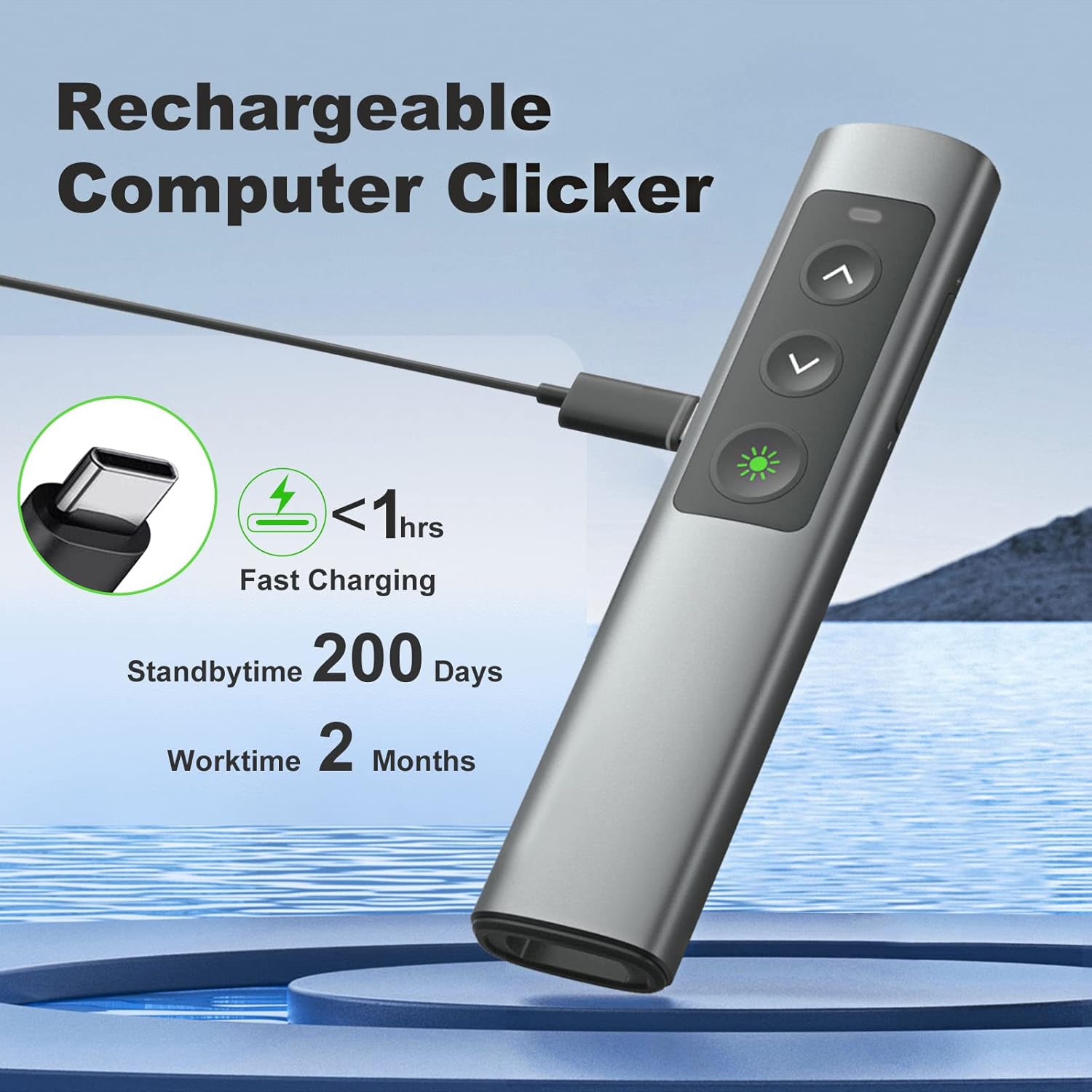
Image 5.1: The presentation clicker being charged via its USB-C port.
6. Kompatibilitet
The CLIKBUTM BYJ76-G is designed for broad compatibility with various operating systems and presentation software.
Understøttede operativsystemer:
- Windows 2003/XP/Vista/7/8/10
- Mac OS
- Linux
Understøttet software:
- PowerPoint
- Keynote
- Prezi
- Ord
- Excel
- ACD Se
- iWork
- Google Slides

Image 6.1: Visual representation of the clicker's compatibility with various systems and applications.
7. Vedligeholdelse
To ensure the longevity and optimal performance of your presentation clicker, follow these maintenance guidelines:
- Rensning: Tør enheden af med en blød, tør klud. Undgå at bruge skrappe kemikalier eller slibende materialer.
- Opbevaring: When not in use, store the clicker and its USB receiver in a cool, dry place. The magnetic storage for the receiver helps prevent loss.
- Batteripleje: Avoid fully discharging the battery frequently. Recharge the device when the low power indicator appears.
- Undgå dråber: While designed with a durable metal casing, excessive drops or impacts can damage internal components.
8. Fejlfinding
If you encounter issues with your presentation clicker, refer to the following common solutions:
- Enheden reagerer ikke:
- Ensure the clicker is powered ON.
- Kontroller, om USB-modtageren er korrekt tilsluttet en fungerende USB-port på din computer.
- Verify the battery level of the clicker and recharge if necessary.
- Prøv at sætte USB-modtageren i en anden USB-port.
- Genstart din computer.
- Laserpointer virker ikke:
- Ensure the clicker is powered ON and connected.
- Press and hold the laser button firmly.
- Kontroller batteriniveauet.
- Knapper fungerer ikke korrekt:
- Ensure the clicker is connected and has sufficient battery.
- Test the clicker with different presentation software or documents to isolate the issue.
- Sørg for, at ingen andre trådløse enheder forårsager interferens.
- Kort trådløs rækkevidde:
- Ensure there are no large metallic objects or other electronic devices obstructing the signal path between the clicker and the receiver.
- Flyt dig tættere på computeren.
9. Specifikationer
| Feature | Specifikation |
|---|---|
| Modelnummer | BYJ76-G |
| Varens vægt | 2.89 ounce (82 gram) |
| Pakkedimensioner | 5.79 x 2.2 x 0.75 tommer (14.7 x 5.6 x 1.9 cm) |
| Laser farve | Grøn |
| Laser rækkevidde | Op til 328 fod (100 meter) |
| Trådløs kontrolrækkevidde | Op til 100 fod |
| Forbindelse | 2.4GHz Wireless (USB-A & USB-C 2-in-1 Receiver) |
| Batteritype | 1 lithium-ion batteri (medfølger) |
| Opladningsport | USB-C |
| Opladningstid | Mindre end 1 time |
| Arbejdstid | Over 2 months per charge |
| Standby tid | Op til 200 dage |

Image 9.1: Physical dimensions of the presentation clicker for size reference.
10. Sikkerhedsoplysninger
Please observe the following safety precautions when using the laser pointer:
- GØR IKKE Ret laserstrålen mod mennesker eller dyr.
- GØR IKKE look directly into the laser beam.
- GØR IKKE point the laser beam at reflective surfaces.
- GØR IKKE allow children to use the laser pointer unsupervised.
- Dette produkt er ikke et legetøj.
11. Garanti og support
For warranty information or technical support, please refer to the product packaging or contact CLIKBUTM customer service through the retailer where the product was purchased. Keep your purchase receipt for warranty claims.