
1. Introduktion
The Nillkin SnapLink Air Magnetic Ring is designed to upgrade your non-MagSafe phone or standard PC/TPU case to be compatible with MagSafe accessories. This allows for seamless connection to MagSafe chargers, mounts, and wallets, enabling fast wireless charging and secure attachment.
Each package includes two (2) Nillkin SnapLink Air magnetic rings in black.

Image 1.1: Nillkin SnapLink Air Magnetic Ring (Black)
Nøglefunktioner:
- MagSafe-kompatibilitet: Transforms your device or case for use with MagSafe accessories.
- Strong Magnetic Lock: Features 36 high-strength magnets for secure attachment.
- Ultratyndt design: Made from premium PC material, 1.6mm thin, scratch-resistant, and durable.
- Universal kompatibilitet: Works with a wide range of iPhone, Samsung Galaxy, Google Pixel, and other Android phones (best with PC/TPU cases).
- Hurtig opladning: Enables automatic alignment with MagSafe wireless chargers for efficient power delivery.
2. Opsætning og installation
Follow these steps to properly install the Nillkin SnapLink Air Magnetic Ring:
- Forbered overfladen: Clean and thoroughly dry the back surface of your phone or protective case where the magnetic ring will be applied. Ensure there is no dust, oil, or moisture.
- Remove Release Paper: Carefully peel off the release paper from the adhesive side of the SnapLink Air Magnetic Sticker.
- Position og tryk: Align the magnetic ring to the middle of the back of your phone or protective case. Press firmly to ensure a secure and stable attachment.
Note: Avoid tearing and pasting repeatedly, as this may reduce the adhesive's stickiness. It is not recommended to stick the ring on frosted glass mobile phones or mobile phone cases made of silicone material or with uneven surfaces, as this may increase the risk of the phone dropping.
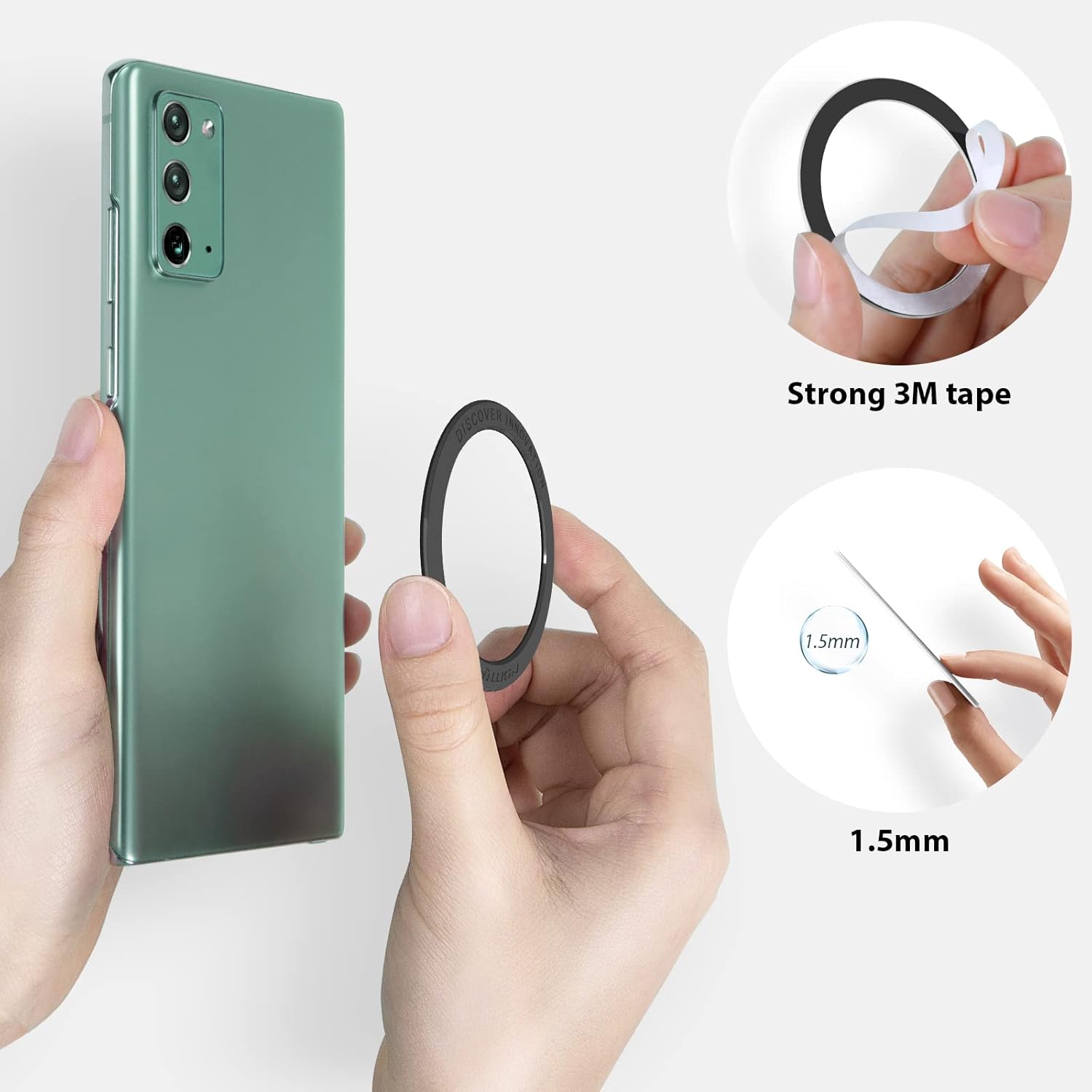
Image 2.1: Application of the Magnetic Ring

Image 2.2: Components of the Magnetic Ring
Video 2.1: This video demonstrates the unboxing and application process of the Nillkin SnapLink Air Magnetic Sticker, highlighting its thinness and strong adhesion.
3. Betjeningsvejledning
Once installed, your device is ready to interact with MagSafe compatible accessories.
- MagSafe opladning: Simply place your phone with the installed magnetic ring onto a MagSafe wireless charger. The ring will automatically align your phone for optimal charging.
- Tilbehørsvedhæftning: Attach other MagSafe accessories, such as magnetic wallets, car mounts, or stands, to the back of your phone. The strong magnets ensure a secure hold.

Image 3.1: Upgrading to MagSafe Compatibility

Image 3.2: Versatile Use with MagSafe Accessories
Video 3.1: This video illustrates how the Nillkin MagSafe Ring Magnet allows a standard phone or case to become MagSafe compatible, demonstrating its use with various MagSafe accessories.
Kompatibilitet:
The Nillkin SnapLink Air Magnetic Ring is compatible with a wide range of smartphones and cases. It is designed to work effectively with:
- iPhone 16/15/14/13/12/11/X/8 series
- Samsung Galaxy S25/S24/S23/S22/S21/S20/Note series
- Google Pixel 9/8/7/6/5 series
- Most other Android phones
For optimal performance, it is recommended to use the magnetic ring with PC (Polycarbonate) or TPU (Thermoplastic Polyurethane) cases that do not have a non-slip coating.
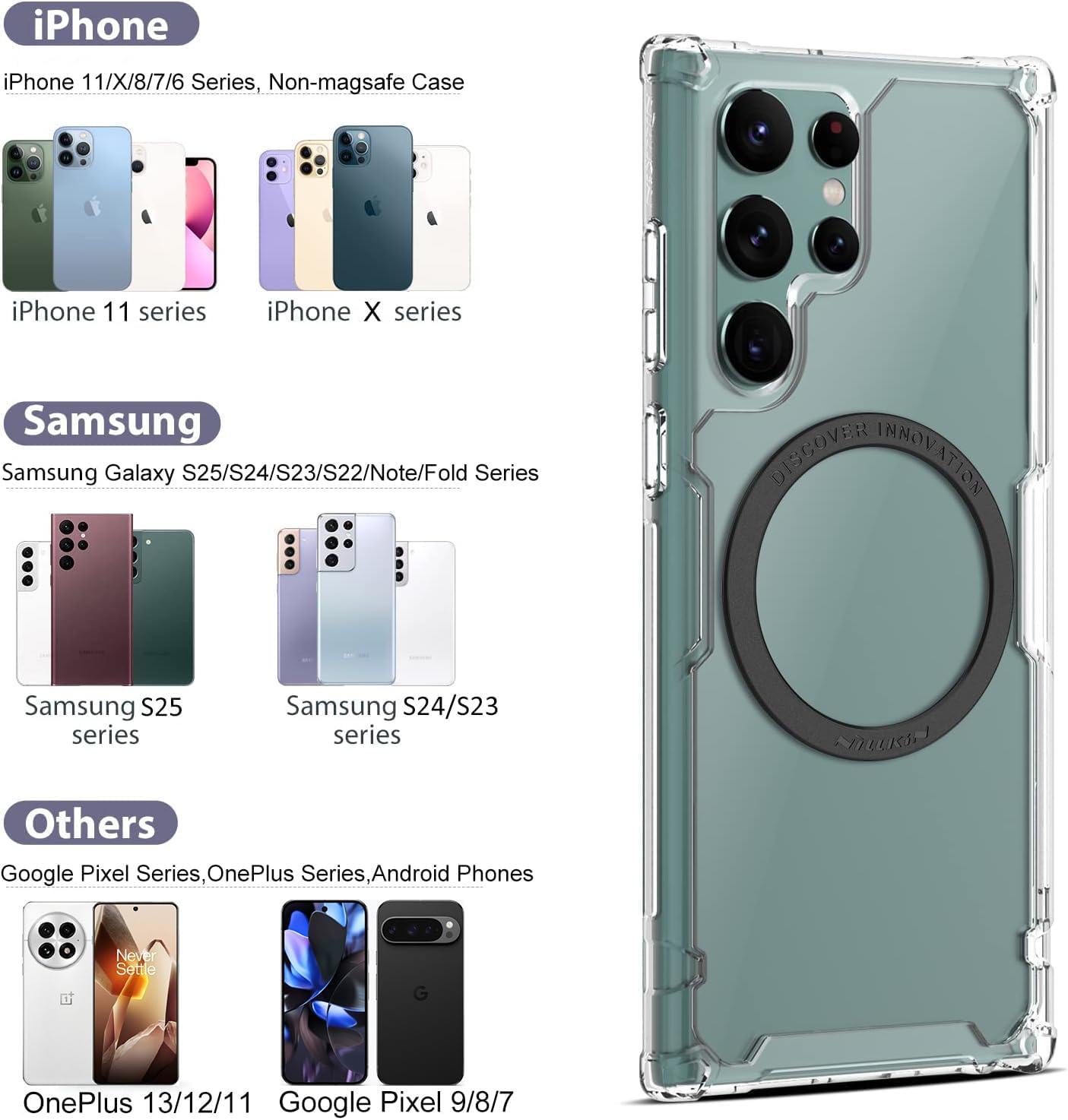
Billede 3.3: Enhedskompatibilitet overview

Image 3.4: Case Compatibility with MagSafe
4. Vedligeholdelse
The Nillkin SnapLink Air Magnetic Ring requires minimal maintenance. To ensure its longevity and optimal performance:
- Rensning: If the surface of the ring becomes dirty, gently wipe it with a soft, dry cloth. Avoid using harsh chemicals or abrasive materials, as these may damage the PC material.
- Pleje af klæbemiddel: Once applied, avoid attempting to reposition the ring multiple times, as this can weaken the adhesive bond.
- Opbevaring: If you remove the ring, ensure any remaining adhesive residue is cleaned from your device or case. Store the ring in a clean, dry place if not immediately reapplying.
5. Fejlfinding
If you encounter any issues with your Nillkin SnapLink Air Magnetic Ring, consider the following:
- Svag magnetisk forbindelse:
- Ensure the magnetic ring is properly centered on your phone or case.
- Verify that your phone case material is compatible (PC/TPU recommended). Thick or heavily textured cases, or those with non-slip coatings, may reduce magnetic strength.
- Check if the MagSafe accessory itself is functioning correctly.
- Klæbemiddel der ikke klæber:
- Ensure the surface was thoroughly cleaned and dried before application.
- Avoid touching the adhesive side during application.
- If the adhesive has been peeled and reapplied multiple times, its effectiveness may be compromised.
- Problemer med trådløs opladning:
- Confirm that your MagSafe charger is powered on and functioning.
- Ensure the phone is correctly aligned with the charger.
- Remove any foreign objects between the phone and the charger.
Hvis problemerne fortsætter, henvises der til supportoplysningerne i afsnit 7.
6. Specifikationer
| Feature | Detalje |
|---|---|
| Mærke | Nillkin |
| Farve | Sort |
| Speciel funktion | Upgrade to MagSafe |
| Materiale | PC, Magnet |
| Greb Type | Ringgreb |
| Monteringstype | Klæbemiddel |
| Emnedimensioner | 2.18 x 2.18 x 0.06 inches (Outer diameter: 55.3mm, Inner diameter: 44.3mm, Thickness: 1.6mm) |
| Nettovægt | 3.3 g |
7. Garanti og support
Nillkin products are designed for quality and durability. For specific warranty information, please refer to the product packaging or the official Nillkin website. If you require technical assistance or have questions regarding your Nillkin SnapLink Air Magnetic Ring, please contact Nillkin customer support through their official channels or the retailer from whom you purchased the product.
You can visit the official Nillkin Store for more information: Nillkin-butik på Amazon