
Indledning
Thank you for choosing the ESR HaloLock 3-in-1 Watch Wireless Charging Set. This device is designed to provide convenient and efficient wireless charging for your iPhone (12 series or later), Apple Watch (all series), and AirPods (Pro/3/2). This manual provides essential information for setup, operation, maintenance, and troubleshooting to ensure optimal performance and longevity of your charging set.
Hvad er der i æsken
- MagSafe Ladestation
- Made for Apple Watch Charger
- Charging Station for MagSafe
Opsætningsinstruktioner
- Udpak komponenter: Fjern forsigtigt alle varer fra emballagen.
- Tilslut strøm: Plug the provided USB-C to USB-C cable into the charging station's USB-C port and connect the other end to the 20W PD charging adapter. Plug the adapter into a power outlet.
- Attach Apple Watch Charger: The Apple Watch charger is portable and can be detached. To use it with the main station, align the USB-C connector of the Apple Watch charger with the designated port on the charging stand and firmly insert it. Ensure it is securely connected.
- Placering: Placer ladestationen på en stabil, plan overflade.
Visual Guide: Setting Up Your Charging Station
Video: Demonstrates the unboxing and setup process of the ESR HaloLock 3-in-1 Watch Wireless Charging Set, showing how to connect the power cable and attach the Apple Watch charger.
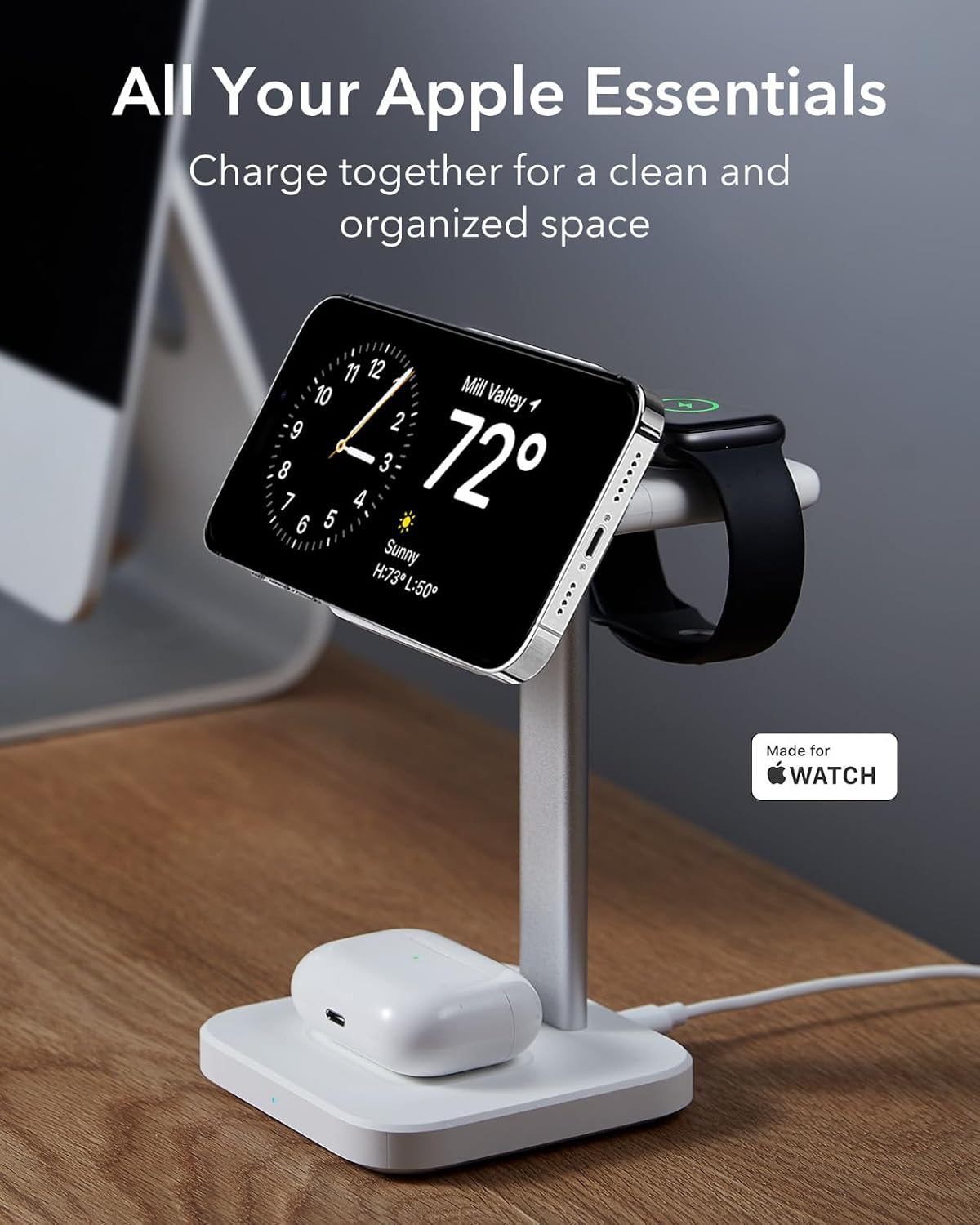
Image: The ESR 3-in-1 charging station neatly charging an iPhone, Apple Watch, and AirPods, illustrating a clean and organized charging setup.
Betjeningsvejledning
- Oplader iPhone: Place your MagSafe-compatible iPhone (12 series or later) onto the magnetic charging pad. The strong magnetic lock (1,000 g holding force) will securely hold your phone in place and initiate charging.
- Opladning af Apple Watch: Place your Apple Watch onto the dedicated Apple Watch charger. Ensure the watch is properly aligned for charging. The officially certified charger provides safe and reliable fast charging.
- Opladning af AirPods: Place your AirPods Pro/3/2 charging case onto the base charging pad. The built-in magnets ensure instant, secure alignment for charging. Note: The AirPods charging pad does not support magnetic alignment for the AirPods case itself, but rather for the charging coils.
- Portable Watch Charging: The small, lightweight USB-C Apple Watch charger can be disconnected from the main stand and used independently. Plug it into any powered USB-C port (e.g., laptop, power bank) to charge your Apple Watch on the go.
Visual Guide: Charging Devices

Image: A hand demonstrates placing an iPhone onto the magnetic charging pad, showcasing the 'Power in a Snap' feature for instant magnetic charging.

Image: A multi-panel image showing the portable Apple Watch charger being detached, plugged into a laptop, and used with a wall adapter, highlighting its versatility for on-the-go charging.
Kompatibilitet
The ESR HaloLock 3-in-1 Watch Wireless Charging Set is compatible with a wide range of Apple devices:
- iPhones with MagSafe: iPhone 17e, iPhone 17, iPhone Air, iPhone 17 Pro, iPhone 17 Pro Max, iPhone 16, iPhone 16 Plus, iPhone 16 Pro, iPhone 16 Pro Max, iPhone 15, iPhone 15 Plus, iPhone 15 Pro, iPhone 15 Pro Max, iPhone 14, iPhone 14 Plus, iPhone 14 Pro, iPhone 14 Pro Max, iPhone 13, iPhone 13 Pro, iPhone 13 Pro Max, iPhone 13 mini, iPhone 12, iPhone 12 Pro, iPhone 12 Pro Max. For the strongest magnetic lock, use an ESR magnetic case.
- Apple Watch: Apple Watch Ultra, all Apple Watch Series (8/7/6/5/4/3/2/1), and Apple Watch SE (2/1).
- AirPods: AirPods Pro/3/2.
Visual Guide: Device Compatibility

Image: A clear visual representation of the charging station's compatibility with various iPhone models, Apple Watch series, and AirPods, including different case types.
Opretholdelse
- Rensning: Use a soft, dry cloth to clean the charging station. Avoid using harsh chemicals or abrasive materials.
- Opbevaring: Opbevar enheden et køligt og tørt sted, når den ikke er i brug i længere perioder.
- Håndtering: Undgå at tabe enheden eller udsætte den for kraftige stød.
Fejlfinding
- Enheden oplader ikke:
- Ensure the charging station is properly connected to a working power outlet using the provided adapter.
- Kontroller, at din enhed er korrekt justeret på opladningspad'en.
- Remove any thick or metallic cases from your phone or AirPods that might interfere with wireless charging.
- Check if the Apple Watch charger is securely inserted into the stand or powered USB-C port.
- Langsom opladning:
- Ensure you are using the original 20W PD charging adapter and USB-C cable.
- Avoid using your device while it is charging, as this can slow down the charging process.
- Overophedning:
- Ensure adequate ventilation around the charging station.
- Remove any cases that might trap heat.
- Hvis overophedningen fortsætter, skal du stoppe brugen og kontakte kundesupport.
Specifikationer
| Feature | Detalje |
|---|---|
| Mærke | ESR |
| Modelnummer | PD02UC |
| Forbindelsesteknologi | Trådløs |
| Connector Type | USB Type C |
| Speciel funktion | Fast Charging, MagSafe Compatible |
| Input bindtage | 12 volt (DC) |
| Wattage | 7.5 watt |
| Udgangsstrøm | 2 Amps |
| Samlet USB-porte | 1 |
| Varens vægt | 0.7 kilo |
| Indkapslingsmateriale | Metal, Plast |
| Monteringstype | Bordplademontering |
| Specifikation Met | Qi |
Garanti og support
ESR provides a 24-month warranty for the HaloLock 3-in-1 Watch Wireless Charging Set. For any product inquiries, technical support, or warranty claims, please refer to the contact information provided in your product packaging or visit the official ESR webwebsted.