
ORIA Bluetooth Receiver 5.0 User Manual
Model: Bluetooth Receiver 5.0
1. Introduktion
The ORIA Bluetooth Receiver 5.0 is a versatile audio adapter designed to add Bluetooth functionality to non-Bluetooth devices. It supports both receiving (RX) and transmitting (TX) modes, allowing you to wirelessly stream audio from your smartphone to a car stereo or speaker, or from your TV to Bluetooth headphones. Featuring Bluetooth 5.0 technology and CVC noise reduction, it provides stable connections and clear audio quality for music and hands-free calls.
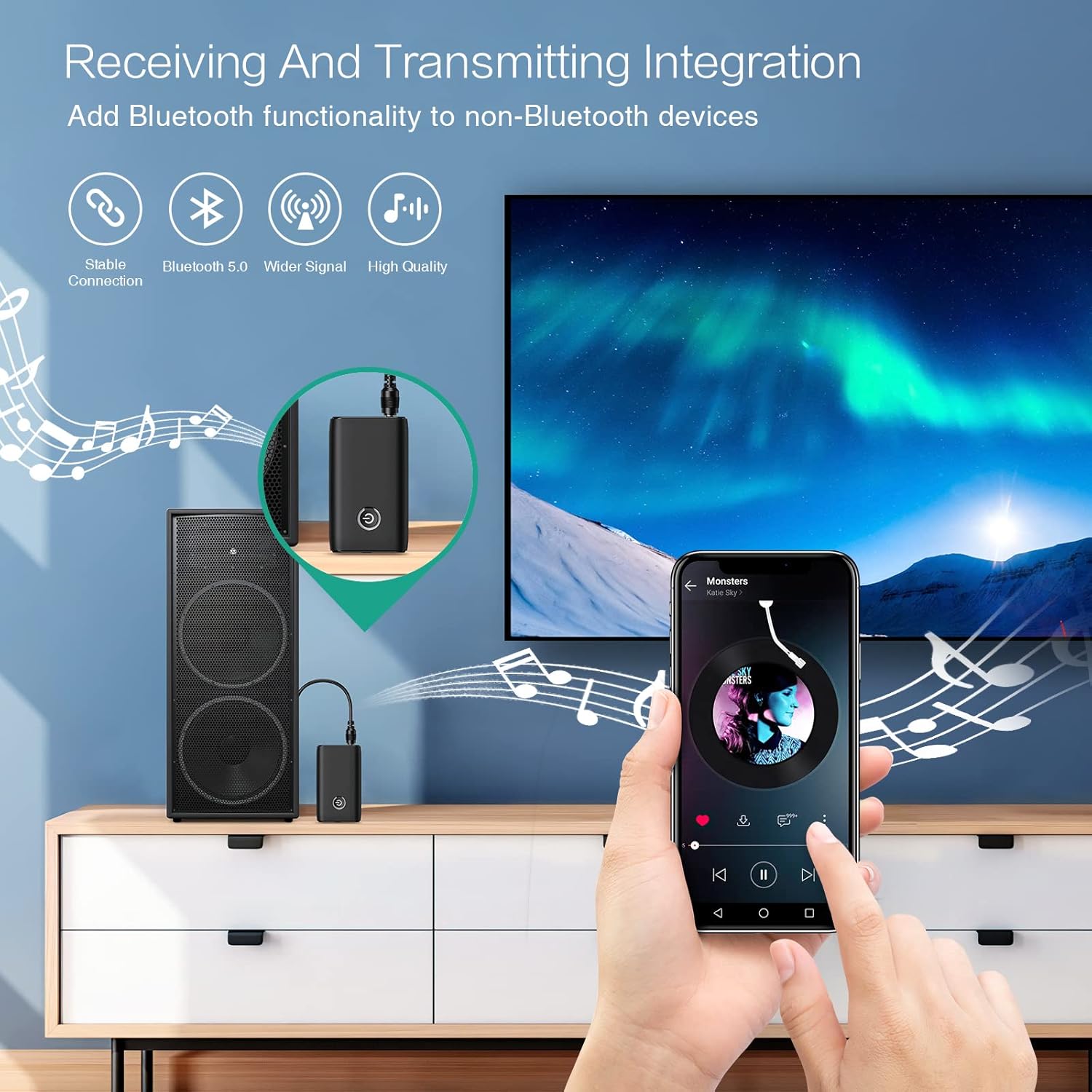
Figure 1.1: The ORIA Bluetooth Receiver 5.0 integrating with various audio systems, showcasing its dual receiving and transmitting functions.
2. Pakkens indhold
Tjek venligst pakken for følgende varer:
- ORIA Bluetooth Receiver 5.0 Unit
- 3.5 mm lydkabel
- USB-opladerkabel (Type-C)
- Brugermanual

Figure 2.1: All items included in the ORIA Bluetooth Receiver 5.0 package.
3. Produktet er slutview
Familiarize yourself with the device's components and indicators:

Figure 3.1: Detailed diagram of the ORIA Bluetooth Receiver 5.0, highlighting its ports, buttons, and LED indicator meanings.
- 3.5 mm lydport: Connects to audio input/output devices.
- Micro USB-opladningsport: Til opladning af enheden.
- RX/TX Switch: Toggles between Receiver (RX) and Transmitter (TX) modes.
- Multifunktionsknap: Tænd/sluk, afspil/pause, besvar/afslut opkald.
- Connection Indicator Light:
- Red & Blue flashing: Pairing State
- Red flashing: Low Battery Warning
- Blue solid: Connected
4. Funktioner
- Bluetooth 5.0: Provides a stable wireless connection up to 10 meters for music streaming and audio calls.
- Intelligent Noise Reduction (CVC): Enhances audio clarity by reducing background noise, supporting A2DP, AVRCP, HFP, HSP protocols.
- Dual Mode (TX/RX): Converts non-Bluetooth devices into Bluetooth-enabled devices for both transmitting and receiving audio.
- Lang batterilevetid: Up to 8 hours of play/talk time, 60 days standby, with a 2-hour full charge time.
- USB-opladning: Allows use while charging without interrupting calls or music.
- Nem betjening: Simple one-button control for power, play/pause, and call management.
- Bærbart design: Small and lightweight for convenient transport and use anywhere.
5. Opsætning og drift
5.1 Opladning af enheden
Before first use, fully charge the device. Connect the provided USB charging cable to the Micro USB Charging Port on the receiver and the other end to a USB power source (e.g., car charger, wall adapter, computer USB port). The indicator light will show charging status.

Figure 5.1: Battery life and charging duration of the ORIA Bluetooth Receiver 5.0.
5.2 Switching Between Receiver (RX) and Transmitter (TX) Modes
The device features a physical switch to change between RX and TX modes. Vigtig: Always power off the device before switching modes to ensure proper functionality.

Figure 5.2: Instructions for switching between Transmitter (TX) and Receiver (RX) modes.
5.3 Opsætning af modtagertilstand (RX)
Use RX mode to receive audio from a Bluetooth-enabled device (e.g., smartphone, tablet) and play it through a non-Bluetooth audio system (e.g., car stereo, home speaker, wired headphones).
- Switch to RX: Ensure the device is powered off, then slide the switch to the "RX" position.
- Tilslut til lydsystem: Plug one end of the 3.5mm audio cable into the receiver's 3.5mm Audio Port and the other end into the AUX input of your car stereo, home speaker, or wired headphones.
- Tænd: Press and hold the Multi-function Button to power on the receiver. The indicator light will flash red and blue, indicating pairing mode.
- Par med telefon: On your smartphone or other Bluetooth device, enable Bluetooth and search for "ORIA-B6" (or similar name). Select it to pair. Once connected, the indicator light will turn solid blue.
- Afspil musik: Start playing audio on your paired device. The sound will now be transmitted wirelessly to your connected audio system.

Figure 5.3: Easy setup steps for Receiver (RX) mode, typically used in a car.
5.4 Opsætning af sendertilstand (TX)
Use TX mode to transmit audio from a non-Bluetooth device (e.g., TV, PC, MP3 player) to a Bluetooth-enabled audio output (e.g., Bluetooth headphones, Bluetooth speaker).
- Switch to TX: Ensure the device is powered off, then slide the switch to the "TX" position.
- Tilslut til lydkilde: Plug one end of the 3.5mm audio cable into the receiver's 3.5mm Audio Port and the other end into the audio output (e.g., headphone jack) of your TV, PC, or MP3 player.
- Tænd: Press and hold the Multi-function Button to power on the transmitter. The indicator light will flash red and blue, indicating pairing mode.
- Pair with Bluetooth Headphones/Speaker: Put your Bluetooth headphones or speaker into pairing mode. The receiver will automatically search for and connect to nearby Bluetooth audio devices. Once connected, the indicator light will turn solid blue.
- Nyd lyd: Play audio from your connected source device. The sound will now be transmitted wirelessly to your Bluetooth headphones or speaker.

Figure 5.4: Easy setup steps for Transmitter (TX) mode, typically used with a TV.
5.5 Universel kompatibilitet
The ORIA Bluetooth Receiver 5.0 is designed for broad compatibility with various devices in both TX and RX modes.
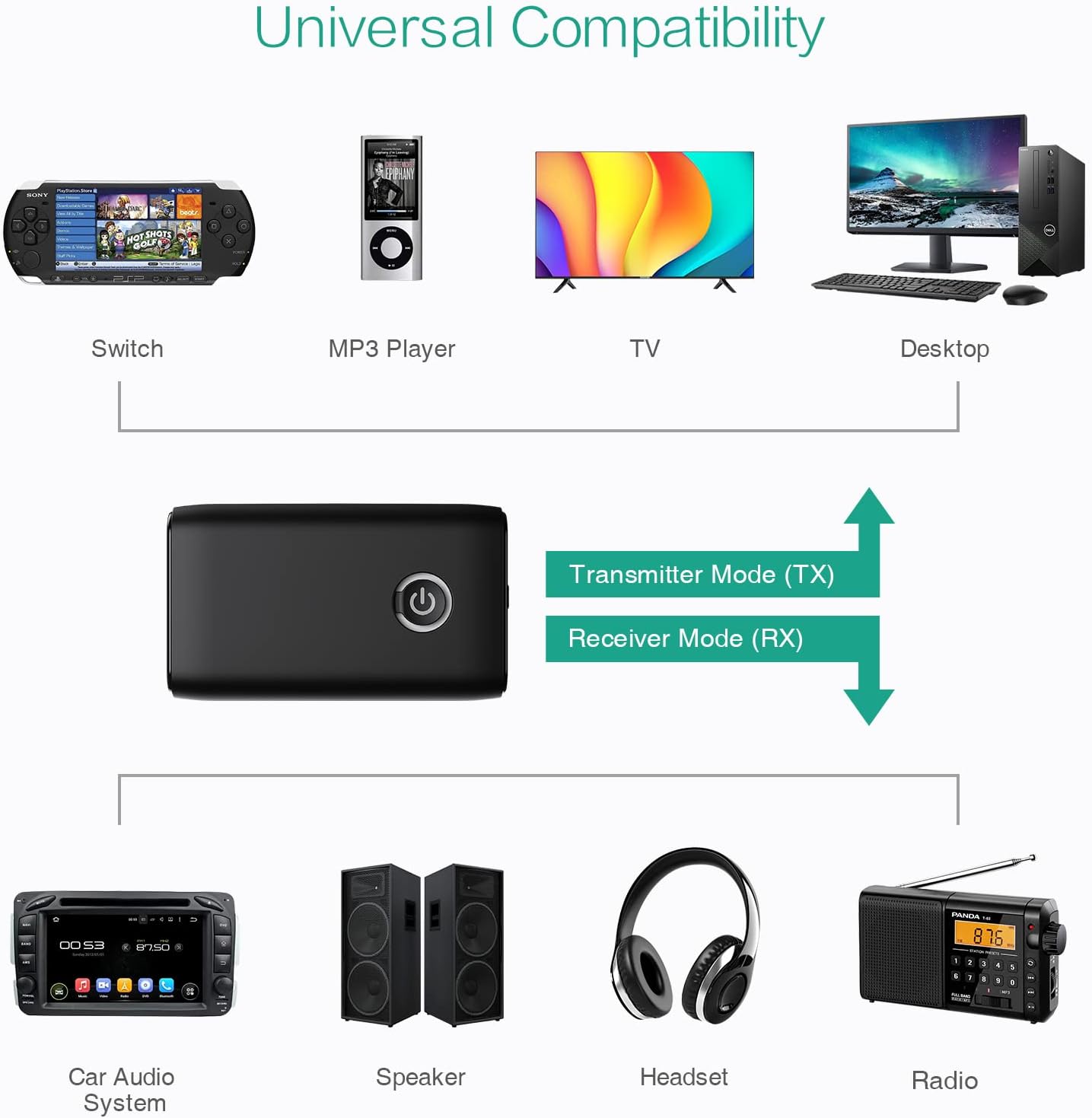
Figur 5.5: Eksamples of devices compatible with the ORIA Bluetooth Receiver 5.0 in both TX and RX modes.
6. Betjeningsvejledning
6.1 Kontrol af musikafspilning
- Afspil/pause: Tryk kort på multifunktionsknappen.
- Næste nummer: (Functionality may vary depending on connected device and mode. Typically controlled via the source device.)
- Forrige nummer: (Functionality may vary depending on connected device and mode. Typically controlled via the source device.)
- Lydstyrkekontrol: Adjust volume directly on your paired device (smartphone, TV, etc.) or the connected audio system.
6.2 Hands-Free Calling (RX Mode Only)
When in Receiver (RX) mode and paired with a smartphone:
- Besvar opkald: Tryk kort på multifunktionsknappen, når du modtager et opkald.
- Afslut opkald: Tryk kort på multifunktionsknappen under et opkald.
- Afvis opkald: Tryk og hold multifunktionsknappen nede i 2 sekunder, når du modtager et opkald.
- Genopkald sidste nummer: Dobbelttryk på multifunktionsknappen.
7. Vedligeholdelse
- Hold enheden tør. Undgå udsættelse for fugt eller væsker.
- Forsøg ikke at skille enheden ad eller ændre den. Dette vil ugyldiggøre garantien.
- Rengør enheden med en blød, tør klud. Brug ikke skrappe kemikalier eller slibende rengøringsmidler.
- Opbevar enheden et køligt og tørt sted, når den ikke er i brug i længere perioder.
8. Fejlfinding
If you encounter issues with your ORIA Bluetooth Receiver 5.0, please refer to the following common solutions:
| Problem | Løsning |
|---|---|
| Enheden tænder ikke. | Sørg for, at enheden er fuldt opladet. Tilslut den til en strømkilde ved hjælp af USB-opladerkablet. |
| Kan ikke parres med en Bluetooth-enhed. |
|
| Ingen lyd eller dårlig lydkvalitet. |
|
| Enheden afbrydes ofte. |
|
9. Specifikationer
| Feature | Detalje |
|---|---|
| Mærke | ORIA |
| Forbindelsesteknologi | Bluetooth, USB |
| Standard for trådløs kommunikation | Bluetooth 5.0 |
| Strømkilde | Batteridrevet, elektrisk med ledning |
| Speciel funktion | Bluetooth Receiver, Portable |
| Installationstype | Tilslut |
| Hardware-interface | Bluetooth, USB |
| Støjreduktion | CVC teknologi |
| Battery Life (Play/Talk) | Op til 8 timer |
| Standby tid | 60 dage |
| Opladningstid | Cirka 2 timer |
10. Garanti og support
This ORIA Bluetooth Receiver 5.0 comes with a 1 års garanti fra købsdatoen.
If you experience any problems with the product's use or function, or if the product is defective or damaged, please contact the seller directly for assistance. They will provide support and solutions to resolve your issue.