
1. Introduktion
Thank you for choosing the XDOBO X8 Portable Bluetooth Speaker. This manual provides essential information for the safe and efficient use of your device. The X8 speaker features a powerful 60W output, True Wireless Stereo (TWS) connectivity for an immersive audio experience, a 3-band equalizer, advanced DSP technology for enhanced bass, and an IP65 waterproof rating, making it suitable for various environments.
Læs venligst denne vejledning omhyggeligt før brug og gem den til fremtidig reference.
2. Pakkens indhold
Sørg for, at alle genstande er til stede ved udpakning:
- XDOBO X8 Bluetooth Speaker Unit
- USB Type-C Charging Cable (Power adapter not included)
- 3.5 mm stereolydkabel
- Simple Instruction Manual (Japanese)
3. Produktlayout og kontroller
Familiarize yourself with the speaker's buttons and ports for optimal operation.
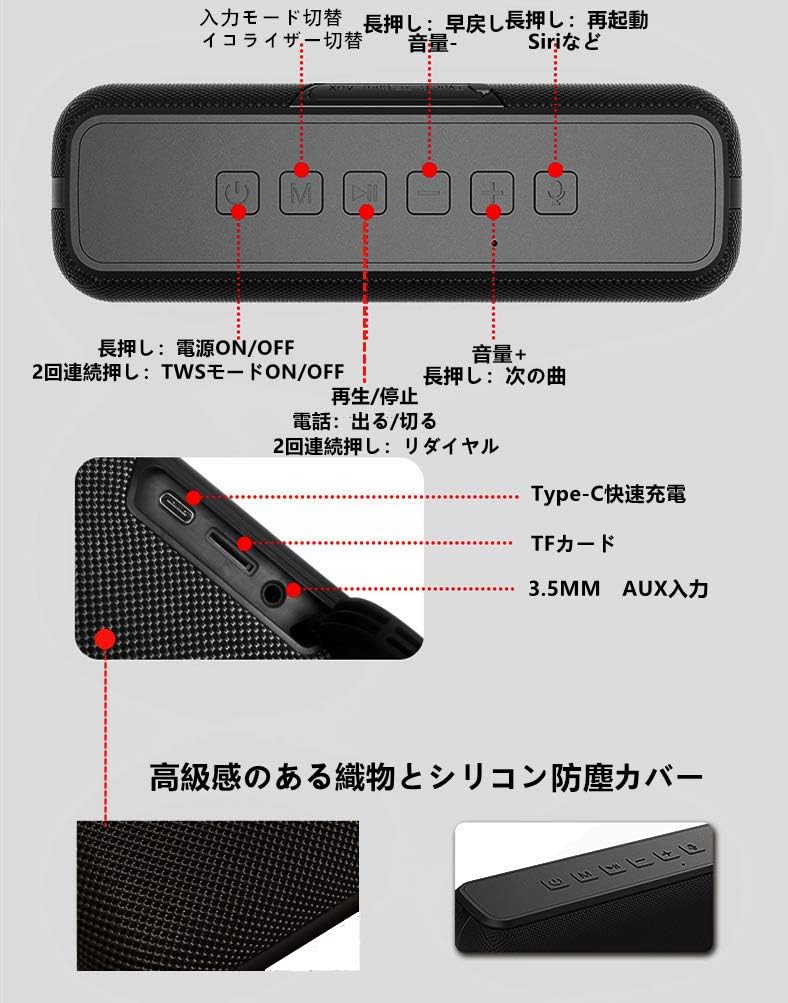
Billede: Top view of the XDOBO X8 speaker showing the control panel buttons.
This image displays the control buttons located on the top surface of the speaker. From left to right, these include the Power button, Mode (M) button, Play/Pause button, Volume Down/Previous Track button, Volume Up/Next Track button, and Voice Assistant button.
Billede: Side view of the XDOBO X8 speaker showing the input ports.
This image illustrates the various input ports on the side of the speaker, including the Type-C fast charging port, TF card slot, and 3.5mm AUX input port.
Knap funktioner:
- Power knap: Long press to power ON/OFF. Double press to toggle TWS mode ON/OFF.
- M (tilstand) knap: Short press to switch between input modes (Bluetooth, TF Card, AUX). Long press to cycle through equalizer settings.
- Afspil/pause knap: Short press to Play/Pause music. Short press to Answer/End calls. Double press to Redial the last number.
- Knap til lydstyrke ned / forrige nummer (-): Kort tryk for at sænke lydstyrken. Langt tryk for at sænke forrige nummer.
- Knap til lydstyrke op / Næste nummer (+): Kort tryk for at øge lydstyrken. Langt tryk for at vælge næste nummer.
- Knap til stemmeassistent: Short press to activate your device's voice assistant (Siri, Google Assistant, etc.).
4. Opsætning
4.1 Opladning af højttaleren
Before first use, fully charge the speaker. Connect the provided USB Type-C cable to the speaker's charging port and the other end to a USB power adapter (not included) or a computer's USB port. The charging indicator light will show the charging status. Always use the included USB cable for charging.
4.2 Tænd/sluk
- For at tænde: Tryk længe på Magt knappen, indtil du hører en lydmeddelelse.
- For at slukke: Tryk længe på Magt button again until you hear an audible prompt.
4.3 Bluetooth -parring
The XDOBO X8 speaker is compatible with most Bluetooth-enabled devices (smartphones, tablets, PCs).
- Tænd højttaleren. Den vil automatisk gå i Bluetooth-parringstilstand, hvilket indikeres af en blinkende LED-lampe.
- Aktiver Bluetooth på din enhed, og søg efter tilgængelige enheder.
- Select "XDOBO X8" from the list of devices.
- Once paired, the speaker will emit a confirmation sound, and the LED light will remain solid.
4.4 Ægte trådløs stereo (TWS) parring
Connect two XDOBO X8 speakers for a stereo sound experience.
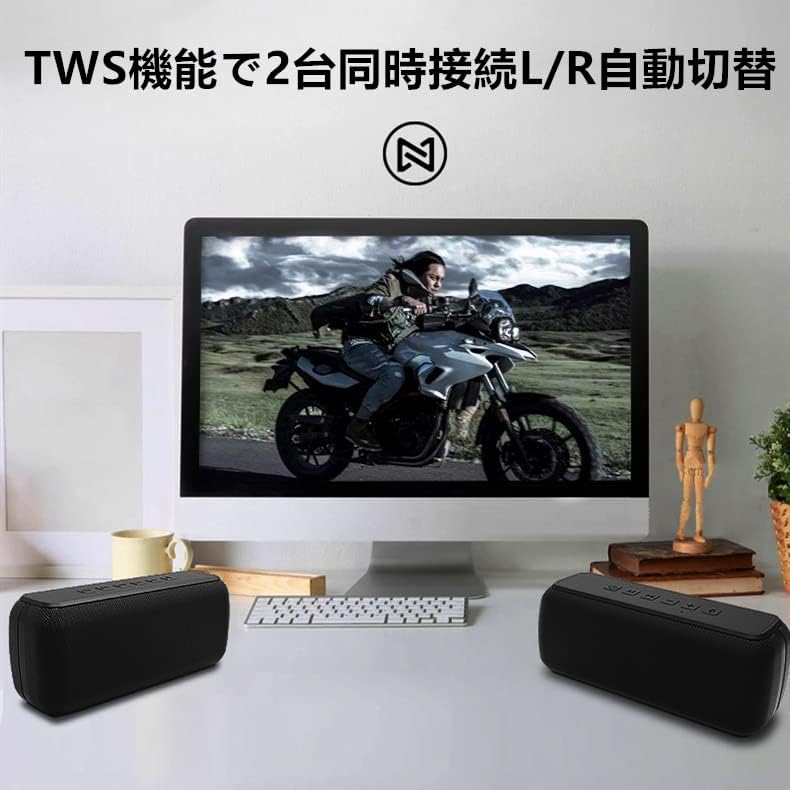
Billede: Two XDOBO X8 speakers connected via TWS, providing stereo sound with a computer monitor.
This image demonstrates the TWS functionality, showing two XDOBO X8 speakers positioned for stereo playback, enhancing the audio experience for media consumption.
- Ensure both XDOBO X8 speakers are powered on and not connected to any Bluetooth device.
- On one of the speakers (this will become the primary speaker), double press the Magt knappen. Højttaleren vil gå i TWS-parringstilstand.
- De to højttalere vil automatisk oprette forbindelse til hinanden. En bekræftelseslyd vil indikere vellykket TWS-parring.
- Tilslut nu din enhed til den primære højttaler via Bluetooth som beskrevet i afsnit 4.3. Begge højttalere vil afspille lyd i stereo.
4.5 AUX and TF Card Mode
The speaker supports audio playback via a 3.5mm AUX cable and from a TF (Micro SD) card.
- AUX-tilstand: Insert the 3.5mm audio cable into the AUX port on the speaker and connect the other end to your audio source. Short press the M knappen for at skifte til AUX-tilstand.
- TF-korttilstand: Insert a TF card (up to 64GB, supporting MP3, FLAC, WAV formats) into the TF card slot. Short press the M button to switch to TF card mode. The speaker will automatically begin playing audio from the card.
5. Betjeningsvejledning
5.1 Grundlæggende lydkontroller
- Afspil/pause: Tryk kort på Afspil/pause knap.
- Lydstyrkejustering: Tryk kort på + button to increase volume, and the - button to decrease volume. Note that volume levels on your connected device and the speaker may be independent.
- Næste nummer: Tryk længe på + knap.
- Forrige nummer: Tryk længe på - knap.
5.2 Equalizer (EQ) indstillinger
The XDOBO X8 features 3 distinct equalizer settings to customize your audio experience, including enhanced bass. Long press the M button to cycle through the available EQ modes. You will hear an audible prompt indicating the current EQ setting.
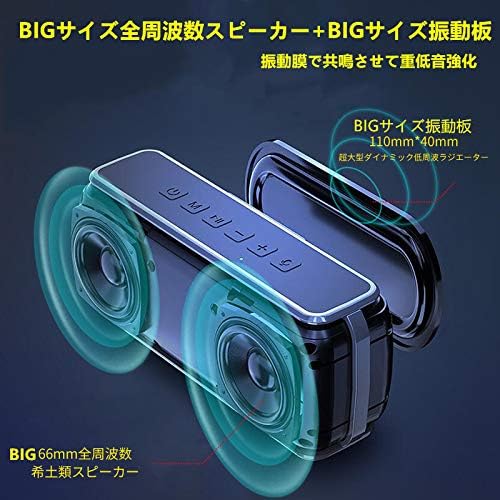
Billede: XDOBO X8 speaker with visual representation of sound waves and passive radiators.
This image highlights the speaker's large passive radiators and full-range drivers, which contribute to its powerful and deep bass output, a key feature enhanced by the DSP technology.
5.3 Håndfri opkald
When connected via Bluetooth, you can use the speaker for hands-free phone calls.
- Besvar/afslut opkald: Tryk kort på Afspil/pause knap.
- Genopkald sidste nummer: Dobbelttryk på Afspil/pause knap.
6. Vedligeholdelse
To ensure the longevity and optimal performance of your XDOBO X8 speaker, follow these maintenance guidelines:
- Rensning: Wipe the speaker with a soft, dry cloth. Do not use abrasive cleaners, alcohol, or other chemical solvents.
- Vandtæthed: The speaker has an IP65 waterproof rating, meaning it is protected against dust ingress and low-pressure water jets from any direction. Do not submerge the speaker in water. Ensure the charging port cover is securely closed when exposed to water.
- Opbevaring: Opbevar højttaleren et køligt, tørt sted væk fra direkte sollys og ekstreme temperaturer.
- Batteripleje: For at spare på batteriet, undgå at aflade højttaleren helt ofte. Oplad den regelmæssigt, selvom den ikke er i brug i længere perioder.
7. Fejlfinding
If you encounter issues with your XDOBO X8 speaker, refer to the following common problems and solutions:
| Problem | Mulig årsag | Løsning |
|---|---|---|
| Højttaleren tænder ikke. | Lavt batteri. | Oplad højttaleren med det medfølgende USB Type-C-kabel. |
| Kan ikke parres via Bluetooth. | Højttaleren er ikke i parringstilstand; Bluetooth er slået fra på enheden; Højttaleren er allerede forbundet til en anden enhed. | Ensure speaker is powered on and flashing (pairing mode). Turn Bluetooth on your device. Disconnect from other devices or restart the speaker. |
| Ingen lyd eller lav lydstyrke. | Volume too low on speaker or device; Incorrect input mode; Speaker is muted. | Increase volume on both the speaker and your connected device. Press the 'M' button to ensure the correct input mode (Bluetooth, AUX, TF Card). |
| TWS-parring mislykkes. | Speakers are already connected to other devices; Incorrect TWS pairing procedure. | Ensure both speakers are disconnected from other devices. Follow the TWS pairing steps in section 4.4 carefully. |
| Forvrænget lyd ved høj lydstyrke. | Lydstyrken er for høj. | Skru ned for lydstyrken på både højttaleren og din tilsluttede enhed. |
| Loud, repetitive warning sound (low battery). | Batteriet er kritisk lavt. | Charge the speaker immediately. The warning sound indicates the battery is about to run out. |
8. Specifikationer
Detailed technical specifications for the XDOBO X8 Portable Bluetooth Speaker:
| Feature | Specifikation |
|---|---|
| Mærke | XDOBO |
| Modelnummer | X8 |
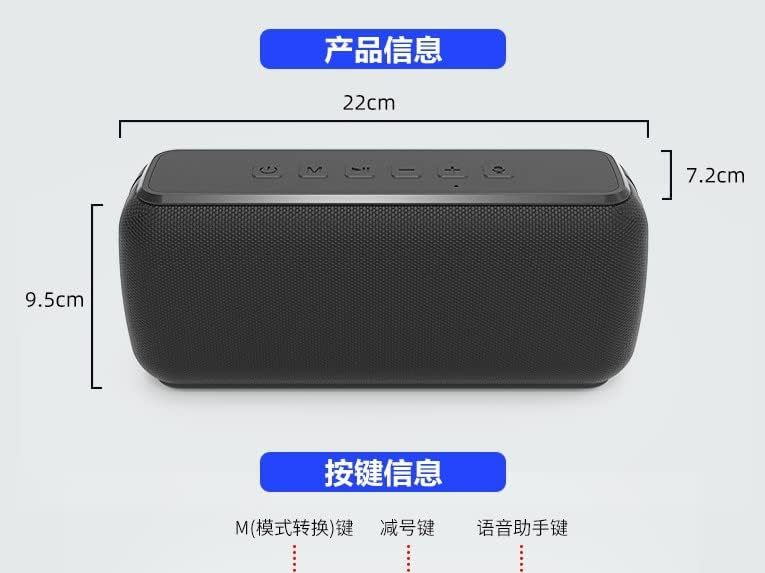
| Produktdimensioner | 22 x 9.5 x 7.2 cm (ca. 8.66 x 3.74 x 2.83 tommer) |
| Vægt | Ca. 860 g (1.9 lbs) |
| Trådløs kommunikationsteknologi | Bluetooth |
| Forbindelsesteknologi | AUX, Bluetooth |
| Højttaler Maksimal udgangseffekt | 60 watt |
| Vandtæt vurdering | IP65 |
| Kontrolmetode | Berøringsknapper |
| Anbefalet anvendelse af produktet | Computer, Smartphone |
| Strømkilde | Power Cord (Rechargeable Battery) |
| Batteri påkrævet | Ja |
| Monteringstype | Bordplademontering |
| Særlige funktioner | Bluetooth, Portable, Wireless |
9. Garanti og support
For warranty information or technical support, please refer to the documentation included with your purchase or contact XDOBO customer service through the retailer where you purchased the product. Keep your proof of purchase for warranty claims.
Vigtige bemærkninger
- Product specifications and appearance are subject to change without prior notice due to continuous product improvement.
- The English instructions provided in this manual are based on the latest available information. Minor discrepancies with other language versions or product updates may occur.