
1. Introduktion
Thank you for choosing the JTEMAN Portable Phone Stand with Bluetooth Speaker. This versatile device combines a stable phone stand with a high-quality Bluetooth speaker, offering convenience for media consumption, video calls, and audio playback. This manual will guide you through the setup, operation, and maintenance of your new device.

Figure 1: JTEMAN Portable Phone Stand with Bluetooth Speaker (White)
2. Pakkens indhold
Markér venligst feltet for følgende elementer:
- Telefonstativ med Bluetooth-højttaler
- Brugermanual
- USB-A to Type-C charger cable (1)
3. Produktet er slutview
The JTEMAN L9 is designed for multi-functional use, serving as both a phone stand and a Bluetooth speaker. It features an adjustable and foldable design for portability and optimal viewing vinkler.
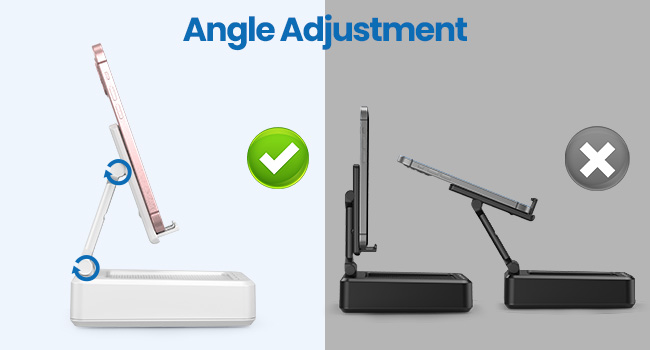
Figure 2: Product Dimensions and Controls
Nøglefunktioner:
- 2-i-1 funktionalitet: Combines a phone stand with a Bluetooth speaker.
- Bred kompatibilitet: Supports most 4-13 inch smartphones, tablets, and e-readers with Bluetooth.
- Adjustable & Foldable: Flere viewing angles and a compact, portable design.
- Stable & Anti-slip: Features anti-slip silicone pads for device protection and stability.
- Indbygget mikrofon: Enables clear hands-free calls.

Figure 3: Integrated Features
4. Opsætning
4.1 Opladning af enheden
- Connect the provided USB-A to Type-C charging cable to the charging port on the side of the JTEMAN L9.
- Tilslut den anden ende af kablet til en kompatibel USB-strømadapter (medfølger ikke).
- The charging indicator light will show red during charging and turn green when fully charged. A full charge takes approximately 4 hours.
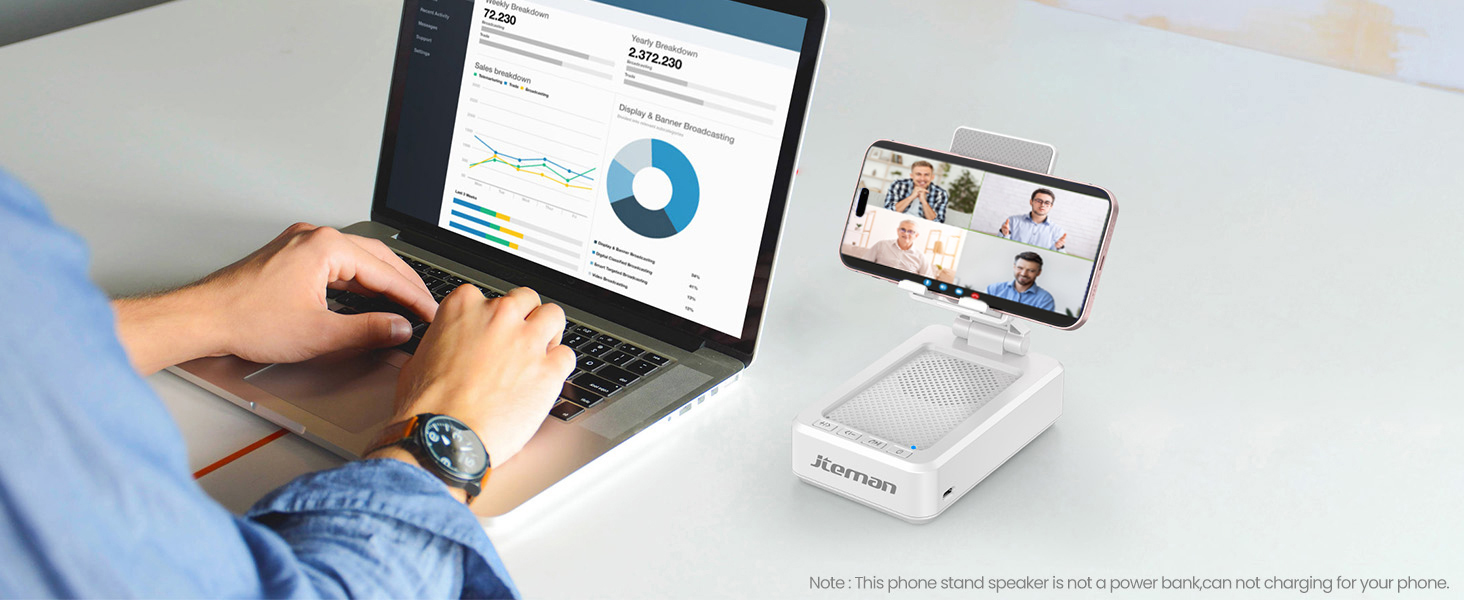
Figure 4: Charging the JTEMAN L9
4.2 Bluetooth -parring
- Press and hold the power button on the JTEMAN L9 until you hear an audible prompt indicating it's powered on and in Bluetooth pairing mode. The Bluetooth indicator light will flash.
- On your smartphone, tablet, or e-reader, go to the Bluetooth settings.
- Søg efter available devices and select "JTEMAN L9" from the list.
- Once connected, you will hear a confirmation tone, and the Bluetooth indicator light will remain solid.
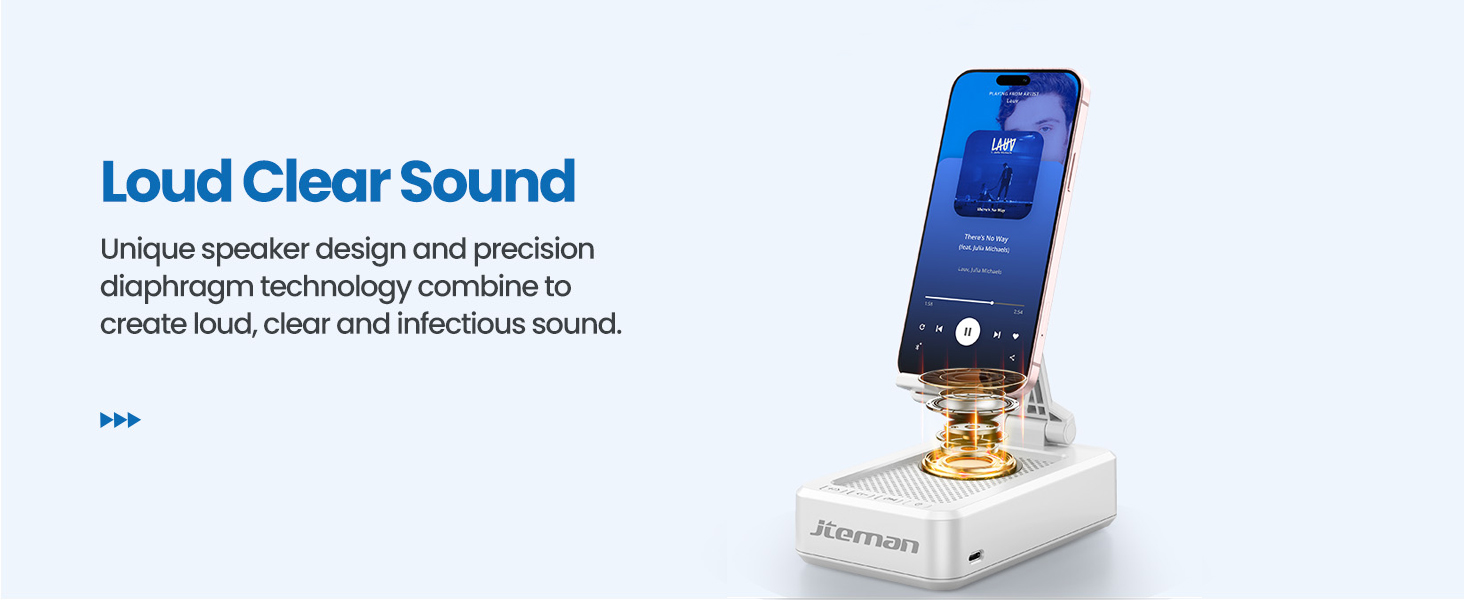
Figure 5: Easy Bluetooth Connection
5. Betjeningsvejledning
5.1 Using as a Phone/Tablet Stand
- Gently pull up the phone holder arm from its folded position.
- Adjust the angle of the holder to your preferred viewing position. The stand is designed to be stable at various angles.
- Place your smartphone, tablet, or e-reader onto the holder. The anti-slip silicone pads will secure your device.
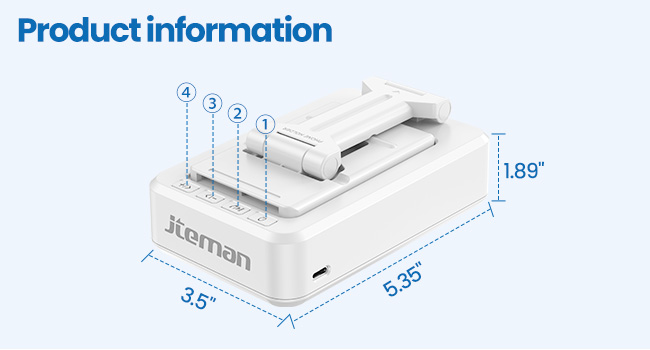
Figure 6: Angle Adjustment for Optimal Viewing
5.2 Brug af Bluetooth-højttaleren
Once paired with your device, audio will automatically play through the JTEMAN L9 speaker.
- Afspil/pause: Press the Play/Pause button on the speaker to control media playback.
- Lydstyrkekontrol: Use the volume buttons (+/-) on the speaker to adjust the audio level.
- Spornavigation: Use the skip buttons (<< / >>) to go to the previous or next track.
- Håndfri opkald: The built-in microphone allows for clear hands-free communication. Press the phone icon button to answer or end calls.

Figure 7: Loud and Clear Sound Output
5.3 Bærbarhed
When not in use, the phone holder arm can be folded down, making the device compact and easy to carry in a bag.

Figure 8: Foldable and Portable Design
5.4 Officielle produktvideoer
Video 1: Demonstrates the sound quality and instant pairing of the JTEMAN L9.
Video 2: Showcases the power and versatility of the JTEMAN L9 speaker and stand.
Video 3: Highlights the compact design, clear sound, and anti-slip base of the JTEMAN L9.
6. Vedligeholdelse
- Hold enheden ren ved at tørre den af med en blød, tør klud.
- Undgå at udsætte enheden for ekstreme temperaturer, fugt eller direkte sollys.
- Brug ikke slibende rengøringsmidler eller opløsningsmidler.
7. Fejlfinding
| Problem | Mulig årsag | Løsning |
|---|---|---|
| Enheden tænder ikke | Lavt batteri | Oplad enheden ved hjælp af det medfølgende USB-C-kabel. |
| Kan ikke parres via Bluetooth | Bluetooth not enabled on source device; device too far; already paired to another device | Ensure Bluetooth is on and within range (approx. 10m). Disconnect from other devices. |
| Ingen lyd eller lav lydstyrke | Volume too low on speaker or source device; not properly connected | Increase volume on both devices. Re-pair Bluetooth connection. |
| Audio skipping/interruption | Interferens; enhed for langt væk; lavt batteri | Move closer to the source device. Ensure no obstructions. Charge the device. |
8. Specifikationer
| Feature | Detalje |
|---|---|
| Produktdimensioner | 5.35 x 3.5 x 1.89 tommer |
| Varens vægt | 11.5 ounce |
| Varemodelnummer | L9 |
| Mærke | JTEMAN |
| Farve | Hvid |
| Formfaktor | Telefonstativ med højttaler |
| Kompatible enheder | Mobile phone, Tablet |
| Kompatible telefonmodeller | iPhone, Samsung, iPad mini, Samsung Tab, Google Nexus, Kindle |
| Batterikapacitet | 1800mAh (approx. 8-10 hours play time at medium volume) |
9. Garanti og support
JTEMAN products are manufactured with high-quality standards. For any issues or support needs, please refer to the contact information provided with your purchase or visit the official JTEMAN webwebsted. Gem din købsbevis til garantikrav.