
Glorious GLO-GMMK-NP-FOX-W
Glorious GMMK Mechanical Numpad User Manual
Brand: Glorious | Model: GLO-GMMK-NP-FOX-W
1. Introduktion
This manual provides comprehensive instructions for the setup, operation, maintenance, and troubleshooting of your Glorious GMMK Mechanical Numpad. Please read this manual thoroughly before using the device to ensure optimal performance and longevity.

Figure 1: Glorious GMMK Mechanical Numpad (White Ice)
2. Opsætning
2.1 Pakkens indhold
- Glorious GMMK Mechanical Numpad
- USB-C kabel
- Dokumentation (denne manual)
2.2 Forbindelse
The GMMK Numpad supports both wired (USB-C) and wireless (Bluetooth 5.0 Low Energy) connections.
Kablet forbindelse:
Connect the provided USB-C cable to the port on the numpad and to an available USB port on your computer. The numpad will automatically be recognized and begin charging.

Figure 2: USB-C Port for Wired Connection and Charging
Trådløs Bluetooth-forbindelse:
- Locate the power switch on the bottom of the numpad and slide it to the "ON" position.
- The LED indicator on the side will begin to flash, indicating pairing mode.
- On your device (computer, laptop, tablet, or phone), navigate to Bluetooth settings.
- Select "Glorious GMMK Numpad" from the list of available devices to pair.
- Once paired, the LED indicator will show a solid color.
2.3 Softwareinstallation (Glorious CORE)
For full customization of key bindings, macros, and RGB lighting, download and install the Glorious CORE software from the official Glorious website. This software is compatible with Windows, Mac iOS, and Linux.
3. Betjeningsvejledning
3.1 Nøglefunktioner og layout
The GMMK Numpad features 18 mechanical keys, a clickable rotary encoder (knob), and a programmable slider. It offers three remappable function layers for up to 51 functions.
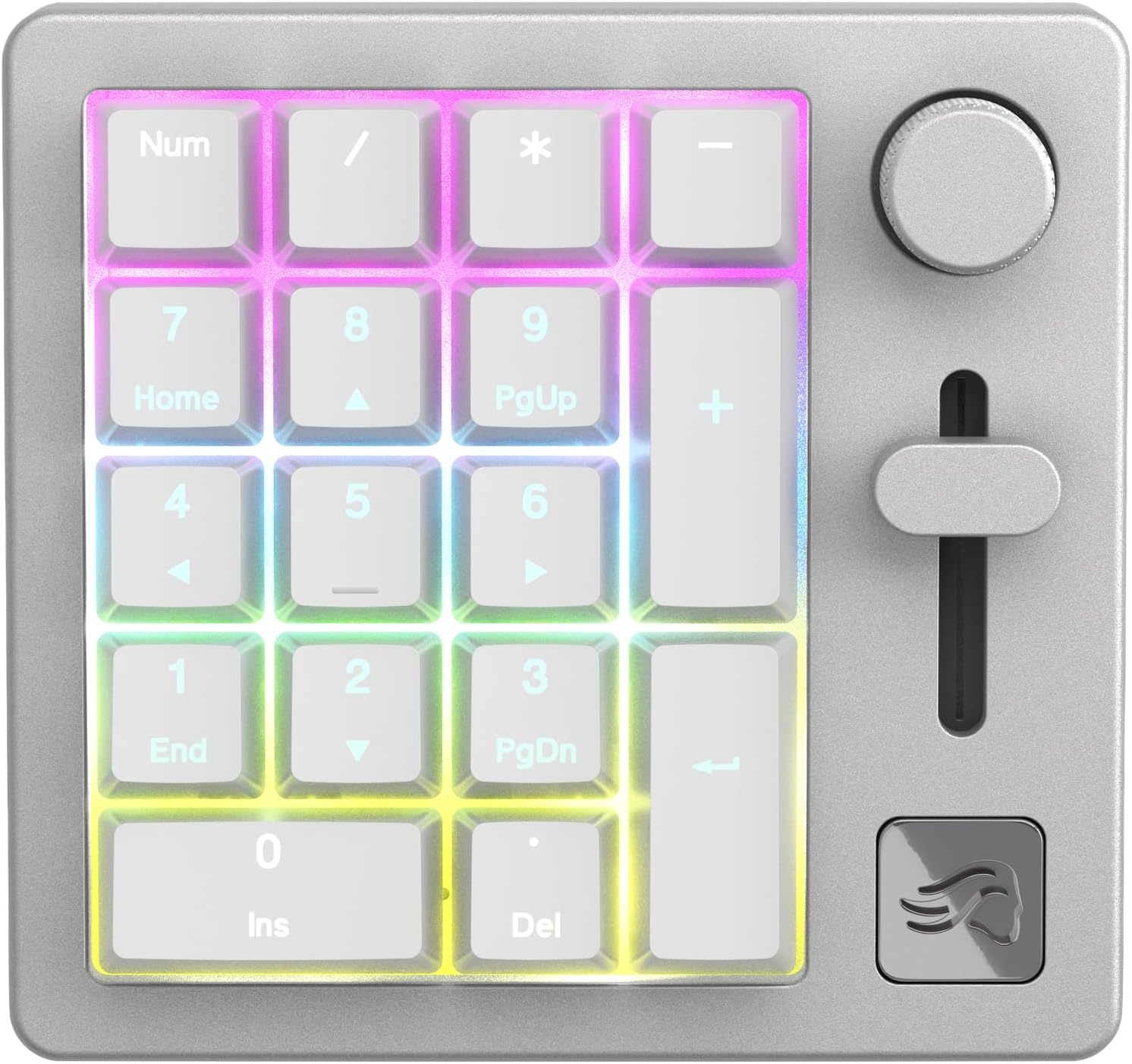
Figure 3: Numpad Layout with RGB Backlighting
Brugerdefinerbare kontroller:
- Drejeknap: By default, controls system volume. Can be programmed for other functions via Glorious CORE.
- Programmable Slider: By default, controls system volume. Can be programmed for other functions via Glorious CORE.
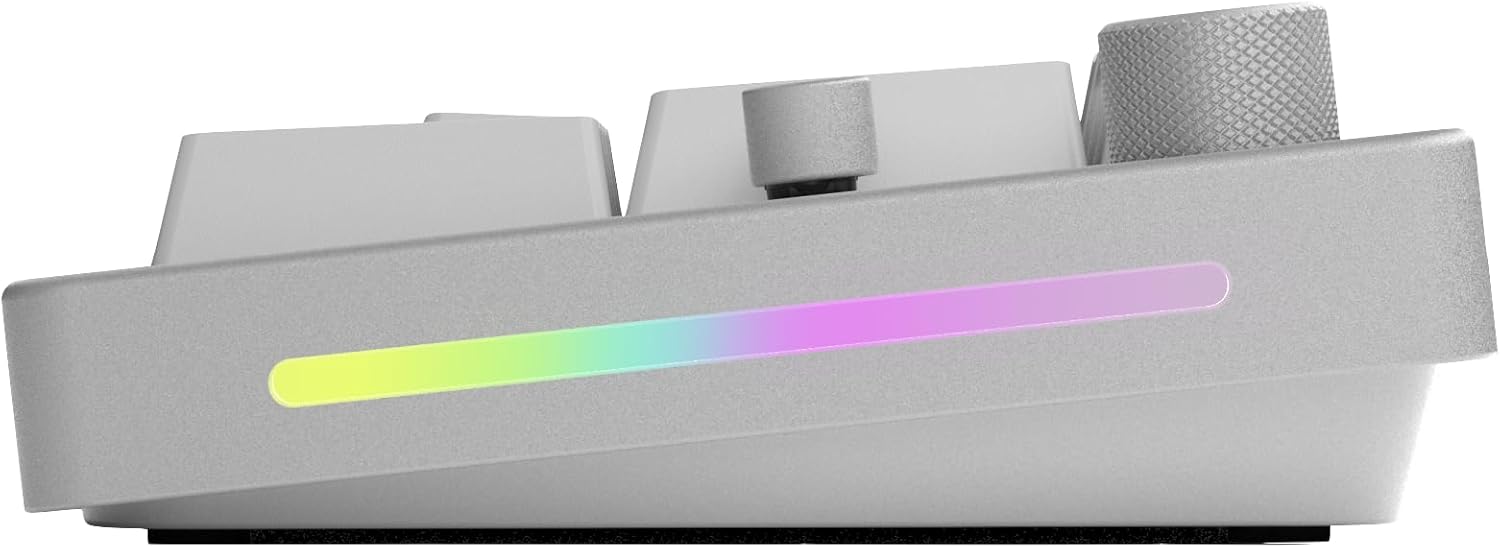
Figure 4: Programmable Slider

Figure 5: Clickable Rotary Knob
3.2 RGB-belysning
The numpad features customizable RGB lighting on the side panel and behind the keycaps. Lighting effects and colors can be adjusted using the Glorious CORE software.
3.3 Batterilevetid
The GMMK Numpad offers an extended battery life of up to 28 hours with RGB lighting on, or an impressive 76 hours with RGB lighting off. The side LED indicates battery level when in wireless mode.
4. Vedligeholdelse
4.1 Rengøring
To clean your numpad, use a soft, dry cloth. For deeper cleaning, you may carefully remove keycaps and use compressed air to clear debris from between the switches. Avoid using harsh chemicals or abrasive materials.
4.2 Hot-swap-komponenter
The GMMK Numpad is designed with hot-swappable switches and keycaps, allowing for easy customization and replacement without soldering. This feature enables you to personalize the typing feel and aesthetic of your numpad.

Figur 6: Hot-swap-kontakter
To remove a switch, use a switch puller. To remove a keycap, use a keycap puller. Align new switches carefully before pressing them into place to avoid bending pins.
5. Fejlfinding
For common issues and solutions, please refer to the official Glorious Troubleshooting Guide:
Download fejlfindingsvejledning (PDF)
Almindelige problemer:
- Forbindelsesproblemer: Ensure the numpad is charged and within Bluetooth range. For wired connection, check the USB-C cable and port. Try re-pairing the device.
- Softwarefejl: Ensure Glorious CORE software is updated to the latest version. Restart the software or your computer.
- Keys/Knob/Slider Not Responding: Verify that the numpad is properly connected. If using Glorious CORE, check key assignments and macro settings. For hot-swappable components, ensure switches are fully seated.
- Problemer med RGB-belysning: Adjust lighting settings in Glorious CORE. Ensure the numpad has sufficient battery charge if in wireless mode.
6. Specifikationer
| Feature | Detalje |
|---|---|
| Produktdimensioner | 4.72 cm L x 4.49 cm B x 1.57 cm H |
| Varens vægt | 1.14 pund |
| Modelnummer | GLO-GMMK-NP-FOX-W |
| Batterier | 1 Lithium Polymer batteri (medfølger) |
| Antal nøgler | 18 |
| Forbindelsesteknologi | USB-C, Bluetooth 5.0 LE |
| Tastatur baggrundsbelysning | RGB |
| Speciel funktion | 5-bens hot swap-understøttelse |
| Kompatible enheder | Desktop, Laptop, PS4, PS5, Xbox |

Figur 7: Nederst View of Numpad
7. Garanti og support
7.1 Garantioplysninger
The Glorious GMMK Mechanical Numpad comes with a 2 Year Limited Manufacturer Guarantee. Denne garanti dækker fejl i materialer og udførelse ved normal brug.
7.2 Kundesupport
For further assistance, technical support, or warranty claims, please visit the official Glorious webwebstedet eller kontakt deres kundeservice. Du kan også henvise til Fejlfindingsvejledning (PDF) for immediate solutions to common issues.
Ask a question about this manual
Ask about setup, troubleshooting, compatibility, parts, safety, or missing instructions. Manuals+ will review the question and use this page’s manual context to help answer it.