
Indledning
This manual provides comprehensive instructions for the PTHTECHUS Children's Smartwatch Phone, model X16GMP-Watch. It covers setup, operation, maintenance, and troubleshooting to ensure optimal use of the device's various features, including two-way calling, music playback, and educational games.
Sikkerhedsoplysninger
ADVARSEL:
- Do not disassemble, strike, or throw the device into fire.
- Must be connected to a power source in 5V/1A while charging.
- Batteriet kan ikke udskiftes.
- KVÆLINGSFARE: Små dele. Ikke for børn under 3 år.

Produktegenskaber
The PTHTECHUS Children's Smartwatch Phone is designed with a variety of functions to keep children entertained and connected:
- Two-Way Call: Supports Nano SIM card for direct communication with pre-set contacts.
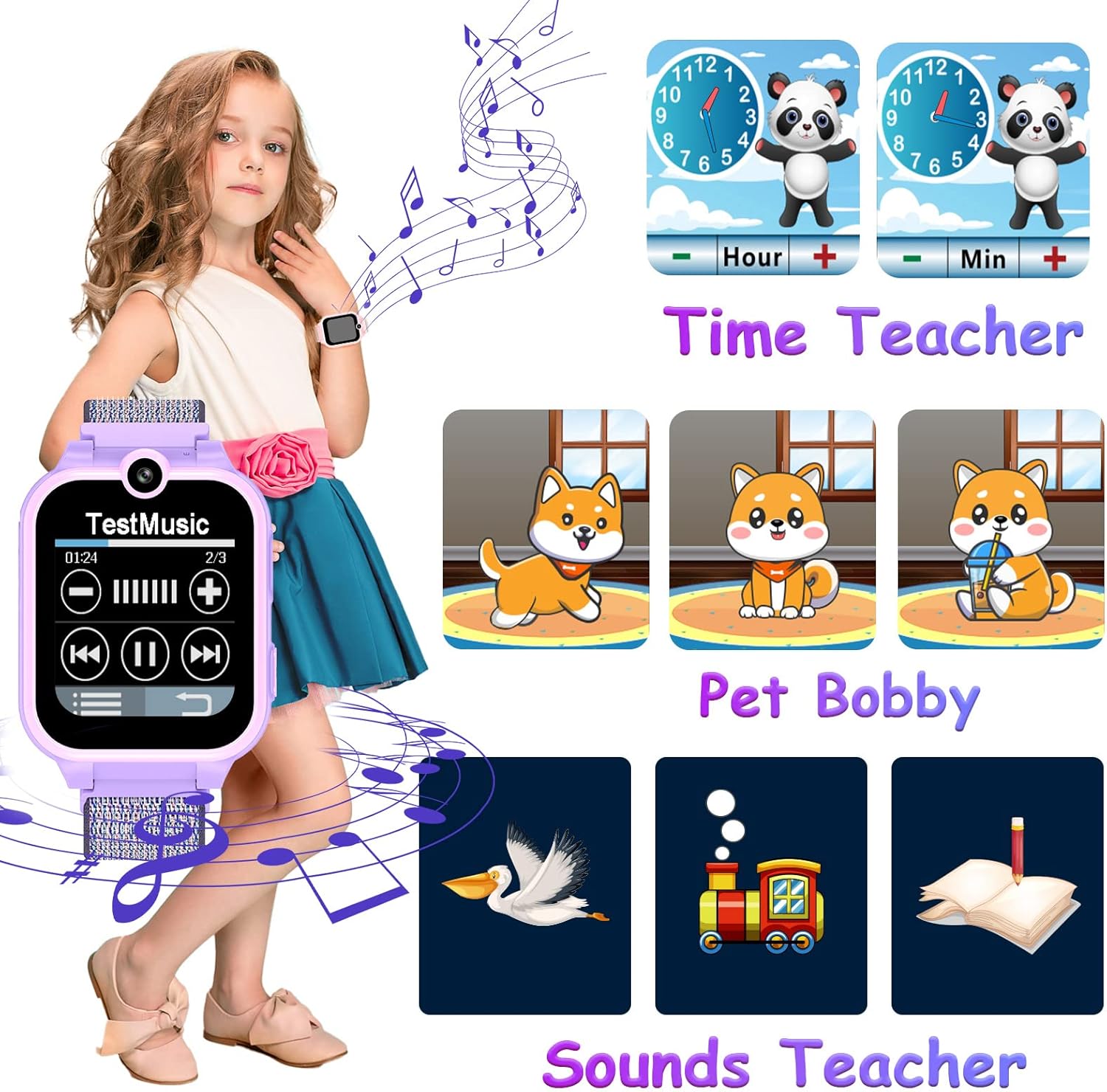
- MP3 musikafspiller: Built-in player for audio entertainment.
- Dobbelt kamera: High-definition cameras for capturing photos and selfies.
- Lommeregner: Basic arithmetic functions for learning.
- Optager: Voice recording capability.
- SOS funktion: Emergency call feature for quick assistance by pressing the power button for 3 seconds.
- Audio Books: Pre-loaded stories for listening enjoyment.
- Puslespil: 14 educational games to train logical thinking.
- Lommelygte: Built-in torch for illumination.
- Vækkeur: Three customizable alarm settings to cultivate a sense of time.
- Time Teacher & Pet Bobby: Interactive features for learning time and virtual pet care.
- Tilpasbare urskiver: 11 digital, 11 analog, and 8 replaceable wallpapers for personalization.




Opsætningsvejledning
Indledende opladning
Upon receiving the watch, turn it off and charge it for at least 2 hours before first use. Use the provided USB cable.
SIM-kort installation
The smartwatch requires a Nano SIM card for call functionality. Follow these steps for proper installation:
- Sørg for, at uret er slukket, før du isætter SIM-kortet.
- Insert the Nano SIM card correctly into the designated slot. Refer to the operation diagram for proper orientation.
- Move the button on the back of the watch to the outside.
- Tryk længe på tænd/sluk-knappen for at starte uret.
Recommended SIM Cards: Vodafone / T-Mobile / E-Plus SIM-card (for Germany). For Austria: 3-Austria / T-Mobile SIM-card.
Note: This smartwatch does not have GPS functionality and does not require an application download.

Betjeningsvejledning
Two-Way Call
After inserting a Nano SIM card, your child can make and receive calls. You can set up contacts via the phone book function on the smartwatch for easy dialing.
Musikafspilning
The watch has a built-in MP3 player. To add music:
- Connect the watch to your PC using the provided USB cable.
- Download musik files i MP3-format.
- Transfer the MP3 files to the Micro SD card within the watch, specifically into the folder named "My Music". If the 1GB SD card was formatted, ensure this folder is created.
Kamera funktion
The smartwatch features dual high-definition cameras. Children can access the camera app to take photos and selfies anytime.
SOS nødopkald
In an emergency, your child can press and hold the power button for 3 seconds to activate the SOS function. The watch will automatically dial three pre-set emergency phone numbers repeatedly until one is answered.
Spil
The watch includes 14 different puzzle games. Navigate to the games section to select and play them, helping to train the child's brain.
Lommelygte
Activate the flashlight function from the watch's menu to provide illumination in dark environments.
Optager
Use the recording function to capture voice notes or short audio clips.
Vækkeur
Set up to three alarm times through the alarm clock application to help cultivate your child's sense of time and routine.
Opretholdelse
- Keep the watch clean by wiping it with a soft, dry cloth.
- Undgå at udsætte uret for ekstreme temperaturer eller direkte sollys i længere perioder.
- Do not immerse the watch in water. It is not waterproof.
- Oplad uret regelmæssigt for at opretholde batteriets sundhed.
Fejlfinding
| Problem | Mulig årsag | Løsning |
|---|---|---|
| Uret tænder ikke | Lavt batteri | Oplad uret i mindst 2 timer. |
| Kan ikke foretage/modtage opkald | SIM card not inserted correctly or not activated; No 2G network coverage. | Ensure SIM card is correctly inserted and activated with a voice plan. Check for 2G network availability in your area. |
| Musik spiller ikke | Musik files not in "My Music" folder or incorrect format. | Sørg for MP3 files are in the "My Music" folder on the Micro SD card. |
| SOS-funktionen virker ikke | Emergency numbers not set or SIM card issues. | Set up emergency contact numbers in the watch settings. Check SIM card functionality. |
Hvis problemerne fortsætter, bedes du kontakte kundesupport.
Specifikationer
| Feature | Detalje |
|---|---|
| Mærke | PTHTECHUS |
| Model | X16GMP-Watch |
| Vise | 1.65 inch HD Touch Screen (240 x 240px) |
| Screen Size (Standing) | 1.69 tommer |
| Batteri | 480 mAh polymerbatteri |
| Batterilevetid (gennemsnitlig) | 2 dage |
| Opladningstid | 2 timer |
| Forbindelse | GSM (2G), Bluetooth, USB |
| Human Interface Input | Touchskærm |
| Produktdimensioner | 3 x 1 x 6 cm; 50 g |
| Inkluderet tilbehør | 1 x charging cable, 1 x user manual, 1 x smartwatch |
| Understøttet SIM-type | Nano GSM SIM Card |
| Operativsystem | Tilpasset |
| Særlige funktioner | Children's camera, Children's watch, Kids MP4, kids mp3, kids smart watch phone |

Garanti og support
For any questions, technical support, or warranty claims, please contact PTHTECHUS customer service. Please retain your purchase receipt as proof of purchase for warranty purposes.
E-mail: info@apex-ce.com