
Wiko T10
WIKO T10 Smartphone Brugermanual
Model: T10
Indledning
This manual provides comprehensive instructions for the safe and efficient use of your WIKO T10 smartphone. Please read this manual carefully before using your device to ensure optimal performance and longevity. Keep this manual for future reference.
Vigtige sikkerhedsoplysninger
- Udsæt ikke enheden for ekstreme temperaturer, direkte sollys eller høj luftfugtighed.
- Use only WIKO-approved chargers and accessories.
- Undgå at tabe enheden eller udsætte den for kraftige stød.
- Forsøg ikke selv at skille enheden ad eller reparere den. Kontakt autoriseret servicepersonale.
- Bortskaf enheden og dens batteri på en ansvarlig måde i henhold til lokale regler.
Pakkens indhold
Ensure all items are present in your WIKO T10 package:
- WIKO T10 smartphone
- Oplader
- USB Type-C-kabel
- SIM Ejector Tool
- Hurtig startvejledning
- Sikkerheds- og garantioplysninger
Produkt overview
Familiarize yourself with the physical components of your WIKO T10 smartphone.

Figur 1: For og bag View of the WIKO T10 Smartphone. The front features a large display with a dewdrop notch, and the rear shows the camera module and WIKO branding.
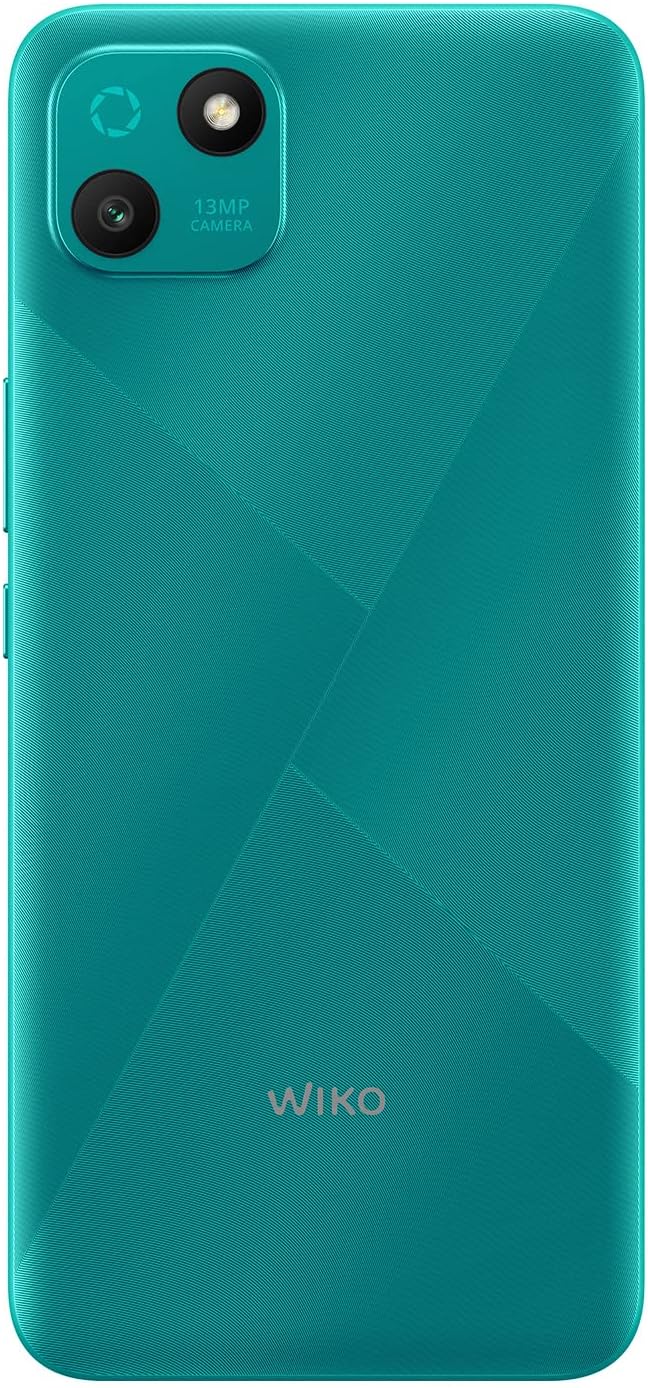
Figur 2: Detaljeret bagside view of the WIKO T10, highlighting the 13MP camera module and textured back panel.

Figur 3: Side profile of the WIKO T10, illustrating its slim design and button placement.
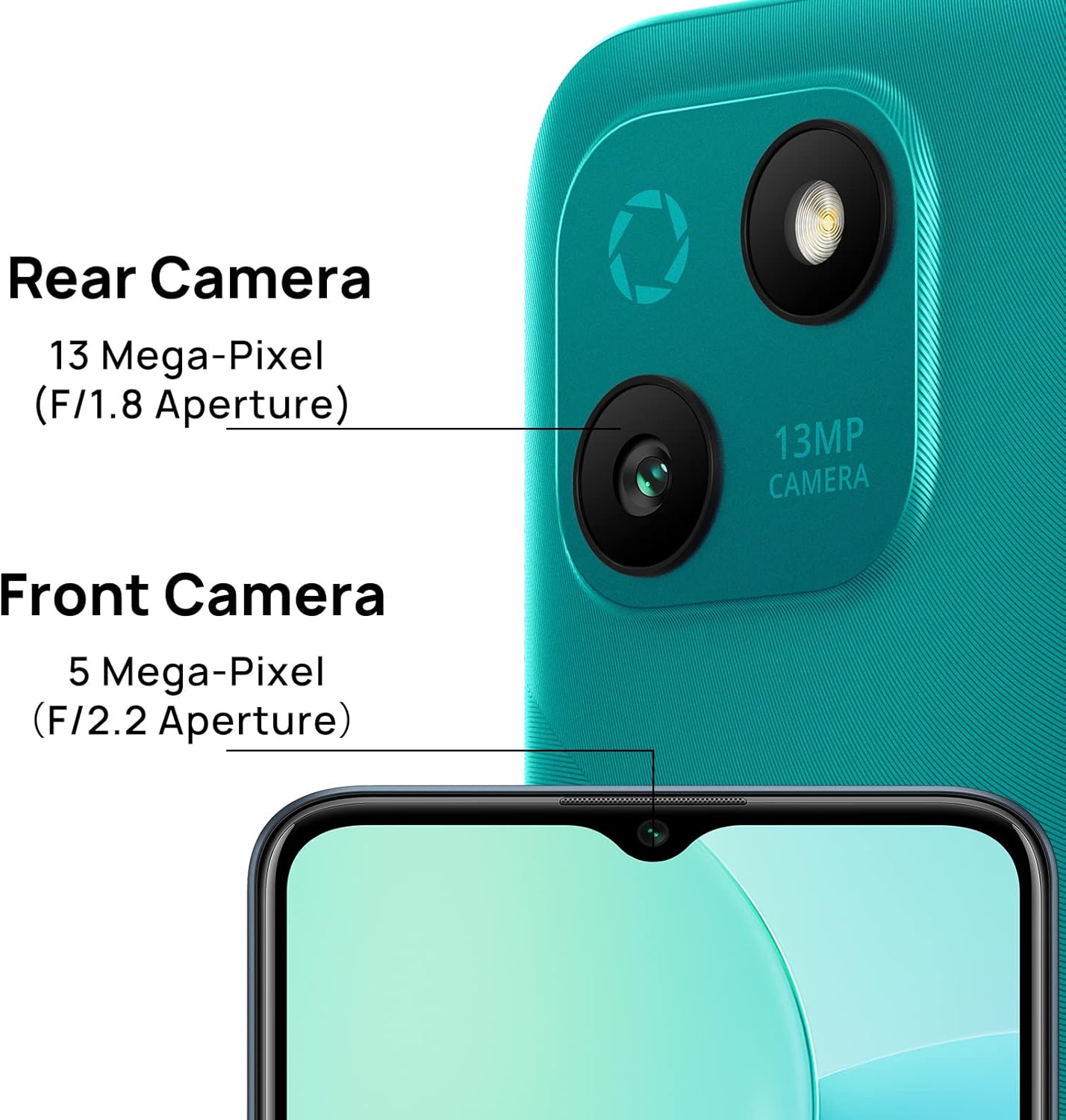
Figur 4: Camera specifications for the WIKO T10, indicating a 13 Mega-Pixel Rear Camera (F/1.8 Aperture) and a 5 Mega-Pixel Front Camera (F/2.2 Aperture).

Figur 5: The WIKO T10 features a 6.5-inch Dewdrop Display, offering an immersive visual experience with minimal bezels.
Opsætningsvejledning
7.1 Isætning af SIM- og SD-kort
The WIKO T10 supports Dual SIM functionality. Follow these steps to insert your SIM card(s) and an optional microSD card for expanded storage:
- Find SIM-kortbakken på siden af enheden.
- Sæt SIM-kortudkastningsværktøjet i det lille hul ved siden af bakken, og tryk forsigtigt, indtil bakken springer ud.
- Placer dit/dine Nano-SIM-kort og/eller microSD-kort i de dertil beregnede pladser på bakken, og sørg for, at de gyldne kontakter vender nedad.
- Skub forsigtigt bakken tilbage i åbningen, indtil den flugter med telefonens kabinet.
7.2 Første opstart og opsætning
To power on your WIKO T10 for the first time:
- Press and hold the Power button (usually on the right side) until the WIKO logo appears.
- Follow the on-screen prompts to select your language, connect to Wi-Fi, set up your Google account, and configure other initial settings.
7.3 Opladning af enheden
Before first use, it is recommended to fully charge your WIKO T10.
- Tilslut USB Type-C-kablet til opladningsporten i bunden af telefonen.
- Tilslut den anden ende af kablet til strømadapteren, og sæt derefter adapteren i en stikkontakt.
- Opladningsindikatoren vises på skærmen. Frakobl opladeren, når batteriet er fuldt opladet.
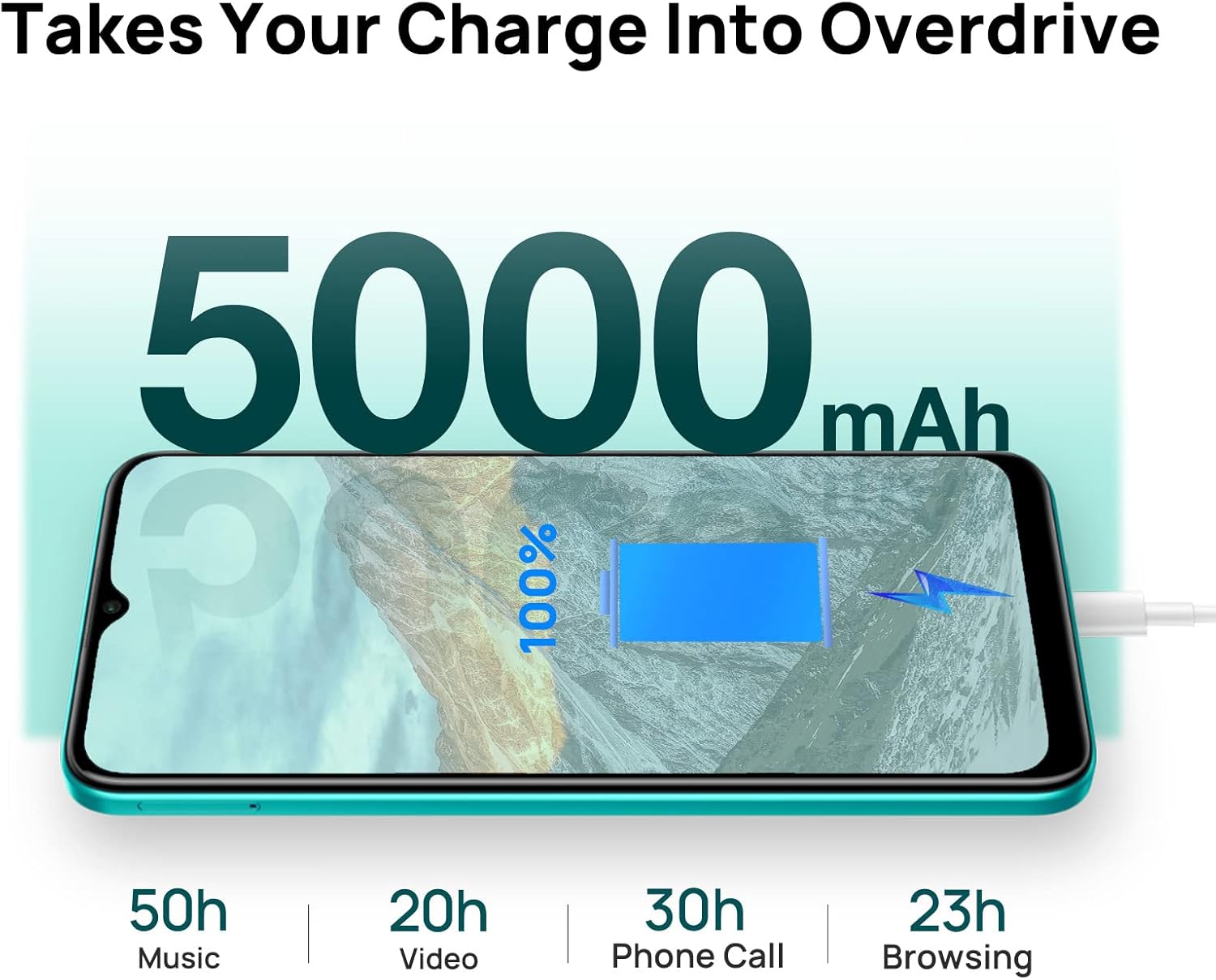
Figur 6: The WIKO T10 features a 5000mAh battery, providing extended usage times such as 50 hours of music, 20 hours of video, 30 hours of phone calls, and 23 hours of browsing on a full charge.
Operating Your WIKO T10
8.1 Grundlæggende navigation
Your WIKO T10 uses a capacitive touchscreen for interaction:
- Tryk på: For at åbne apps skal du vælge elementer eller trykke på knapperne på skærmen.
- Tryk og hold: For at få adgang til kontekstmenuer eller flytte elementer.
- Stryg: To scroll through lists, switch between home screens, or navigate through photos.
- At klemme: For at zoome ind eller ud på billeder og web sider.
8.2 Foretage opkald og sende beskeder
To make a call, open the Phone app and dial the number or select a contact. To send a message, open the Messages app, start a new conversation, and type your text.
8.3 Forbindelse til netværk
Your WIKO T10 supports Wi-Fi and 4G cellular networks.
- Wi-Fi: Gå til Indstillinger > Netværk og internet > Wi-Fi, tænd Wi-Fi, og vælg det ønskede netværk.
- Mobildata (4G): Gå til Indstillinger > Netværk og internet > Mobilnetværk og sørg for, at mobildata er aktiveret.
8.4 Brug af kameraet
The WIKO T10 features a 13MP rear camera and a 5MP front camera. Open the Camera app to capture photos and videos.
- Tryk på udløserknappen for at tage et billede.
- Skift mellem foto- og videotilstande.
- Brug knappen til at tage selfies eller hovedbilleder på for-/bagkameraet.
8.5 Batteristyring
5000 mAh-batteriet giver længere tids brug. Sådan optimerer du batterilevetiden:
- Juster skærmens lysstyrke.
- Aktivér batterisparetilstand i Indstillinger > Batteri.
- Luk ubrugte programmer, der kører i baggrunden.
8.6 Lagerstyring
Your WIKO T10 comes with 64GB of internal storage. You can expand this using a microSD card.
- For at tjekke lagerforbruget, gå til Indstillinger > Lager.
- Ryd regelmæssigt cache og unødvendige filer files for at frigøre plads.

Figur 7: Key features of the WIKO T10, including its 5000mAh Mega Battery, 6.5" Edgeless Dewdrop Display, 13MP Rear Camera, 64GB Large Storage, and Android 11 operating system.
Opretholdelse
9.1 Rengøring af din enhed
To keep your WIKO T10 clean and in good condition:
- Brug en blød, fnugfri klud til at tørre skærmen og kabinettet af.
- Undgå at bruge skrappe kemikalier, slibende rengøringsmidler eller aerosolspray.
- Undgå at fugt trænger ind i åbningerne.
9.2 Softwareopdateringer
Tjek regelmæssigt for softwareopdateringer for at sikre, at din enhed har de nyeste funktioner og sikkerhedsrettelser. Gå til Indstillinger > System > Systemopdatering.
9.3 Pleje af batterier
To prolong the life of your battery:
- Undgå at aflade batteriet helt ofte.
- Do not leave the phone charging for extended periods after it's full.
- Hold enheden inden for de anbefalede driftstemperaturer.
Fejlfinding
| Problem | Mulig løsning |
|---|---|
| Enheden tænder ikke | Sørg for, at batteriet er opladet. Tryk på tænd/sluk-knappen og hold den nede i mindst 10 sekunder for at tvinge genstart. |
| Kan ikke oprette forbindelse til Wi-Fi | Check if Wi-Fi is enabled. Restart your router. Forget the network and reconnect. |
| Apps er langsomme eller går ned | Luk baggrundsapps. Ryd app-cache. Genstart enheden. Sørg for tilstrækkelig lagerplads. |
| Dårlig batterilevetid | Reduce screen brightness. Disable unused features (Bluetooth, GPS). Enable Battery Saver mode. |
| Kan ikke foretage eller modtage opkald | Check SIM card insertion. Ensure mobile data is enabled. Contact your network provider. |
Specifikationer
| Feature | Detalje |
|---|---|
| Mærke | Wiko |
| Modelnavn | T10 |
| Operativsystem | Android 11.0 (Go Edition) |
| Skærmstørrelse | 6.5 tommer |
| Opløsning | 2340 x 1080 (HD+) |
| RAM størrelse | 2 GB |
| Lagerkapacitet | 64 GB |
| Bagkameraopløsning | 13 MP |
| Forreste kameraopløsning | 5 MP |
| Batterikapacitet | 5000 mAh (lithium-polymer) |
| Cellulær teknologi | 4G |
| Forbindelse | Cellular, USB Type C |
| Særlige funktioner | Integrated GPS, Dual SIM |
| Farve | Smaragdgrøn |
Garanti og support
For warranty information and customer support, please refer to the warranty card included in your product package or visit the official WIKO webwebsted. Gem din købsbevis til garantikrav.
For further assistance, you may contact WIKO customer service through their official channels.
Ask a question about this manual
Ask about setup, troubleshooting, compatibility, parts, safety, or missing instructions. Manuals+ will review the question and use this page’s manual context to help answer it.