
1. Introduktion
This manual provides detailed instructions for the installation, operation, and maintenance of the GATEXPERT PK400DC Circuit Control Board. This board is designed as a replacement or upgrade component for GATEXPERT SW440DC automatic swing gate operators. Please read this manual thoroughly before proceeding with installation or operation to ensure proper function and safety.
2. Sikkerhedsoplysninger
- Always disconnect power to the gate operator before performing any installation, maintenance, or repair work on the control board.
- Installation should be performed by qualified personnel familiar with electrical systems and gate operator mechanics.
- Ensure all wiring connections are secure and correctly polarized to prevent damage to the board or operator.
- Keep hands and loose clothing clear of moving gate parts during operation.
- Do not attempt to modify the control board beyond the settings described in this manual.
3. Produktet er slutview
The GATEXPERT PK400DC is a 24VDC replacement circuit control board engineered for reliable performance in automatic swing gate systems. It features various connection terminals for motors, power, and external accessories, along with onboard controls for system configuration.

Figur 3.1: Top-down view of the GATEXPERT PK400DC circuit control board, showing the overall layout of components, terminals, and control interface.
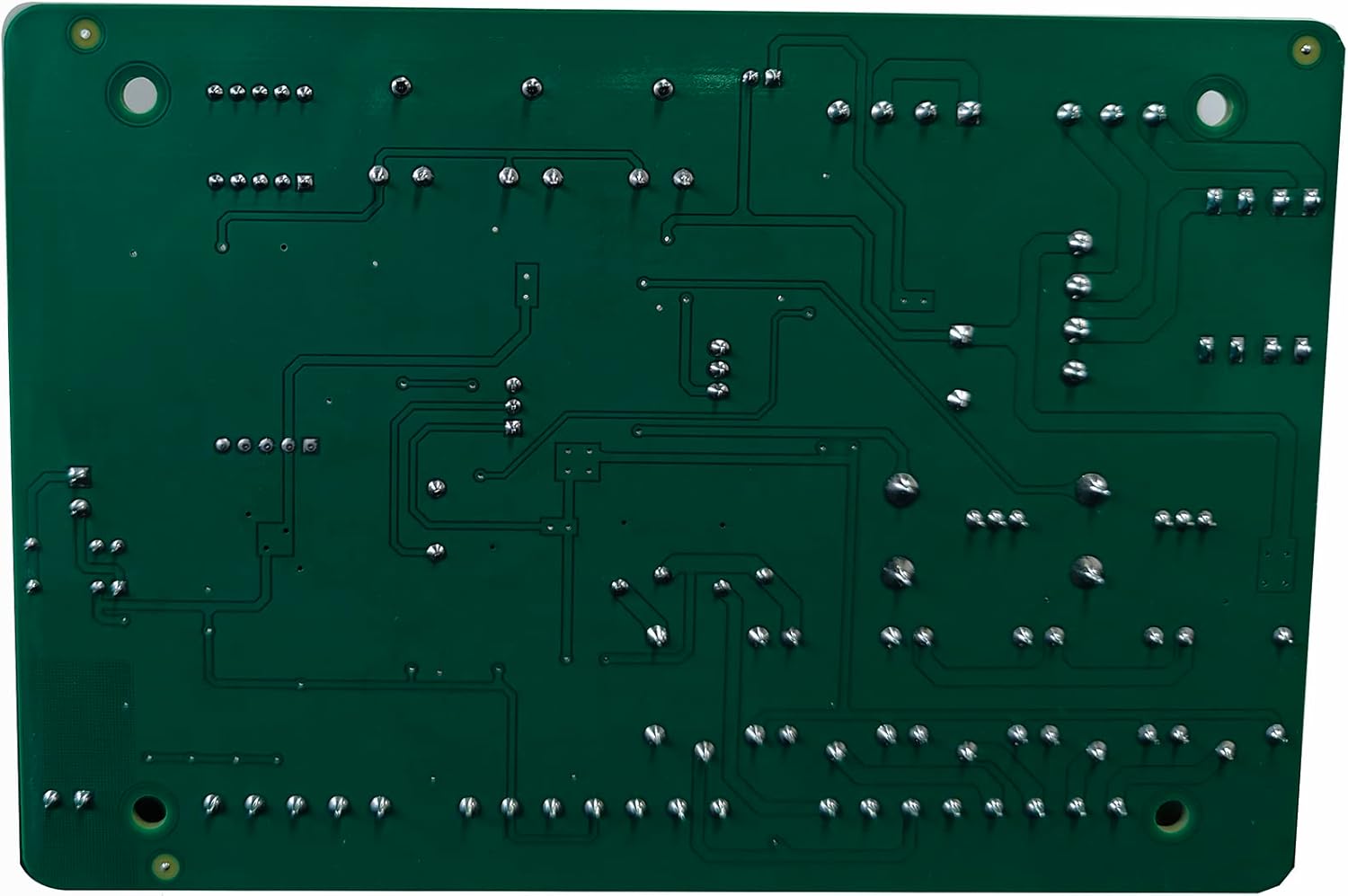
Figur 3.2: Nederst view of the GATEXPERT PK400DC circuit control board, illustrating the solder points and mounting holes.
4. Opsætning og installation
The PK400DC control board is compatible with GATEXPERT SW440DC swing gate openers. The package includes the control board and this user manual. Ensure you have all necessary tools and safety equipment before beginning installation.
4.1 Connection Terminals
The board features clearly labeled terminals for various connections. Refer to the diagram below for common connection points.

Figure 4.1: Close-up of the connection terminals, including MOTOR1, MOTOR2, ELOCK, BLK, power inputs, and accessory ports.
- MOTOR1 / MOTOR2: Connect the gate operator motors here.
- ELOCK: Connection for an electric lock.
- BLK: Black wire connection (typically common or ground).
- +24V / +12V / COM: Power supply connections for the board and accessories.
- EM1 / EM2: External input terminals.
- PH / STP / PED / OSC: Terminals for connecting external safety and control devices such as photocell sensors, stop buttons, pedestrian mode switches, and oscillation sensors.
- GND / ANT: Ground and antenna connections for remote control functionality.
- AC FUSE / DC FUSE: Replaceable fuses for AC and DC power protection.
4.2 External Equipment Connection
The control board supports various external devices to enhance gate functionality:
- Udgangskontakt: Connect to appropriate input terminals (e.g., EM1, EM2, or specific trigger inputs) to allow for manual gate opening from inside the property.
- Fotocelle sensor: Connect to the PH terminal to provide safety by detecting obstructions in the gate's path.
- Elektrisk lås: Connect to the ELOCK terminals for secure gate locking.
5. Betjeningsvejledning
The PK400DC board allows for customization of gate operation through onboard buttons and potentiometers.

Figure 5.1: Control interface with PROG, SET, +/-, 7-segment display, and adjustment knobs for FORCE, SLOW DOWN, and SPEED.
5.1 Indstillinger for tilstand
- Single/Dual Swing Mode: Use the 'PROG' and '+/-' buttons to navigate through settings and select between single gate or dual gate operation. Consult the specific programming sequence in the included manual for detailed steps.
5.2 Tidsindstillinger
- Tidspunkt for automatisk lukning: Configure the duration after which the gate automatically closes. This setting is adjustable via the control interface.
- Open/Close Delay Time: Set delays for gate opening and closing sequences, particularly useful for dual gate systems to ensure proper synchronization.
5.3 Parring af fjernbetjening
The control board supports pairing with up to 25 remote controls. Follow these general steps:
- Press the 'PROG' button until the display indicates remote pairing mode.
- Press a button on the remote control you wish to pair.
- The display will confirm successful pairing. Repeat for additional remotes.
5.4 Adjustment Potentiometers
- KRAFT: Adjusts the motor's power output. Set to the minimum required to operate the gate smoothly.
- SÆT NEDEN: Controls the deceleration speed of the gate before reaching its fully open or closed position.
- HASTIGHED: Adjusts the overall travel speed of the gate.
6. Vedligeholdelse
Regular maintenance ensures the longevity and optimal performance of your control board and gate operator system.
- Visuel inspektion: Periodically inspect the control board for any signs of damage, corrosion, or loose connections.
- Renhed: Keep the control board enclosure clean and free from dust, debris, and moisture.
- Sikringskontrol: If the gate operator loses power or functions intermittently, check the AC and DC fuses on the board. Replace blown fuses with ones of the identical rating.
- Ledningsintegritet: Ensure all wiring connections to the board are tight and free from fraying or damage.
7. Fejlfinding
If you encounter issues with your GATEXPERT PK400DC control board, refer to the following common problems and solutions:
| Problem | Mulig årsag | Løsning |
|---|---|---|
| Gate does not respond to remote or switch. | No power to the board; remote not paired; faulty switch; wiring issue. | Check power supply and fuses. Re-pair remote controls. Inspect switch and wiring connections. |
| Gate opens but does not close automatically. | Auto-close time not set; photocell sensor obstructed or faulty. | Adjust auto-close time setting. Clear any obstructions from photocell path; check photocell wiring and function. |
| Gate operates erratically or stops mid-cycle. | Motor overload; obstruction; incorrect force setting; power fluctuation. | Check for physical obstructions. Adjust 'FORCE' potentiometer. Ensure stable power supply. |
| Fuses blow repeatedly. | Short circuit in wiring or motor; faulty component on board. | Immediately disconnect power. Inspect all wiring for shorts. Check motors for damage. If problem persists, contact support. |
8. Specifikationer
- Model: KZB-PK400DC
- Kompatibilitet: GATEXPERT SW440DC Automatic Swing Gate Operators
- Input bindtage: 24VDC
- Produktdimensioner: 13.2 cm L x 9.6 cm B x 3.9 cm H (5.2" L x 3.78" B x 1.54" H)
- Varens vægt: 0.82 pund (ca. 371 gram)
- Installationstype: Indskruning
- Inkluderede komponenter: Control board, User manual
- Max Remote Controls: 25
9. Garanti og support
The GATEXPERT PK400DC Circuit Control Board comes with a one-year warranty from the date of purchase. This warranty covers manufacturing defects under normal use.
For any questions, problems, or warranty claims, please contact the seller directly through your purchase platform. GATEXPERT customer service is available to assist you with technical support and troubleshooting.
For more information about GATEXPERT products, visit the official GATEXPERT Store.