
Lavaudio DS220
Lavaudio DS220 HiFi Bluetooth Receiver User Manual
Model: DS220 | Brand: Lavaudio
1. Introduktion
This manual provides detailed instructions for the setup, operation, and maintenance of your Lavaudio DS220 HiFi Bluetooth Receiver. Please read this manual thoroughly before using the device to ensure proper functionality and to maximize your audio experience. The DS220 is designed to seamlessly integrate high-resolution Bluetooth audio into your existing home stereo system.
2. Sikkerhedsoplysninger
- Udsæt ikke enheden for vand eller overdreven fugt.
- Undgå at placere enheden i nærheden af varmekilder eller i direkte sollys.
- Brug kun den medfølgende strømadapter og kabler.
- Forsøg ikke selv at skille enheden ad eller reparere den. Overlad al service til kvalificeret personale.
- Sørg for tilstrækkelig ventilation omkring enheden under drift.
3. Pakkens indhold
Bekræft, at alle nedenstående varer er inkluderet i din pakke:
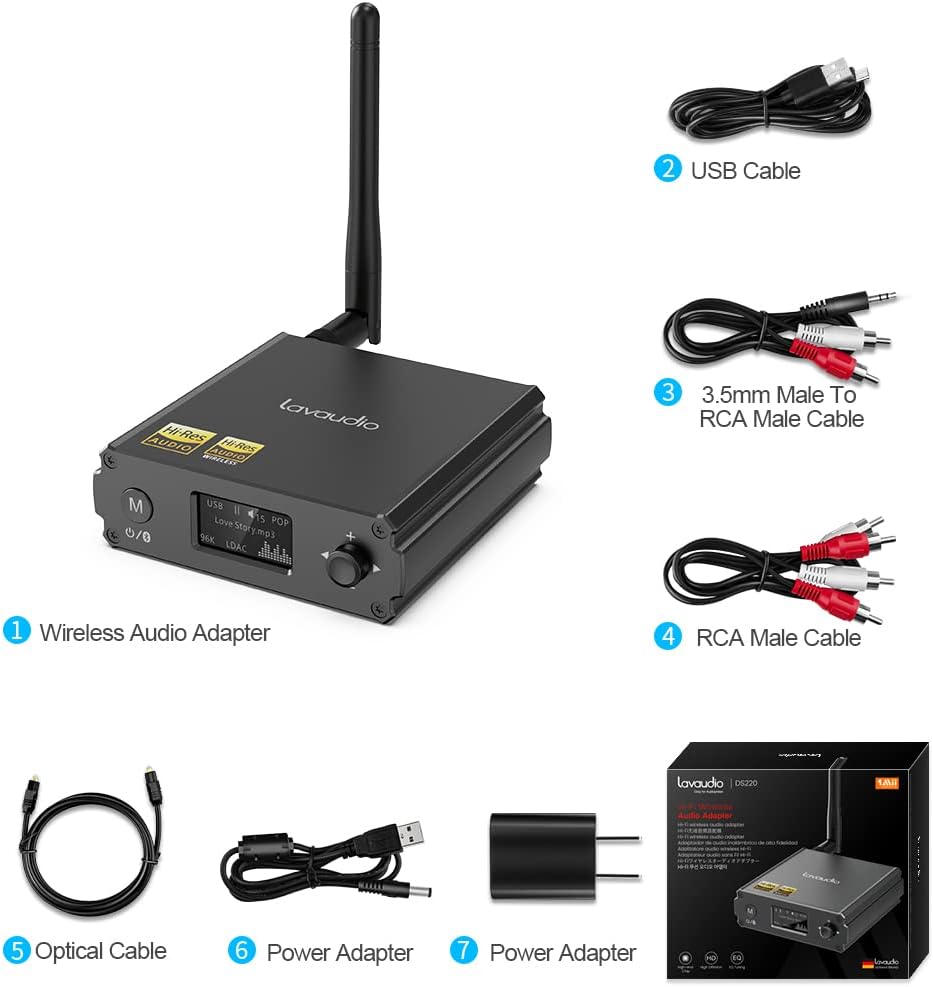
Image: Contents of the Lavaudio DS220 package, including the receiver, cables, and power adapter.
- Lavaudio DS220 HiFi Bluetooth Receiver x 1
- USB-opladerkabel x 1
- 3.5mm Female to 2RCA Splitter Cable x 1
- 2RCA to 2RCA Stereo Audio Cable x 1
- Optisk lydkabel x 1
- Strømadapter x 1
- Brugervejledning x 1
4. Produktet er slutview
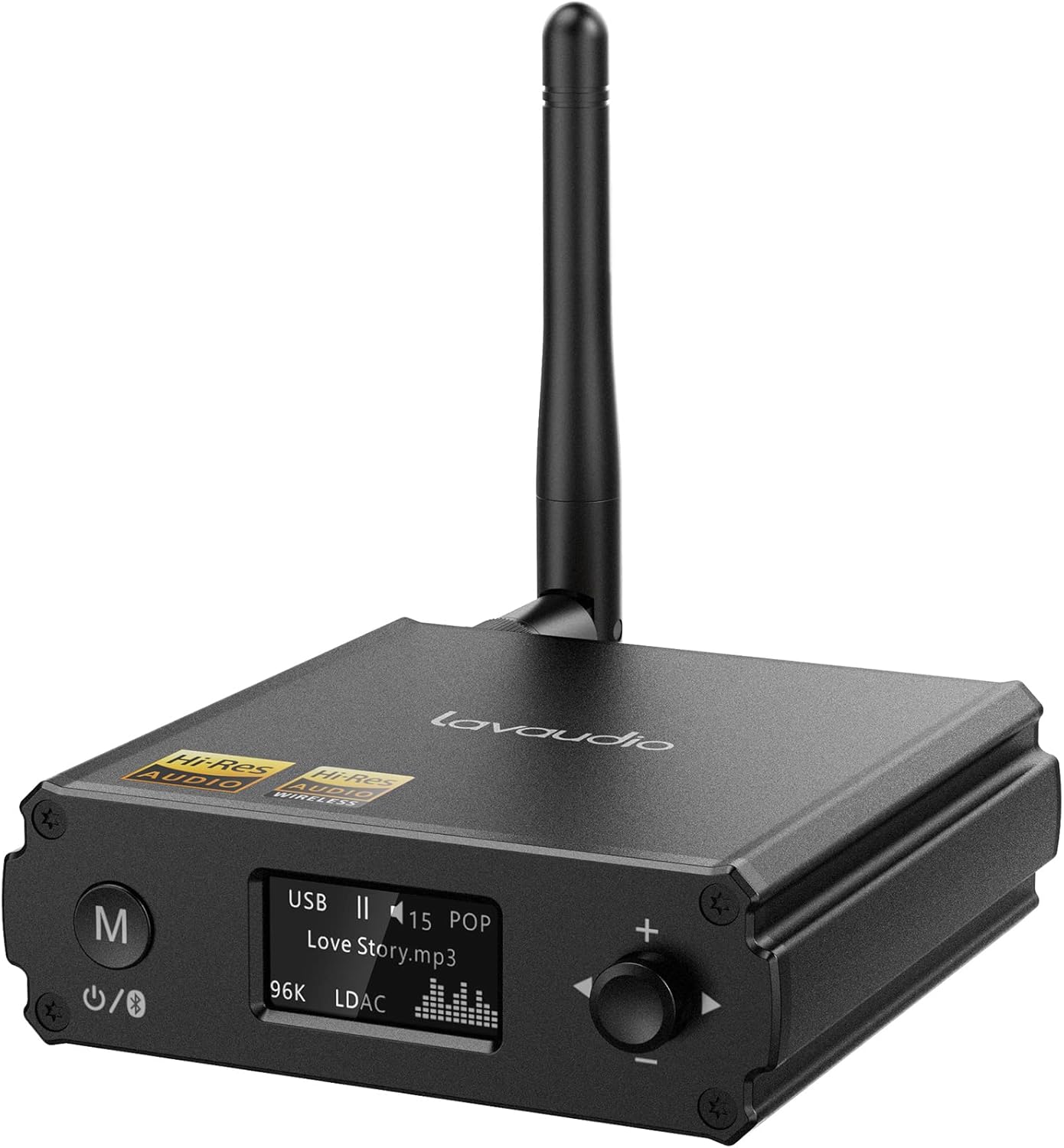
Billede: Forside view of the Lavaudio DS220 HiFi Bluetooth Receiver with its antenna.
4.1 Kontrol og display på frontpanelet

Image: Close-up of the DS220's OLED display and control buttons.
- M knap: Press and hold for 2 seconds to enter pairing mode. Press and hold for 4 seconds to power off. Press and hold for 10 seconds to perform a factory reset.
- OLED-skærm: Shows current mode (USB, Bluetooth), track information, volume level, and EQ mode.
- Drejeknap (+/-): Adjusts volume. Press to cycle through EQ modes.
4.2 Porte på bagpanelet

Billede: Bagside view of the DS220 showing its various output and input ports.
- DC 5V: Strømindgangsport.
- Fravælg: Optisk digital lydudgang.
- R-RCA OUT-L: Analog RCA stereo audio output.
- USB IN: USB Type-C input for connecting to a computer or other audio source.
5. Opsætning
5.1 Indledende tænding
Connect the provided power adapter to the DC 5V port on the DS220 and plug it into a power outlet. The device will automatically power on and enter pairing mode for first-time use.
5.2 Tilslutning til dit lydsystem
The DS220 offers flexible output options to connect to your ampforstærker eller aktive højttalere:
- Brug af RCA-kabler: Connect the 2RCA to 2RCA stereo audio cable from the R-RCA OUT-L ports on the DS220 to the corresponding RCA input ports (e.g., AUX IN) on your amplifier eller drevne højttalere.
- Using Optical Cable: Connect the optical audio cable from the OPT OUT port on the DS220 to the optical input port on your amplifier eller DAC.
Sørg for din amplifier or audio system is set to the correct input mode (e.g., AUX, Optical) corresponding to your connection.
6. Betjeningsvejledning

Image: Step-by-step visual guide for connecting, pairing, playing, and adjusting EQ.
6.1 Bluetooth IN Mode

Image: Detailed guide for Bluetooth IN mode setup.
- Tænd: Ensure the DS220 is powered on. For first-time use, it will automatically enter pairing mode, indicated by a quickly flashing Bluetooth icon on the OLED display.
- Enter Pairing Mode (if not first-time use): If the device is already connected or in standby, press and hold the 'M' button for 2 seconds until the Bluetooth icon flashes rapidly.
- Parring: On your smartphone, tablet, or other Bluetooth audio source, enable Bluetooth and search for available devices. Select "DS220" from the list to connect.
- Afspil musik: Once connected, the Bluetooth icon will stop flashing and remain solid. You can now play audio from your connected device through the DS220.
6.2 USB IN Mode

Image: Diagram illustrating USB IN mode setup.
To use the DS220 as a USB DAC:
- Connect the provided USB cable from your computer/laptop or other audio source device to the USB IN port on the DS220.
- Connect the DS220's RCA or Optical output to your amplifier eller drevne højttalere.
- The DS220 will automatically switch to USB audio mode. You can now play audio from your computer through the DS220.
6.3 EQ Mode and Volume Control
- EQ-tilstand: Press the rotary knob to cycle through various EQ modes such as Rock, Pop, Jazz, etc. The selected EQ mode will be displayed on the OLED screen. You can also adjust Bass and Treble settings within the EQ menu.
- Lydstyrkekontrol: Drej knappen med uret for at øge lydstyrken og mod uret for at sænke lydstyrken.
7. Audio Quality and Codecs
The Lavaudio DS220 supports various high-definition audio codecs to ensure optimal sound quality:

Image: Comparison of audio bitrates for various codecs supported by the DS220.
- LDAC: Supports up to 24bit/96 kHz sampling rate with a bitrate of 990 kbps, offering high-resolution wireless audio.
- aptX-HD: Supports up to 24bit/48 kHz sampling rate with a bitrate of 576 kbps, providing high-definition audio over Bluetooth.
- CCA: Supports up to 16bit/96 kHz sampling rate with a bitrate of 264 kbps.
- SBC'er: Supports up to 16bit/48 kHz sampling rate with a bitrate of 328 kbps, a standard Bluetooth audio codec.

Image: The DS220 integrated into a home stereo setup for high-definition audio.
The DS220 features a Qualcomm 5125 Bluetooth chip and an ESS ES9018K2M DAC chip for superior audio processing.
8. Fejlfinding
Se følgende almindelige problemer og løsninger:
- Q1: How to enter pairing mode?
- A: For first-time use, the Lavaudio DS220 automatically enters pairing mode after power-on. To manually enter pairing mode, press and hold the 'M' button for 2 seconds until the Bluetooth icon on the display flashes rapidly.
- Q2: What does it mean when the Bluetooth icon slowly flashes?
- A: A slowly flashing Bluetooth icon indicates that the DS220 is in standby mode.
- Q3: Why do I have a sound problem when connecting DS220 by optical output?
- A: If your device does not support a 96K sample rate, try switching LDAC off. This often resolves sound issues. To do this, find DS220 in your phone's Bluetooth list, click to open the drop-down list, and switch LDAC to off. Ensure you use a power adapter for power supply to eliminate ground loop noise.
9. Specifikationer
| Mærke | Lavaudio |
| Modelnummer | DS220 |
| Forbindelsesteknologi | Bluetooth |
| Controller type | Knap kontrol |
| Kompatible enheder | Personlig computer, smartphone |
| Lydudgangstilstand | Stereoanlæg |
| Surround Sound Kanalkonfiguration | 2.0 |
| Udgangseffekt | 5 watt |
| Antal kanaler | 2 |
| Varens vægt | 12.6 ounce |
| Pakkedimensioner | 5.63 x 4.92 x 2.4 tommer |
10. Vedligeholdelse
To ensure the longevity and optimal performance of your Lavaudio DS220, follow these maintenance guidelines:
- Rensning: Brug en blød, tør klud til at rengøre enhedens yderside. Brug ikke flydende rengøringsmidler eller aerosoler.
- Opbevaring: Når enheden ikke er i brug i længere perioder, skal den opbevares køligt og tørt, væk fra direkte sollys og ekstreme temperaturer.
- Håndtering: Håndter enheden forsigtigt. Undgå at tabe den eller udsætte den for hårde stød.
11. Garanti og support
For warranty information and technical support, please refer to the official Lavaudio webwebstedet eller kontakt deres kundeservice. Gem din købskvittering som købsbevis i tilfælde af garantikrav.
Bemærk: Der var ingen officielle produktvideoer tilgængelige til indlejring baseret på de angivne data.
Ask a question about this manual
Ask about setup, troubleshooting, compatibility, parts, safety, or missing instructions. Manuals+ will review the question and use this page’s manual context to help answer it.