
1. Introduktion
This manual provides essential information for the safe and efficient operation of your Coocaa 43Y72 4K Ultra HD Smart IPS Google LED TV. Please read it thoroughly before using the television and retain it for future reference. This television features a 108 cm (43 inches) frameless 4K Ultra HD IPS display, powered by Google TV, offering a comprehensive entertainment experience.

Image: The Coocaa 43Y72 TV showcasing its Google TV interface with personalized content and app recommendations.
2. Hvad er der i æsken
Sørg for, at alle følgende ting er til stede ved udpakning:
- 1 x Coocaa 43Y72 LED TV
- 1 x fjernbetjening
- 1 x strømkabel
- 1 x Startguide
- 1 x garantikort
- 2 x AAA-batterier (til fjernbetjening)
- 1 x Set of Base Stands
- 4 x Screws (for base stands)
3. Opsætning
3.1 Fysisk opsætning
- Udpakning: Tag forsigtigt tv'et ud af emballagen. Det anbefales at være to personer til denne proces.
- Montering af stativ: If using the included base stands, align them with the mounting holes on the bottom of the TV. Secure them using the provided screws. Ensure the TV is placed on a stable, flat surface.
- Vægmontering (valgfrit): If wall mounting, refer to the instructions provided with your wall mount kit. Ensure the wall mount is compatible with VESA standards for your TV model and installed by a qualified professional.
- Strømtilslutning: Connect the power cord to the TV's power input and then to a suitable electrical outlet.
3.2 Indledende tænding
- Tryk på tænd/sluk-knappen på tv'et eller fjernbetjeningen for at tænde tv'et.
- Følg instruktionerne på skærmen for at fuldføre den indledende opsætning, herunder valg af sprog, netværksforbindelse og login til Google-konto.
4. Forbindelse
Your Coocaa 43Y72 TV offers multiple connectivity options for various devices.

Billede: En detaljeret view of the TV's side panel, illustrating the arrangement of USB, Digital Audio, AV, HDMI, and LAN ports.
4.1 Kabelbaserede forbindelser
- HDMI-porte (3): Tilslut set-top-bokse, Blu-ray-afspillere, spillekonsoller eller andre HDMI-aktiverede enheder.
- USB-porte (2): Tilslut harddiske, USB-flashdrev eller andre USB-enheder til medieafspilning.
- LAN-port: For en stabil kablet internetforbindelse.
- Digital lydudgang: Tilslut til eksterne lydsystemer for forbedret lyd.
- AV-indgang: Til tilslutning af ældre enheder ved hjælp af kompositvideo- og stereolydkabler.
- IR-port: To control connected devices like DVD/STB players.
4.2 Trådløse forbindelser
- Wi-Fi (Dual Band): Opret forbindelse til dit hjemmenetværk for internetadgang og streaming.
- Bluetooth: Pair with compatible devices such as headphones, speakers, or game controllers.
5. Betjening af tv'et
5.1 Fjernbetjening
The included remote control allows you to navigate the TV's features. It supports voice commands and has dedicated buttons for popular streaming services.

Image: The Coocaa remote control, highlighting its ergonomic design and dedicated buttons for smart features and streaming services.
- Power knap: Tænder eller slukker for tv'et.
- Google Assistent-knap: Aktiverer stemmestyring til søgning efter indhold, styring af smart home-enheder og mere.
- Navigationsplade: Brug retningsknapperne og OK-knappen til at navigere i menuerne.
- Lydstyrke-/kanalknapper: Juster lydstyrken og skift kanal.
- Hurtig adgangsknapper: Direkte adgang til Netflix, Prime Video og YouTube.
5.2 Google TV-grænseflade
Google TV organizes movies, shows, live TV, and more from your apps and subscriptions into one personalized interface.
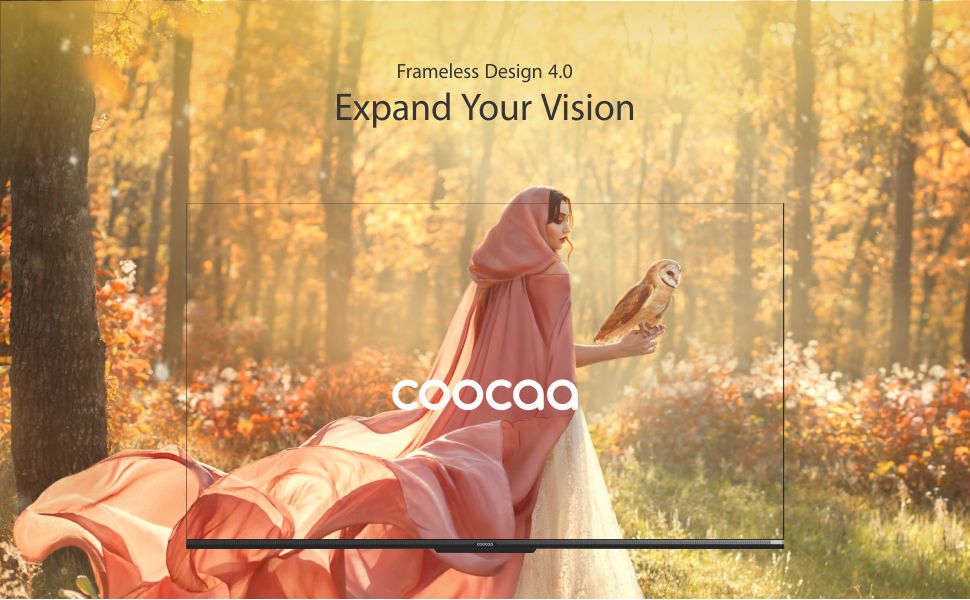
Image: The Google TV home screen, demonstrating personalized content suggestions and easy access to various applications.
- Personalized Homescreen: Content recommendations are tailored to your viewing vaner.
- Content Catalog: Access a vast library of movies and TV shows from services like Prime Video, Netflix, Hotstar, Zee5, Sony LIV, YouTube, and more.
- Google Duo Support: Engage in video calls directly from your TV (requires compatible camera, sold separately).
- Swaiot Home Feature: Integrate and control compatible smart home devices.
- Chromecast indbygget: Cast indhold fra din smartphone eller tablet direkte til tv'et.
- Google Voice Assistant: Use voice commands for navigation, search, and control.
6. Skærm- og lydfunktioner
6.1 Skærmteknologi
- 4K HDR (3840 x 2160) Resolution: Delivers sharp, detailed images with vibrant colors.
- IPS skærm: Giver bred viewing angles (178 degrees), ensuring consistent picture quality from various positions.
- Durable A+ Grade DLED Panel: Ensures reliability and consistent performance.
- Ultra Bright Screen: Maintains picture clarity even in well-lit rooms.
- Rammeløst design: Maksimerer skærmpladsen for en fordybende oplevelse viewoplevelse.
- Chameleon Extreme 2.0 Picture Engine: Enhances picture quality by optimizing color, contrast, and clarity.
- HDR 10 og HLG: Understøtter indhold med højt dynamisk område (HDR) for forbedret kontrast og farvenøjagtighed.

Image: The Coocaa TV featuring its frameless design, designed to provide an expansive visual experience.
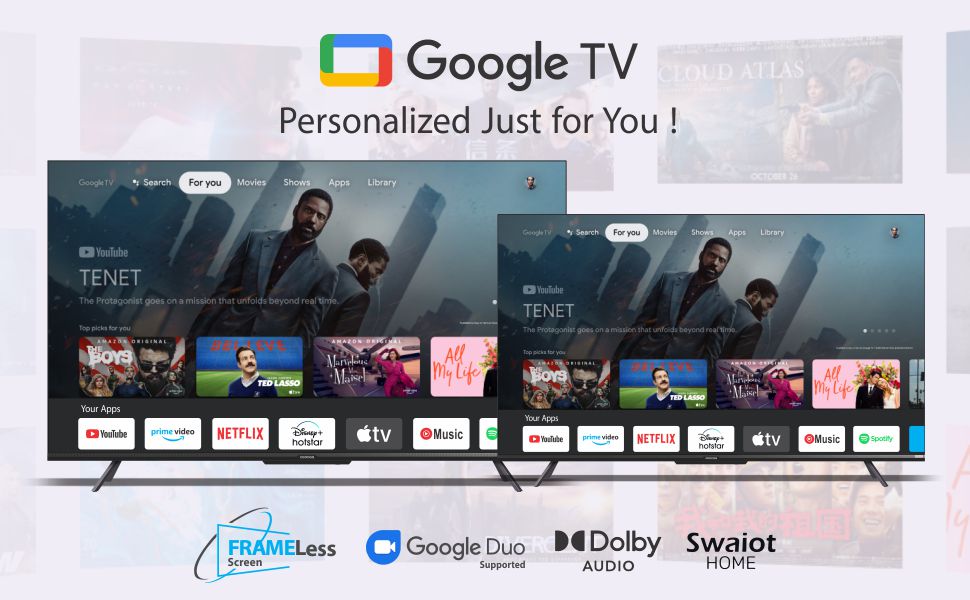
Image: Visual representation of the Chameleon Extreme 2.0 Picture Engine, highlighting its role in bringing out every detail.
6.2 Lydteknologi
- 30 watt udgangseffekt: Giver klar og kraftfuld lyd.
- Dolby Audio: Delivers rich, clear, and powerful sound for an immersive audio experience.
- DTS Tru Surround: Enhances audio with virtual surround sound for remarkable sound quality.
Image: Logos for Dolby Audio and DTS TruSurround, signifying advanced audio processing for superior sound.
7. Specifikationer
Detailed technical specifications for the Coocaa 43Y72 TV:

Image: Technical drawing illustrating the precise dimensions of the Coocaa 43Y72 TV, including screen size, width, height, and depth.
| Feature | Detalje |
|---|---|
| Model | 43Y72 |
| Skærmstørrelse | 108 cm (43 tommer) |
| Opløsning | 4K HDR (3840 x 2160) |
| Opdateringshastighed | 60 Hertz |
| Viewi vinkel | 178 grader |
| Display Type | IPS LED'er |
| Lydudgang | 30 watt |
| Lydteknologi | Dolby Audio, DTS Tru Surround |
| Operativsystem | Google TV (Android) |
| VÆDDER | 2 GB |
| Opbevaring | 16 GB |
| HDMI porte | 3 |
| USB-porte | 2 |
| Trådløs forbindelse | Dual-band Wi-Fi, Bluetooth |
| Dimensioner (LxBxH) | 95.07 x 19.09 x 56.06 cm |
| Varens vægt | 6 kg |
| Strømkilde | AC 200 Volts, 100 Watts |
8. Fejlfinding
Hvis du støder på problemer med dit tv, kan du se følgende almindelige problemer og løsninger:
- Ingen strøm:
- Ensure the power cord is securely connected to both the TV and the electrical outlet.
- Kontroller om stikkontakten fungerer ved at tilslutte en anden enhed.
- Tryk på tænd/sluk-knappen på selve tv'et, ikke kun på fjernbetjeningen.
- Intet billede, men lyd:
- Kontroller, at den korrekte inputkilde er valgt (f.eks. HDMI 1, AV).
- Kontroller kabelforbindelserne mellem tv'et og de eksterne enheder.
- Ingen lyd, men billede:
- Øg lydstyrken.
- Kontroller, om fjernsynet er slået fra.
- Sørg for, at lydkablerne er korrekt tilsluttet, hvis du bruger eksterne højttalere.
- Kontroller indstillingerne for lydudgang i tv-menuen.
- Fjernbetjeningen virker ikke:
- Udskift batterierne (2 AAA-batterier).
- Sørg for, at der ikke er nogen forhindringer mellem fjernbetjeningen og tv'ets IR-sensor.
- Re-pair the Bluetooth remote if it's a smart remote.
- Problemer med Wi-Fi-forbindelse:
- Genstart din router og dit modem.
- Tjek Wi-Fi-adgangskoden.
- Sørg for, at tv'et er inden for rækkevidde af din Wi-Fi-router.
For persistent issues, please contact Coocaa customer support.
9. Vedligeholdelse
Korrekt vedligeholdelse sikrer dit TV's levetid og optimale ydeevne:
- Rengøring af skærmen: Brug en blød, fnugfri klud, der er specielt designet til elektronik. Brug ikke skrappe kemikalier eller slibende materialer. Tør letampen the cloth with water if necessary, and wipe gently.
- Rengøring af kroppen: Tør tv'ets ramme og stativ af med en blød, tør klud.
- Ventilation: Sørg for tilstrækkelig luftgennemstrømning omkring tv'et. Bloker ikke ventilationsåbningerne.
- Sluk, når den ikke er i brug: Turn off the TV and unplug it during lightning storms or when leaving it unused for extended periods.
10. Garanti og support
Your Coocaa 43Y72 TV comes with a standard brand warranty. Please refer to the included Warranty Card for specific terms, conditions, and duration of coverage.
- Garantidækning: Typically covers manufacturing defects and malfunctions under normal use.
- Kontakt support: For warranty claims, technical assistance, or service requests, please refer to the contact information provided on your Warranty Card or the official Coocaa webwebsted.
- Købsbevis: Always retain your purchase receipt as proof of purchase for warranty validation.