
coocaa 32S3U Pro
Coocaa 32S3U Pro Smart IPS LED TV Instruction Manual
Model: 32S3U Pro
1. Introduktion
Welcome to the instruction manual for your new Coocaa 32S3U Pro Smart IPS LED TV. This manual provides essential information for setting up, operating, maintaining, and troubleshooting your television. Please read this manual thoroughly before using the product to ensure safe and optimal performance.

Figure 1.1: Coocaa 32S3U Pro Smart IPS LED TV showcasing its Coolita 2.0 operating system interface.
2. Sikkerhedsoplysninger
Always adhere to the following safety precautions to prevent electric shock, fire, damage to the TV, or personal injury:
- Udsæt ikke TV'et for regn eller fugt.
- Åbn ikke tv'etasing. Overlad al service til kvalificeret personale.
- Sørg for korrekt ventilation omkring tv'et.
- Beskyt netledningen mod at blive trådt på eller klemt.
- Tag stikket ud af tv'et under tordenvejr eller når det ikke bruges i længere perioder.
- Keep small objects and liquids away from the TV.
3. Hvad er der i æsken
Bekræft at alle komponenter er til stede, før du fortsætter med opsætningen:
- 1 x Coocaa LED TV
- 1 x fjernbetjening
- 1 x strømkabel
- 1 x Startguide
- 1 x garantikort
- 2 x AAA-batterier (til fjernbetjening)
- 1 x Set of Base Stands
- 4 x Screws (for base stands)
4. Opsætning
4.1 Fysisk installation
Your Coocaa TV supports both table-top placement and wall mounting. Choose the method that best suits your needs.
Bordmontering:
- Placer forsigtigt tv-skærmen med nedad på en blød, flad overflade for at undgå ridser.
- Attach the base stands to the designated slots on the bottom of the TV using the provided screws. Ensure they are securely fastened.
- Løft forsigtigt tv'et op, og placer det på en stabil, plan overflade.
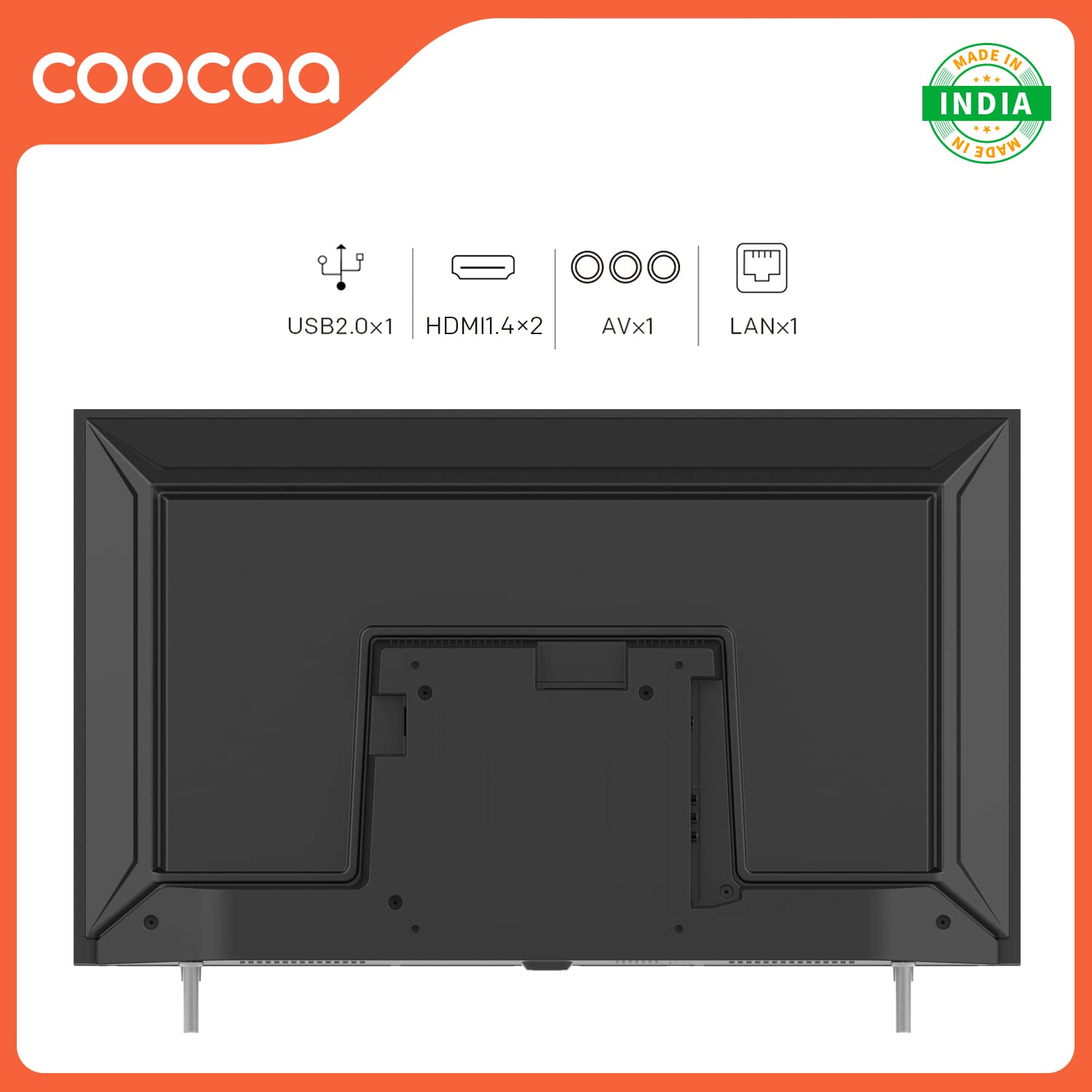
Figure 4.1: Rear panel connections including USB, HDMI, AV, and LAN ports for external devices.
4.2 Tilslutning af eksterne enheder
Tilslut dine eksterne enheder, såsom set-top-bokse, spillekonsoller eller lydsystemer, til tv'ets porte.
- HDMI: For high-definition audio and video. Your TV has 2 HDMI 1.4 ports.
- USB: For connecting USB storage devices. Your TV has 1 USB 2.0 port.
- AV: For older devices using composite video and stereo audio. Your TV has 1 AV port.
- LAN: For wired internet connection. Your TV has 1 LAN port.
4.3 Første opstart og netværksopsætning
- Sæt netledningen i tv'et og derefter i en stikkontakt.
- Tryk på tænd/sluk-knappen på fjernbetjeningen eller på tv'et.
- Follow the on-screen instructions to select your language, region, and connect to your Wi-Fi network. You can also use a wired Ethernet connection via the LAN port.
- The TV features a fast startup time, with 1-second startup and 2-second app launch.

Figure 4.2: The Coocaa TV boasts quick startup and application launch times for a seamless user experience.
5. Betjening af tv'et
5.1 Fjernbetjeningsfunktioner
Familiarize yourself with the remote control for easy navigation and control of your TV.

Figure 5.1: The remote control features dedicated buttons for quick access to YouTube and C+ Plus streaming platforms.
- Power knap: Tænder eller slukker for tv'et.
- Navigationsknapper (op/ned/venstre/højre): Naviger gennem menuer og muligheder.
- OK knap: Bekræfter valg.
- Tilbage knap: Vender tilbage til den forrige skærm.
- Hjemknappen: Accesses the main Coolita 2.0 OS interface.
- Lydstyrke op/ned: Justerer lydstyrken.
- Kanal op/ned: Skifter tv-kanaler.
- Dedikerede app-knapper: Quick access to YouTube, C+ Plus, and other pre-installed applications.
5.2 Coolita 2.0 Operating System
The Coocaa TV runs on the Coolita 2.0 OS, offering a user-friendly interface and access to various smart features.

Figure 5.2: The Coolita 2.0 OS provides access to a wide range of entertainment applications, including Prime Video, YouTube, SonyLIV, Zee5, and more.
Streamingapplikationer:
Access popular streaming services directly from your TV. Supported applications include Prime Video, SonyLIV, Zee5, YouTube, and more.

Figure 5.3: Enjoy one-click direct access to YouTube content for seamless video playback.
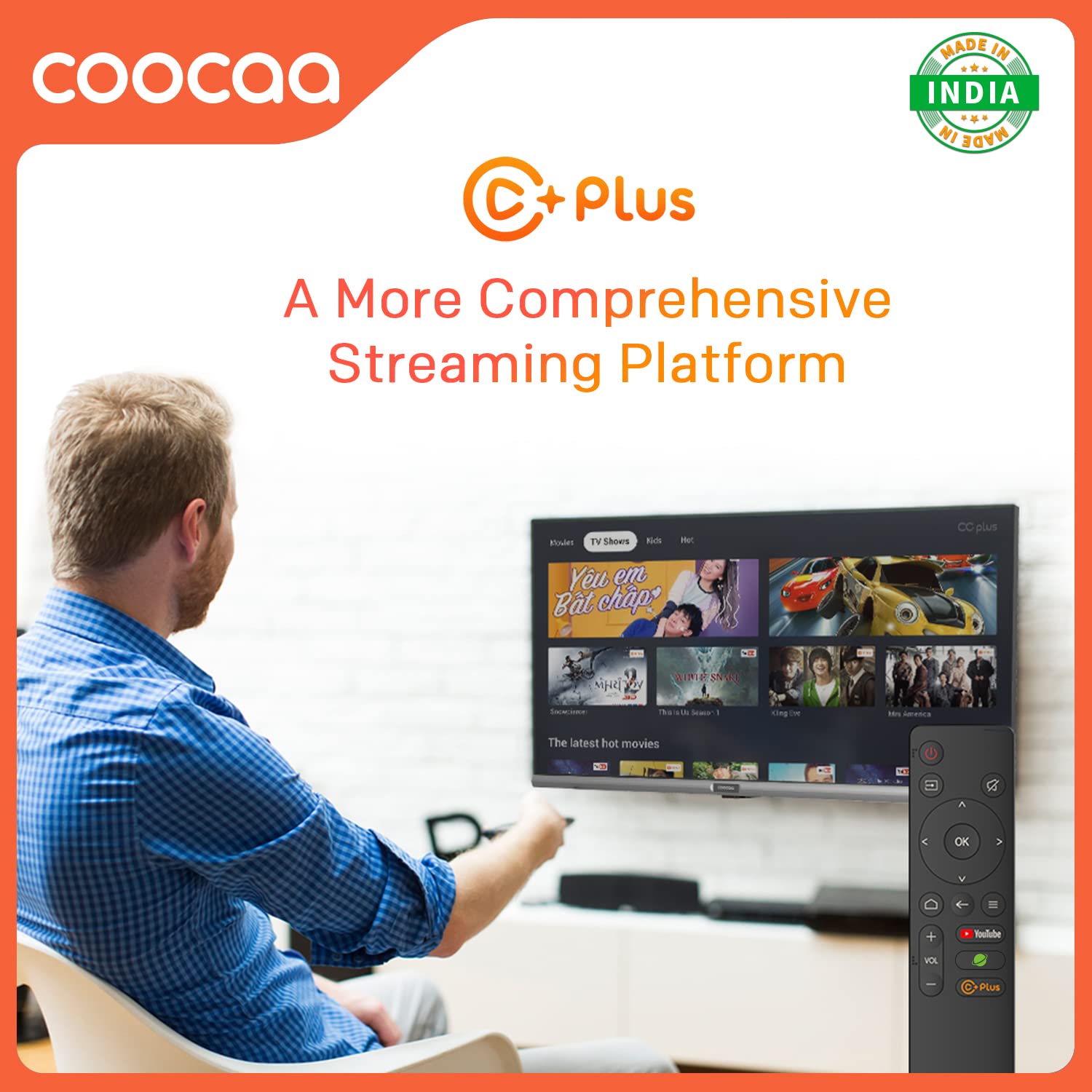
Figure 5.4: C+ Plus offers a more comprehensive streaming platform experience.
Åbn browser:
Surf the internet directly on your TV's large screen. The integrated browser allows you to visit websites and access online content.
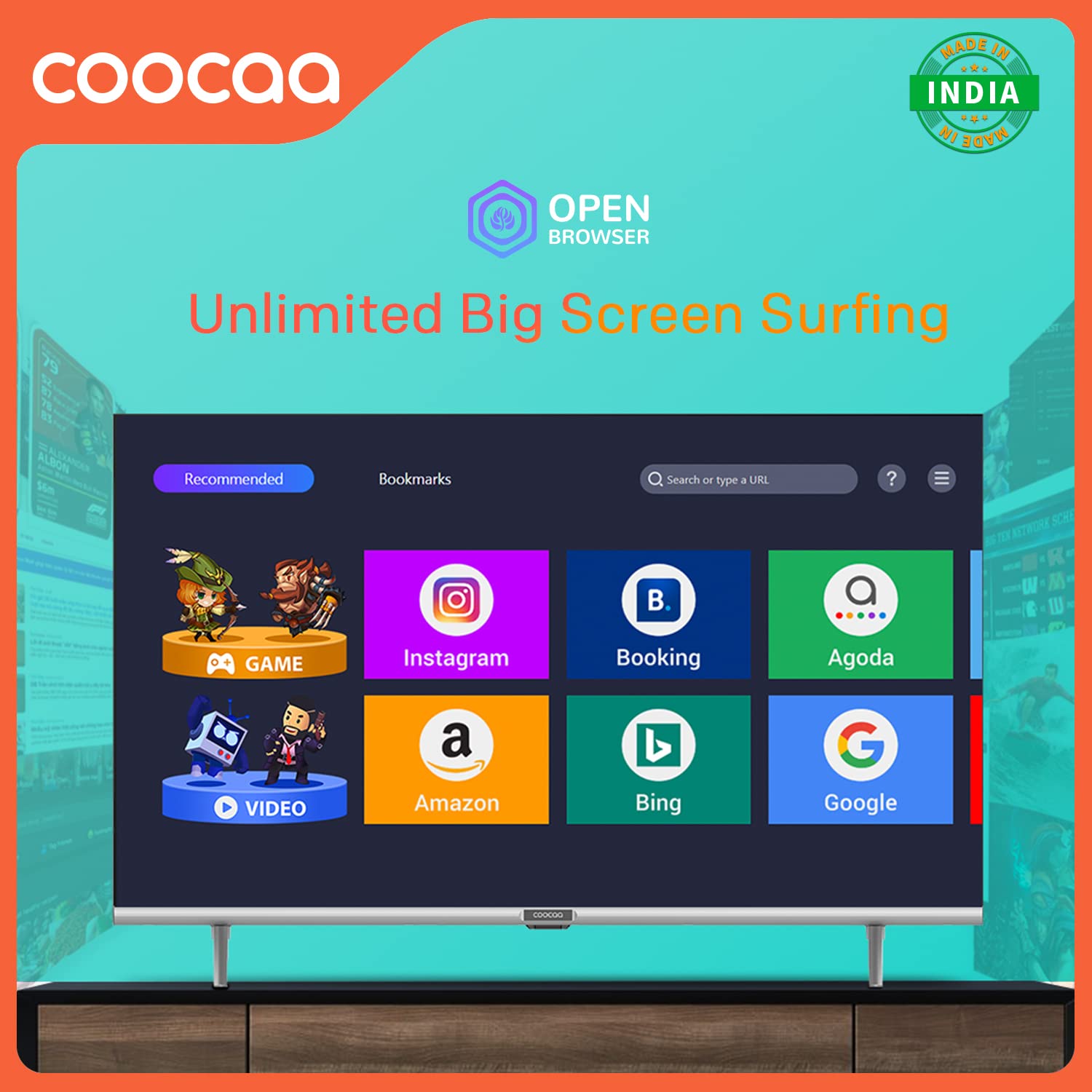
Figure 5.5: The Open Browser feature enables unlimited big-screen surfing, providing access to various online services.
CC Cast (Screen Sharing):
Mirror content from your mobile device to the TV screen using CC Cast. This feature helps save network bandwidth, money, and storage on your device.

Figure 5.6: Utilize CC Cast for seamless screen sharing from your mobile device to the TV, optimizing network usage and storage.
Swaiot HOME:
Integrate your Coocaa TV into your smart home ecosystem with Swaiot HOME, allowing for a connected smart life experience.
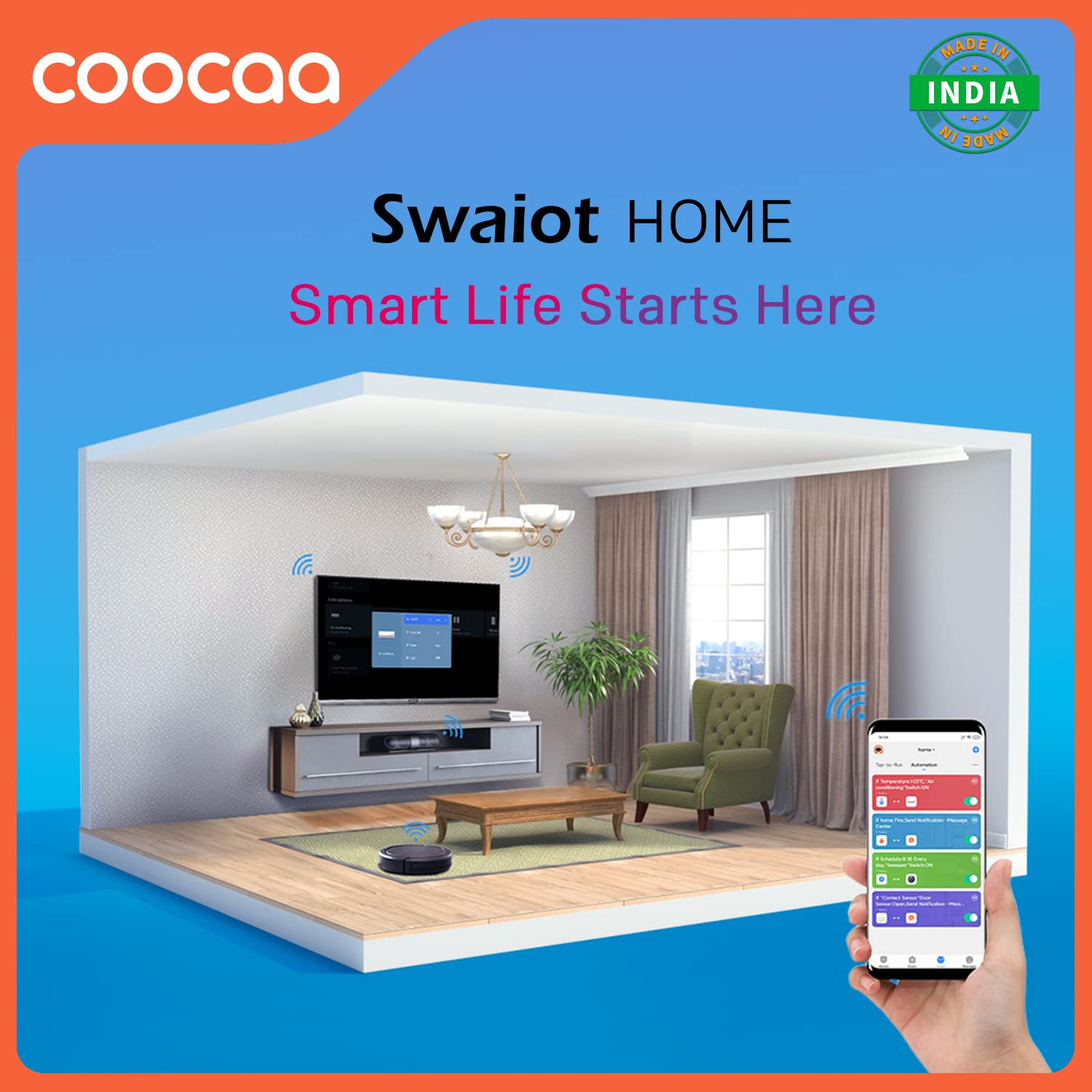
Figure 5.7: Swaiot HOME enables smart life integration, allowing control of smart devices through your TV.
Billed- og lydindstillinger:
Tilpas din viewlytteoplevelsen via tv'ets indstillingsmenu.
- Trochilus Extreme Picture Engine: Enhances picture quality for vibrant colors and sharp details.
- HDR 10: Supports High Dynamic Range content for improved contrast and color accuracy.
- Øjenbeskyttelsestilstand: Reducerer udledning af blåt lys for komfortabel komfort viewing, especially during long sessions. The display is designed to be flicker-free.
- Dolby Audio: Provides immersive and clear sound quality. The TV features 20 Watts audio output with DTS Surround and Dolby Audio support.

Figure 5.8: The TV's flicker-free technology contributes to eye protection during extended viewing.

Figure 5.9: Experience enhanced audio quality with Dolby Audio support.

Figure 5.10: The TV features an A+ Grade Panel for superior display quality.
Spiltilstand:
Activate Game Mode for optimized performance during gaming, reducing input lag and enhancing responsiveness.
6. Vedligeholdelse
Proper care and maintenance will extend the life of your Coocaa TV.
- Rengøring af skærmen: Tør forsigtigt skærmen af med en blød, fnugfri klud. Brug en skærmrengøringsopløsning, der er specielt designet til elektronik, til genstridige pletter, og påfør den på kluden, ikke direkte på skærmen.
- Rengøring af Casing: Brug en blød, tør klud til at tørre tv'et afasing. Undgå at bruge slibende rengøringsmidler eller opløsningsmidler.
- Ventilation: Sørg for, at ventilationsåbningerne ikke er blokeret for at forhindre overophedning.
- Strømledning: Kontrollér regelmæssigt strømkablet for skader.
7. Fejlfinding
Før du kontakter kundesupport, kan du prøve følgende løsninger på almindelige problemer:
| Problem | Mulig årsag | Løsning |
|---|---|---|
| Ingen strøm | Netledningen er frakoblet; ingen strøm fra stikkontakten | Kontroller netledningens forbindelse; test stikkontakten med en anden enhed. |
| Intet billede, men der er lyd | Incorrect input source; loose HDMI/AV cable | Press the Source button on the remote to select correct input; re-connect cables securely. |
| Ingen lyd, men der er billede | Lydstyrken er slået fra eller for lav; problem med det eksterne lydsystem | Unmute volume or increase level; check connections to external audio devices. |
| Fjernbetjening virker ikke | Batteries depleted or incorrectly inserted; obstruction between remote and TV | Replace batteries; ensure line of sight to TV's IR receiver. |
| Kan ikke oprette forbindelse til Wi-Fi | Forkert adgangskode; routerproblem; TV'et er for langt fra routeren | Verify Wi-Fi password; restart router; move TV closer or use wired connection. |
8. Specifikationer
Detailed technical specifications for the Coocaa 32S3U Pro Smart IPS LED TV:
| Feature | Detalje |
|---|---|
| Model | 32S3U Pro |
| Skærmstørrelse | 32 tommer (80 cm) |
| Displayteknologi | IPS LED, A+ Grade Panel |
| Opløsning | HD-klar (1366 x 768 pixels) |
| Opdateringshastighed | 60 Hz |
| Viewi vinkel | 178 grader |
| Operativsystem | Coolita 2.0 OS (Linux-based) |
| Hukommelseslagringskapacitet | 4 GB |
| Installeret RAM-hukommelsesstørrelse | 0.5 GB |
| Grafik coprocessor | Mali-G31 GPU |
| Lydudgang | 20 Watts, DTS Surround, Dolby Audio |
| Forbindelse | Wi-Fi, USB (1x USB 2.0), Ethernet (1x LAN), HDMI (2x HDMI 1.4), AV (1x) |
| Særlige funktioner | Eye Protection, Open Browser, Trochilus Extreme Picture Engine, Game Mode, HDR 10, CC Cast, Swaiot HOME |
| Strømforbrug (tændt tilstand) | 60 watt |
| Produktmål (LxBxH) | 71.8 x 16.2 x 44.6 cm |
| Varens vægt | 3.5 kg |
9. Garanti og support
Your Coocaa 32S3U Pro Smart IPS LED TV comes with a 1-Year Warranty from the date of purchase.
- For warranty claims or technical assistance, please refer to the contact information provided on your Warranty Card or visit the official Coocaa support webwebsted.
- Gem din købskvittering som købsbevis af garantihensyn.
Manufacturer: Radiant Appliances and Electronics Pvt Ltd
Address: Radiant Appliances and Electronics Pvt Ltd - Survey No.111,112, S-2 A1, Ecity, Fabcity, Maheshwaram Mandal, Raviryala Village, Ranga Reddy, Telengana-501141