
1. Introduktion
This manual provides essential information for the safe and efficient use of your Coocaa 55Y72 55-inch 4K Ultra HD Smart IPS Google LED TV. Please read these instructions thoroughly before operating your television and retain them for future reference.

Billede: Forside view of the Coocaa 55Y72 TV displaying the Google TV home screen with various streaming app icons.
2. Opsætning
2.1 Hvad er der i æsken
Ved udpakning skal du kontrollere, at alle komponenter er til stede:
- 1 x Coocaa 55Y72 LED TV
- 1 x fjernbetjening
- 1 x strømkabel
- 1 x Quick Start Guide
- 1 x garantikort
- 2 x AAA-batterier (til fjernbetjening)
- 1 x Set of Base Stands
- 4 x Screws (for base stands)
2.2 Fysisk installation
The Coocaa 55Y72 TV supports table mounting. Ensure the TV is placed on a stable, level surface.
- Attach Base Stands: Carefully place the TV screen-down on a soft, clean surface. Align the base stands with the mounting holes on the bottom of the TV. Secure them using the provided screws.
- Placering: Place the TV in your desired location, ensuring adequate ventilation around the unit.

Image: Diagram illustrating the dimensions of the Coocaa 55Y72 TV, including width, height, and depth with stands.
2.3 Tilslutning af eksterne enheder
Dit TV tilbyder flere tilslutningsmuligheder:
- HDMI-porte (3): Tilslut set-top-bokse, Blu-ray-afspillere, spillekonsoller eller andre HDMI-aktiverede enheder.
- USB-porte (2): Tilslut harddiske, USB-flashdrev eller andre USB-enheder til medieafspilning.
- Ethernet (LAN) port: Til kablet internetforbindelse.
- Digital lydudgang: Til tilslutning til eksterne lydsystemer.
- AV-indgang: Til tilslutning af ældre enheder ved hjælp af kompositvideo- og stereolydkabler.

Billede: Side view of the Coocaa 55Y72 TV with a detailed diagram of its input and output ports, including USB, Digital Audio, AV, HDMI, and LAN.
2.4 Strømtilslutning
Tilslut netledningen til tv'ets strømindgang, og sæt den derefter i en almindelig stikkontakt. Tv'et vil gå i standbytilstand.
3. Betjeningsvejledning
3.1 Første opsætning og Google TV
Upon first power-on, the TV will guide you through the initial setup process, including network connection (Wi-Fi or Ethernet), Google account login, and channel scanning. The Coocaa 55Y72 runs on Google TV, offering a personalized home screen experience.
- Personalized Homescreen: Content recommendations are tailored to your viewing vaner.
- Google Assistant: Brug stemmekommandoer via fjernbetjeningen til søgning, styring og information.
- Indbygget Chromecast: Cast content from compatible mobile devices directly to your TV.
- Display Mirroring: Mirror your compatible device's screen to the TV.
- Google Duo: Supported for video calls (external camera may be required).
- Swaiot Home: Integrate with smart home devices.
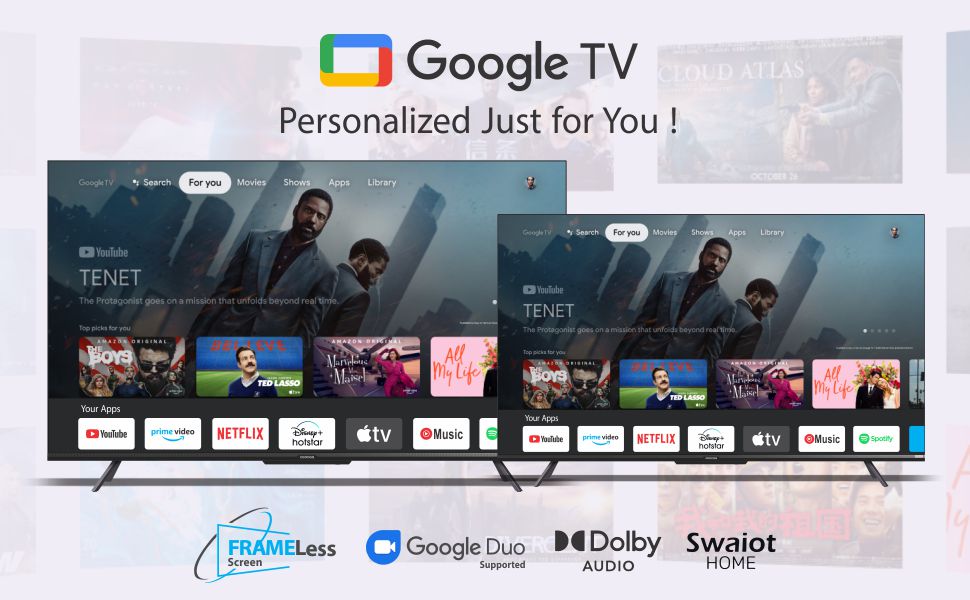
Image: The Google TV interface on the Coocaa TV, showcasing personalized content recommendations and various streaming applications.
3.2 Fjernbetjening
The included remote control uses both IR and Bluetooth technology for versatile operation. It features dedicated buttons for popular streaming services and a one-click Google Assistant button.

Image: The Coocaa TV remote control, featuring a circular navigation pad, volume and channel buttons, and dedicated buttons for Netflix, Prime Video, YouTube, and Google Play.
3.3 Adgang til applikationer
The Google TV platform provides access to a vast catalog of applications. Popular pre-installed apps include YouTube, Prime Video, Netflix, Hotstar, Zee5, and Sony LIV. More applications can be downloaded from the Google Play Store.

Image: The Coocaa TV screen displaying a selection of available applications, including Netflix, YouTube, Prime Video, Apple TV, HBO Max, Rakuten Viki, YouTube Music, and Spotify.
4. Skærm- og lydfunktioner
4.1 Skærmteknologi
The Coocaa 55Y72 features a 55-inch Frameless Series 4K Ultra HD IPS LED panel, providing a resolution of 3840 x 2160 pixels. Key display features include:
- 4K HDR: Supports HDR10 for enhanced contrast and color.
- Opdateringshastighed: 60 Hertz for jævn bevægelse.
- Viewvinkel: 178 grader bred viewvinkel.
- Chameleon Extreme 2.0 Picture Engine: Optimizes image quality.
- Ultra Bright Screen: Sikrer klar udsyn selv i godt oplyste rum.
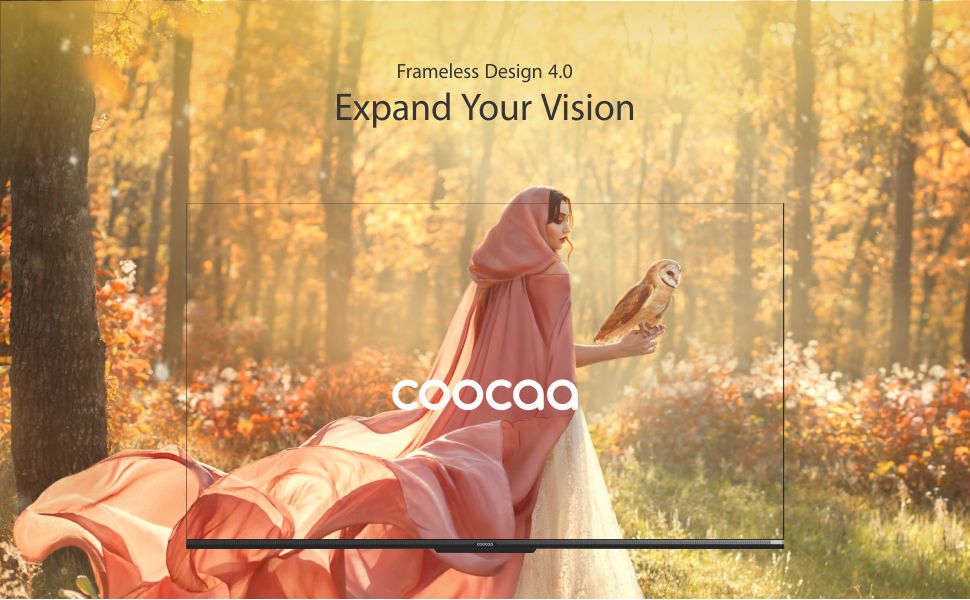
Image: A visual representation of the Coocaa TV's Frameless Design 4.0, emphasizing the expansive screen area.
4.2 Lydsystem
Oplev fordybende lyd med TV'ets integrerede lydsystem:
- Produktion: 30 watt samlet lydudgang.
- Dolby Audio: Enhanced sound quality and clarity.
- DTS TruSurround: Provides a virtual surround sound experience.
Image: Graphic highlighting the Dolby Audio and DTS TruSurround sound technologies integrated into the Coocaa TV.
5. Vedligeholdelse
5.1 Rengøring af skærmen
For at rengøre skærmen skal du forsigtigt tørre den af med en blød, fnugfri klud. Ved genstridige mærker skal du forsigtigt tørre den let af.ampen the cloth with water or a specialized screen cleaner. Avoid using harsh chemicals, abrasives, or direct spraying of liquids onto the screen.
5.2 Rengøring af tv-kabinettet
Wipe the exterior of the TV with a soft, dry cloth. Do not use solvents or alcohol-based cleaners.
5.3 Fjernbetjeningspleje
Keep the remote control dry and clean. Replace batteries (2 x AAA) when necessary. The remote features an antibacterial coating for hygiene.

Image: A child holding the Coocaa TV remote control, illustrating the 'Healthier Smart Life' concept with an antibacterial remote.
6. Fejlfinding
If you encounter issues with your Coocaa 55Y72 TV, refer to the following common solutions:
- Ingen strøm: Sørg for, at netledningen er korrekt tilsluttet til både tv'et og stikkontakten. Kontroller, om stikkontakten fungerer.
- Intet billede/lyd: Bekræft at den korrekte inputkilde er valgt. Kontroller alle kabelforbindelser (HDMI, AV).
- Fjernbetjeningen reagerer ikke: Udskift AAA-batterierne i fjernbetjeningen. Sørg for, at der ikke er nogen forhindringer mellem fjernbetjeningen og tv'ets IR-sensor.
- Problemer med netværksforbindelse: For Wi-Fi, ensure the router is on and within range. For Ethernet, check the cable connection. Try restarting your router and the TV.
- Problemer med billedkvaliteten: Adjust picture settings (brightness, contrast, sharpness) in the TV menu. Ensure the content source is of high quality (e.g., 4K content for 4K resolution).
- Lydforvrængning: Kontrollér lydindstillingerne. Hvis du bruger eksterne højttalere, skal du sørge for, at de er korrekt tilsluttet og konfigureret.
For persistent issues, consult the full user manual available online or contact Coocaa customer support.
7. Specifikationer
| Feature | Specifikation |
|---|---|
| Mærke | coocaa |
| Model | 55Y72 |
| Skærmstørrelse | 55 tommer (138 cm) |
| Displayteknologi | IPS LED'er |
| Opløsning | 4K Ultra HD (3840 x 2160) |
| Opdateringshastighed | 60 Hz |
| Viewi vinkel | 178 grader |
| HDR-understøttelse | HDR10 |
| Operativsystem | Google TV |
| RAM-hukommelse | 2 GB |
| Lagerkapacitet | 16 GB |
| Lydudgang | 30 watt |
| Lydteknologi | Dolby Audio, DTS TruSurround |
| HDMI porte | 3 |
| USB-porte | 2 |
| Forbindelse | Wi-Fi (Dual band), Ethernet, Bluetooth |
| Strømforbrug (tændt tilstand) | 150 watt |
| Produktmål (LxBxH) | 122.5 x 23.3 x 77.6 cm |
| Varens vægt | 10.2 kg |
8. Garanti og support
8.1 Garantioplysninger
Your Coocaa 55Y72 TV comes with a 1 års garanti from the date of purchase. Please retain your purchase receipt as proof of warranty. The warranty covers manufacturing defects under normal use conditions. For detailed terms and conditions, refer to the warranty card included with your product.
8.2 Kundesupport
For technical assistance, service requests, or any inquiries regarding your Coocaa TV, please contact the manufacturer:
Fabrikant: Radiant Appliances and Electronics Pvt Ltd
Adresse: Survey No.111,112, S-2 A1, Ecity, Fabcity, Maheshwaram Mandal, Raviryala Village, Ranga Reddy, Telengana-501141
Please visit the official Coocaa website or your retailer's support page for the most up-to-date contact information and support resources.