
1. Introduktion
Tak for købetasing the UNITED LED24TP60 24-inch HD Ready LED TV. This television is designed to provide high-quality visual and audio entertainment. This manual will guide you through the setup, operation, and maintenance of your new TV, ensuring you get the best possible experience. Please read these instructions carefully before operating the device and retain them for future reference.
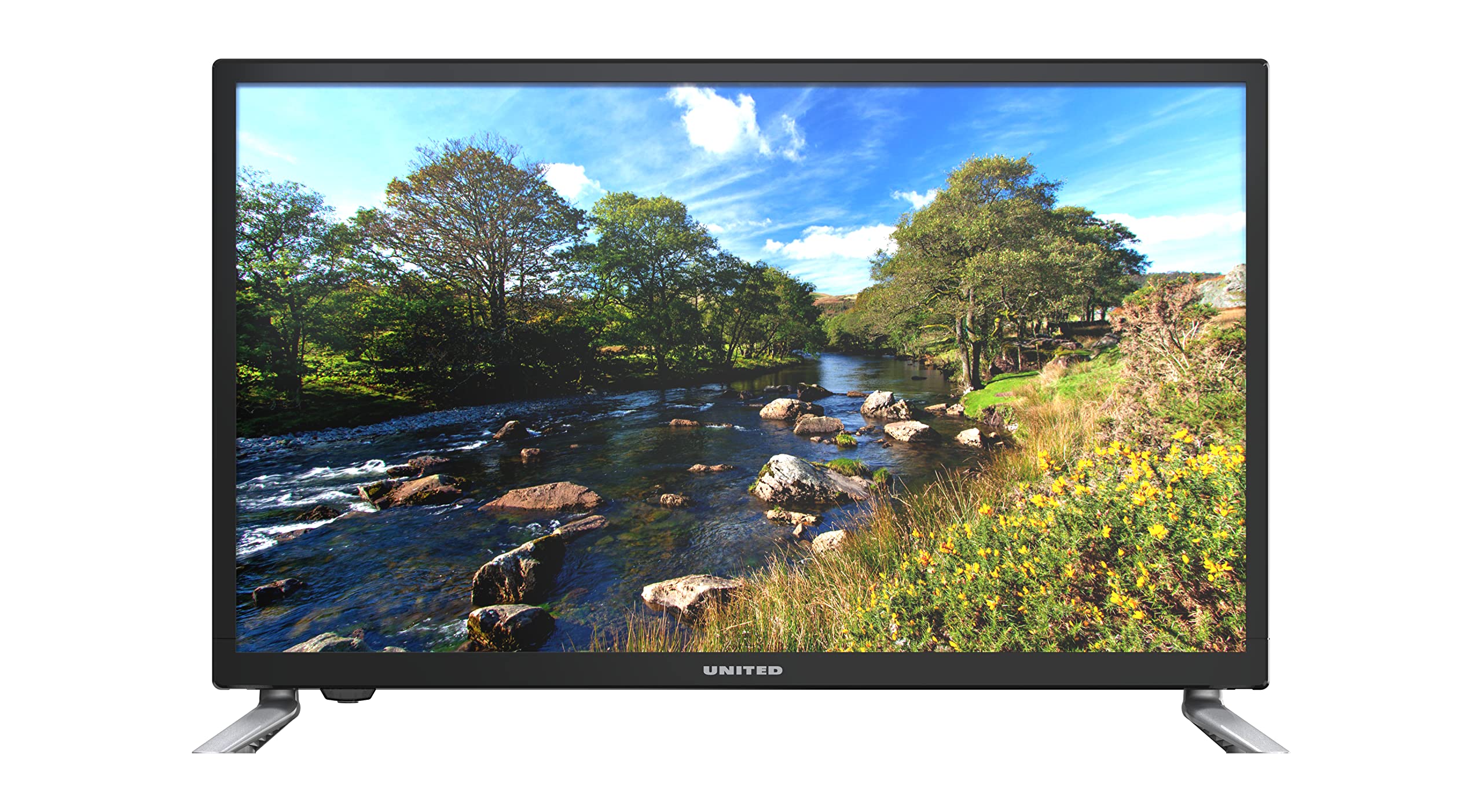
Figur 1.1: Front view of the UNITED LED24TP60 24-inch HD Ready LED TV. This image shows the television with its stand attached, displaying a vibrant nature scene.
2. Vigtige sikkerhedsoplysninger
For at sikre sikker drift og forhindre skader, bedes du overholde følgende sikkerhedsforanstaltninger:
- Strømkilde: Tilslut kun tv'et til en stikkontakt med vekselstrøm med den angivne lydstyrke.tage.
- Ventilation: Sørg for tilstrækkelig ventilation omkring tv'et. Bloker ikke ventilationsåbningerne.
- Vand og fugt: Udsæt ikke tv'et for regn eller fugt. Placer ikke genstande fyldt med væsker, såsom vaser, oven på tv'et.
- Varme: Keep the TV away from heat sources such as radiators, heat registers, stoves, or other apparatus (including ampløftere), der producerer varme.
- Rensning: Tag stikket til tv'et ud af stikkontakten før rengøring. Brug en blød, tør klud. Brug ikke flydende rengøringsmidler eller sprayrengøringsmidler.
- Service: Forsøg ikke selv at servicere dette produkt. Overlad al service til kvalificeret servicepersonale.
- Batterier: Bortskaf brugte batterier ansvarligt. Bland ikke gamle og nye batterier eller forskellige typer batterier.
3. Pakkens indhold
Kontroller venligst, at alle varer er til stede i emballagen:
- UNITED LED24TP60 24-inch HD Ready LED TV
- Fjernbetjening
- 2 x AAA 1.5V Batteries (for remote control)
- Strømkabel
- Komponenter til tv-bord (hvis relevant)
- Brugervejledning (dette dokument)
4. Opsætning
4.1 Udpakning og placering
- Tag forsigtigt tv'et ud af emballagen.
- Place the TV on a stable, flat surface or mount it on a wall using a compatible VESA mount (not included). Ensure the TV is placed in a well-ventilated area.
4.2 Montering af stativet
If you are not wall-mounting the TV, attach the included stand components:
- Place the TV face down on a soft cloth or cushion to prevent screen damage.
- Juster stativets komponenter med monteringshullerne i bunden af tv'et.
- Fastgør stativet med de medfølgende skruer. Spænd ikke for hårdt.
4.3 Tilslutning af eksterne enheder
The UNITED LED24TP60 TV offers various connectivity options:
- HDMI: Connect high-definition devices such as Blu-ray players, game consoles, or set-top boxes using an HDMI cable.
- RF (antenne/kabel): Tilslut en antenne eller et kabel-tv-signal til udsendelseskanaler.
- USB: Indsæt et USB-drev for at afspille medier files (fotos, musik, videoer).
4.4 Tænd og indledende opsætning
- Tilslut strømkablet til tv'et og derefter til en stikkontakt.
- Insert the AAA batteries into the remote control, observing polarity.
- Tryk på tænd/sluk-knappen på fjernbetjeningen eller på tv'et.
- Follow the on-screen instructions to select your language, country, and perform an automatic channel scan for available broadcast channels.

Figur 4.1: Dimensions of the UNITED LED24TP60 TV. The image illustrates the TV's depth (12 cm), width (62.5 cm), and height (41.4 cm) with the stand.
5. Betjening af tv'et
5.1 Fjernbetjeningsfunktioner
The remote control allows you to access all TV functions. Common buttons include:
- Magt: Tænder eller slukker for tv'et.
- Input/kilde: Selects the input source (HDMI, RF, USB).
- Volumen +/-: Justerer lydstyrken.
- Kanal +/-: Skifter tv-kanaler.
- Menu: Åbner hovedmenuen for justering af indstillinger.
- Navigationsknapper (op/ned/venstre/højre): Naviger gennem menuer.
- OK/Enter: Bekræfter valg.
- Udgang/Tilbage: Går tilbage til den forrige skærm eller afslutter menuen.
5.2 Indgangsvalg
To switch between connected devices (e.g., a game console on HDMI and broadcast TV):
- Tryk på Input or Kilde knappen på fjernbetjeningen.
- Use the navigation buttons to highlight the desired input (e.g., HDMI1, DTV, ATV, USB).
- Trykke OK for at bekræfte dit valg.
5.3 Menunavigation og indstillinger
Tryk på Menu button to access various settings:
- Billedindstillinger: Adjust brightness, contrast, color, sharpness, and picture mode (e.g., Standard, Dynamic, Movie).
- Lydindstillinger: Adjust bass, treble, balance, and sound mode (e.g., Standard, Music, Movie).
- Kanalindstillinger: Perform channel scans, edit channels, or set parental controls.
- Tidsindstillinger: Set the current time, sleep timer, or auto-off function.
- Systemindstillinger: Access language settings, software updates, and factory reset options.
5.4 Medieafspilning via USB
Insert a USB storage device into the USB port. The TV supports playback of various media formats, including those encoded with HEVC Main 10. Navigate to the USB input source to browse and play your files.
5.5 Supported Internet Services
This television supports Mediaset Infinity. Access to this service may require an internet connection and a subscription, depending on regional availability and service provider terms.
6. Vedligeholdelse
6.1 Rengøring af tv'et
- Tag altid stikket ud af stikkontakten før rengøring.
- Brug en blød, tør og fnugfri klud til forsigtigt at tørre skærmen og kabinettet af.
- For genstridige mærker på skærmen, dræn letampen the cloth with water or a specialized screen cleaner (ensure it is safe for LED screens) and wipe gently. Do not spray liquid directly onto the screen.
- Undgå at bruge slibende rengøringsmidler, voks eller opløsningsmidler, da de kan beskadige tv'ets overflade.
6.2 Opbevaring
Hvis du har brug for at opbevare tv'et i længere tid, skal du sørge for, at det er frakoblet, rent og opbevaret et køligt og tørt sted, helst i originalemballagen, for at beskytte det mod støv og fysiske skader.
7. Fejlfinding
Før du kontakter kundesupport, bedes du læse følgende almindelige problemer og løsninger:
| Problem | Mulig løsning |
|---|---|
| Ingen strøm | Check if the power cable is securely connected to the TV and the wall outlet. Ensure the wall outlet is functioning. Try pressing the power button on the TV itself. |
| Intet billede, men der er lyd | Ensure the correct input source is selected. Check cable connections (HDMI, RF). Adjust brightness and contrast settings. |
| Ingen lyd, men der er billede | Check the volume level and ensure the TV is not muted. Verify audio cable connections. Check sound settings in the menu. |
| Fjernbetjening virker ikke | Udskift batterierne i fjernbetjeningen. Sørg for, at der ikke er nogen forhindringer mellem fjernbetjeningen og tv'ets IR-sensor. |
| Dårlig billedkvalitet | Check antenna or cable connections. Adjust picture settings (sharpness, noise reduction). If using an external device, check its output resolution. |
8. Specifikationer
Key technical specifications for the UNITED LED24TP60 TV:
| Feature | Specifikation |
|---|---|
| Modelnummer | LED24TP60 |
| Mærke | FORENET |
| Skærmstørrelse | 24 tommer (60 cm) |
| Opløsning | HD Ready (1366 x 768 pixels) |
| Display Type | LED |
| Opdateringshastighed | 60 Hz |
| Aspektforhold | 16:9 |
| Forbindelse | HDMI, RF, USB (1 port) |
| Særlige funktioner | HEVC Main 10 support, Flat screen |
| Understøttede internettjenester | Mediaset Infinity |
| Dimensioner (med stativ) | 12P x 62.5L x 41.4H centimeter |
| Strømforbrug (SDR) | 21.0 W |

Figur 8.1: Energy label for the UNITED LED24TP60 TV, indicating an energy efficiency class F and a power consumption of 21 kWh/1000h.
For more detailed product information, refer to the EPREL database: https://eprel.ec.europa.eu/qr/346372

Figur 8.2: Product information sheet for the UNITED LED24TP60 TV, detailing various technical specifications and compliance information.
9. Garanti og support
The product information indicates a minimum technical assistance guarantee for the product until September 20, 2025. Specific details regarding warranty coverage, duration, and terms are typically provided with your purchase documentation or can be obtained directly from the manufacturer or your retailer.
For technical support, service, or warranty claims, please contact your retailer or the UNITED customer service department. Keep your proof of purchase for any warranty-related inquiries.
Information regarding the availability of spare parts and software updates is not provided in the product data.