
1. Introduktion
The Muddy Laser Range Finder 450yd is a precision optical instrument designed for accurate distance measurement in outdoor and hunting environments. This device offers reliable performance with a range of up to 450 yards, featuring a durable, watertight design suitable for various weather conditions.
Key features include a 24mm lens with 7x magnification, yard/meter selection, and a scan mode for continuous measurement. The robust rubber trim ensures a secure grip and enhanced protection. For user convenience, the rangefinder comes with a lanyard, a protective carry case, and a lens cloth.
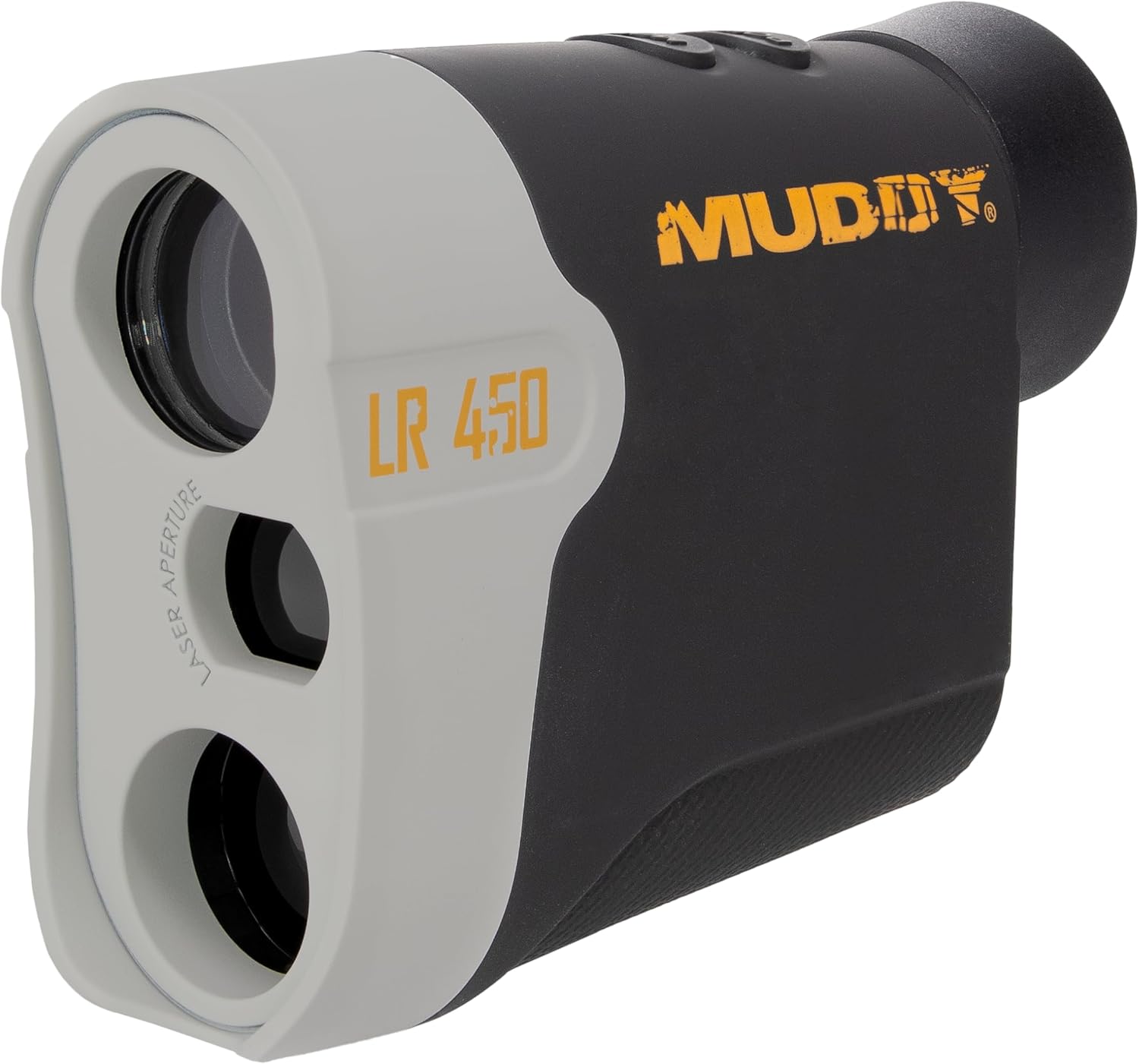
Figur 1: Forside view of the Muddy Laser Range Finder 450yd, showcasing its compact design and optical components.
2. Opsætning
2.1 Udpakning og indhold
Fjern forsigtigt alle varer fra emballagen. Kontroller, at alle komponenter er til stede:
- Muddy Laser Range Finder 450yd
- 1 x CR2 litiumbatteri
- Snor
- Bæretaske
- Lens klud
2.2 Batteriinstallation
The Muddy Laser Range Finder is powered by one CR2 lithium battery (included).
- Find batterirummet på siden af afstandsmåleren.
- Gently slide the battery compartment cover open.
- Isæt CR2-batteriet, og sørg for, at de positive (+) og negative (-) poler er korrekt justeret med indikatorerne i batterirummet.
- Luk batteridækslet ordentligt, indtil det klikker på plads.
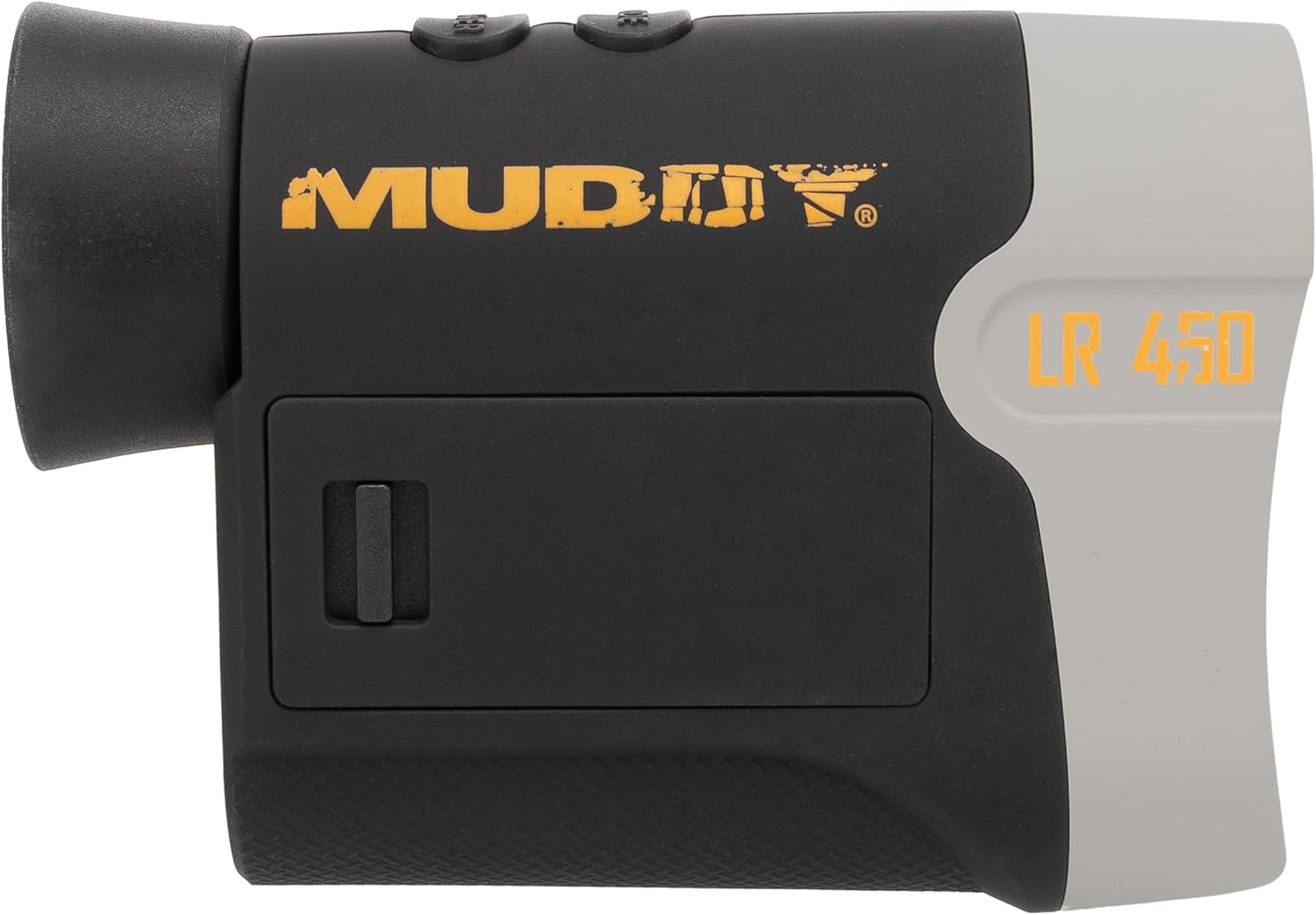
Figur 2: Side view of the rangefinder, highlighting the battery compartment for CR2 battery installation.
3. Betjeningsvejledning
3.1 Tænd/sluk
- For at tænde enheden skal du trykke på EFFEKT/MÅL button (usually located on the top of the unit). The display will illuminate.
- Enheden slukker automatisk efter en periode med inaktivitet for at spare på batteriet.
3.2 Måling af afstand
- Kig gennem okularet og ret sigtet mod det ønskede mål.
- Tryk på EFFEKT/MÅL button once. The measured distance will be displayed on the internal LCD.
- Ensure a steady hand for accurate readings.
3.3 Scanningstilstand
Scanningstilstand muliggør kontinuerlig måling af flere mål eller et bevægeligt mål.
- While powered on, press and hold the EFFEKT/MÅL knap.
- Pan the rangefinder across different targets. The distance readings will update continuously on the display.
- Release the button to exit scan mode.
3.4 Valg af enhed (yards/meter)
To switch between yards and meters:
- Når enheden er tændt, skal du trykke på MODE button (usually located near the power button) to cycle through available measurement units.
- The selected unit (Y or M) will be indicated on the display.
3.5 Justering af okular
Drej okularet for at justere fokus og få et klart billede view of the display and target, accommodating individual vision.

Figur 3: Side view of the rangefinder, showing the control buttons and eyepiece for operation.
4. Vedligeholdelse
4.1 Rengøring af linserne
To maintain optical clarity, regularly clean the lenses:
- Use the provided lens cloth or a soft, clean microfiber cloth.
- Gently wipe the lens surfaces to remove dust, smudges, or fingerprints.
- Undgå at bruge slibende materialer eller barske kemikalier, da dette kan beskadige linsens belægninger.
4.2 Generel rengøring og opbevaring
- Tør afstandsmålerens hus af med en kludamp cloth to remove dirt. The durable rubber trim can be cleaned similarly.
- When not in use, store the rangefinder in its protective carry case to prevent scratches and impacts.
- For long-term storage, it is recommended to remove the CR2 battery to prevent potential leakage.
4.3 Vandtæthed
The Muddy Laser Range Finder 450yd features an IP53 water resistance rating, providing protection against spraying water. While designed to withstand various weather conditions, avoid submerging the device in water.
5. Fejlfinding
If you encounter issues with your Muddy Laser Range Finder, refer to the following common troubleshooting steps:
| Problem | Mulig årsag | Løsning |
|---|---|---|
| Enheden tænder ikke | Dødt eller forkert installeret batteri | Check battery orientation. Replace with a fresh CR2 battery. |
| Unøjagtige afstandsaflæsninger | Unsteady aim, environmental factors (fog, heavy rain), target too reflective/non-reflective, battery low | Ensure a steady hold. Avoid measuring through heavy fog or rain. Aim at a solid, non-reflective surface. Check battery indicator and replace if low. |
| Skærmen er svag eller utydelig | Eyepiece out of focus, low battery | Rotate the eyepiece to adjust focus. Check battery indicator and replace if low. |
| Cannot switch units (Yards/Meters) | Forkert knaptrykssekvens | Ensure the device is powered on. Press the MODE button firmly to cycle units. |
6. Specifikationer
Detailed technical specifications for the Muddy Laser Range Finder 450yd:
| Feature | Specifikation |
|---|---|
| Mærke | MUDRET |
| Modelnavn | Muddy Laser Range Finder 450yd |
| Modelnummer | MUD-LR450 |
| Måleområde | Op til 450 yards |
| Forstørrelse | 7x |
| Linse diameter | 24 mm |
| Vandmodstand | IP53 (Vandtæt) |
| Batteritype | 1 x CR2 litiumbatteri |
| Materiale | Plastic with Rubber Trim |
| Farve | Sort |
| Produktmål (LxBxH) | 12 cm x 4 cm x 4 cm |
| UPC | 888151023686 |
7. Garantioplysninger
The Muddy Laser Range Finder 450yd comes with a Et års begrænset garanti from the date of purchase. This warranty covers defects in materials and workmanship under normal use. It does not cover damage caused by misuse, accident, unauthorized modification, or neglect. Please retain your proof of purchase for warranty claims.
8. Kundesupport
For further assistance, technical support, or warranty inquiries, please visit the official MUDDY brand store or contact their customer service department:
Please have your model number (MUD-LR450) and proof of purchase ready when contacting support.