
1. Introduktion
Welcome to the official instruction manual for Call of Duty: Modern Warfare II on PlayStation 5. This guide provides essential information to help you set up, play, and maintain your game for the best possible experience. Call of Duty: Modern Warfare II is the sequel to the 2019 Modern Warfare, bringing back iconic characters like Captain John Price, John "Soap" MacTavish, Kyle "Gaz" Garrick, and Simon “Ghost” Riley as part of Task Force 141.
The game features advanced AI, enhanced rendering, photogrammetry technology, and a new Gunsmith system for extensive weapon customization. It offers a globe-trotting single-player campaign, immersive multiplayer combat, and a narrative-driven Special Ops co-op mode.

Image: Call of Duty: Modern Warfare II game cover for PlayStation 5.
Video: En overview of Call of Duty Modern Warfare II on PS5, highlighting gameplay and features.
2. Opsætning og installation
To begin playing Call of Duty: Modern Warfare II on your PlayStation 5, follow these steps:
- Indsæt spildisken: Place the Call of Duty: Modern Warfare II game disc into your PlayStation 5 console's disc drive.
- Indledende installation: The console will automatically begin the initial installation process from the disc. This will install the base game files.
- Required Content Download: Modern Warfare II requires significant additional content downloads, even with a physical disc. These downloads include the campaign, multiplayer, and cooperative modes. An internet connection is required for these downloads.
- Systemopdateringer: Ensure your PlayStation 5 system software is up to date for optimal performance and compatibility.
- PlayStation Plus: An active PlayStation Plus subscription is required for online multiplayer features.
The total download size for all game components can be substantial, potentially requiring several hours depending on your internet speed. It is recommended to ensure sufficient console storage space before beginning the installation.
Video: A comparison of Call of Duty Modern Warfare II versions, highlighting the PS5 edition and its features.
3. Operating and Gameplay Modes
Call of Duty: Modern Warfare II offers diverse gameplay experiences across its main modes:
3.1. Camprette op
The single-player campaign continues the narrative from the 2019 Modern Warfare. Join Task Force 141 on a series of high-stakes, globe-trotting missions. Players will engage in various combat scenarios, from underwater sieges to fortified base breaches, utilizing new weapons and equipment. The campaign is designed to be an immersive, narrative-driven experience.

Image: Task Force 141 operatives approaching an offshore platform in a tactical boat during a mission.

Image: The character Ghost in tactical gear, ready for action.
3.2. Multiplayer
Engage in competitive online combat with a variety of modes and maps. The multiplayer experience in Modern Warfare II features a rebuilt, advanced AI system and enhanced graphics. Movement is designed to be grounded and tactical. Key features include:
- Diverse Game Modes: Access classic modes like Team Deathmatch, along with new additions and large-scale battles.
- Kort: Play across numerous standard and battle maps.
- Third-Person Mode: Experience certain playlists from a third-person perspective, offering a different tactical approach.
- Gunsmith System: Customize your weapons extensively with a wide range of attachments.
Video: A detailed look at the multiplayer experience in Call of Duty Modern Warfare II.
3.3. Special Ops
The Special Ops mode offers tactical co-op gameplay, allowing you to team up with a friend for narrative-driven missions. These missions provide a different challenge, focusing on teamwork and strategic execution.

Image: Task Force 141 members preparing for a mission.
4. Tilpasning
The new Gunsmith system allows for unprecedented weapon customization. Players can modify various aspects of their firearms, including:
- Vedhæftede filer: Equip optics, barrels, stocks, grips, and more to alter weapon performance.
- Finjustering: Once a weapon reaches its maximum level, players can fine-tune individual attachments to further optimize stats like recoil control, aim-down-sight speed, and damage range.
This system enables players to tailor their loadouts to their preferred playstyle and specific mission requirements.
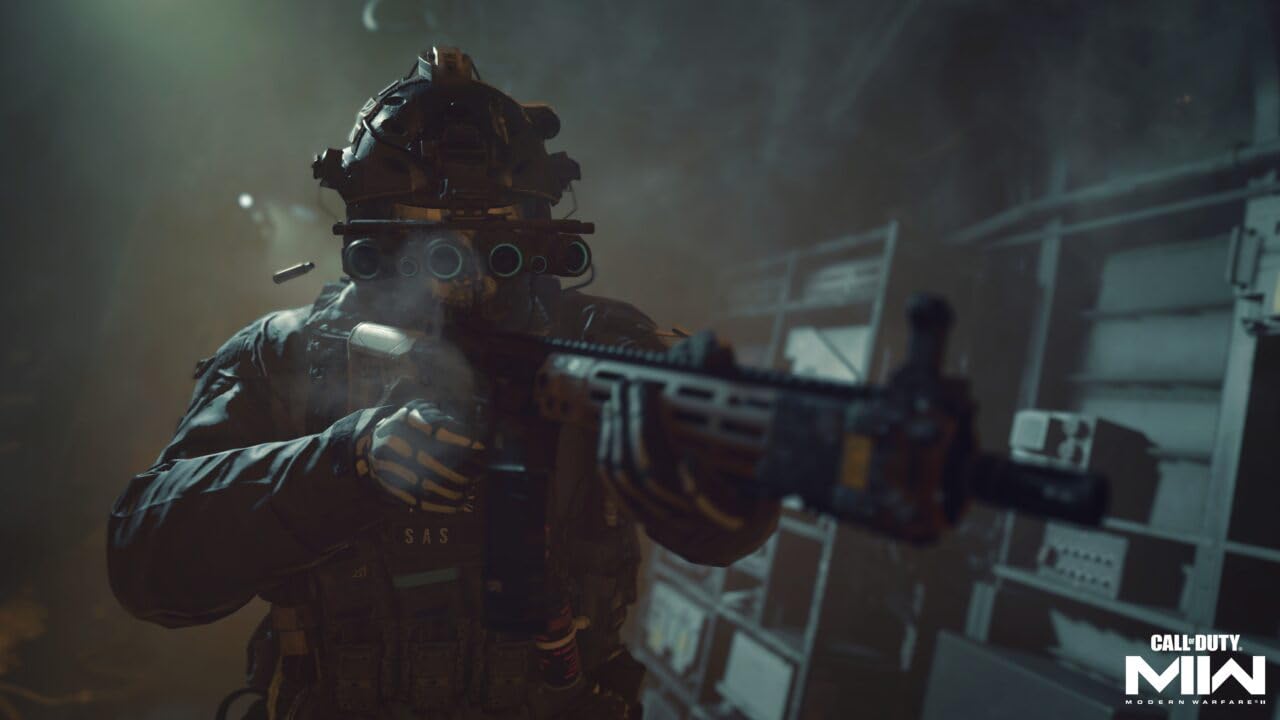
Image: A soldier aiming a weapon, showcasing potential customization options.
5. Vedligeholdelse
To ensure a smooth and enjoyable gaming experience, consider the following maintenance tips:
- Spilopdateringer: Regularly check for and install game updates. These updates often include performance improvements, bug fixes, and new content. An internet connection is required for updates.
- Console Storage: Monitor your PlayStation 5's storage space. Large games like Modern Warfare II can consume significant storage. Consider managing your installed games and applications to free up space as needed.
- Internetforbindelse: A stable and fast internet connection is crucial for downloading game content, updates, and for a lag-free online multiplayer experience.
6. Fejlfinding
If you encounter issues while playing Call of Duty: Modern Warfare II, consider these common troubleshooting steps:
- "Content Not Found" Errors: If you receive messages like "Content not found" or "This content can't be found," it typically indicates that required game packs (e.g., Campaign, Multiplayer, Special Ops) have not been fully downloaded or installed. Navigate to the game's menu and ensure all necessary content packs are installed. An internet connection is required for these downloads.
- Long Download Times: The game requires substantial downloads. Ensure your internet connection is stable and allow ample time for all content to download. Pausing other network activities can help speed up the process.
- Server Disconnections/FPS Drops: These issues can be related to network stability or game performance. Check your internet connection, restart your router, and ensure your console's system software and game are fully updated.
- Spilnedbrud: Ensure your console's system software and the game are fully updated. If crashes persist, try rebuilding the PlayStation 5 database (via Safe Mode) or reinstalling the game.
Video: A short clip demonstrating a "Content not found" error during game installation, highlighting a common issue with large game downloads.
7. Specifikationer
| Feature | Detalje |
|---|---|
| Platform | PlayStation 5 |
| Antal spillere | 1-2 (Local), 2-48 (Online) |
| Udgivelsesdato | 28. oktober 2022 |
| UPC | 047875103528 |
| ASIN | B0B3H227Z5 |
| Varemodelnummer | AVS10352PS5 |
| Bedømt | Moden (M) |
| Sprog | engelsk |
| Varetype | DVD-ROM |
| Produktdimensioner | 0.53 x 6.97 x 5.74 tommer |
| Varens vægt | 2.72 ounce |
| Fabrikant | Activision |
8. Garanti og support
For any technical issues, game support, or warranty information, please refer to the official Activision support channels. You can typically find support resources, FAQs, and contact options on the Activision website or through the game's official support pages.
Officiel støtte: support.activision.com