
HOCO EW15
Hoco EW15 Clear Explore Edition TWS trådløst headset brugermanual
Model: EW15
Indledning
Thank you for choosing the Hoco EW15 Clear Explore Edition TWS Wireless Headset. This manual provides detailed instructions on how to set up, operate, and maintain your new headset. Please read this manual carefully before use to ensure optimal performance and longevity of your device.
The Hoco EW15 features Bluetooth v5.1 for stable connectivity, a 30mAh headset battery providing up to 4 hours of call and music time, and a 300mAh charging case for extended use. Its translucent design offers a unique aesthetic, showcasing the internal components.
Pakkens indhold
- Hoco EW15 Clear Explore Edition True Wireless BT Headset (Left and Right Earbuds)
- Opladningsetui
- USB opladningskabel
- Brugermanual
Produkt overview




Opsætning
Charging the Headset and Case
Before first use, fully charge the Hoco EW15 headset and its charging case.
- Placer begge ørepropper i opladningsetuiet. Sørg for, at de sidder korrekt.
- Connect the USB charging cable to the charging port on the case and to a compatible USB power source (e.g., computer USB port, wall adapter).
- The indicator light on the charging case will show charging status. It takes approximately 1.5 hours to fully charge the case and 1 hour for the headset.
- Når det er fuldt opladet, skal du frakoble ladekablet.
Parring med en enhed
The Hoco EW15 supports automatic pairing and master-slave switching.
- Åbn opladningsetuiet. Ørepropperne tændes automatisk og går i parringstilstand.
- Aktiver Bluetooth på din enhed (smartphone, tablet osv.).
- Søg efter available Bluetooth devices and select "Hoco EW15" fra listen.
- Once connected, you will hear a confirmation tone, and the indicator light on the earbuds will change.
- After the initial pairing, the earbuds will automatically connect to the last paired device when taken out of the case, provided Bluetooth is enabled on the device.
Betjeningsvejledning
Tryk på kontrolelementer
The Hoco EW15 earbuds feature touch-sensitive controls for easy operation.
| Handling | Fungere |
|---|---|
| Enkelt tryk (venstre/højre øreprop) | Afspil/pause musik, besvar/afslut opkald |
| Dobbelttryk (venstre øretelefon) | Forrige spor |
| Dobbelttryk (højre øretelefon) | Næste spor |
| Triple Tap (venstre/højre øreprop) | Aktivér stemmeassistent (Siri, Google Assistant) |
| Langt tryk (2 sekunder) | Afvis opkald |
| Langt tryk (5 sekunder) | Tænd/sluk (når den ikke er i etuiet) |
Opkaldsstyring
- Besvarelse / afslutning af opkald: Tryk enkeltvis på en af øretelefonerne.
- Afvisning af opkald: Tryk længe på en af øretelefonerne i 2 sekunder.
Stemmeassistent
Triple tap either earbud to activate your device's voice assistant (e.g., Siri for iOS, Google Assistant for Android).
Opretholdelse
Proper maintenance ensures the longevity and performance of your Hoco EW15 headset.
- Rensning: Brug en blød, tør og fnugfri klud til at rengøre ørepropperne og opladningsetuiet. Brug ikke slibende rengøringsmidler eller opløsningsmidler.
- Opbevaring: Når ørepropperne ikke er i brug, skal de opbevares i deres opladningsetui for at beskytte dem og holde dem opladede.
- Undgå vand: Ørepropperne er ikke vandtætte. Undgå udsættelse for vand, fugt eller ekstreme temperaturer.
- Opladning: Use the provided charging cable and a certified power adapter. Avoid overcharging.
Fejlfinding
If you encounter issues with your Hoco EW15 headset, refer to the following common solutions:
- Øretelefoner parrer ikke med hinanden eller med enhed:
- Sørg for, at begge øretelefoner er opladet.
- Placer begge ørepropper tilbage i opladningsetuiet, luk låget, vent et par sekunder, og åbn derefter låget igen. Dette nulstiller ofte forbindelsen.
- On your device, forget or delete "Hoco EW15" from the Bluetooth device list, then try pairing again.
- Ensure your device's Bluetooth is enabled and within 10 meters of the earbuds.
- Ingen lyd eller lav lydstyrke:
- Kontroller lydstyrkeniveauet på både din enhed og ørepropperne.
- Sørg for, at ørepropperne er korrekt tilsluttet din enhed.
- Rengør eventuelt snavs fra øreproppernes højttalere.
- Opladeretuiet oplader ikke:
- Kontrollér opladningskablet og strømadapteren. Prøv et andet kabel eller en anden adapter.
- Sørg for, at opladningsporten på etuiet er ren og fri for snavs.
- Microphone quality is poor:
- Ensure the microphone opening on the earbuds is not obstructed.
- Try using the earbuds in a quieter environment.
Specifikationer

| Feature | Detalje |
|---|---|
| Produktnavn | EW15 Clear Explore Edition true wireless BT headset |
| Bluetooth version | Bluetooth 5.1 (Chip: JL AC6973) |
| Batterikapacitet (headset) | 30mAh (hver øretelefon) |
| Batterikapacitet (opladningsetui) | 300mAh |
| Tale/musiktid | Op til 4 timer |
| Standby tid | 120 timer |
| Opladningstid (headset) | Cirka 1 time |
| Opladningstid (etui) | Cirka 1.5 timer |
| Transmission Range | Op til 10 meter (barrierefri) |
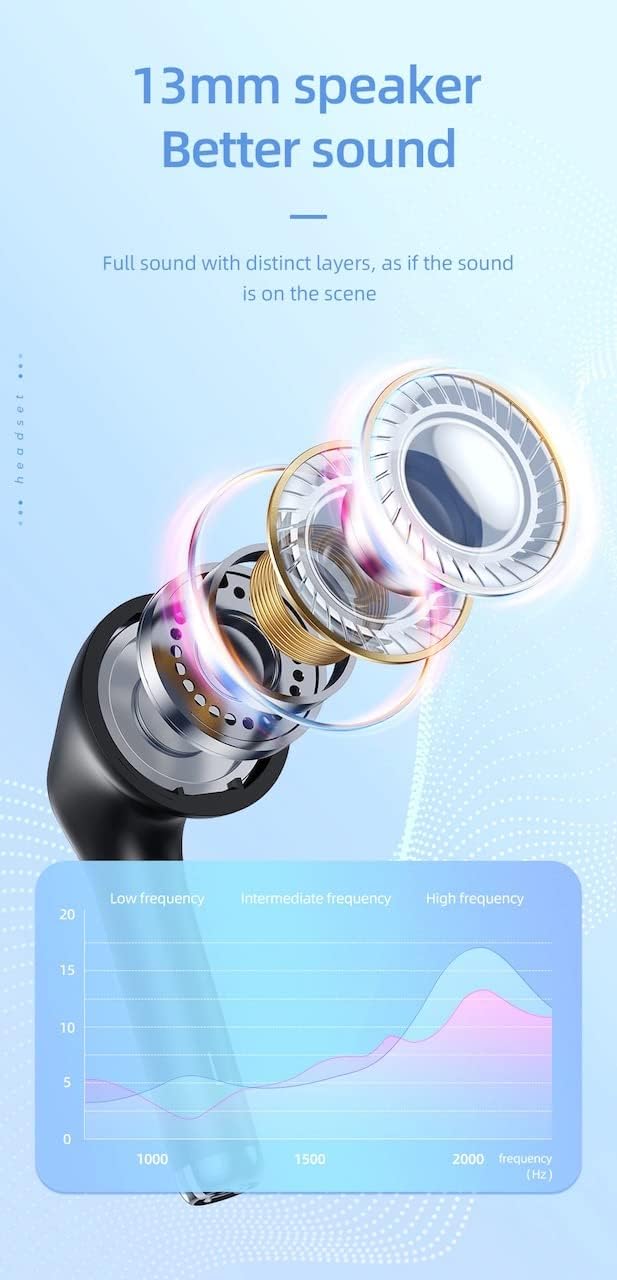
| Højttaler størrelse | 13 mm |
| Frekvensrespons | 20-20000Hz |
| Produktdimensioner | 5.45 x 4.7 x 2.5 cm (Case) |
| Vægt | Whole device 40g, single headset 3g |
| Materiale | Plast |
Garanti og support
For garantioplysninger og teknisk support henvises til den officielle HOCO webwebstedet eller kontakt din lokale forhandler.
Officiel Webwebsted: www.hocotech.com
Gem venligst din købsbevis i tilfælde af garantikrav.