
1. Introduktion
This manual provides detailed instructions for the operation and maintenance of your aiworth L15 Digital Voice Activated Recorder. Please read this manual thoroughly before using the device to ensure proper function and to maximize its capabilities.
2. Produktet er slutview
The aiworth L15 is a compact and versatile digital voice recorder designed for high-quality audio capture in various environments, including meetings, lectures, and classes. It features a 16GB internal memory, voice activation, noise reduction, and password protection.

Figur 1: Front view of the aiworth L15 Digital Voice Activated Recorder, showing the display, REC button, and PLAY/PAUSE and D/STOP controls.
2.1 Enhedskomponenter og kontroller

Figur 2: Detailed diagram illustrating the various buttons, ports, and features of the aiworth L15 recorder.
- MENU/DEL: Access menu options or delete files.
- OP: Navigate up in menus or increase volume.
- NED: Navigate down in menus or decrease volume.
- TF kortslot: Insert a microSD (TF) card for expanded storage (up to 64GB).
- EKSTERN MIKROFON: Port til tilslutning af ekstern mikrofon.
- HEADPHONE: 3.5 mm stik til tilslutning af hovedtelefoner.
- REC: One-touch record button.
- SPIL/PAUSE: Play or pause recordings/music.
- RETURN/STOP: Stop playback/recording or return to the previous menu.
- VOL+: Øg volumen.
- VOL-: Sænk volumen.
- PÅ: Power on switch.
- OFF: Power off switch.
- USB PORT: Micro USB-port til opladning og dataoverførsel.
3. Opsætning
3.1 Indledende opladning
Before first use, fully charge the device. Connect the recorder to a computer's USB port or a USB wall adapter using the provided USB cable. The battery icon on the screen will indicate charging status. A full charge typically takes approximately two hours and provides up to 20 hours of continuous recording.
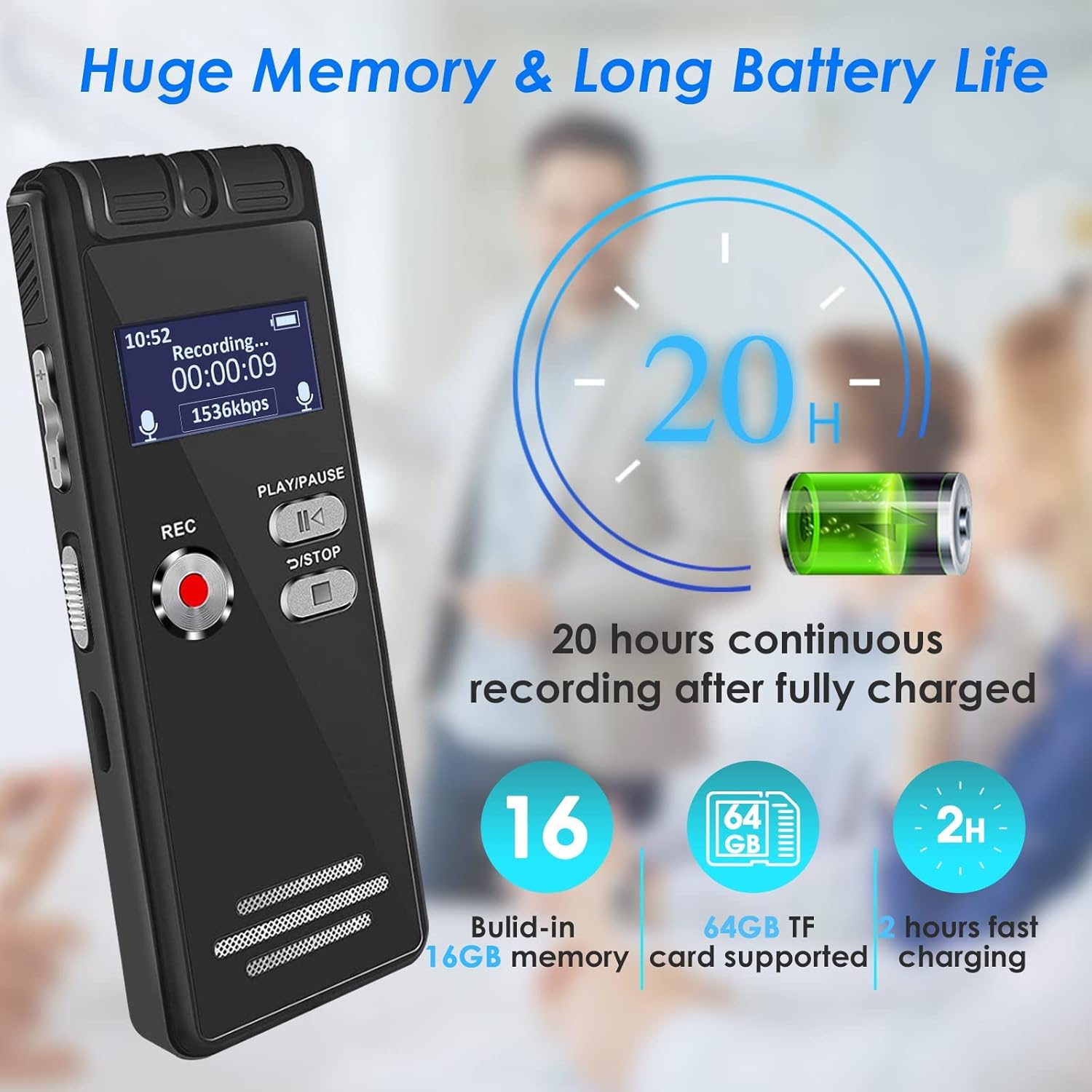
Figur 3: The aiworth L15 recorder highlighting its 20-hour battery life and 16GB built-in memory, expandable with a 64GB TF card.
3.2 Tænd/sluk
- For at tænde: Skub tænd/sluk-knappen til 'ON'-positionen.
- For at slukke: Slide the power switch to the 'OFF' position.
3.3 Sprogindstillinger
Enheden understøtter flere sprog. Sådan ændrer du sproget:
- Tryk på MENU/DEL knappen for at gå ind i hovedmenuen.
- Brug OP/NED buttons to navigate to 'Language'.
- Trykke AFSPIL/PAUSE at vælge.
- Choose your desired language and confirm with AFSPIL/PAUSE.
3.4 Setting a Password
To protect your recordings and personal information, you can set a six-digit password.
- Fra hovedmenuen skal du navigere til 'Indstillinger'.
- Select 'Password Setting'.
- Follow the on-screen prompts to set your six-digit password.
- Remember your password, as it is crucial for accessing your device.
4. Betjeningsvejledning
4.1 Grundlæggende optagelse
The L15 offers one-touch recording for convenience.
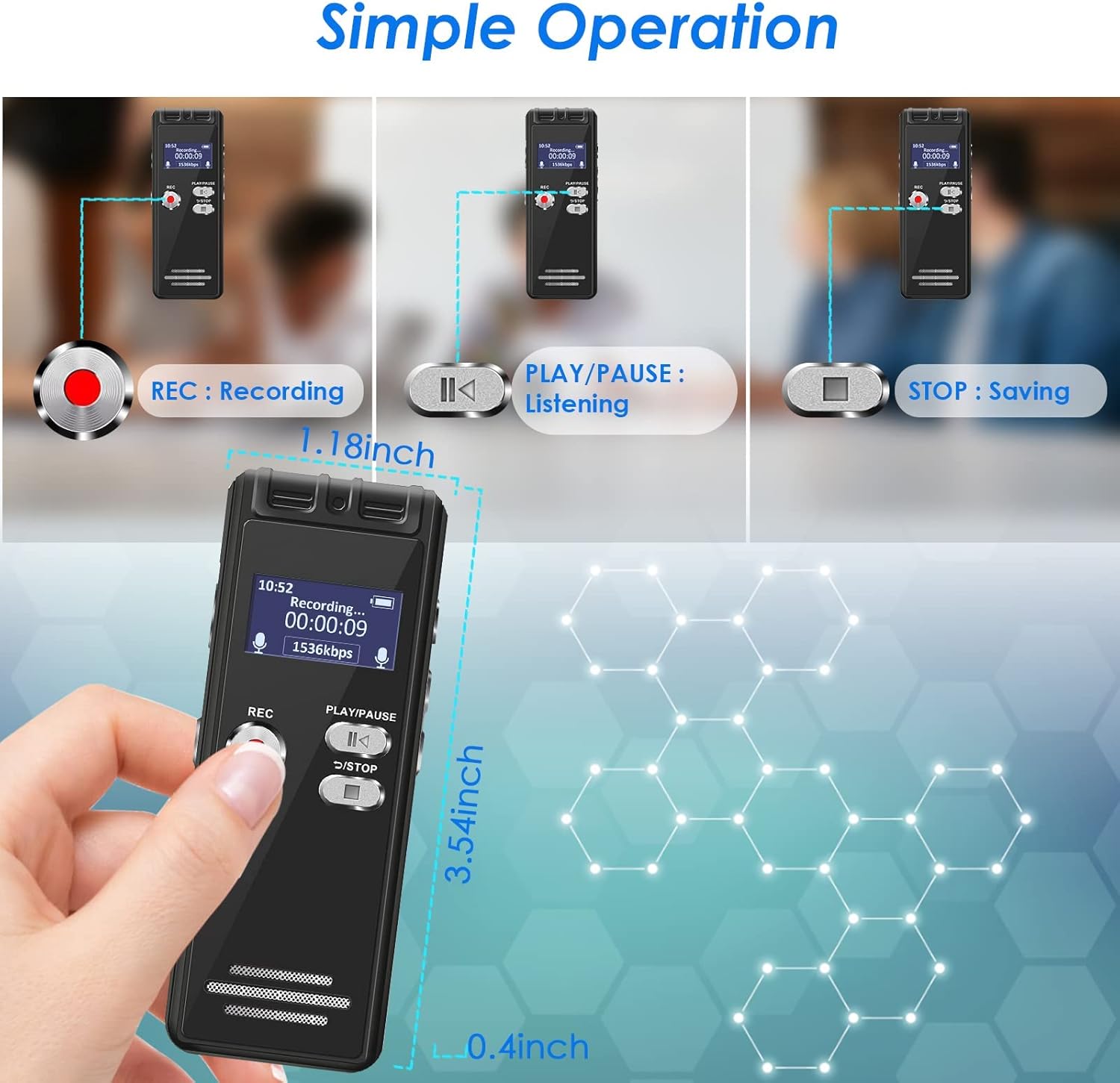
Figur 4: Visual guide for the simple operation of the aiworth L15, demonstrating the REC, PLAY/PAUSE, and STOP functions.
- Sådan starter du optagelsen: Tryk på REC button. The screen will display 'Recording...' and the recording time.
- To Stop and Save: Tryk på RETURN/STOP button. The recording will be saved automatically with a timestamped filenavn.
4.2 Stemmeaktiveret optagelse (AVR)
In AVR mode, the recorder will only record when audio is detected, saving memory space and listening time. The device features 5 adjustable sensitivity levels.

Figur 5: The aiworth L15 demonstrating its Voice Activated Recording feature with 5 adjustable sensitivity levels to optimize recording efficiency.
- From the main menu, navigate to 'Recording Mode'.
- Select 'AVR Mode'.
- You can then adjust the sensitivity level (1-5) within the settings. Level 1 is least sensitive, Level 5 is most sensitive.
- Trykke REC to start voice-activated recording.
4.3 Advanced Recording Modes
- Segmenteret optagelse: Records in segments, useful for organizing longer sessions.
- Tidsbestemt optagelse: Set specific times for the recorder to start and stop recording automatically.
- Line-in-optagelse: Connect external audio sources (CD, recorder, DVD, cell phone) via the LINE-IN port to record directly.
- Optagelse under opladning: The device supports recording while connected to a power source.
4.4 Afspilningsfunktioner
- Normal afspilning: Navigate to 'Recordings' or 'Music' from the main menu, select a file, og tryk på AFSPIL/PAUSE.
- AB Gentag: Tryk på under afspilning MENU/DEL button to set point A, then press it again to set point B. The device will loop playback between A and B.
- Afspilning med variabel hastighed: Adjust playback speed in the settings menu during playback.
- Hurtigt frem/tilbage: Brug OP/NED buttons during playback to fast forward or rewind.
4.5 File Ledelse
- File Navngivning: Indspilning files are automatically named according to the timestamp (e.g., YYYYMMDD_HHMMSS.WAV).
- Sletter Files: Naviger til file you wish to delete, press the MENU/DEL button, and confirm deletion.
- Overfører Files: Connect the recorder to a computer (Windows XP/7/8/10 or Mac OS 10-10.14) using the USB cable. The device will appear as a removable disk, allowing you to drag and drop files.
4.6 Using as a U Disk / MP3 Player
- U disk: When connected to a computer, the L15 functions as a 16GB USB flash drive.
- Mp3 afspiller: Transfer MP3/WAV music files to the device. Navigate to 'Music' from the main menu to play your audio files.
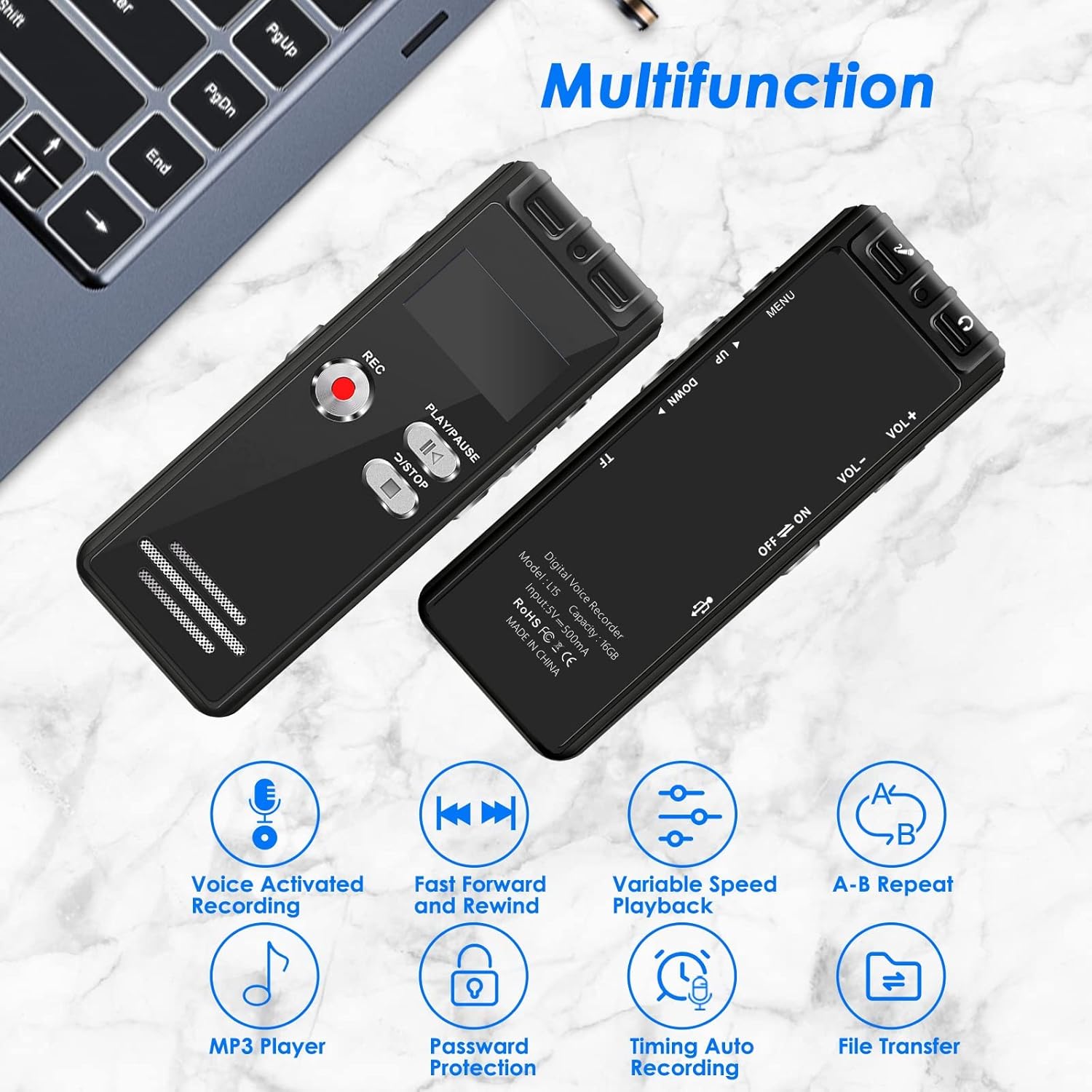
Figur 6: The aiworth L15 demonstrating its multifunctionality, including Voice Activated Recording, Fast Forward/Rewind, Variable Speed Playback, A-B Repeat, MP3 Player, Password Protection, Timing Auto Recording, and File Overførsel.
5. Vedligeholdelse
- Rensning: Brug en blød, tør klud til at rengøre enheden. Undgå flydende rengøringsmidler eller slibende materialer.
- Batteripleje: For at forlænge batteriets levetid bør du undgå at aflade batteriet helt ofte. Oplad enheden regelmæssigt, selvom den ikke er i brug i længere perioder.
- Opbevaring: Opbevar enheden et køligt, tørt sted væk fra direkte sollys og ekstreme temperaturer.
- Data backup: Sikkerhedskopier regelmæssigt vigtige optagelser til din computer for at forhindre datatab.
6. Fejlfinding
- Enheden tænder ikke: Ensure the battery is charged. Connect to a power source and try again. Check the power switch is in the 'ON' position.
- Kan ikke oprette forbindelse til computeren: Ensure you are using the original USB cable provided. Some third-party cables may not support data transfer. Try a different USB port on your computer. Ensure the device is powered on when connected.
- Poor recording quality/Excessive background noise: Ensure the microphone is not obstructed. Adjust the voice activation sensitivity levels (AVR mode) if applicable. Ensure the device is placed in an optimal position for recording.
- Glemt adgangskode: If you forget your password, please contact customer support for assistance.
- Skærmen er tom eller reagerer ikke: Try resetting the device by holding the power button for an extended period (e.g., 10-15 seconds) or allowing the battery to fully discharge and then recharging.
7. Specifikationer
| Feature | Specifikation |
|---|---|
| Modelnummer | L15 |
| Intern hukommelse | 16 GB |
| Udvidbar hukommelse | Up to 64GB (TF card) |
| Optagelseskapacitet | Approx. 1160 hours (16GB) |
| Batteritype | 1 Lithium Ion (inkluderet) |
| Batterilevetid (optagelse) | Op til 20 timer |
| Opladningstid | Ca. 2 timer |
| Produktdimensioner | 4 x 9 x 1 cm |
| Varens vægt | 46 g |
| Hardware-interface | Micro USB 2.0 Type AB |
| Hovedtelefonstik | 3.5 mm |
| Kompatibel OS | Windows XP/7/8/10, Mac OS 10-10.14 |
| Optagelsesformater | WAV, MP3 |
| Afspilningsformater | MP3, WAV |
8. Garanti og support
8.1 Produktgaranti
The aiworth L15 Digital Voice Activated Recorder comes with a 12 måneders produktgaranti fra købsdatoen. Denne garanti dækker fabrikationsfejl og funktionsfejl ved normal brug. Den dækker ikke skader forårsaget af misbrug, ulykker, uautoriserede reparationer eller normal slitage.
8.2 Kundesupport
For any questions, technical assistance, or warranty claims, please contact our customer service. We offer 24-hour online customer service to assist you with any issues you may encounter while using your recorder.
Please refer to the contact information provided with your purchase or on the official aiworth webwebsted for supportdetaljer.