
1. Introduktion
This manual provides essential information for the installation, operation, and maintenance of your Axis Communications M2035-LE HDTV 1080P Surveillance Camera. Please read this manual thoroughly before using the product to ensure proper setup and functionality. Keep this manual for future reference.
2. Sikkerhedsoplysninger
Overhold følgende sikkerhedsforanstaltninger for at forhindre skader på produktet eller personskade på dig selv eller andre:
- Ensure the power source matches the camera's requirements (28 Volts, 4.2 watts).
- Do not expose the camera to extreme temperatures or humidity beyond its operating specifications.
- Undgå direkte eksponering for stærke lyskilder, da dette kan beskadige billedsensoren.
- Forsøg ikke at skille kameraet ad eller ændre det. Overlad al service til kvalificeret personale.
- Installer kameraet sikkert for at forhindre det i at falde ned.
- Keep the camera away from water and moisture, despite its water-resistant rating (IP54).
3. Pakkens indhold
Bekræft at alle varer er til stede i pakken:
- Axis M2035-LE Camera Unit
- Mounting Stand/Bracket
- Installationsvejledning (dette dokument)
- Monteringsudstyr (skruer, ankre)
Bemærk: Specifikt indhold kan variere en smule afhængigt af region eller pakke.
4. Produktet er slutview
The Axis M2035-LE is a compact, outdoor-ready dome surveillance camera designed for high-definition video monitoring. It features 1080p resolution, a wide viewing angle, and infrared night vision for reliable performance in various lighting conditions.
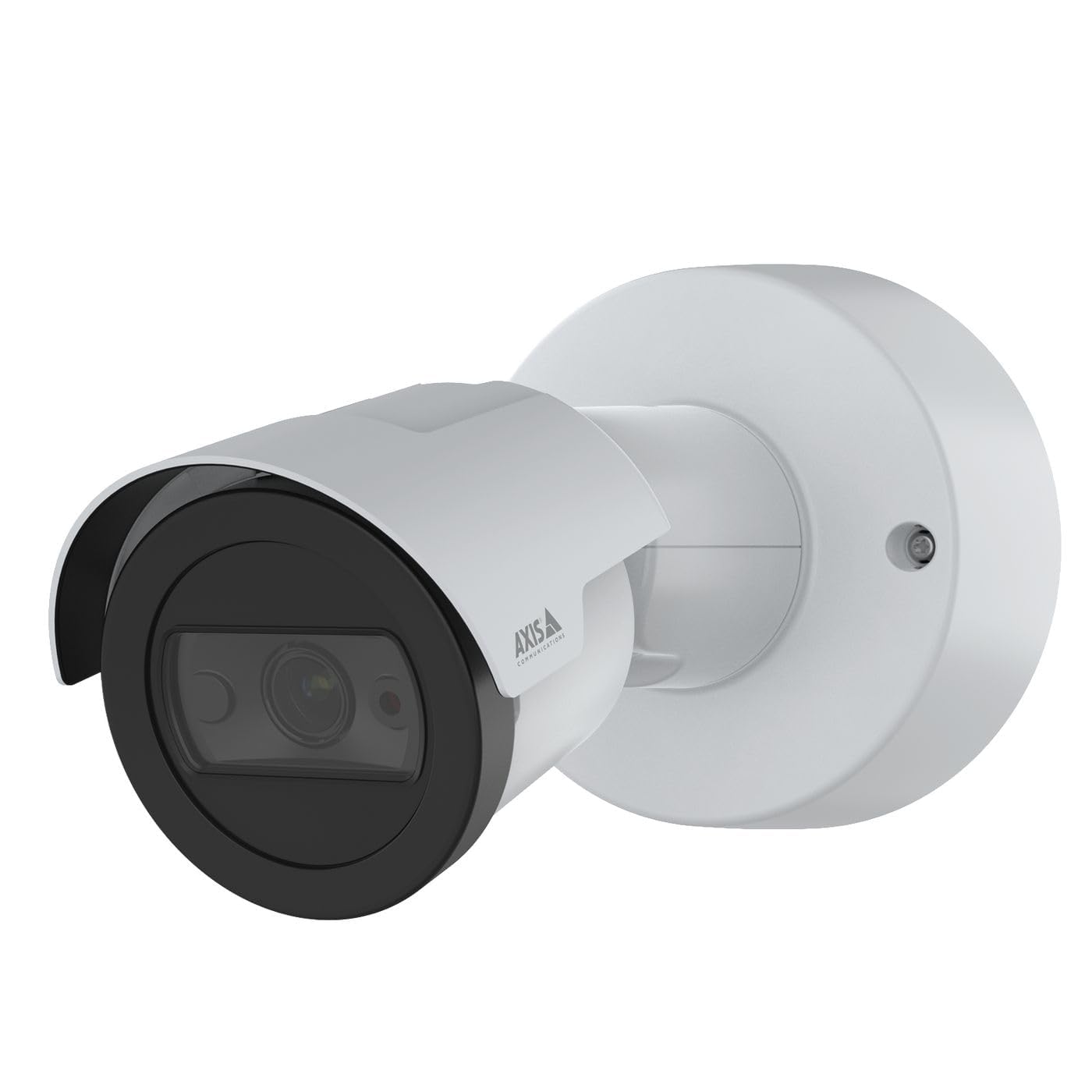
Figur 1: Front view of the Axis M2035-LE HDTV 1080P Surveillance Camera. This image shows the compact dome design suitable for outdoor installation.
5. Opsætning og installation
The Axis M2035-LE camera supports various mounting options, including table mount and recessed installation. Ensure the chosen location provides a clear field of view og stabil monteringsflade.
5.1. Overvejelser om montering
- Udendørs brug: The camera is designed for outdoor environments.
- Magt: The camera requires a 28V power supply. Ensure proper wiring and power delivery.
- Forbindelse: The camera supports Wi-Fi and Ethernet connectivity. Plan your network connection accordingly.
5.2. Table Mount Installation
- Attach the mounting stand to the camera unit using the provided screws.
- Placer kameraet på en stabil, flad overflade.
- Juster kameraets viewvinkel efter behov.
5.3. Recessed Mount Installation (Soffit Exampdet)
For recessed mounting, particularly in soffits, careful planning is required to ensure sufficient depth and avoid obstructions.
- Verify Depth: Before cutting, confirm the soffit has adequate depth for the recessed mount. You can use a small pilot hole and a wire to measure the available space.
- Markér og skær: Mark the desired location and carefully cut the opening in the soffit according to the template provided with the recessed mount kit (sold separately).
- Installer mount: Secure the recessed mount bracket into the opening.
- Connect and Secure: Connect the necessary cables (power, Ethernet) and then secure the camera unit into the recessed mount.
- Juster vinkel: Adjust the camera lens to achieve the desired field of view.
6. Betjeningsvejledning
6.1. Initial Power-Up and Network Connection
- Tilslut kameraet til strømforsyningen.
- For initial setup, it is recommended to connect via Ethernet to your network router or switch.
- Brug Axis IP Utility eller en web browser to discover the camera on your network and configure its settings.
- For Wi-Fi connectivity, configure the wireless settings through the camera's web interface.
6.2. Videoovervågning og -optagelse
- The camera provides 1080p video resolution at 30 frames per second.
- Få adgang til live view and recording features through the camera's web interface eller kompatibel videostyringssoftware (VMS).
- The camera is compatible with Digital Video Recorders (DVRs).
- Video capture format is MPEG-4.
6.3. Low Light and Night Vision
The M2035-LE features "Night Color" low light technology and an infrared (IR) light source for clear imaging in dark conditions.
- The camera automatically switches to night mode when ambient light is low.
- Ensure the IR illuminator is not obstructed for optimal night vision performance.
6.4. Bevægelsesdetektion og advarsler
The camera supports motion-only alert types.
- Configure motion detection zones and sensitivity settings via the camera's web interface.
- Set up alert actions such as email notifications or recording triggers.
6.5. Fjernbetjening
The camera can be controlled remotely through its web interface or compatible VMS, allowing for adjustments to settings and viewlive feeds.
7. Vedligeholdelse
- Rensning: Tør forsigtigt kameralinsen og huset af med en blød kludamp klæde. Brug ikke skrappe kemikalier eller slibende rengøringsmidler.
- Firmwareopdateringer: Tjek regelmæssigt Axis Communications website for firmware updates to ensure optimal performance and security. Follow the instructions provided with the firmware update.
- Kabelinspektion: Undersøg regelmæssigt alle kabler for tegn på slid eller skader, især ved udendørs installationer.
8. Fejlfinding
| Problem | Mulig årsag | Løsning |
|---|---|---|
| Ingen strøm/Kameraet tænder ikke | Incorrect power supply; Loose connection; Power outage | Verify power adapter and connections; Check power outlet; Ensure correct voltage (28V). |
| Cannot connect to camera via network | Incorrect IP address; Network cable issue; Wi-Fi configuration error; Firewall blocking connection | Use Axis IP Utility to find camera; Check Ethernet cable; Reconfigure Wi-Fi settings; Temporarily disable firewall for testing. |
| Dårlig billedkvalitet | Dirty lens; Insufficient lighting; Incorrect focus/settings; Network bandwidth issues | Clean the lens; Ensure adequate lighting or proper night vision settings; Adjust focus/image settings; Check network speed. |
| Bevægelsesdetektion virker ikke | Incorrect sensitivity settings; Detection zones not configured; Obstructions in view | Adjust motion detection sensitivity; Define detection zones in settings; Clear any obstructions. |
9. Specifikationer
| Feature | Detalje |
|---|---|
| Modelnummer | M2035-LE |
| Indendørs/Udendørs brug | Udendørs |
| Forbindelsesteknologi | Ethernet, Wi-Fi |
| Videooptagelsesopløsning | 1080p |
| Billedhastighed | 30 billeder_per_sekund |
| Viewi vinkel | 110 grader |
| Low Light teknologi | Nat farve |
| Lyskildetype | Infrarød |
| Alert Type | Kun bevægelse |
| Kontrolmetode | Fjern |
| Strømkilde | Information Not Available (Note: Requires 28V, 4.2W) |
| Voltage | 28 volt |
| Wattage | 4.2 watt |
| Materiale | Metal |
| Farve | Hvid |
| Dimensioner (L x B x H) | 1.1 x 9.7 x 6.5 tommer |
| Varens vægt | 0.634 ounce |
| International Protection Rating | IP54 (vandtæt) |
| Kompatible enheder | Digital videooptager |
| Fotosensorteknologi | CMOS |
| Videooptagelsesformat | MPEG-4 |
10. Garanti og support
For detaljerede garantioplysninger henvises til den officielle Axis Communications-side. website or contact your local distributor. Technical support and additional resources can also be found on the Axis Communications support portal.
Fabrikant: AKSE
Webwebsted: www.axis.com