
RIYO KH22B
RIYO Børne Bluetooth Hovedtelefoner Brugermanual
Model: KH22B | Brand: RIYO
Indledning
This manual provides detailed instructions for the RIYO Kids Bluetooth Headphones (Model KH22B). Please read this manual thoroughly before using the product to ensure proper operation and safety. These headphones are designed for children, featuring a volume limit for hearing protection, comfortable wear, and engaging LED lights.
Hvad er der i æsken
Upon unboxing your RIYO Kids Bluetooth Headphones, you should find the following items:
- RIYO KH22B Kids Bluetooth Headphones (Navy Blue)
- USB-A til USB-C ladekabel
- 3.5 mm lydkabel
- Brugermanual
- Decorative Stickers (may vary)
Billede: The image displays the contents of the RIYO Kids Bluetooth Headphones packaging. Visible items include the folded navy blue headphones, a white USB-C charging cable, a white 3.5mm audio cable, and the user manual.
Video: Denne video giver en overview of the RIYO KH22B Kids Bluetooth Headphones, demonstrating their features and components.
Produkt overview og funktioner
The RIYO KH22B headphones are designed with both wireless and wired capabilities, ensuring continuous audio playback. They feature soft ear pads for comfort and adjustable headbands for a secure fit.
Nøglefunktioner:
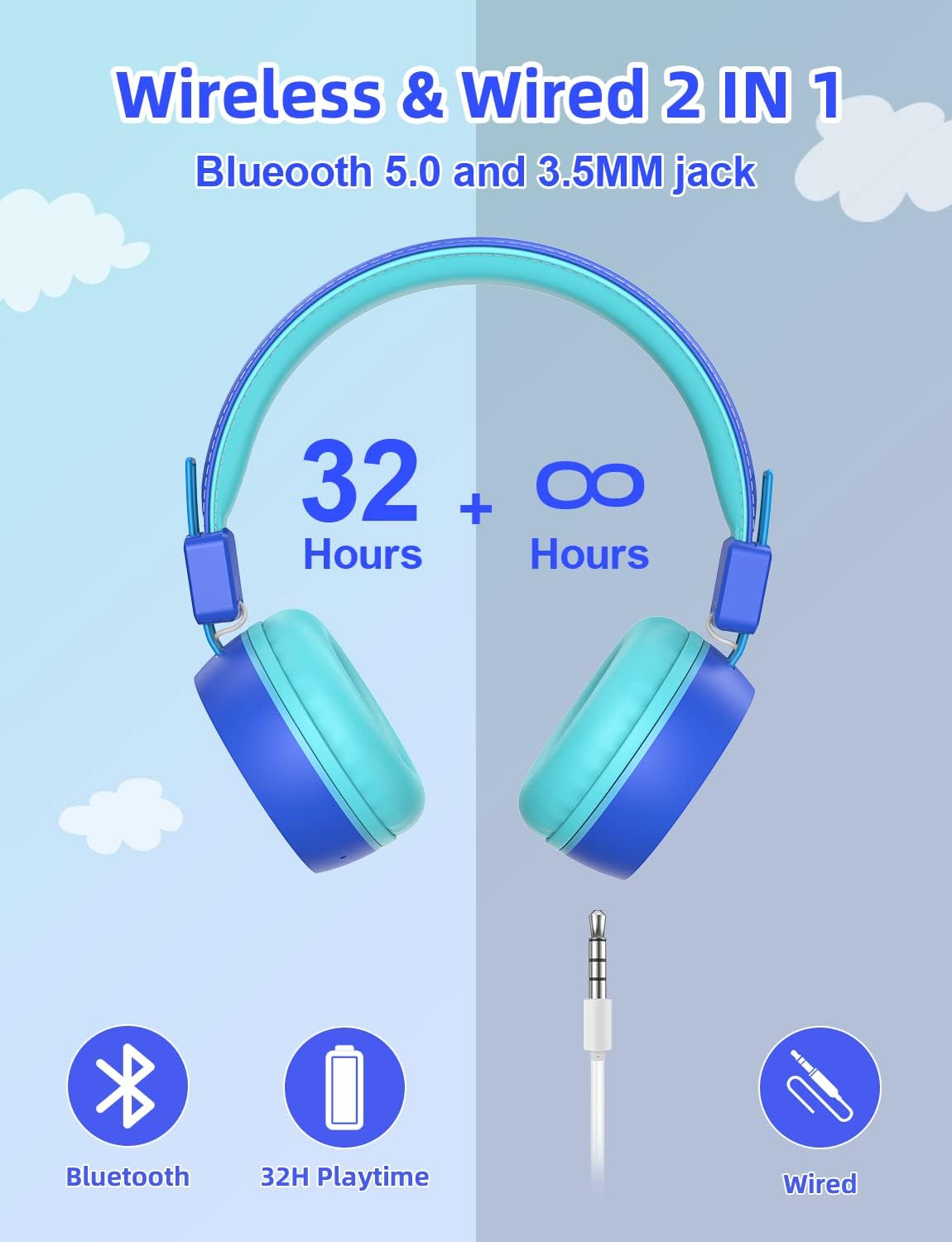
- Trådløs og kablet forbindelse: Bluetooth V5.0 for stable wireless connection up to 15 meters, plus a 3.5mm audio jack for wired use when battery is low.
- Volumengrænse: Max volume of 92dB to protect children's hearing.
- Farverige LED-lys: Three types of LED lighting effects that can change with music rhythm.
- Behagelig at have på: Soft and breathable ear pads designed for extended use without discomfort.
- Sammenklappeligt og bærbart design: Durable plastic frame with a retractable design for easy storage and transport.
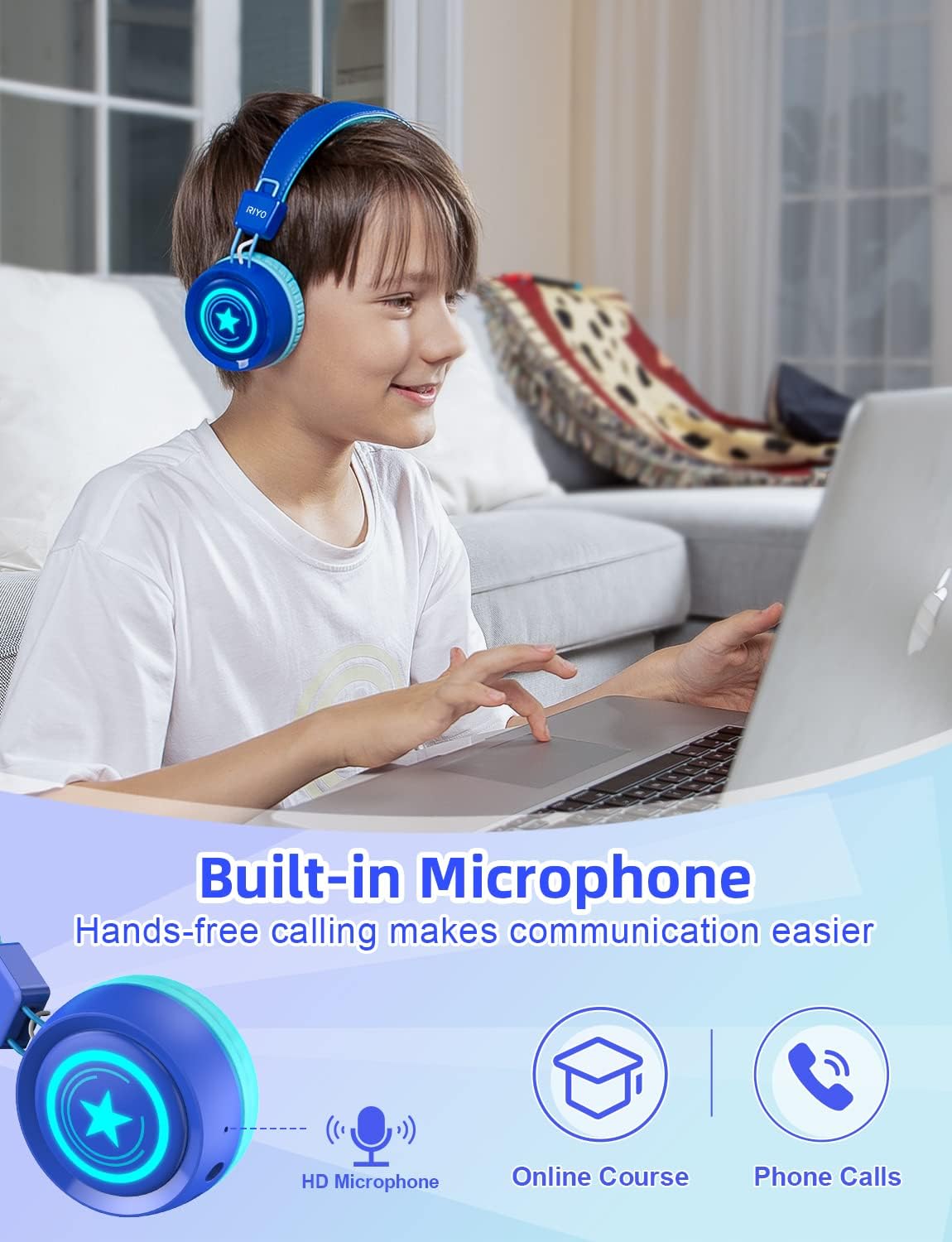
- Indbygget mikrofon: For hands-free calling and online communication.

Billede: A pair of navy blue RIYO Kids Bluetooth Headphones with light blue earcups and headband padding. The right earcup features a glowing star design, indicating its LED light capability.

Billede: An infographic illustrating the dual connectivity options of the headphones: Bluetooth 5.0 for wireless use with up to 32 hours of playtime, and a 3.5mm audio jack for wired connection when the battery is low.

Billede: A diagram pointing to the built-in HD microphone on the headphone earcup, indicating its use for online courses, phone calls, and hands-free communication.
Billede: A young girl is shown wearing the navy blue RIYO Kids Bluetooth Headphones. The earcups are illuminated with vibrant LED lights, highlighting the product's colorful lighting effects.

Billede: A young boy is wearing the RIYO Kids Bluetooth Headphones, showcasing the comfortable fit of the soft ear pads and adjustable headband. The headphones appear snug and secure on his head.

Billede: En eksploderede view of the headphone earcup reveals the internal components, specifically highlighting the 40mm high-quality speaker drivers responsible for delivering clear stereo sound.
Kontrolelementer:
| Knap/Port | Fungere |
|---|---|
| Power knap | Press and hold to power on/off. Hold longer for Bluetooth pairing. |
| Lydstyrke + / - | Juster lydstyrken op eller ned. |
| Lyskontrolknap | Change LED lighting effects (Breathe Fast, Quick Flash, Music Beat, LED OFF). |
| Type-C opladningsport | Tilslut USB-C-kabel til opladning. |
| 3.5mm Audio Jack | Connect 3.5mm audio cable for wired listening. |
| Mikrofon | Built-in for voice communication. |
Video: This video showcases the wireless capabilities and various features of the RIYO Kids Bluetooth Headphones, including their foldable design and LED light functions.
Opsætningsvejledning
1. Opladning af hovedtelefonerne:
Before first use, fully charge the headphones. Connect the provided USB-A to USB-C charging cable to the Type-C charging port on the headphone and a compatible USB power source. The LED indicator will show charging status.
2. Bluetooth-parring:
- Sørg for, at hovedtelefonerne er slukket.
- Press and hold the Power Button for approximately 3-5 seconds until the LED indicator flashes blue and red, indicating pairing mode.
- Aktiver Bluetooth på din enhed (smartphone, tablet, computer) og søg efter tilgængelige enheder.
- Select "KH22B" from the list of found devices.
- Once connected, the LED indicator will turn solid blue or flash slowly, and you will hear an audible confirmation.
3. Kablet forbindelse:
If the battery is depleted or you prefer a wired connection, simply plug the 3.5mm audio cable into the headphone's audio jack and the other end into your device's audio port. The headphones will automatically switch to wired mode.
Betjeningsvejledning
1. Tænd/sluk:
Press and hold the Power Button for 3 seconds to turn the headphones on or off.
2. Lydstyrkekontrol:
Use the Volume + and Volume - buttons to adjust the listening volume. Note that these headphones have a maximum volume limit of 92dB for hearing protection.
3. LED-lysstyring:
Press the Light Control Button to cycle through different LED lighting effects: Breathe Fast, Quick Flash, Music Beat, and LED OFF. The lights can add a fun visual element to the listening experience.
4. Besvarelse af opkald:
When connected via Bluetooth, a short press of the Multifunctional Button (often the Power Button) will answer an incoming call. Press again to end the call.
Vedligeholdelse og pleje
- Rensning: Brug en blød, tør klud til at rengøre hovedtelefonerne. Brug ikke slibende rengøringsmidler eller opløsningsmidler.
- Opbevaring: When not in use, fold the headphones and store them in a cool, dry place away from direct sunlight and extreme temperatures.
- Batteripleje: For at forlænge batterilevetiden bør du undgå at aflade hovedtelefonerne helt ofte. Oplad dem regelmæssigt, selvom de ikke er i konstant brug.
- Undgå vand: Disse hovedtelefoner er ikke vandtætte. Undgå udsættelse for vand eller overdreven fugt.
- Håndteres med forsigtighed: Selvom hovedtelefonerne er holdbare, bør du undgå at tabe dem eller udsætte dem for hårde stød.
Fejlfinding
Almindelige problemer og løsninger:
- Hovedtelefonerne tænder ikke: Sørg for, at batteriet er opladet. Tilslut til en strømkilde med USB-C-kablet.
- Kan ikke parres via Bluetooth:
- Sørg for, at hovedtelefonerne er i parringstilstand (blinkende blå/rød LED).
- Sørg for, at Bluetooth er aktiveret på din enhed.
- Flyt hovedtelefonerne tættere på din enhed.
- Forget "KH22B" from your device's Bluetooth list and try pairing again.
- Genstart både hovedtelefonerne og din enhed.
- Ingen lyd i trådløs tilstand:
- Check if the headphones are successfully paired.
- Increase the volume on both the headphones and your device.
- Ensure no 3.5mm audio cable is plugged in (it overrides Bluetooth).
- Ingen lyd i kablet tilstand:
- Ensure the 3.5mm audio cable is fully inserted into both the headphones and the device.
- Check the volume on your device.
- Test med et andet 3.5 mm lydkabel, hvis det er muligt.
- LED-lys virker ikke:
- Press the Light Control Button to cycle through modes.
- Sørg for, at hovedtelefonerne er tændt.
- Kontroller batteriniveauet.
Specifikationer
| Feature | Detalje |
|---|---|
| Modelnavn | KH22B |
| Mærke | RIYO |
| Forbindelsesteknologi | Wireless (Bluetooth V5.0) & Wired (3.5mm Jack) |
| Maks. volumengrænse | 92dB |
| Spilletid | Op til 32 timer (trådløs) |
| Opladningsport | USB Type-C |
| Øreplacering | On Ear |
| Materiale | Plast |
| Indbygget mikrofon | Ja |
| Sammenfoldeligt design | Ja |
| LED lys | Ja (3 tilstande) |
| Fabrikant | LinkDream |
Garanti og support
RIYO products come with a standard manufacturer's warranty. For detailed warranty information, technical support, or customer service inquiries, please refer to the contact information provided on the product packaging or visit the official RIYO webwebsted.
For yderligere hjælp, besøg venligst RIYO Store on Amazon.
Ask a question about this manual
Ask about setup, troubleshooting, compatibility, parts, safety, or missing instructions. Manuals+ will review the question and use this page’s manual context to help answer it.