
Indledning
The Victrola Journey+ Cassette Turntable offers a versatile audio experience, combining classic vinyl playback with modern features. This portable suitcase-style unit includes a 3-speed turntable, a built-in cassette player, Bluetooth connectivity for both input and output, auxiliary input, and RCA output. This manual provides detailed instructions for setting up, operating, and maintaining your device to ensure optimal performance and longevity.
Sikkerhedsoplysninger
- Læs alle instruktioner, før du bruger produktet.
- Gem manualen til fremtidig reference.
- Brug ikke dette apparat i nærheden af vand.
- Rengør kun med en tør klud.
- Bloker ikke ventilationsåbninger. Installer i overensstemmelse med producentens anvisninger.
- Må ikke installeres i nærheden af varmekilder såsom radiatorer, varmeapparater, komfurer eller andre apparater (inklusive ampløftere), der producerer varme.
- Beskyt netledningen mod at blive trådt på eller klemt, især ved stik, stikkontakter og det sted, hvor de kommer ud af apparatet.
- Brug kun tilbehør/tilbehør specificeret af producenten.
- Træk stikket ud af dette apparat under tordenvejr, eller når det ikke skal bruges i længere perioder.
- Overlad al service til kvalificeret servicepersonale. Service er påkrævet, når apparatet er blevet beskadiget på nogen måde, såsom strømforsyningsledning eller stik er beskadiget, væske er blevet spildt, eller genstande er faldet ind i apparatet, apparatet har været udsat for regn eller fugt, ikke fungerer normalt , eller er blevet droppet.
Hvad er der i æsken
- Victrola Journey+ Cassette Turntable
- Strømadapter
- Instruktionsmanual
- 45 omdr./min. Adapter
- Ekstra nål
Produktfunktioner og komponenter
Familiarize yourself with the various parts of your Victrola Journey+ Cassette Turntable.

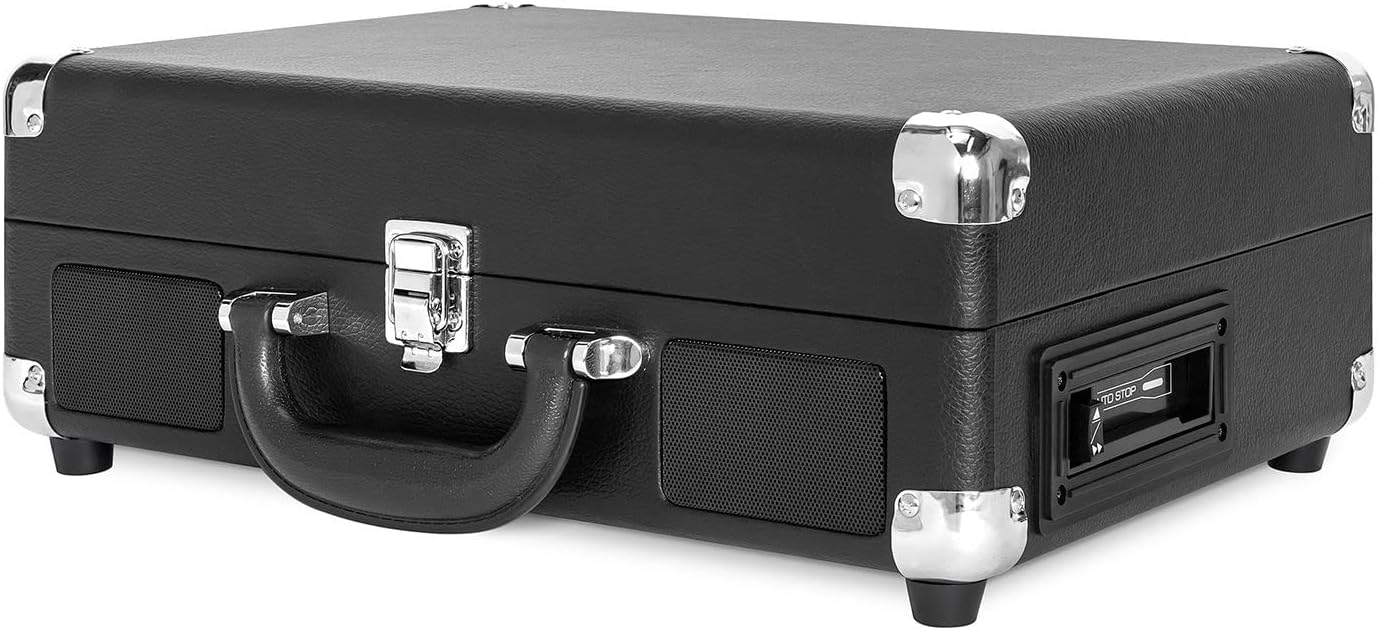

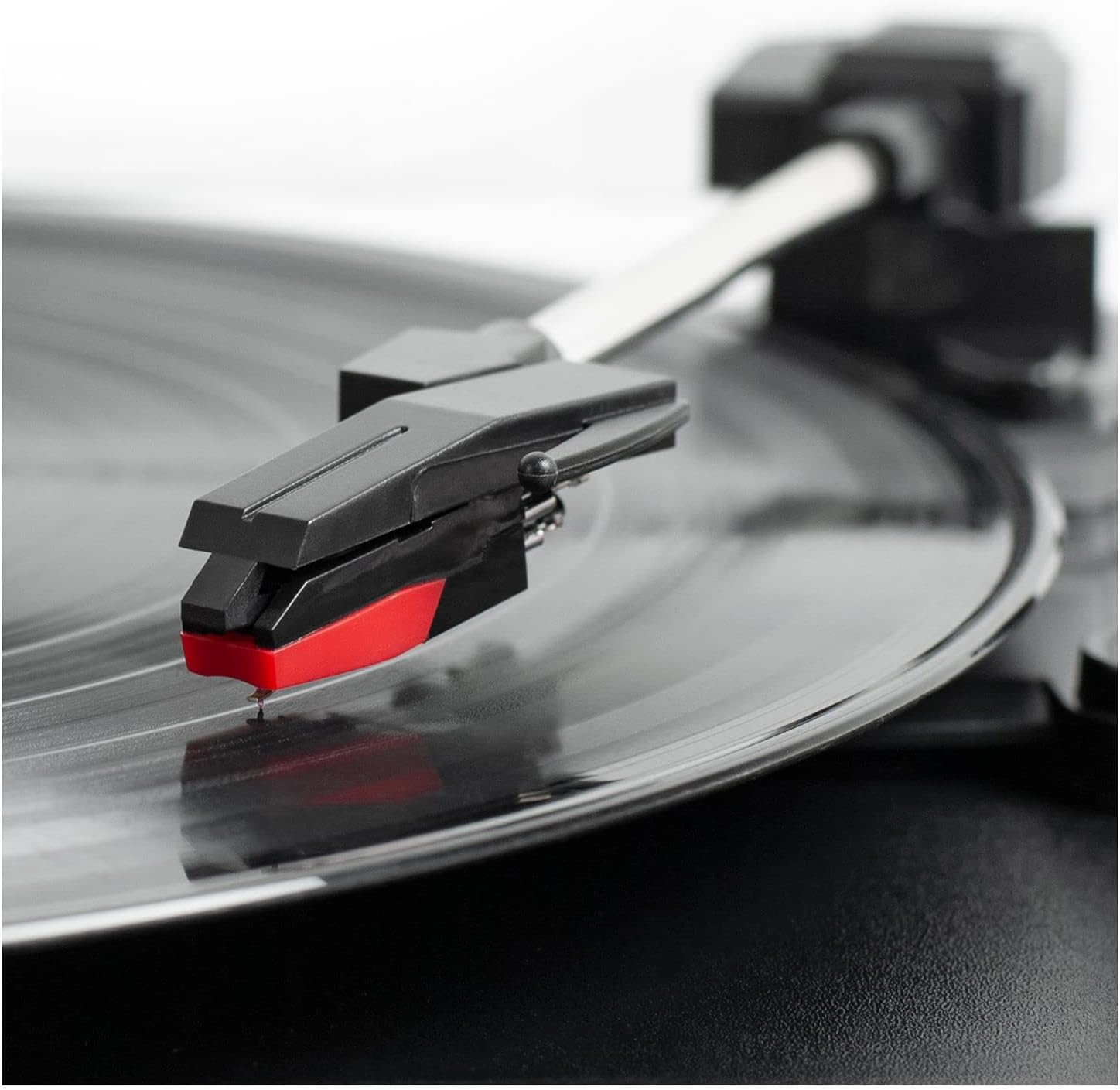
Kontrolpanel overview
- Strøm-/lydstyrkeknap: Turns the unit ON/OFF and adjusts the volume.
- Hastighedsvælger: Switch between 33 1/3, 45, and 78 RPM for vinyl records.
- Automatisk stopknap: Enables or disables the auto-stop function for the turntable.
- Funktionskontakt: Selects between PHONO/TAPE, LINE IN, BT IN, and BT OUT modes.
- Hovedtelefonstik: Til privat lytning med hovedtelefoner.
- Line In Jack: Tilslut eksterne lydenheder via et 3.5 mm kabel.
- Cassette Player Controls: Play, Fast Forward, Rewind, Stop/Eject.
- RCA-udgangsstik (V/H): Tilslut til eksterne højttalere eller en amplivligere.
- DC IN-stik: Tilslut strømadapteren.
Opsætning
- Pakker ud: Carefully remove the turntable from its packaging and ensure all accessories are present.
- Placering: Placer enheden på en plan, stabil overflade væk fra direkte sollys, varmekilder og for meget støv eller vibrationer.
- Strømtilslutning: Connect the DC plug of the power adapter to the DC IN jack on the back of the unit. Plug the AC adapter into a wall outlet.
- Fjern pennens beskytter: Gently remove the white plastic stylus protector from the needle.
- Lås tonearmen op: Release the tonearm lock to allow the tonearm to move freely.
Betjeningsvejledning
Afspiller vinylplader
- Open the lid and place a vinyl record on the turntable platter.
- Select the appropriate speed (33 1/3, 45, or 78 RPM) using the Speed Selector switch. Use the 45 RPM adapter for 7-inch records with large center holes.
- Turn the Power/Volume knob clockwise to turn on the unit and adjust to a low volume.
- Set the Function Switch to PHONO/TAPE.
- Lift the tonearm using the cueing lever and position it over the desired track on the record.
- Gently lower the tonearm onto the record using the cueing lever. The record will begin to play.
- Juster lydstyrken til det ønskede lytteniveau.
- At the end of the record, if the Auto Stop switch is ON, the platter will stop spinning. If OFF, the platter will continue to spin. Manually lift the tonearm and return it to the tonearm rest.
Brug af kassetteafspilleren
- Set the Function Switch to PHONO/TAPE.
- Insert a cassette tape into the side-loading slot until it clicks into place.
- Tryk på knappen PLAY for at starte afspilningen.
- Use the Fast Forward (FF) and Rewind (REW) buttons to navigate tracks.
- Tryk på STOP/EJECT-knappen for at stoppe afspilningen og skubbe båndet ud.
- Juster lydstyrken ved hjælp af tænd/sluk-/lydstyrkeknappen.

Bluetooth Input (BT IN)
Stream music wirelessly from your Bluetooth-enabled device to the turntable's built-in speakers.
- Drej tænd/sluk-/lydstyrkeknappen med uret for at tænde enheden.
- Set the Function Switch to BT IN. The Bluetooth indicator light will flash.
- Enable Bluetooth on your external device and search for "Victrola Journey+".
- Select "Victrola Journey+" to pair. Once paired, the indicator light will stop flashing.
- Start playing music on your device. Adjust the volume on both your device and the turntable.
Bluetooth Output (BT OUT - Vinyl Stream Technology)
Stream audio from your vinyl records to an external Bluetooth speaker.
- Sørg for, at din eksterne Bluetooth-højttaler er i parringstilstand.
- Turn the Power/Volume knob clockwise to turn on the turntable.
- Set the Function Switch to BT OUT. The Bluetooth indicator light will flash.
- The turntable will automatically search for and connect to your external Bluetooth speaker. Once connected, the indicator light will stop flashing.
- Play a vinyl record as described above. The audio will stream to your external speaker.
- Adjust the volume on your external Bluetooth speaker.
Auxiliary Input (LINE IN)
Connect non-Bluetooth audio devices using a 3.5mm audio cable.
- Connect one end of a 3.5mm audio cable to the LINE IN jack on the turntable.
- Tilslut den anden ende til hovedtelefonstikket eller lydudgangen på din eksterne enhed.
- Drej tænd/sluk-/lydstyrkeknappen med uret for at tænde enheden.
- Set the Function Switch to LINE IN.
- Start playing music on your external device. Adjust the volume on both your device and the turntable.
RCA-udgang
Tilslut pladespilleren til en ekstern ampeller aktive højttalere for forbedret lyd.
- Connect RCA cables (not included) to the RCA OUT jacks (red for right, white for left) on the back of the turntable.
- Connect the other end of the RCA cables to the corresponding input jacks on your amplifier eller drevne højttalere.
- Ensure the Function Switch is set to PHONO/TAPE for vinyl or cassette playback.
- Juster lydstyrken på dit eksterne lydsystem.
Hovedtelefonudgang
For private listening, plug any standard 3.5mm headphones into the HEADPHONE jack.
Opretholdelse
- Rengøring af enheden: Wipe the exterior with a soft, dry cloth. Do not use harsh chemicals or abrasive cleaners.
- Styluspleje: The stylus is delicate. Handle it with care. Clean the stylus periodically with a soft brush, brushing from back to front. Replace the stylus if sound quality deteriorates or if it is visibly damaged.
- Optagelsespleje: Hold plader rene og fri for støv. Opbevar dem lodret i deres ærmer for at forhindre, at de bliver vridne.
- Kassettepleje: Store cassettes away from direct sunlight and heat. Avoid touching the tape surface.
Fejlfinding
| Problem | Mulig årsag | Løsning |
|---|---|---|
| Ingen strøm | Strømadapteren er ikke tilsluttet, eller stikkontakten virker ikke. | Sørg for, at strømadapteren er korrekt tilsluttet og sat i en fungerende stikkontakt. |
| Ingen lyd fra højttalerne | Volume too low; Function switch incorrect; External speakers not connected/powered. | Increase volume. Set Function switch to correct source (PHONO/TAPE, BT IN, LINE IN). Check external speaker connections and power. |
| Optagelse springer over eller lydforvrængning | Dirty or damaged record; Dirty or worn stylus; Unit not on a stable surface. | Clean record. Clean or replace stylus. Place unit on a stable, level surface. |
| Problemer med Bluetooth-parring | Device too far; Incorrect mode selected; Device already paired. | Ensure device is within range. Select correct BT IN/OUT mode. Disconnect from other Bluetooth devices. |
| Kassettebåndet spiller ikke | Tape inserted incorrectly; Function switch incorrect. | Ensure tape is fully inserted. Set Function switch to PHONO/TAPE. |
Specifikationer
- Mærke: Victrola
- Modelnummer: VSC-500BTC-BLK
- Forbindelse teknologi: Bluetooth
- Strømkilde: Elektrisk med ledning
- Maksimal rotationshastighed: 78 RPM
- Særlige funktioner: AUX Input, Built-In Speaker, Portable, RCA Output, Cassette Player, Vinyl Stream Technology
- Materiale: Plast
- Varens vægt: 3.51 kilo
- Emnemål (L x B x H): 14 cm L x 11 cm B x 5 cm H
- Indbyggede medier: Turntable, Cassette Player
- Inkluderede komponenter: Turntable, Power Adapter, 45 RPM Adapter, Extra Stylus
Garanti og support
For warranty information, technical support, or service inquiries, please refer to the contact information provided in your product packaging or visit the official Victrola webwebsted. Gem din købsbevis til garantikrav.