
1. Introduktion
Thank you for choosing the Wiko T50 smartphone. This manual provides essential information on how to set up, operate, and maintain your device. Please read this manual carefully before using your Wiko T50 to ensure proper functionality and safety.
2. Sikkerhedsoplysninger
Always follow basic safety precautions when using your Wiko T50 to reduce the risk of injury, electric shock, fire, or damage to the device.
- Udsæt ikke enheden for ekstreme temperaturer, direkte sollys eller høj luftfugtighed.
- Use only Wiko-approved chargers and accessories.
- Undgå at tabe enheden eller udsætte den for kraftige stød.
- Forsøg ikke selv at skille enheden ad eller reparere den. Kontakt kvalificeret servicepersonale.
- Hold enheden væk fra pacemakere og andet medicinsk udstyr.
3. Pakkens indhold
Ensure all items are present in your Wiko T50 package:
- Wiko T50 Smartphone
- Oplader
- Lithium Polymer Battery (pre-installed or included)
- Brugervejledning (dette dokument)
4. Produktet er slutview
Familiarize yourself with the physical features of your Wiko T50 smartphone.
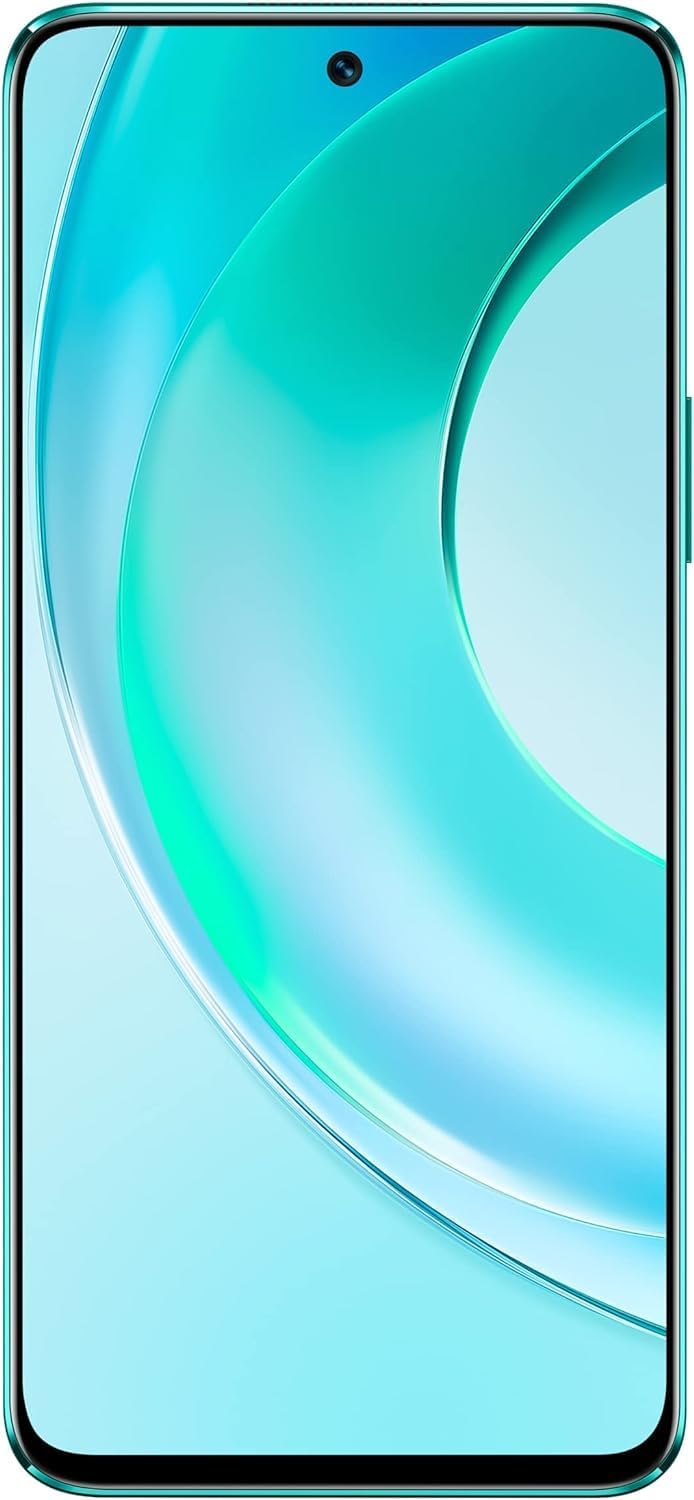
Figur 4.1: Front view of the Wiko T50 smartphone, showcasing dens store skærm og frontkamera.

Figur 4.2: Bag view of the Wiko T50 smartphone in Aqua Green, highlighting the triple camera module and Wiko branding.

Figur 4.3: Højre side view of the Wiko T50 smartphone, showing the power button and volume rocker.

Figur 4.4: Venstre side view of the Wiko T50 smartphone, showing the SIM tray.
Nøglekomponenter:
- Vise: 6.6-inch FHD+ borderless display for immersive viewing.
- Kameraer: 64MP AI Triple Camera system on the rear, featuring a 120-degree ultra-wide angle lens. Front camera for selfies and video calls.
- Knapper: Power button and volume rocker located on the right side for easy access.
- Porte: USB-port til opladning og dataoverførsel.
- SIM-bakke: Dual SIM support for flexible connectivity.
5. Opsætning
5.1 Isætning af SIM-kort
- Find SIM-kortbakken på venstre side af enheden.
- Brug det medfølgende SIM-kortudløserværktøj til at åbne bakken.
- Carefully place your Nano-SIM cards into the designated slots. Ensure the gold contacts are facing down.
- Skub forsigtigt SIM-kortbakken tilbage i åbningen, indtil den klikker på plads.
5.2 Opladning af batteriet
- Connect the charger to the USB port at the bottom of your Wiko T50.
- Sæt opladeren i en stikkontakt.
- The device supports 40W fast charging. The battery indicator on the screen will show charging progress.
- Når den er fuldt opladet, skal du frakoble opladeren.
5.3 Tænd/sluk
- For at tænde: Press and hold the Power button on the right side until the Wiko logo appears.
- For at slukke: Tryk på tænd/sluk-knappen og hold den nede, og vælg derefter 'Sluk' fra indstillingerne på skærmen.
6. Betjening
6.1 Grundlæggende navigation (Android 11.0)
- Touchskærm: Navigate the device using touch gestures such as tap, swipe, pinch-to-zoom.
- Startskærm: Det centrale knudepunkt for dine apps og widgets.
- Meddelelser: Stryg ned fra toppen af skærmen til view notifikationer og hurtigindstillinger.
- App Skuffe: Stryg opad fra bunden af skærmen for at få adgang til alle installerede apps.
6.2 Kamerabrug
Your Wiko T50 features a 64MP AI Triple Camera system.
- Åbn Kamera-appen fra din startskærm eller appskuffe.
- Select your desired mode (Photo, Video, Portrait, Pro, etc.).
- Tryk på udløserknappen for at tage et billede eller starte/stoppe optagelse af en video.
- Switch between the main lens and the 120-degree ultra-wide lens for different perspectives.
6.3 Forbindelse
- Wi-Fi: Gå til Indstillinger > Netværk og internet > Wi-Fi for at oprette forbindelse til tilgængelige Wi-Fi-netværk.
- Bluetooth: Gå til Indstillinger > Forbundne enheder > Forbindelsespræferencer > Bluetooth for at parre med Bluetooth-enheder.
- Mobildata (4G LTE): Sørg for, at dit SIM-kort er aktivt, og at mobildata er aktiveret i Indstillinger > Netværk og internet > Mobilnetværk.
- USB: Connect your device to a computer using a USB cable for file overførsel eller opladning.
7. Vedligeholdelse
- Rensning: Brug en blød, fnugfri klud til at rengøre skærmen og enhedens kabinet. Undgå at bruge skrappe kemikalier eller slibende materialer.
- Softwareopdateringer: Søg regelmæssigt efter og installer softwareopdateringer for at sikre optimal ydeevne og sikkerhed. Gå til Indstillinger > System > Systemopdatering.
- Batteripleje: To prolong battery life, avoid fully discharging the battery frequently. Charge the device before the battery level drops too low.
- Lagerstyring: Ryd periodisk unødvendigt fileog apps for at frigøre lagerplads og opretholde enhedens hastighed.
8. Fejlfinding
Her er løsninger på almindelige problemer, du kan støde på:
| Problem | Løsning |
|---|---|
| Enheden tænder ikke | Sørg for, at batteriet er opladet. Tilslut opladeren, og vent et par minutter, før du forsøger at tænde igen. |
| Batteriet aflades hurtigt | Close unused apps, reduce screen brightness, disable Wi-Fi/Bluetooth when not in use. Check for background app activity. |
| Kan ikke oprette forbindelse til Wi-Fi | Restart your Wi-Fi router and the phone. Ensure you have entered the correct Wi-Fi password. |
| Apps går ned eller fryser | Restart the device. Clear the cache of the problematic app (Settings > Apps > [App Name] > Storage & cache > Clear cache). |
| Intet netværkssignal | Ensure SIM card is properly inserted. Check if airplane mode is off. Try restarting the device. Contact your network provider if the issue persists. |
9. Specifikationer
Detailed technical specifications for the Wiko T50 smartphone:
| Feature | Specifikation |
|---|---|
| Modelnavn | T50 |
| Varemodelnummer | W-P861-03 |
| Operativsystem | Android 11.0 |
| Installeret RAM-størrelse | 6 GB |
| Hukommelseslagringskapacitet | 128 GB |
| CPU model | Snapdragon |
| CPU hastighed | 2 GHz |
| Skærmstørrelse | 6.6 tommer |
| Opløsning | 1080 x 2400 |
| Opdateringshastighed | 60 Hz |
| Farve | Aqua Grøn |
| Batteristyrke | 4000 mAh (unspecified rating) |
| Formfaktor | Bar |
| Trådløse kommunikationsteknologier | Cellulær |
| Forbindelsesteknologier | Bluetooth, Wi-Fi, USB |
| GPS | GLONASS |
| Andre kamerafunktioner | Bag |
| Device Interface_Primary | Mikrofon, berøringsskærm |
| Varens vægt | 260 g |
| Pakkedimensioner | 27.8 x 24.4 x 10.2 cm |
| Dato først tilgængelig | 15. maj 2022 |
10. Garanti og support
Wiko provides a limited warranty for its products. Please refer to the warranty card included with your purchase for specific terms and conditions. For technical support, service, or further inquiries, please visit the official Wiko webwebsted eller kontakt deres kundeservice.
Gem dit købsbevis for garantikrav.