
1. Introduktion
Thank you for choosing the Aspen A40 Portable Oscillating Tower Fan. This manual provides essential information for the safe and efficient operation of your new fan. Please read it thoroughly before use and keep it for future reference.
The Aspen A40 tower fan is designed to provide quiet comfort with a powerful and consistent breeze. Its unique detachable tower allows for easy cleaning and customization. Featuring multiple wind speeds, various timer settings, LED night lights, and a 60-degree oscillation angle, it delivers refreshing air in any environment. The innovative design and elegant two-tone color scheme make it a stylish and functional addition to your home.
2. Hvad er der i æsken
Upon opening your Aspen A40 Tower Fan package, please ensure all the following components are present:
- (1) Tower Fan Unit
- (1) Detachable Fan Base
- (1) Magnetic Remote Control
- (1) Brugermanual (dette dokument)

Image: Aspen A40 Tower Fan components including the main unit, detachable base, and remote control.
3. Opsætning og montering
Follow these steps to assemble your Aspen A40 Tower Fan:
- Fjern forsigtigt alle komponenter fra emballagen.
- Assemble the two halves of the detachable fan base. Ensure they click securely into place.
- Thread the power cord through the center opening of the assembled base.
- Align the main tower fan unit with the assembled base. Gently push down and twist clockwise until the unit is firmly seated and locked into the base.
- Route the power cord through the designated channel on the underside of the base to prevent wobbling.
- Placer ventilatoren på en flad, stabil overflade.
- Plug the power cord into a standard electrical outlet (120 Volts CA).
Video: General demonstration of a tower fan's features, including remote control, speeds, oscillation, and powerful airflow. This video is provided by a seller and illustrates common tower fan functionalities.
Video: Assembly guide for a tower fan, demonstrating how to attach the base and secure the unit. While this video features a different brand, the assembly steps are generally applicable to similar tower fan designs.
4. Betjeningsvejledning
Your Aspen A40 Tower Fan can be operated using the control panel on top of the unit or the included magnetic remote control.
Kontrolpanel og fjernbetjeningsfunktioner:
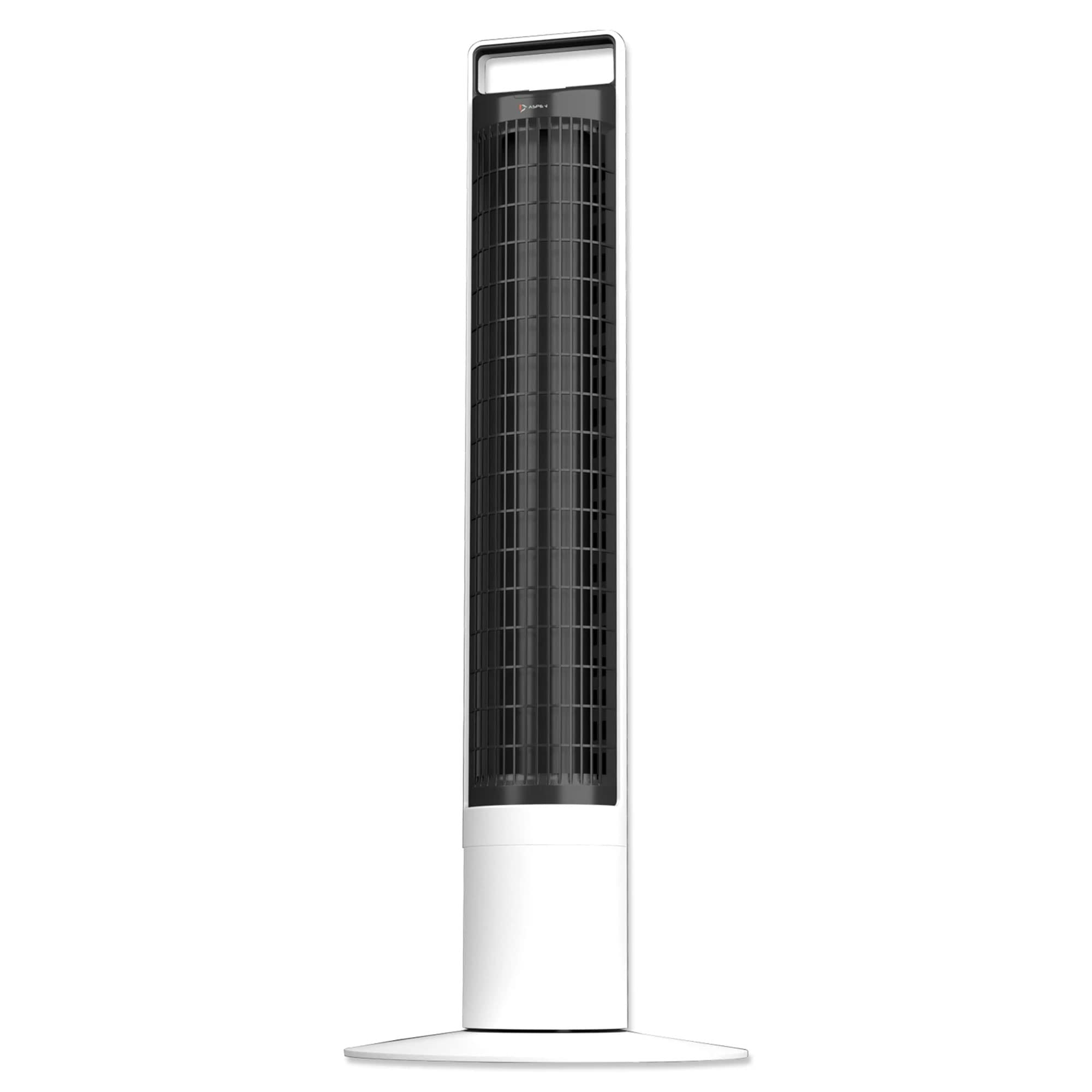
Image: Close-up of the magnetic remote control for the Aspen A40 Tower Fan, showing its intuitive button layout.

Billede: Top view of the Aspen A40 Tower Fan's control panel, featuring an LED display and touch-sensitive buttons for various functions.
- Tænd/sluk: Tryk på tænd / sluk-knappen (⏻) for at tænde eller slukke for ventilatoren.
- Blæserhastighed: Select from 3 fan speeds to customize airflow intensity.
- oscillation: Activate the 60-degree oscillation function for wider air distribution.
- Timer: Set the fan to operate for a specific duration with 4 different timer options.
- Natlys: Utilize the night light function with 3 different LED colors for ambient lighting.
The magnetic remote control conveniently attaches to the top of the fan for easy storage and access.
5. Funktioner og fordele
- Stille drift: Enjoy silent comfort with powerful and consistent airflow.
- Detachable Fan Tower: The unique detachable tower design allows for easy cleaning. Simply lift the tower and soak it in water for thorough cleaning. Ensure the tower is completely dry before reattaching it to the main unit.
- Magnetisk fjernbetjening: A small, ergonomically designed remote control magnetically attaches to the top of the fan for convenient storage.
- Indstillinger, der kan tilpasses: Features 4 separate timers, 3 fan speeds, and 3 LED night light colors.
- Optimal Oscillation: Utilizes a narrower 60-degree oscillation angle for more focused and effective cooling compared to standard 90-degree angles.

Image: The Aspen A40 Tower Fan positioned in a living space, highlighting its modern and space-saving design.

Image: A display of several Aspen A40 Tower Fans, illustrating the variety of LED night light color options available.
6. Vedligeholdelse
Regular maintenance ensures the longevity and optimal performance of your Aspen A40 Tower Fan.
- Cleaning the Fan Tower: The unique detachable tower design allows for easy cleaning. Simply lift the tower and soak it in water for thorough cleaning. Ensure the tower is completely dry before reattaching it to the main unit.
- Udvendig rengøring: Tør ventilatorens yderflader af med en blød, tør klud.amp klæde. Brug ikke slibende rengøringsmidler eller opløsningsmidler.
- Opbevaring: Når ventilatoren ikke er i brug i længere perioder, skal den tages ud af stikket, rengøres og opbevares et køligt og tørt sted.
7. Fejlfinding
If you encounter any issues with your Aspen A40 Tower Fan, please refer to the following common troubleshooting tips:
- Ventilator tænder ikke:
- Sørg for, at netledningen er korrekt tilsluttet en fungerende stikkontakt.
- Kontroller, om stikkontakten modtager strøm ved at tilslutte et andet apparat.
- Verify that the power button on the fan or remote control has been pressed.
- Svag luftstrøm:
- Øg ventilatorhastighedsindstillingen.
- Ensure the fan tower is clean and free from dust or obstructions.
- Fan Not Oscillating:
- Tryk på oscillationsknappen på kontrolpanelet eller fjernbetjeningen.
- Sørg for, at ventilatoren er placeret på en flad, stabil overflade.
- Fjernbetjeningen virker ikke:
- Kontrollér og udskift batterierne i fjernbetjeningen.
- Ensure there are no obstructions between the remote control and the fan's sensor.
If the problem persists after trying these steps, please contact Aspen customer support for further assistance.
8. Specifikationer
| Feature | Detalje |
|---|---|
| Mærke | Aspen |
| Model | A40 |
| Farve | Hvid |
| Materiale | ABS plast |
| Antal hastigheder | 3 |
| Særlige funktioner | Oscillating, Portable, Detachable Tower, Night Light Function, Magnetic Remote Control |
| Produktets vægt | 5.72 kilogram (ca. 12.6 lbs) |
| Overordnede dimensioner | 12 cm (B) x 12 cm (D) x 41 cm (H) |
| Svingningsvinkel | 60 grader |
9. Garanti og support
The Aspen A40 Portable Oscillating Tower Fan comes with a limited 1-year warranty from Aspen. Please retain your proof of purchase for warranty claims.
For returns, a 30-day free return policy is available. For further assistance, technical support, or warranty inquiries, please refer to the contact information provided with your purchase or visit the official Aspen webwebsted.