
1. Introduktion
Thank you for choosing the ILIFE V3s Max Robot Vacuum and Mop Combo. This device is designed to provide efficient and convenient cleaning for your home, combining powerful vacuuming with intelligent mopping capabilities. This manual provides essential information for the safe operation, maintenance, and troubleshooting of your robot vacuum. Please read it thoroughly before use and retain it for future reference.
2. Sikkerhedsinstruktioner
For at mindske risikoen for personskade eller beskadigelse skal du læse og følge alle sikkerhedsforanstaltninger. Dette apparat er kun til husholdningsbrug.
- Do not operate the robot near open flames or fragile objects.
- Hold hår, løstsiddende tøj, fingre og alle kropsdele væk fra åbninger og bevægelige dele.
- Lad ikke børn betjene robotten. Hold opsyn med børn og kæledyr, når robotten er i drift.
- Brug kun den originale strømadapter og opladningsdock, der er leveret af producenten.
- Sørg for, at robotten er fuldt opladet før første brug.
- Brug ikke robotten til at opsamle stort affald, væsker eller brændende genstande.
- Remove power cords, small objects, and curtains from the cleaning path to prevent entanglement.
- Do not use the mopping function on carpets or rugs.
3. Pakkens indhold
Kontroller, at alle komponenter er til stede og i god stand:
- 1x ILIFE V3s Max Robot Vacuum
- 1x fjernbetjening
- 1x Filter (pre-installed)
- 1x vekselstrømsadapter
- 1x opladningsdock
- 1x rensebørste
- 2x Side Brushes (spare)
- 1x moppeklud
- 1x Vandtank
- 1x brugermanual
- 3x støvposer
4. Produktet er slutview
Familiarize yourself with the main components of your ILIFE V3s Max.

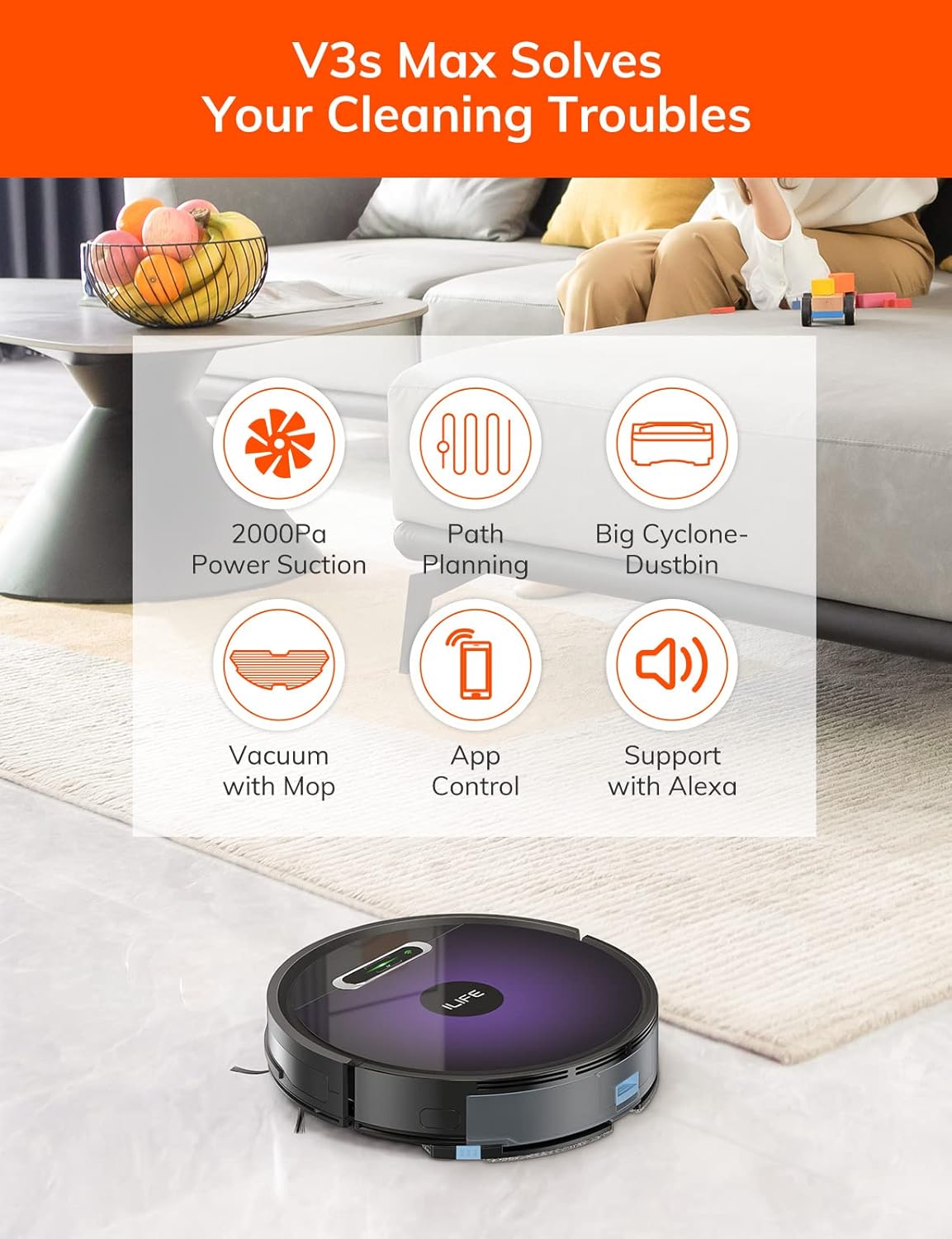
Figur 4.1: Top view of the ILIFE V3s Max robot vacuum, illustrating its 2000Pa suction, path planning, large dustbin, vacuum with mop function, app control, and Alexa support.

Figur 4.2: Underside view of the robot vacuum, highlighting the deep edge cleaning brush, powerful suction inlet, and the mop attachment for combined cleaning.
Hovedkomponenter:
- Hoveddel: Contains the motor, dustbin, water tank, and navigation sensors.
- Sidebørster: Sweep debris into the suction path.
- Drivhjul: Allow the robot to move across various surfaces.
- Universalhjul: Provides directional movement.
- Opladningskontakter: Forbindes med opladningsdokken.
- Skraldespand: Opsamler tørt snavs.
- Vandtank: Holds water for mopping.
- Moppeklud: Attaches to the water tank for wet cleaning.
- Power knap: Turns the robot on/off and starts/pauses cleaning.
- Sensorer: Anti-drop, anti-collision, and wall-following sensors.
5. Opsætning
5.1 Indledende opladning
- Placer ladestationen op ad en væg i et åbent område, og sørg for, at der ikke er forhindringer inden for 1 meter til siderne og 2 meter foran.
- Tilslut AC-adapteren til opladningsdocken, og sæt den i en stikkontakt.
- Place the robot onto the charging dock, ensuring the charging contacts align. The indicator light will show charging status.
- Allow the robot to charge completely before first use (approximately 5-6 hours).
Figur 5.1: The robot vacuum returning to its charging dock. Ensure the dock is placed in an accessible area.
5.2 App og Wi-Fi-forbindelse
The ILIFE V3s Max supports app control via 2.4G Wi-Fi (5G Wi-Fi is not supported).
- Download appen "ILIFEHOME" fra din smartphones appbutik (iOS eller Android).
- Registrer en konto og log ind.
- Ensure your phone is connected to a 2.4G Wi-Fi network.
- Follow the in-app instructions to add your device. This typically involves pressing and holding the robot's power button until it enters pairing mode, then entering your Wi-Fi password in the app.

Figur 5.2: The ILIFEHOME app interface, demonstrating features like scheduling, cleaning history, suction settings, and cleaning modes. The robot also supports Amazon Alexa integration.
6. Betjeningsvejledning
6.1 Start/pause af rengøring
- Fra robotten: Tryk én gang på tænd/sluk-knappen for at starte eller sætte rengøringen på pause.
- From Remote Control: Press the "Clean" button.
- Fra appen: Tap "Start" or "Pause" in the ILIFEHOME app.
6.2 Rengøringstilstande
The V3s Max offers multiple cleaning modes for different needs:

Figur 6.1: Illustration of the robot's multiple cleaning modes: Random, Spot, Edge, and Path (zigzag) cleaning.
- Path Cleaning (Zigzag): The robot cleans in an efficient zigzag pattern, covering the entire area systematically. This is the default mode for general cleaning.
- Rengøring af pletter: The robot focuses on a specific dirty area, cleaning in a spiral pattern. Activate this mode for concentrated cleaning of spills or heavily soiled spots.
- Kantrensning: The robot cleans along walls and furniture edges. Useful for thorough cleaning of room perimeters.
- Tilfældig rengøring: The robot cleans randomly, suitable for small, uncluttered spaces.
6.3 Støvsugning og mopping
The V3s Max can vacuum and mop simultaneously or separately.

Figur 6.2: The robot vacuum demonstrating its 2000Pa suction power, effectively picking up food crumbs and pet hair from hard floors.

Figur 6.3: The robot vacuum illustrating three types of water adjustment for mopping, catering to various floor cleaning needs.
- Støvsugning: Ensure the dustbin is installed. The robot will use its 2000Pa suction to clean dry debris.
- Mopping: Fill the 200ml water tank with clean water and attach the mop cloth. Insert the water tank into the robot. The robot will then perform wet mopping. Do not use cleaning solutions other than water in the tank.
- Kombineret rengøring: With both the dustbin and water tank installed, the robot will vacuum and mop simultaneously.
6.4 Planlægning
Use the ILIFEHOME app to set cleaning schedules for automated cleaning sessions.
- Open the ILIFEHOME app.
- Naviger til planlægningssektionen.
- Set desired cleaning times and days.
- Confirm the schedule. The robot will automatically start cleaning at the programmed times.
7. Vedligeholdelse
Regelmæssig vedligeholdelse sikrer optimal ydeevne og forlænger levetiden på din robotstøvsuger.
7.1 Rengøring af støvbeholder og filter
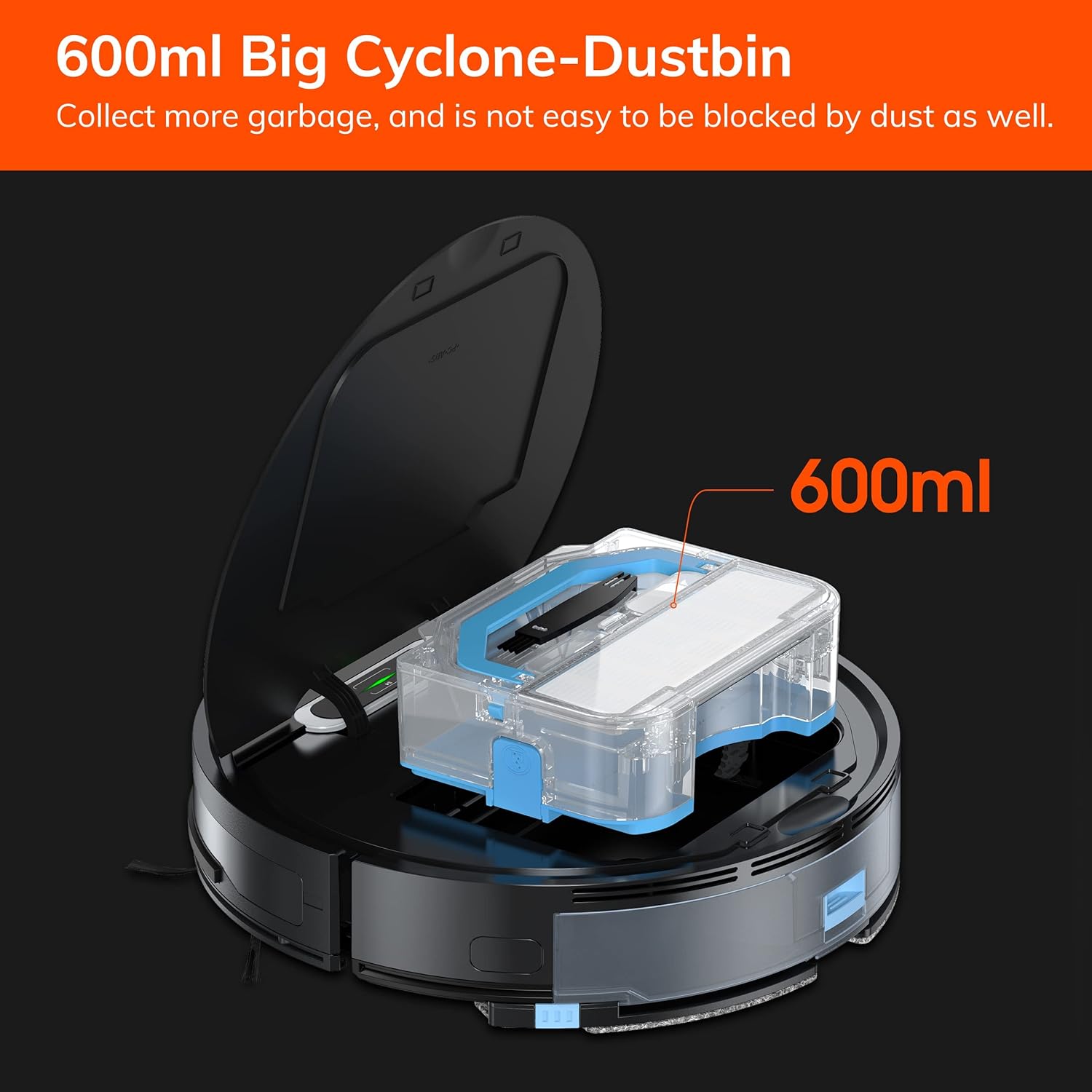
Figur 7.1: The 600ml cyclone dustbin, designed to collect more debris and resist clogging.
- Press the "PUSH" button on the robot's top cover to open it.
- Fjern støvbeholderen ved at trække den opad.
- Åbn låget til skraldespanden, og tøm indholdet i en skraldespand.
- Remove the filter assembly (pre-filter, sponge filter, high-performance filter).
- Clean the filters with the provided cleaning brush. Do not wash the high-performance filter with water.
- Skyl støvbeholderen med vand om nødvendigt, og sørg for, at den er helt tør, inden den sættes på igen.
- Saml filtrene og støvbeholderen igen, og sæt dem derefter i robotten igen.
7.2 Rengøring af sidebørster
- Kontroller regelmæssigt sidebørsterne for sammenfiltrede hår eller snavs.
- Træk forsigtigt sidebørsterne opad for at fjerne dem.
- Use the cleaning brush or scissors to remove any tangled hair or debris.
- Sæt sidebørsterne på plads igen, og sørg for, at de klikker på plads.
7.3 Vedligeholdelse af vandtank og moppeklud
- Fjern vandtanken efter hver moppesession.
- Tøm eventuelt resterende vand fra tanken.
- Detach the mop cloth and wash it by hand or machine. Allow it to air dry completely.
- Rinse the water tank with clean water and allow it to air dry.
7.4 Sensorrensning
- Use a clean, dry cloth to wipe the anti-drop sensors (located on the bottom of the robot) and the anti-collision sensors (located on the front bumper).
- Rengør opladningskontakterne på både robotten og opladningsdocken.
8. Fejlfinding
If you encounter issues with your ILIFE V3s Max, refer to the following common problems and solutions:
| Problem | Mulig årsag | Løsning |
|---|---|---|
| Robotten starter eller reagerer ikke. | Lavt batteri; Strømafbryder slukket; Robot sidder fast. | Oplad robotten; Tænd for strømafbryderen; Ryd forhindringer. |
| Robotten kan ikke vende tilbage til ladestationen. | Ladestation blokeret; Robotten er for langt fra stationen; Stationen er ikke strømforsynet. | Ensure clear path to dock; Manually place robot near dock; Check power connection. |
| Dårlig rengøringsevne. | Dustbin full; Filters clogged; Side brushes worn or tangled. | Tøm støvbeholderen; Rengør/udskift filtre; Rengør/udskift sidebørster. |
| Robotten sidder ofte fast. | Obstacles (cables, rugs); Cliff sensors dirty. | Clear cleaning area; Clean cliff sensors. |
| Problemer med app-forbindelse. | Incorrect Wi-Fi (5G); Incorrect password; Router issues. | Ensure 2.4G Wi-Fi; Re-enter password; Restart router and robot. |
If the problem persists, please contact ILIFE customer support.
9. Specifikationer
| Feature | Detalje |
|---|---|
| Mærke | ILIFE |
| Modelnavn | V3s Max |
| Sugekraft | Op til 2000 Pa (punkttilstand) |
| Skraldespandskapacitet | 600 ml |
| Vandtankkapacitet | 200 ml |
| Batterilevetid | Op til 100 minutter |
| Batteritype | Litium-ion (14.4 volt) |
| Navigation | Gyroscopic Path Planning |
| Kontrolmetoder | App Control, Remote Control, Amazon Alexa |
| Wi-Fi support | 2.4G Wi-Fi only |
| Produktdimensioner | 12.4 cm L x 11.81 cm B x 2.99 cm H |
| Varens vægt | 5.4 pund |
| Støjniveau | 65 decibel |
| Overfladeanbefaling | Hard Floor, Low-Pile Carpet |
10. Garanti og support
ILIFE provides a limited warranty for this product. For detailed warranty information, please refer to the warranty card included in your package or visit the official ILIFE website. For technical support, troubleshooting assistance, or replacement parts, please contact ILIFE customer service through the contact information provided on their website or within the ILIFEHOME app.
Online support: www.iliferobot.com/support