
Link Dream KH22B
Link Dream Kids Bluetooth Headphones User Manual
Model: KH22B
Indledning
Thank you for choosing Link Dream Kids Bluetooth Headphones. This manual provides detailed instructions for setting up, operating, and maintaining your headphones to ensure optimal performance and longevity. Please read this manual thoroughly before use.
Produkt overview

Image: Link Dream Kids Bluetooth Headphones in Pink, showcasing the overall design and LED light feature.
Nøglefunktioner:
- HD Clear Sound: Equipped with a built-in noise reduction card for clearer audio.
- Ultralang batterilevetid: Up to 32 hours of playtime (without lights) with a 500mAh lithium battery, 2 hours charging time.
- 3 Modes RGB Lights: Choose between Blue Light, Green Light, and Alternately Flashing modes.
- Behagelig at have på: Earpads made of Protein leather and soft foam for extended comfort.
- Bred kompatibilitet: Supports both Bluetooth and wired modes, compatible with cellphones, computers, tablets, and iPads.
Komponenter og kontroller:

Billede: Detaljeret view of the headphone's right earcup, highlighting the Volume +/-, Multifunctional Button, Bluetooth LED Indicator, Type-C Charging Port, 3.5mm Audio Jack, and Microphone.
The headphones feature an adjustable headband and a foldable design for portability. The earpads are crafted from protein leather and soft foam for maximum comfort during prolonged use.

Image: Visual representation of the adjustable headband, foldable design, and soft protein leather earpads, emphasizing comfort and durability.
Opsætning
1. Opladning af hovedtelefonerne:
Before first use, fully charge the headphones. Connect the supplied USB-C charging cable to the Type-C Charging Port on the headphone and the other end to a USB power source (e.g., computer, wall adapter). A full charge takes approximately 2 hours. The LED indicator will show charging status.
Video: An official product video demonstrating the features and usage of the KH22B Kids Headphones, including charging and LED light functions. This video is provided by the seller, yaanl.
2. Bluetooth-parring:
- Sørg for, at hovedtelefonerne er opladet og slukket.
- Press and hold the Multifunctional Button (Power button) for 3 seconds until the red and blue lights flash alternately. This indicates pairing mode.
- On your device (cellphone, computer, tablet, iPad), enable Bluetooth and search for "KH22B" or "Link Dream Headphones" in the list of available devices.
- Select the headphones to connect. Once successfully paired, the blue LED indicator will flash slowly or remain solid blue.
- The headphones will automatically reconnect to the last paired device when turned on, if Bluetooth is enabled on the device.

Image: Illustration of the headphones establishing a stable Bluetooth 5.0 connection with a mobile device, highlighting the 15-meter connection distance.
3. Kablet tilstand:
To use the headphones in wired mode, simply connect a 3.5mm audio cable (not included) to the 3.5mm Audio Jack on the headphone and the other end to your audio source. This mode does not require battery power.

Image: Demonstrates the "Super Long Working Time" of the headphones, showing infinite playtime in wired mode and 32 hours (light off) / 22 hours (light on) in Bluetooth mode.
Betjeningsvejledning
Tænd/sluk:
- To turn on the headphone: Press the Multifunctional Button for 3 seconds.
- To turn off the headphone: Press the Multifunctional Button for 3 seconds.
Lydstyrkekontrol:
- Volume +: Press the '+' button.
- Volume -: Press the '-' button.
Sporkontrol:
- Næste nummer: Tryk længe på '+'-knappen.
- Forrige nummer: Tryk længe på '-'-knappen.
Opkaldshåndtering:
- Answer/End Call: Press the Multifunctional Button once.
- Reject Call: Long press the Multifunctional Button.
LED -lysstyring:
- To turn on/off the LED lights: Press the dedicated LED Light Control Button for 1 second.
- To change light mode: Press the dedicated LED Light Control Button for 1 second repeatedly to cycle through Blue Light, Green Light, and Alternately Flashing modes.
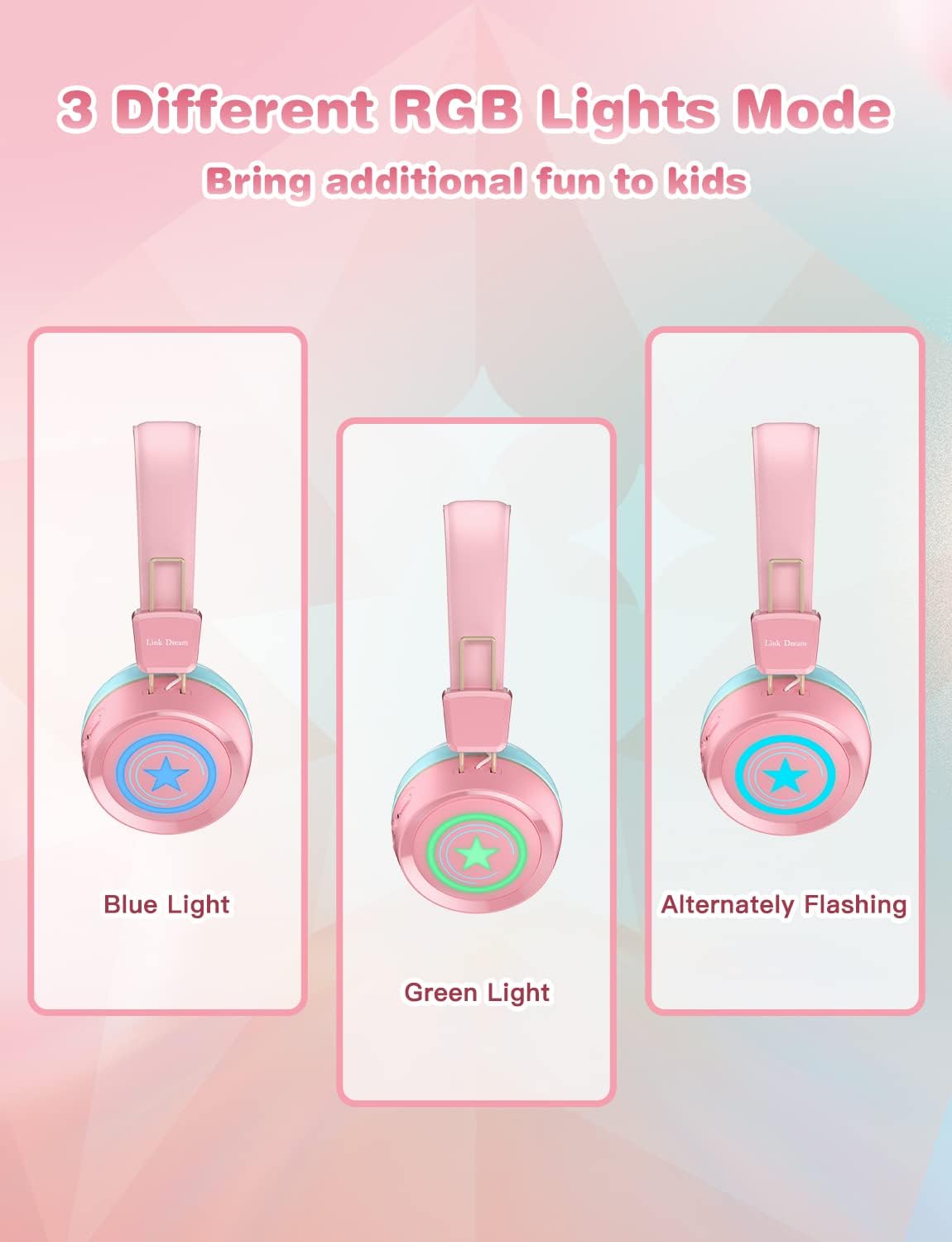
Image: Visual demonstration of the three distinct RGB light modes available on the headphones: Blue Light, Green Light, and Alternately Flashing, adding a fun element for kids.
Opretholdelse
- Clean the headphones regularly with a soft, dry cloth. Do not use harsh chemicals or abrasive materials.
- Undgå at udsætte hovedtelefonerne for ekstreme temperaturer, fugtighed eller direkte sollys.
- Opbevar hovedtelefonerne et køligt og tørt sted, når de ikke er i brug, helst i deres originale emballage eller et beskyttende etui.
- Forsøg ikke selv at skille hovedtelefonerne ad eller reparere dem, da dette vil ugyldiggøre garantien.
- Hold opladningsporten fri for støv og snavs.
Fejlfinding
| Problem | Mulig løsning |
|---|---|
| Hovedtelefonerne tænder ikke. | Sørg for, at hovedtelefonerne er fuldt opladet. Tilslut dem til en strømkilde, og prøv igen. |
| Kan ikke parres med enheden. |
|
| Ingen lyd eller lav lydstyrke. |
|
| LED-lysene virker ikke. | Press the LED Light Control Button to cycle through modes or turn them on/off. Ensure battery is not critically low. |
| Dårlig lydkvalitet. |
|
Specifikationer
| Feature | Detalje |
|---|---|
| Modelnavn | KH22B |
| Forbindelsesteknologi | Trådløs (Bluetooth), Kablet (3.5 mm jack) |
| Trådløs kommunikationsteknologi | Bluetooth 5.0 |
| Bluetooth rækkevidde | 10 meter (ca. 33 fod) |
| Batterilevetid | Up to 32 Hours (lights off) |
| Opladningstid | 2 timer |
| Ørestykke form | On-Ear |
| Materiale | Protein Leather (earpads) |
| Speciel funktion | Microphone Included, LED Lights |
| Aldersinterval (beskrivelse) | 3-15 år gammel |
| Varens vægt | 10.2 ounce |
| Fabrikant | Link drøm |
Garanti og support
Link Dream products typically come with a manufacturer's warranty. For specific warranty details, returns, or technical support, please refer to the warranty card included with your product or contact Link Dream customer service directly through their official website or the retailer where you purchased the product. Keep your purchase receipt as proof of purchase.
For yderligere hjælp kan du besøge Link Dream Store on Amazon.
Ask a question about this manual
Ask about setup, troubleshooting, compatibility, parts, safety, or missing instructions. Manuals+ will review the question and use this page’s manual context to help answer it.