
1. Introduktion
The Rettru XDWIFI Mini Wireless WiFi Camera is a compact surveillance device designed for discreet monitoring. It offers HD1080P video resolution, night vision capabilities, motion detection, and remote viewing via a mobile application. This manual provides detailed instructions for setting up, operating, and maintaining your camera.
Video: Overståetview of the Rettru XDWIFI Mini Wireless WiFi Camera, highlighting its compact size and features.
2. Pakkens indhold
Kontroller venligst, at alle følgende varer er inkluderet i din pakke:
- 1 x Rettru XDWIFI Camera
- 1 x brugermanual
- 1 x USB-kabel
- 1 x Micro SD kortlæser
- 1 x magnetisk base

Image: All components included in the Rettru XDWIFI Mini Wireless WiFi Camera package.
3. Produktfunktioner
- Ultra-kompakt design: The camera measures approximately 1.57 x 1.18 x 0.5 inches, making it highly discreet and easy to conceal.
- HD1080P Video: Records high-definition video for clear surveillance.
- Forbedret nattesyn: Equipped with two 940nm infrared lights, providing clear visibility up to 26 feet in low light or total darkness without visible glow.
- Intelligent bevægelsesdetektion: Features customizable motion detection zones and times. Sends alarm notifications with images to your phone upon detection.
- Loop-optagelse: Supports continuous recording, overwriting the oldest files når hukommelseskortet er fuldt.
- Cloud Storage: Offers cloud service for video storage (subscription may be required).
- Fjern Viewing: Access live video remotely via the mobile application on iOS/Android devices.
- Fleksibel installation: Includes a magnetic base and mounting options for versatile placement.

Image: The camera's compact size, held between two fingers.
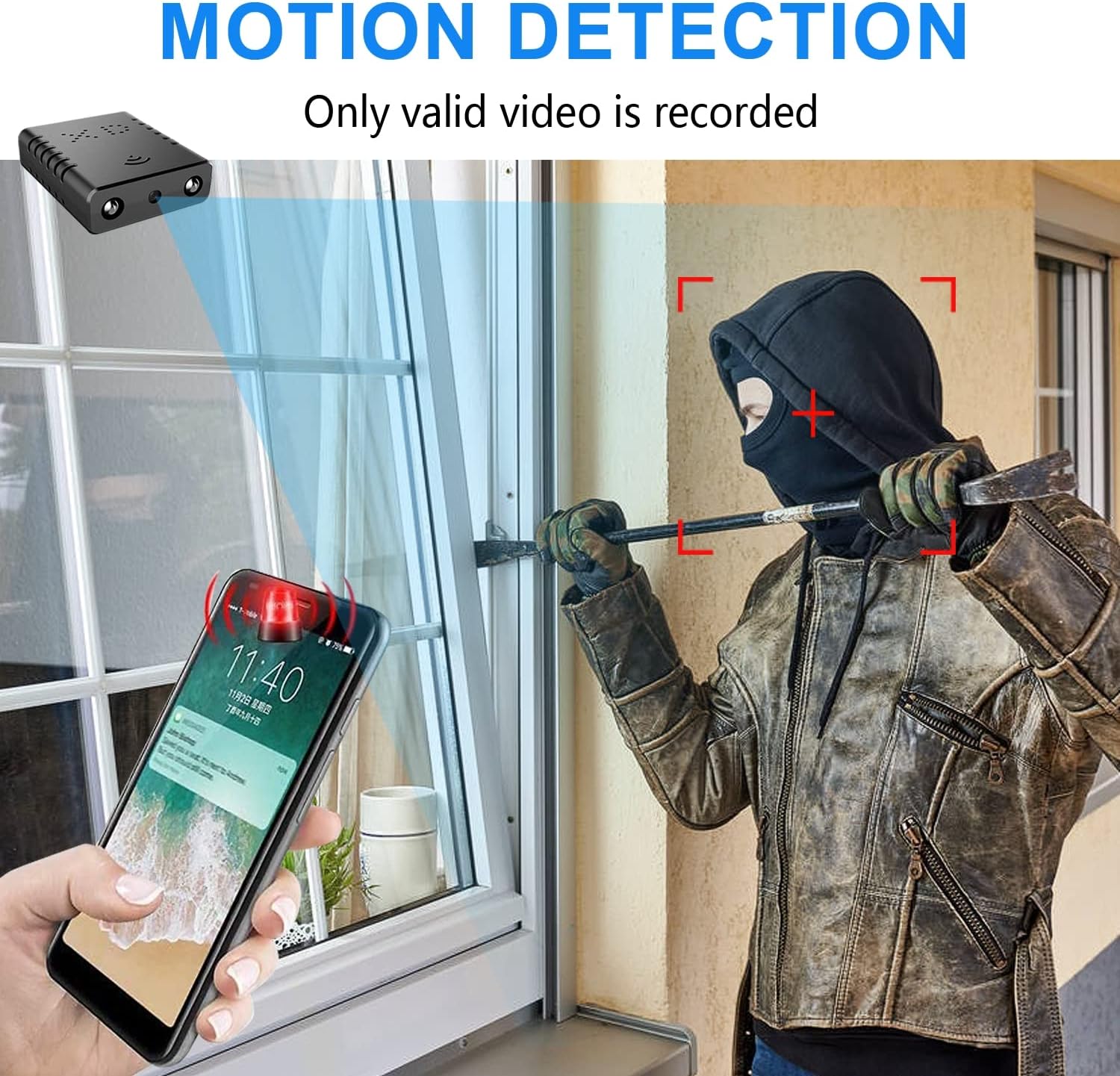
Image: Illustration of the motion detection feature, showing an alert on a smartphone.

Image: Day and night vision comparison, showing clear infrared night vision.
4. Opsætningsvejledning
4.1. Første opladning
Before first use, fully charge the camera for approximately 6 hours. During charging, a yellow light will illuminate. The camera charges via a USB-C port.
4.2. No-WiFi Recording Mode
To record without a WiFi connection, insert a compatible Micro SD card (16GB to 128GB, formatted in FAT32) into the TF card slot. Press the power button. When the blue light flashes, continuous recording will begin automatically in 5-minute clips. No app registration or device binding is needed for this mode. (Micro SD card not included, purchased separately).

Billede: Side view of the camera highlighting the TF card slot and charging port.
4.3. WiFi Recording Mode (App Connection)
Til fjernbetjening viewing and advanced features, connect the camera to your home WiFi network via the mobile application. The recommended app is V380 Pro.
- Download appen: Søg efter "V380 Pro" in your device's app store (iOS/Android) and install it.
- Registrer en konto: Åbn appen, og følg instruktionerne på skærmen for at registrere en ny konto.
- Tænd kameraet: Tænd kameraet.
- Hotspot Connection (Method 1):
- Hold the "Reset" button until both red and blue lights flash simultaneously.
- When the blue light flashes again, the camera will send out a hotspot signal.
- On your phone's WLAN settings, connect to the camera's hotspot (e.g., "@MC-********" or "@IPC-********"). No password is required.
- The device should be added automatically in the app. Go to "Device Settings" > "Wi-Fi Network" and choose your available home WiFi network. Enter the password and confirm.
- Bluetooth Connection (Method 2):
- Tænd din telefons Bluetooth.
- Log into the O-KAM Pro app (or V380 Pro), go to the "Mine" page, tap "System Permissions," and enable Bluetooth.
- In the app, click the "+" button in the upper right corner. The app will automatically detect the camera's UID. Click "Connect."
- Enter your correct WiFi password and complete the connection steps. Finally, click "Get Start" to begin using your camera.

Image: Step-by-step guide for easy app installation and WiFi connection.
Video: Detailed tutorial on camera setup and app connection for the Rettru XDWIFI camera.
5. Betjeningsvejledning
5.1. Fjernbetjening Viewing
Once connected to the app, you can view live video from anywhere in the world. The app allows multiple users to view the camera simultaneously.
5.2. Bevægelsesdetektion
Configure intelligent motion detection settings within the app. You can manually set monitoring areas and schedules. Upon detection, the camera sends alarm notifications with images to your phone.
5.3. Nattesyn
The camera automatically switches to night vision in low light conditions, providing clear black and white video up to 26 feet.
5.4. Kontinuerlig optagelse
With an inserted Micro SD card, the camera supports loop recording. When the card is full, new footage will automatically overwrite the oldest files, ensuring continuous surveillance.
5.5. Cloud Storage
Utilize the powerful cloud service for secure storage of your video data. This ensures your recordings are safe even if the camera is tamperet med eller tabt.
6. Vedligeholdelse
To ensure optimal performance and longevity of your Rettru XDWIFI camera, follow these maintenance guidelines:
- Rensning: Tør forsigtigt kameralinsen og huset af med en blød, tør klud. Undgå at bruge skrappe kemikalier eller slibende materialer.
- Batterilevetid: For prolonged use, ensure the camera is regularly charged. While battery-powered, continuous live viewing or frequent motion alerts can drain the battery faster.
- SD-kortadministration: Regularly check the status of your Micro SD card. If using loop recording, ensure the card is functioning correctly. Periodically back up important footage.
- Firmwareopdateringer: Check the V380 Pro app for any available firmware updates to ensure your camera has the latest features and security enhancements.
7. Fejlfinding
Hvis du støder på problemer med dit kamera, kan du bruge følgende almindelige løsninger:
- Connection Failure: If the camera fails to connect to the app or WiFi, try resetting the camera and attempting to reconnect.
- Nulstilling af enheden: To restore factory settings, power on the camera and hold the "Reset" button until both red and blue lights flash simultaneously. This will clear previous settings and allow for a fresh connection attempt.
- No QR Code for Setup: Some users have reported issues with missing or non-functional QR codes. Follow the manual connection methods (hotspot or Bluetooth) as detailed in Section 4.3.
- Optagelsesproblemer: Ensure a compatible Micro SD card (16GB-128GB, FAT32) is properly inserted. Check app settings for recording mode (continuous, motion-activated) and storage preferences.
- Offline status: Verify your WiFi network is stable and within range. Ensure the camera is powered on and fully charged.
8. Specifikationer
| Feature | Detalje |
|---|---|
| Model | XDWIFI |
| Videooptagelsesopløsning | 1080p |
| Forbindelsesteknologi | Trådløs (Wi-Fi) |
| Kompatible enheder | iOS/Android Phone/Window/Mac PC |
| Strømkilde | Batteridrevet |
| Controller type | V380 Pro App |
| Monteringstype | Surface Mount (Magnetic Base) |
| Night Vision Range | 26-28 fod |
| Varedimensioner (L x B x H) | 1.6 x 1.2 x 0.5 tommer |
| Varens vægt | 0.8 ounce |
| Særlige funktioner | HD1080P, Local Recording, Motion Sensor, Night Vision, Portable |
| Indendørs/Udendørs brug | Indendørs/udendørs (IP65-klassificeret) |
| Audiovisuelle optagelsesfunktioner | Video |
| Antal IR LED'er | 2 |
9. Garanti og support
For any issues or inquiries regarding your Rettru XDWIFI Mini Wireless WiFi Camera, please contact our after-sales service. The contact email is typically provided in the user manual included in your package. We are committed to providing support and assistance.