
1. Produktet er slutview
The Seagate Skyhawk ST4000VX016 is a 4TB internal hard drive specifically engineered for video applications. It leverages Seagate's extensive experience in designing drives purpose-built for 24/7 surveillance systems, ensuring reliable performance and data integrity for continuous recording environments.
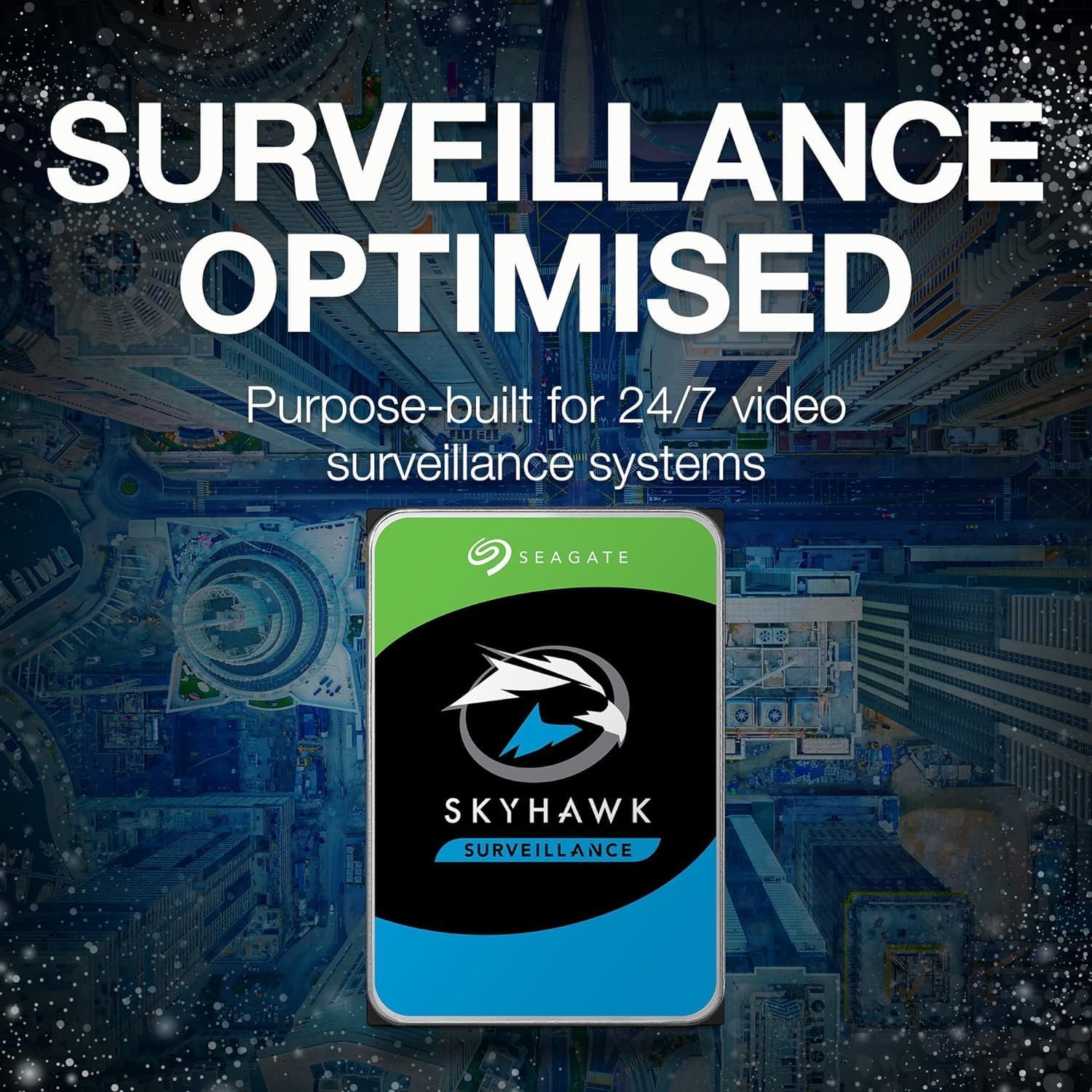
Image 1.1: The Seagate Skyhawk ST4000VX016 Internal Hard Drive.
2. Pakkens indhold
Bekræft, at din pakke indeholder følgende varer:
- 1x Seagate Skyhawk ST4000VX016 4TB Internal Hard Drive
3. Installationsvejledning
This section provides instructions for physically installing the Seagate Skyhawk ST4000VX016 hard drive into a compatible system, such as a desktop computer or a Network Video Recorder (NVR)/Digital Video Recorder (DVR).
3.1. Fysisk installation
- Forbered dit system: Power off your computer or NVR/DVR and disconnect all power cables. Open the system case to access the drive bays.
- Monter drevet: Slide the Skyhawk hard drive into an available 3.5-inch drive bay. Secure the drive using screws appropriate for your system's drive bay. Ensure the drive is firmly seated to prevent vibration.
- Tilslut datakabel: Connect one end of a SATA data cable to the SATA port on the hard drive and the other end to an available SATA port on your system's motherboard or NVR/DVR mainboard.
- Tilslut strømkabel: Tilslut et SATA-strømkabel fra systemets strømforsyningsenhed (PSU) til strømstikket på harddisken.
- Luk systemsag: Once all connections are secure, close the system case and reconnect the power cables.
3.2. Systemkonfiguration
After physical installation, the drive needs to be initialized and formatted by your operating system or NVR/DVR software.
- For Desktop Computers (Windows/Linux/macOS):
- Start din computer.
- Access Disk Management (Windows), Disk Utility (macOS), or a partitioning tool like
fdisk/parted(Linux). - Locate the newly installed drive, initialize it (if prompted), and then create a new partition and format it with a suitable file system (e.g., NTFS for Windows, ext4 for Linux, HFS+/APFS for macOS).
- For NVR/DVR Systems:
- Boot your NVR/DVR.
- Refer to your NVR/DVR's specific user manual for instructions on how to detect, initialize, and format new hard drives within its system settings. Most NVR/DVRs will automatically detect and prompt you to format the drive upon startup.
4. Betjening
The Seagate Skyhawk ST4000VX016 is designed for continuous, 24/7 operation in surveillance environments. Its specialized features ensure optimal performance for video recording.

Image 4.1: The Skyhawk drive is purpose-built for 24/7 video surveillance systems.
- 24/7 Workloads: The drive is built to handle the demanding, always-on recording requirements of surveillance systems, supporting high write workloads.
- ImagePerfect Firmware: This specialized firmware ensures smooth, clear video streaming and recording, minimizing dropped frames and maximizing data integrity.
- High-Definition Storage: Capable of supporting multiple simultaneous HD camera streams, making it suitable for systems with numerous cameras.

Image 4.2: The Skyhawk drive supports up to 64 simultaneous HD camera streams.

Image 4.3: Enhanced video streaming is achieved with ImagePerfect firmware.
5. Vedligeholdelse og pleje
Proper maintenance ensures the longevity and optimal performance of your Seagate Skyhawk hard drive.
- Fysisk miljø: Ensure the drive is installed in a well-ventilated area to prevent overheating. Avoid exposing the drive to extreme temperatures, humidity, or physical shock.
- SkyHawk Health Management (SHM): Utilize the SkyHawk Health Management system, if supported by your NVR/DVR, for proactive monitoring of drive health. SHM provides insights into drive performance and potential issues, allowing for preventative action.

Image 5.1: SkyHawk Health Management offers broad ecosystem compatibility for monitoring drive health.
- Firmwareopdateringer: Tjek regelmæssigt Seagate-supporten website for any available firmware updates for your drive model. Firmware updates can improve performance, stability, and compatibility.
- Data backup: While Skyhawk drives are reliable, it is always recommended to implement a data backup strategy for critical surveillance footage, if applicable to your system setup.
6. Fejlfinding
Dette afsnit omhandler almindelige problemer, du kan støde på med din harddisk.
- Drev ikke fundet:
- Verify that both the SATA data and power cables are securely connected to the drive and the motherboard/NVR.
- Check your system's BIOS/UEFI settings to ensure the SATA port the drive is connected to is enabled.
- Ensure the drive is properly initialized and formatted by your operating system or NVR/DVR software (refer to Section 3.2).
- Slow Performance or Recording Errors:
- Check the health of the drive using SkyHawk Health Management or other S.M.A.R.T. diagnostic tools.
- Ensure your system's drivers (e.g., SATA controller drivers) are up to date.
- Verify that the NVR/DVR system is not overloaded with too many simultaneous high-resolution streams beyond its capacity.
- Usædvanlige lyde (klik, slibning):
- Unusual noises can indicate a potential drive failure. Immediately back up any critical data if possible and contact Seagate support for assistance.
7. Tekniske specifikationer
Detailed specifications for the Seagate Skyhawk ST4000VX016 hard drive.

Image 7.1: The Skyhawk drive is designed for 180 TB/year workloads and 1 million-hours MTBF.
| Feature | Specifikation |
|---|---|
| Modelnummer | ST4000VX016 |
| Digital lagerkapacitet | 4 TB (4000 GB) |
| Harddisk interface | Seriel ATA III |
| Forbindelsesteknologi | SATA |
| Harddisk formfaktor | 3.5 tommer |
| Dataoverførselshastighed | 6 Gigabits Per Second (SATA 6.0 Gb/s) |
| Cache Memory Installed Size | 64 MB |
| Kompatible enheder | Desktop, NVR, DVR |
| Installationstype | Intern harddisk |
| Mediehastighed | 600-750 MB/s (typical for SATA III HDD) |
| Varens vægt | 0.26 kilo |
| Materiale | Aluminium |
8. Garantioplysninger
The Seagate Skyhawk ST4000VX016 hard drive comes with a 3-year limited warranty. For complete details regarding warranty terms, conditions, and the claims process, please refer to the official Seagate webwebstedet eller garantidokumentationen, der fulgte med dit køb.
9. Kundesupport
For further assistance, technical support, or to download the latest drivers and firmware, please visit the official Seagate support webwebsted:
You may also find additional resources and FAQs on the product support pages.