
HyperGear ChargePad Pro
HyperGear ChargePad Pro 15W Wireless Charging Pad
Instruktionsmanual
Indledning
Thank you for choosing the HyperGear ChargePad Pro 15W Wireless Charging Pad. This device is designed to provide efficient and convenient wireless charging for all Qi-enabled devices, including various iPhone and Android models, as well as wireless earbuds. Please read this manual carefully to ensure proper use and optimal performance.
Hvad er der i æsken
Bekræft at alle varer er til stede i din pakke:
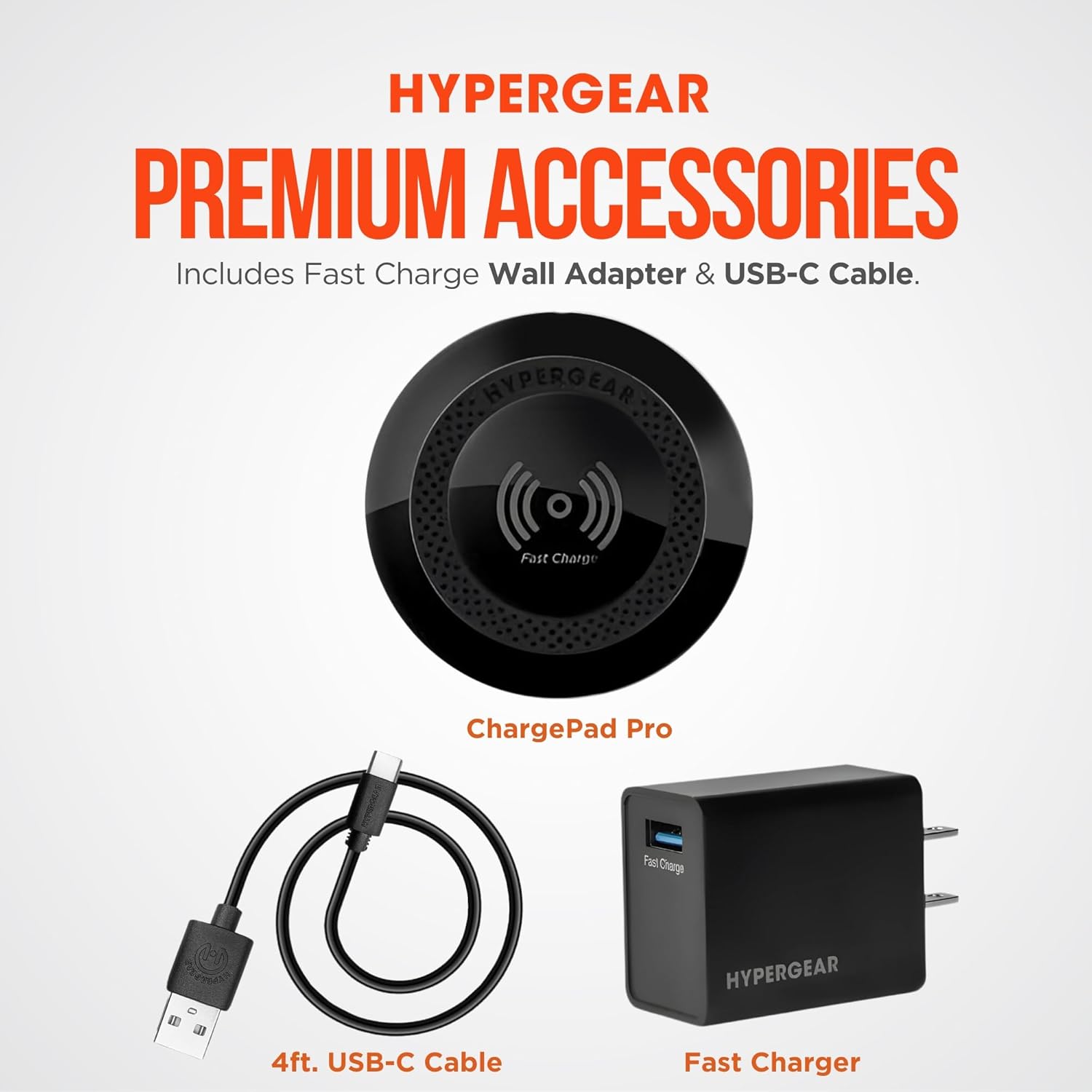
- HyperGear ChargePad Pro Wireless Charging Pad
- USB Type-C Cable (4ft)
- Fast Charge Wall Adapter (USB-C connector)
Opsætningsinstruktioner
- Tilslut opladningspuden: Insert the USB Type-C cable into the port on the HyperGear ChargePad Pro.
- Tilslut til strøm: Plug the other end of the USB Type-C cable into the provided Fast Charge Wall Adapter. Insert the wall adapter into a standard electrical outlet.
- Strømindikator: The LED power indicator on the charging pad will briefly illuminate to confirm it is receiving power.

Betjeningsvejledning
- Placer din enhed: Position your Qi-enabled smartphone or wireless earbuds centrally on the HyperGear ChargePad Pro. Ensure the device is aligned with the charging coil for optimal performance.
- Bekræft opladning: Your device's screen should indicate that it is charging. The LED power indicator on the ChargePad Pro will also illuminate steadily during active charging.
- Etui kompatibilitet: The ChargePad Pro is designed to charge through most phone cases up to 3mm thick. Cases containing metal, magnets, or those thicker than 3mm may interfere with wireless charging.
- Hurtig opladning: The pad supports up to 15W fast wireless charging for compatible Android devices and 7.5W fast charging for compatible iPhones.
- Stille drift: The ChargePad Pro operates silently, making it suitable for use in bedrooms or quiet office environments. The LED indicator is designed to be minimal to avoid disturbance.


Opretholdelse
- Rensning: Disconnect the charging pad from the power source before cleaning. Wipe the surface with a soft, dry, lint-free cloth. Do not use abrasive cleaners, solvents, or chemical agents.
- Opbevaring: Opbevar enheden et køligt, tørt sted væk fra direkte sollys og ekstreme temperaturer, når den ikke er i brug.
Fejlfinding
| Problem | Mulig årsag | Løsning |
|---|---|---|
| Enheden oplader ikke | Not properly connected to power; device not aligned; incompatible case; device not Qi-enabled. | Ensure the charging pad is securely plugged into a working outlet. Reposition your device centrally on the pad. Remove any thick or metallic cases. Verify your device supports Qi wireless charging. |
| Langsom opladning | Device misalignment; case interference; using a non-fast charge adapter. | Ensure optimal device placement. Remove cases thicker than 3mm or those with metal/magnets. Use the provided Fast Charge Wall Adapter for best results. |
| LED-indikator lyser ikke | No power; faulty connection. | Check power connections. Try a different outlet. Ensure the USB-C cable is fully inserted into both the pad and the adapter. |
Specifikationer
| Feature | Detalje |
|---|---|
| Modelnummer | 15653 |
| Produktdimensioner | 5.12 x 1.38 x 7.48 tommer |
| Varens vægt | 7.2 ounce |
| Input bindtage | 120 volt |
| Wattage | 7.5 watts (Output up to 15W) |
| Connector Type | USB Type C |
| Kompatible enheder | Qi-Enabled Devices |
| Særlige funktioner | 15W Wireless Fast Charge, LED Power Indicator, Quiet Operation |
| Farve | Sort |
Sikkerhedsoplysninger
ADVARSEL: This product can expose you to chemicals, including lead, which is known to the State of California to cause cancer and birth defects or other reproductive harm. For more information, go to www.P65Warnings.ca.gov.
- Enheden må ikke skilles ad eller modificeres.
- Avoid exposure to extreme temperatures, direct sunlight, or humid environments.
- Opbevares utilgængeligt for børn.
- Do not place metal objects, credit cards, or other foreign objects between the charging pad and your device during charging.
Garanti og support
For warranty information or technical support, please visit the official HyperGear webwebstedet eller kontakt deres kundeserviceafdeling. Du kan finde flere oplysninger og kontaktoplysninger på HyperGear Store on Amazon.
Ask a question about this manual
Ask about setup, troubleshooting, compatibility, parts, safety, or missing instructions. Manuals+ will review the question and use this page’s manual context to help answer it.