
QICYCLE C2
QiCycle C2 Connected City Bicycle User Manual
Model: C2 | Brand: QICYCLE
Produkt overview
The QiCycle C2 Connected City Bicycle is an innovative electric bicycle designed for urban commuting. It combines a lightweight aluminum frame with smart features to provide an efficient and comfortable riding experience. This manual provides essential information for the setup, operation, maintenance, and troubleshooting of your QiCycle C2 bicycle.

Figure 1: The QiCycle C2 Connected City Bicycle, showcasing its sleek design and integration with a mobile application for tracking ride data.
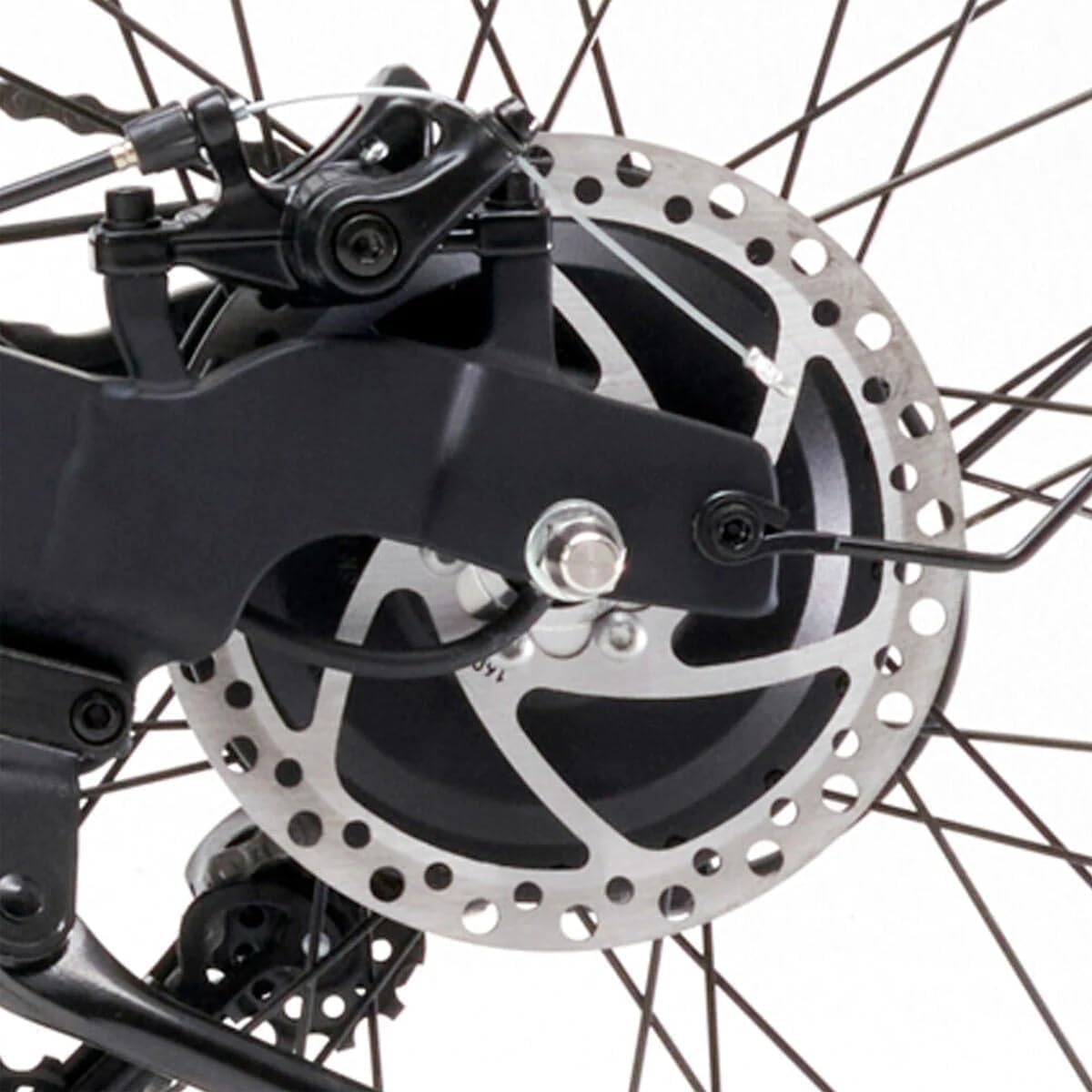
Figure 2: Detailed component diagram of the QiCycle C2, highlighting key features such as the adjustable seat post, integrated lithium-ion battery, torque sensor, 250W high-speed motor, 8-speed transmission, durable steel frame, large LED display with environmental sensor, integrated lighting system, 20-inch Kenda wheels, and front disc brake.
Opsætning og montering
Your QiCycle C2 bicycle comes partially assembled. Follow these steps to complete the setup and ensure safe operation.
- Udpakning: Carefully remove the bicycle and all components from the packaging. Retain packaging for future transport or storage.
- Montering af styr: Unfold the handlebar stem and secure it in the upright position. Ensure the quick-release lever is fully engaged and tightened.
- Pedalfastgørelse: Identify the left (L) and right (R) pedals. The left pedal threads counter-clockwise, and the right pedal threads clockwise. Apply a small amount of grease to the threads and tighten securely with a wrench.
- Justering af sadelpind: Insert the seat post into the frame. Adjust the seat height to a comfortable riding position where your leg is slightly bent at the knee when the pedal is at its lowest point. Secure the quick-release clamp fast.
- Dækpumpe: Check tire pressure. Inflate tires to the recommended PSI (pounds per square inch) indicated on the tire sidewall.
- Bremsekontrol: Verify that both front and rear disc brakes are functioning correctly. Squeeze the brake levers firmly; the wheels should stop smoothly and completely.
- Indledende opkrævning: Although the bicycle does not include batteries, if you are using a removable battery pack (not included as standard), ensure it is fully charged before your first ride.

Figur 3: Sideprofile of the QiCycle C2, illustrating its overall structure and components.
Betjeningsvejledning
Familiarize yourself with the controls and features of your QiCycle C2 for an optimal riding experience.
Riding the Bicycle
- Tænd/sluk: Locate the power button on the handlebar display. Press and hold to turn the bicycle's electrical system on or off.
- Gearskift: The QiCycle C2 features an 8-speed transmission. Use the gear shifter on the handlebar to select appropriate gears for different terrains and speeds. Shift smoothly to avoid strain on the drivetrain.
- Electric Assist: If equipped with an electric motor (270 watts), the bicycle provides pedal assist. The torque sensor detects your pedaling effort and provides proportional assistance.
- Bremsning: The bicycle is equipped with disc brakes on both front and rear wheels. Apply both brakes simultaneously for effective and controlled stopping. Avoid sudden, hard braking, especially with the front brake, to prevent skidding.
- Belysningssystem: Activate the integrated lighting system for improved visibility, especially during low-light conditions or at night.
Smart LED display
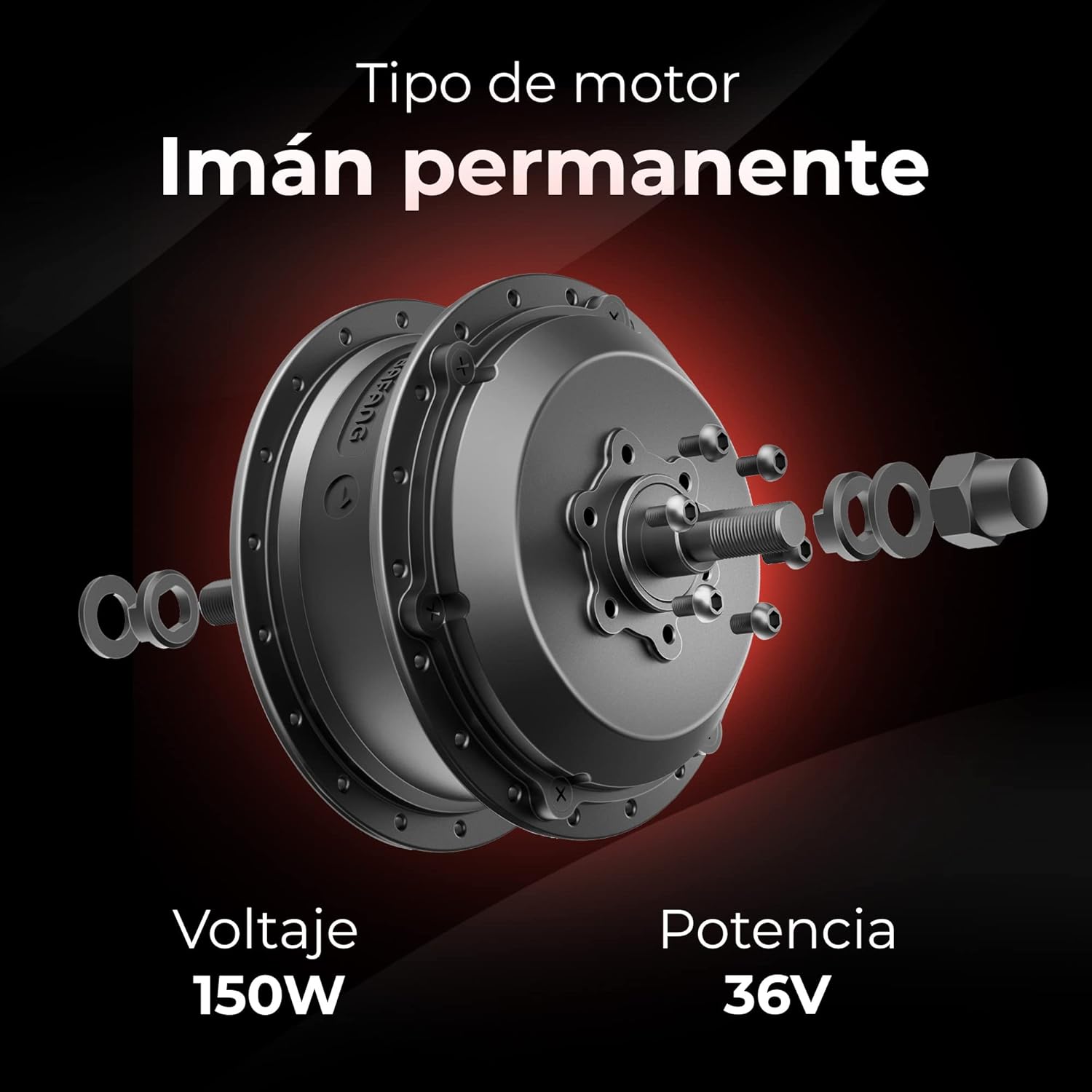
Figure 4: The intelligent LED display provides real-time riding data and allows for various adjustments.
The integrated smart LED display provides crucial information during your ride:
- Rejseinformation: Displays current speed, distance traveled, and other ride metrics.
- Ambient Light Adjustment: The display brightness adjusts automatically based on ambient light conditions for optimal readability.
- Hastighedskontrol: Monitor your current speed.
- Bluetooth-indikatorer: Shows connection status to the companion mobile application.
- Batteristatus: Provides an indication of the remaining battery charge.

Figure 5: The QiCycle C2 is designed for comfortable and efficient city commuting.
Vedligeholdelse og pleje
Regular maintenance ensures the longevity and safe operation of your QiCycle C2 bicycle.
- Rensning: Rengør cyklen regelmæssigt med reklameamp klud og mild sæbe. Undgå højtryksspuling, især i nærheden af elektriske komponenter. Tør grundigt efter rengøring.
- Kædesmøring: Lubricate the chain every 100-200 km or after riding in wet conditions. Use bicycle-specific chain lubricant.
- Bremseinspektion: Regularly check brake pads for wear and brake cables for tension. Replace worn pads promptly. Ensure disc rotors are clean and free of oil or grease.
- Vedligeholdelse af dæk: Kontroller dæktrykket før hver tur. Undersøg dækkene for snitsår, punkteringer eller overdreven slitage.
- Kontrol af bolte og møtrikker: Periodically check all bolts and nuts, especially on critical components like handlebars, seat post, wheels, and brakes, to ensure they are securely tightened.
- Batteripleje (hvis relevant): If your model uses a removable battery, follow the manufacturer's instructions for charging and storage. Avoid fully discharging the battery and store it in a cool, dry place if not in use for extended periods.

Figure 6: Detail of the rear disc brake, an essential component for safe stopping.
Fejlfinding
This section addresses common issues you might encounter with your QiCycle C2 bicycle.
| Problem | Mulig årsag | Løsning |
|---|---|---|
| Bremserne føles svampede eller ineffektive. | Slidte bremseklodser, løst bremsekabel, luft i det hydrauliske system (hvis relevant). | Inspect and replace brake pads. Adjust brake cable tension. Consult a professional bicycle mechanic for hydraulic brake issues. |
| Gearskiftet går ikke jævnt. | Dirty or unlubricated chain, misaligned derailleur, stretched gear cable. | Clean and lubricate the chain. Check derailleur alignment and adjust if necessary. Replace stretched gear cables. |
| Electric assist not working. | Low battery, loose battery connection, motor or sensor malfunction. | Charge the battery. Ensure battery is securely seated. Check connections. If problem persists, contact customer support. |
| Tire frequently goes flat. | Puncture, valve stem issue, low tire pressure. | Inspect tire and tube for punctures and repair/replace. Check valve stem for leaks. Maintain recommended tire pressure. |
Specifikationer
Detailed technical specifications for the QiCycle C2 Connected City Bicycle.
- Model: C2
- Mærke: QICYCLE
- Cykeltype: Bycykel, Elcykel
- Aldersinterval: Voksen
- Farve: Sort
- Rammemateriale: Aluminium
- Ophængstype: Stiv
- Hjulstørrelse: 20 tommer
- Bremse type: Disc Brake (Front and Rear)
- Antal hastigheder: 8
- Motor Wattage: 270 watt
- Måler: Hastighed
- Særlige funktioner: Lightweight, Connected (Smart LED Display, Bluetooth indicators, Torque Sensor)
- Anvendelse: City Commuting
- Dimensioner (L x B x H): 50 x 50 x 28 cm (Note: This dimension seems to be for packaging or a folded state, as it's unusually small for a bicycle.)
- Vægt: Approximately 1.04 kg (Note: This weight is exceptionally low for a bicycle and may refer to packaging or a specific component. Actual bicycle weight will be significantly higher.)
- Første tilgængelige dato: 30. juni 2023
- Udgivelsesdato: 1. juni 2019

Figure 7: Key features of the QiCycle C2, including its torque sensor for pedal assist, 8-speed transmission, lithium battery compatibility, and an estimated range of 60 km.
Garanti og support
For warranty information and technical support, please refer to the official QICYCLE webhjemmeside eller kontakt deres kundeservice direkte.
- Garantidækning: Specific warranty terms and conditions may vary by region and purchase date. Please retain your proof of purchase.
- Kundesupport: For technical assistance, spare parts, or service inquiries, visit the QICYCLE official support page or contact their authorized service centers.
- Online ressourcer: Check the official QICYCLE website for updated FAQs, video tutorials, and software/firmware updates for the connected features.
Ask a question about this manual
Ask about setup, troubleshooting, compatibility, parts, safety, or missing instructions. Manuals+ will review the question and use this page’s manual context to help answer it.