
Indledning
Thank you for choosing the CLIKBUTM Wireless Presentation Clicker. This device is designed to enhance your presentations by providing seamless control over slides, a built-in laser pointer, and broad compatibility with various operating systems and software. This manual provides detailed instructions for setup, operation, maintenance, and troubleshooting to ensure you get the most out of your presentation clicker.
Pakkens indhold
- CLIKBUTM Wireless Presentation Clicker
- USB-modtagerdongle
- Brugervejledning (dette dokument)
- 1 AAA Battery (may be pre-installed or included separately)
Opsætning
Follow these steps to set up your CLIKBUTM Wireless Presentation Clicker:
- Installer batteri: Open the battery compartment cover on the back of the clicker. Insert one AAA battery, ensuring the polarity (+/-) matches the diagram inside the compartment. If a film is present on the battery, remove it before insertion. Close the cover securely.
- Find USB-modtager: The USB receiver dongle is conveniently stored inside the battery compartment of the clicker. Gently slide it out.
- Tilslut USB-modtager: Plug the USB receiver dongle into an available USB port on your computer or laptop. Your computer should automatically detect and install the necessary drivers.
- Tænd og tilslut: Turn on the clicker using the power switch (usually located on the side or top). Press the 'CONNECT' button on the back of the clicker to establish a connection with the USB receiver. The device is now ready for use.

Image: The CLIKBUTM Wireless Presentation Clicker, showing the main unit, the removable USB dongle, and the open battery compartment for AAA battery insertion.

Image: Visual guide illustrating the simple three-step setup process: plug in the USB receiver, press the connect button, and begin your presentation.
Betjeningsvejledning
The CLIKBUTM Wireless Presentation Clicker offers intuitive controls for effective presentations:
- Side op/ned: Use the dedicated 'Page Up' and 'Page Down' buttons to navigate through your presentation slides.
- Laserpointer: Press and hold the 'Laser Button' (often marked with a laser icon) to activate the red laser pointer. Release the button to turn off the laser. The laser has a range of up to 328 feet (100 meters).
- Black Screen Switching: The 'Black Screen Switching' button allows you to instantly black out the screen, useful for drawing audience attention back to the speaker. Press again to resume the presentation.
- Full Screen Switching: Use the 'Full Screen Switching' button to toggle between full-screen presentation mode and windowed mode.
- Hyperlink Function: Some models may include a button for activating hyperlinks within your presentation. Refer to the key function diagram for specific button mapping.
- Skift vinduer: This function allows you to switch between open applications or windows on your computer.
The wireless control distance for the clicker is approximately 98 feet (30 meters), providing ample freedom of movement during your presentation.

Image: A detailed diagram illustrating the various buttons and components of the CLIKBUTM presentation clicker and their respective functions.

Image: A hand demonstrating the use of the CLIKBUTM presentation clicker, with the red laser beam visible on a large projection screen.

Image: A close-up of a hand comfortably gripping the CLIKBUTM presentation clicker, emphasizing its ergonomic design.
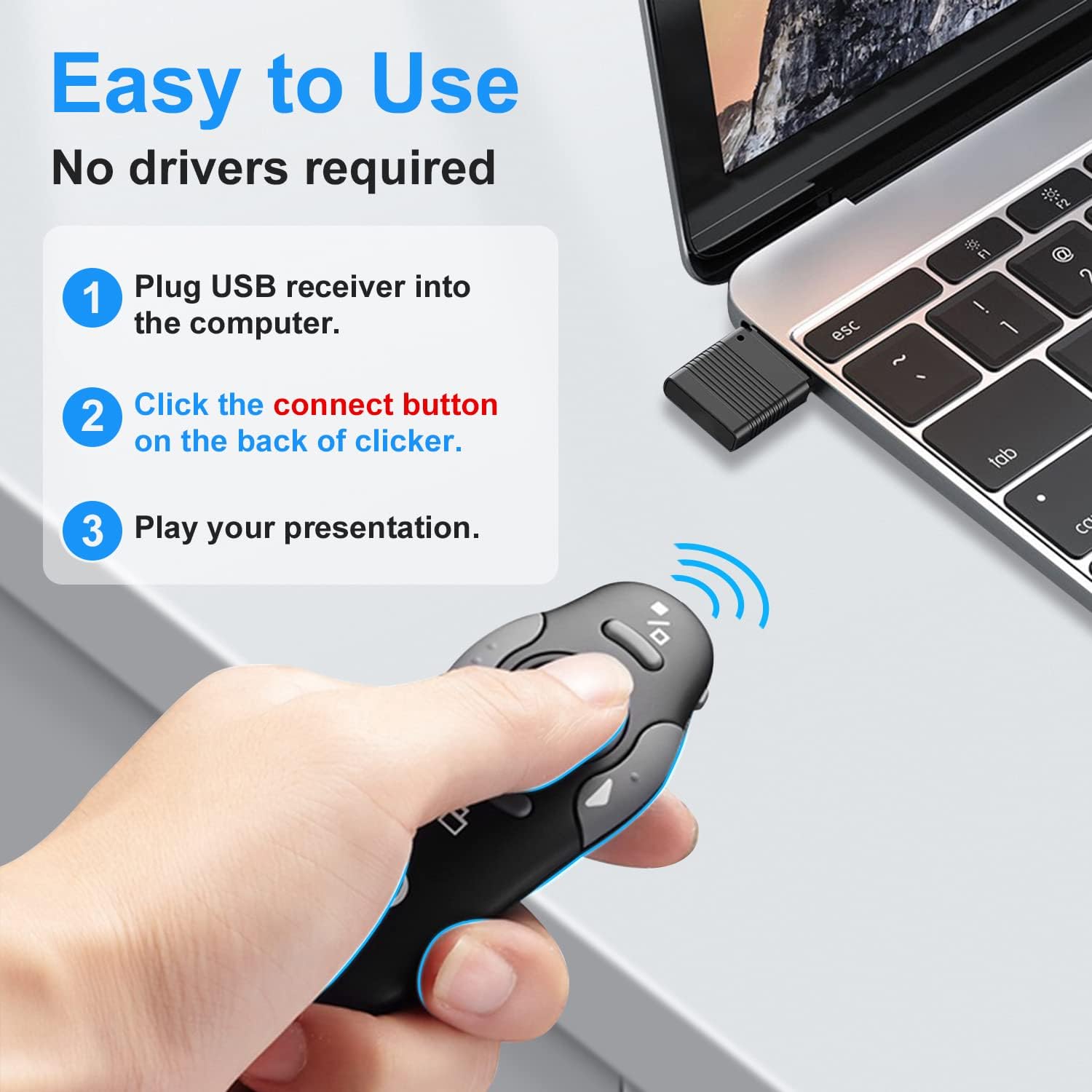
Image: The compact size of the CLIKBUTM presentation clicker shown next to a smartphone and being easily stored in a laptop bag.

Image: An illustration highlighting the long battery life of the clicker, powered by a single AAA battery, lasting up to two months.

Image: A visual representation of the wide compatibility of the CLIKBUTM presentation clicker with various operating systems and presentation software.
Kompatibilitet
The CLIKBUTM Wireless Presentation Clicker is widely compatible with:
- Operativsystemer: Windows 2003, XP, Vista, 7, 8, 10, Mac OS, Linux.
- Software: Keynote, Google Slides, MS Word, Excel, PowerPoint, Website, PDF.
Opretholdelse
To ensure the longevity and optimal performance of your presentation clicker:
- Udskiftning af batteri: When the laser pointer or clicker functions become weak or unresponsive, replace the AAA battery. Always use a fresh, high-quality AAA battery.
- Rensning: Use a soft, dry cloth to clean the exterior of the clicker. Do not use liquid cleaners or abrasive materials.
- Opbevaring: When not in use, store the USB receiver dongle inside the clicker's battery compartment to prevent loss. Store the clicker in a cool, dry place away from direct sunlight and extreme temperatures.
Fejlfinding
If you encounter issues with your CLIKBUTM Wireless Presentation Clicker, refer to the following common solutions:
| Problem | Mulig årsag | Løsning |
|---|---|---|
| Clicker reagerer ikke | Low battery; USB receiver not connected; Connection lost; Incorrect USB port. | Replace battery; Ensure USB receiver is firmly plugged in; Press the 'CONNECT' button on the clicker; Try a different USB port. |
| Laserpointer virker ikke | Lavt batteri; Laserknappen er ikke trykket korrekt ind. | Replace battery; Ensure the laser button is pressed and held firmly. |
| Slides not advancing/going back | Software not supported; Clicker not connected. | Verify your presentation software is listed under compatible software; Re-establish connection as per setup instructions. |
| Kort kontrolafstand | Forhindringer; Interferens. | Ensure a clear line of sight between the clicker and the USB receiver; Avoid using near strong electromagnetic interference sources. |
Specifikationer
- Modelnummer: WP08-R
- Produktdimensioner: 0.47 x 1.69 x 1.06 tommer
- Varens vægt: 1.76 ounce (inklusive batteri)
- Strømkilde: 1 x AAA batteri
- Trådløs kontrolafstand: Op til 98 fod (30 meter)
- Laser Pointer Range: Op til 328 fod (100 meter)
- Farve: Grå
- Speciel funktion: Ergonomisk design
- Kompatible enheder: Bærbar computer
- Fabrikant: Dongguan Baiyejia Electronic Co.,Ltd.
- Første tilgængelige: 1. april 2022
Garanti og support
CLIKBUTM products are designed for reliability and performance. For any questions, technical support, or warranty claims, please contact CLIKBUTM customer service through the retailer's platform or the official CLIKBUTM brand store. Please retain your proof of purchase for warranty purposes.
For mere information, besøg CLIKBUTM Store.