
1. Introduktion
Thank you for choosing the HoldPeak HP-816B Digital Anemometer. This device is designed for precise measurement of wind speed, air flow velocity, and temperature, including wind chill indication. This manual provides detailed instructions for proper setup, operation, and maintenance to ensure optimal performance and longevity of your anemometer.
Læs venligst denne manual grundigt, inden du bruger enheden, og gem den til senere brug.
2. Produktet er slutview
The HoldPeak HP-816B is a compact and versatile digital anemometer suitable for various applications, from outdoor activities to electrical equipment testing.
Nøglefunktioner:
- Præcis måling: Measures wind speed from 0.3 to 30 m/s (±5% rdg) and temperature from -10 to 45°C (±2°C), with real-time wind chill indication.
- Multi-Unit Display: Supports wind speed units (m/s, Ft/min, knots, Km/h, Mph) and temperature units (°C/°F).
- Datatilstande: Displays maximum, average, and current wind speed.
- Baggrundsbelyst LCD: Features a crystal display with an automatic backlight function for visibility in low-light conditions.
- Automatisk slukning: Sparer batterilevetid ved automatisk at slukke efter 10 minutters inaktivitet.
- Bærbart design: Lightweight and compact, designed for single-hand operation and easy portability.

Figure 2.1: HoldPeak HP-816B Anemometer with basic functions highlighted.
3. Komponenter inkluderet
The HoldPeak HP-816B Digital Anemometer package typically includes:
- HoldPeak HP-816B Digital Anemometer
- CR2032 3.0V Battery (pre-installed or included separately)
- Snor
- Brugermanual
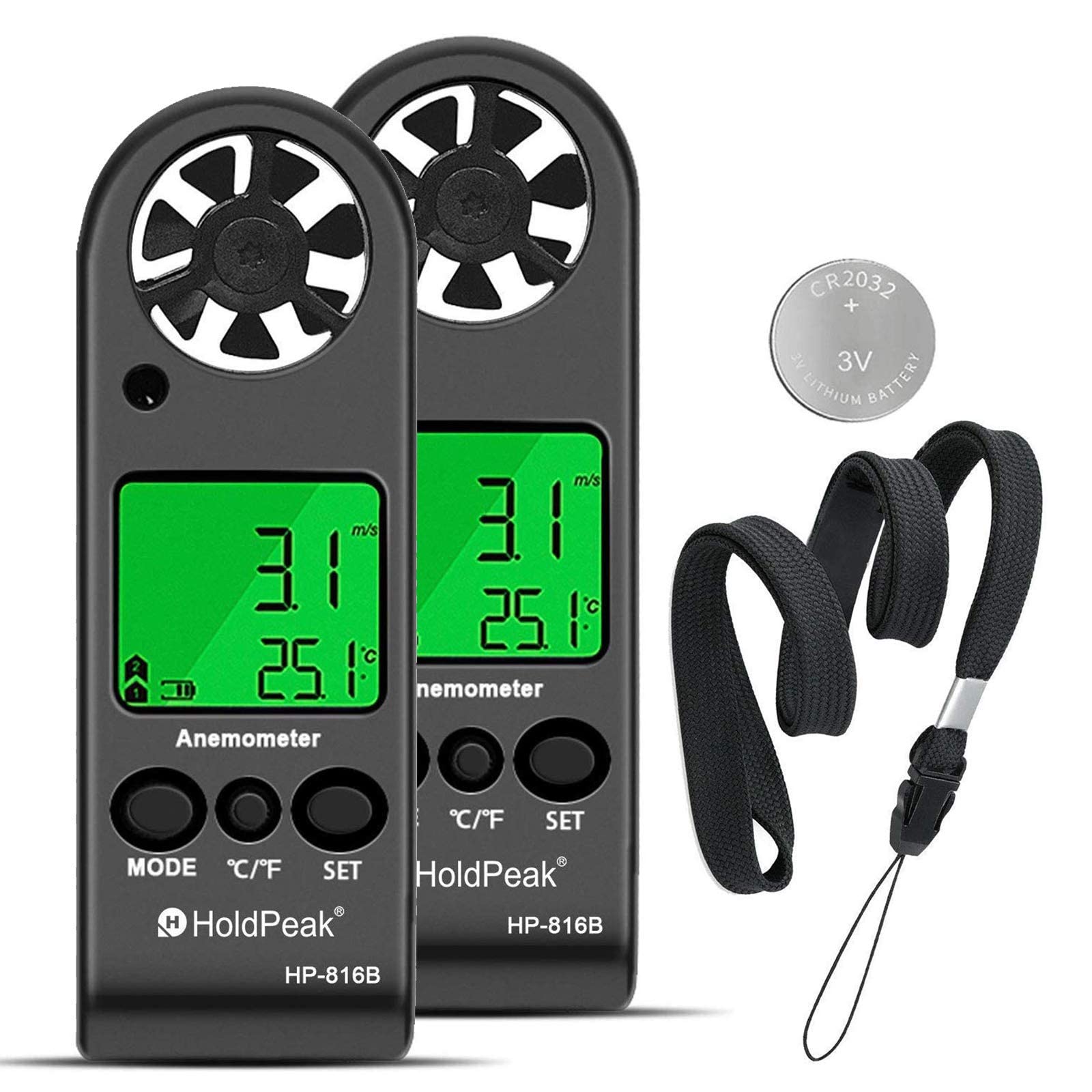
Figure 3.1: The HoldPeak HP-816B Digital Anemometer and its included accessories.
4. Opsætning
4.1 Batteriinstallation
The device uses one CR2032 3.0V battery. Follow these steps to install or replace the battery:
- Locate the battery cover on the back of the anemometer.
- Use a coin to rotate the battery cover counter-clockwise to the "OPEN" position.
- Fjern dækslet, og isæt CR2032-batteriet med den positive (+) side opad.
- Replace the battery cover and rotate it clockwise to the "CLOSE" position to secure it.

Figure 4.1: Illustrated guide for battery replacement.
4.2 Fastgørelse af snor
To prevent accidental drops and for convenient carrying, attach the included lanyard:
- Locate the lanyard hole at the bottom of the anemometer.
- Thread the thin loop of the lanyard through the hole.
- Pass the main strap of the lanyard through the loop and pull it tight to secure.
Video 4.1: Demonstration of battery installation and lanyard attachment.
5. Betjeningsvejledning
5.1 Tænd/sluk
- Tænd: Long press the "MODE" button until the device turns on and "m/s" starts to flash.
- Sluk: Long press the "SET" button to turn off the device. The device also features an automatic power-off function after 10 minutes of inactivity.
5.2 Unit Selection (Wind Speed)
To change the wind speed unit:
- With the device powered on, short press the "MODE" button repeatedly.
- Cycle through the available units: m/s, km/h, ft/min, knots, mph.
- Den valgte enhed vil blive vist på skærmen.
5.3 Temperaturenhedskontakt (°C/°F)
Sådan skifter du mellem Celsius og Fahrenheit:
- Short press the "°C/°F" button to toggle between Celsius (°C) and Fahrenheit (°F).
5.4 Baggrundsbelysningsfunktion
The device is equipped with a backlight for use in dark environments:
- Press any key to activate the LCD backlight for 5 seconds.

Figure 5.1: Anemometer display with backlight activated in a dark setting.
5.5 Measurement Modes (MAX/AVG/CURRENT)
The anemometer can display maximum, average, and current wind speed. Use the "MODE" button to cycle through these display options after the device is powered on and the unit is selected.

Figur 5.2: Detaljeret view of the anemometer's display and control buttons (MODE, °C/°F, SET).
6. Specifikationer
Below are the technical specifications for the HoldPeak HP-816B Digital Anemometer:
| Feature | Specifikation |
|---|---|
| Mærke | HoldPeak |
| Modelnummer | HP-816B |
| Materiale | Acrylonitril Butadien Styren (ABS) |
| Varedimensioner (L x B x H) | 11.3 x 4 x 1.5 cm |
| Varens vægt | 80 gram |
| Batteritype | CR2032 3.0V |
| Termometer | NTC termometer |
| Temperaturområde | -10°C til 45°C (14°F til 113°F) |
| Driftstemperatur | ≤90% RH |
| Opbevaringstemperatur | -40°C til 60°C (-40°F til 140°F) |
| Nuværende forbrug | Cirka 3mA |
| Wind Speed Range (m/s) | 0.3 - 30 m/s (Resolution: 0.1, Threshold: 0.1, Accuracy: ±5%) |
| Wind Speed Range (Ft/min) | 0 - 5860 Ft/min (Resolution: 19, Threshold: 39, Accuracy: ±5%) |
| Wind Speed Range (Knots) | 0 - 55 Knots (Resolution: 0.2, Threshold: 0.3, Accuracy: ±5%) |
| Wind Speed Range (Km/h) | 0 - 90 Km/h (Resolution: 0.3, Threshold: 0.3, Accuracy: ±5%) |
| Wind Speed Range (Mph) | 0 - 65 Mph (Resolution: 0.2, Threshold: 0.2, Accuracy: ±5%) |

Figure 6.1: Detailed specifications and dimensions of the anemometer.
7. Vedligeholdelse
7.1 Rengøring
To maintain accuracy and extend the life of your anemometer:
- Tør enheden af med en blød, tør klud.
- Brug ikke slibende rengøringsmidler eller opløsningsmidler.
- Ensure the fan blades are free from dust and debris for accurate wind speed readings.
7.2 Udskiftning af batteri
Refer to Section 4.1 for detailed instructions on how to replace the battery. Replace the battery when the low battery indicator appears on the display to ensure continuous and accurate operation.
7.3 Opbevaring
When not in use for extended periods, store the anemometer in a cool, dry place, away from direct sunlight and extreme temperatures. If storing for a long time, it is recommended to remove the battery to prevent leakage.
8. Fejlfinding
If you encounter issues with your HoldPeak HP-816B Anemometer, refer to the following common problems and solutions:
- Enheden tænder ikke: Check if the battery is correctly installed and has sufficient charge. Replace the battery if necessary (refer to Section 4.1).
- Inaccurate wind speed readings: Ensure the fan blades are clean and unobstructed. Make sure the device is held in an open area, facing the wind direction.
- Displayet er svagt eller flimrende: The battery might be low. Replace the battery.
- Baggrundsbelysningen virker ikke: Press any button to activate the backlight. If it still doesn't work, check the battery.
If the problem persists after attempting these solutions, please contact HoldPeak customer support for further assistance.
9. Anvendelsesscenarier
The HoldPeak HP-816B Digital Anemometer is a versatile tool suitable for a wide range of applications:
- Udendørs aktiviteter: Ideal for shooting, sailing, mountaineering, kite flying, drone operation, and other sports where wind conditions are crucial.
- VVS-systemer: Useful for testing and balancing heating, ventilation, and air conditioning equipment.
- Miljøovervågning: Can be used for air flow research and aerial surveys.
- Industriel brug: Suitable for various industrial applications requiring wind speed and temperature monitoring.

Figur 9.1: Eksamples of the anemometer's diverse application scenarios.
10. Garanti og support
HoldPeak provides a 365-day warranty for the HP-816B Digital Anemometer, ensuring quality and reliability. Additionally, lifetime technical support is available to assist you with any questions or issues you may encounter.
For technical assistance or warranty claims, please contact HoldPeak customer service through their official channels or the retailer where the product was purchased.