
1. Introduktion
Tak for købetasing the Muse M-308 BT Bluetooth Speaker. This manual provides essential information for the safe and correct use of your device. Please read it thoroughly before use and keep it for future reference.
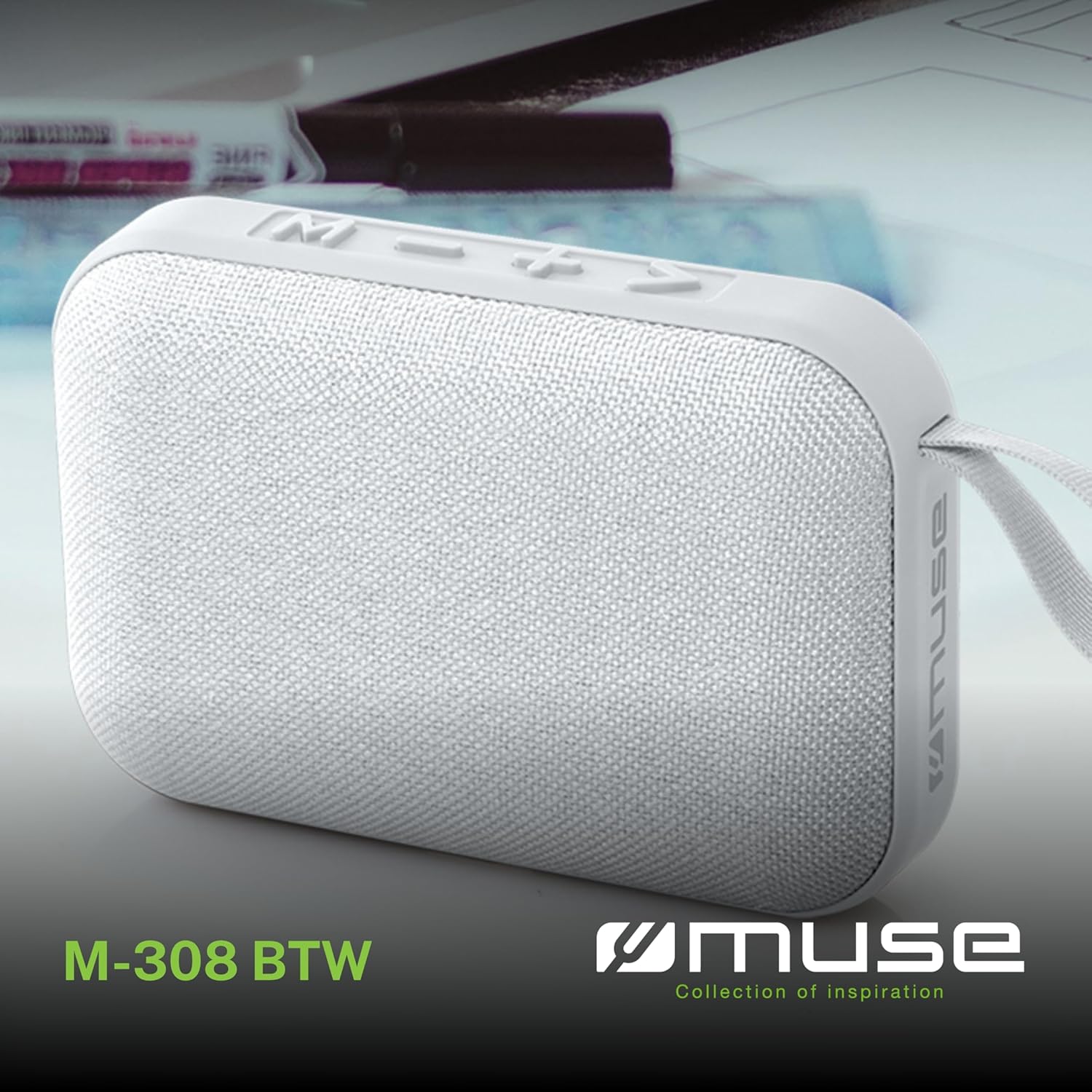
Billede 1.1: Forside view of the Muse M-308 BT Bluetooth Speaker.
2. Produktfunktioner
- Bluetooth-forbindelse: Stream lyd trådløst fra kompatible enheder.
- Håndfri funktion: Integrated microphone for taking calls.
- Medieafspilning: Supports music playback from USB and MicroSD (TF) cards.
- Stereo parring: Connect two M-308 BT speakers for enhanced stereo sound.
- LED-indikator: Provides visual feedback for Bluetooth pairing and charging status.
- Kompakt og let: Designed for portability, weighing approximately 200g.
- Indbygget genopladeligt batteri: 1200mAh capacity for up to 10 hours of playback.
- Udgangseffekt: 5 Watts for clear audio.

Image 2.1: Key features of the Muse M-308 BT speaker.

Image 2.2: Additional functionalities of the Muse M-308 BT speaker.
3. Pakkens indhold
Sørg for, at alle genstande er til stede ved udpakning:
- Muse M-308 BT Bluetooth Speaker
- USB opladningskabel
- Brugervejledning (dette dokument)
4. Kontrolelementer og forbindelser
Gør dig bekendt med højttalerens betjeningselementer og tilslutningsporte:

Image 4.1: Top panel with various connections.
- USB-port: Til afspilning af musik fra et USB-flashdrev.
- Mikro-USB-port: Til opladning af højttaleren.
- Micro SD (TF) kortslot: Til afspilning af musik fra et Micro SD-kort.
- TÆND/SLUK -kontakt: Til at tænde eller slukke for højttaleren.

Image 4.2: Side panel with control buttons.
- M-knap (tilstand): Press to switch between Bluetooth, USB, and Micro SD modes.
- - Button (Volume Down / Previous Track):
- Kort tryk: Skru ned for lydstyrken.
- Langt tryk: Gå til det forrige nummer.
- + Button (Volume Up / Next Track):
- Kort tryk: Øg lydstyrken.
- Long press: Go to the next track.
- > Button (Play / Pause / Call):
- Short press: Play or pause music.
- Short press (during incoming call): Answer call.
- Long press (during incoming call): Reject call.
- Short press (during call): End call.
5. Opsætning
5.1 Opladning af højttaleren
- Connect the supplied USB charging cable to the Micro-USB port on the speaker.
- Tilslut den anden ende af USB-kablet til en USB-strømadapter (medfølger ikke) eller en computers USB-port.
- LED-indikatoren lyser for at vise opladningsstatus. Den slukker eller skifter farve, når den er fuldt opladet.
5.2 Tænd/sluk
- To power on, slide the ON/OFF switch to the 'ON' position. You will hear an audible prompt.
- For at slukke skal du skubbe TÆND/SLUK-knappen til 'SLUK'-positionen.
5.3 Bluetooth -parring
- Ensure the speaker is powered on and in Bluetooth mode (indicated by a flashing LED). If not, press the 'M' button to switch to Bluetooth mode.
- Aktiver Bluetooth på din smartphone, tablet eller anden kompatibel enhed.
- Søg efter available Bluetooth devices and select "M-308 BT" from the list.
- Once paired, the LED indicator will stop flashing and remain solid, and you will hear a confirmation tone.
- The speaker will automatically connect to the last paired device when powered on, if it is within range.
5.4 Stereo Pairing (TWS Function)
To pair two M-308 BT speakers for true wireless stereo sound:
- Ensure both speakers are powered on and in Bluetooth pairing mode (LED flashing).
- On one of the speakers (this will be the primary speaker), double-press the 'M' button. The speaker will search for another M-308 BT speaker.
- Once connected, both speakers will emit a confirmation tone, and the LED on the primary speaker will flash slowly, while the LED on the secondary speaker will remain solid.
- Tilslut nu din enhed til den primære højttaler via Bluetooth som beskrevet i afsnit 5.3.
6. Betjeningsvejledning
6.1 Afspilning af musik
- Bluetooth-tilstand: After successful pairing, start playing music on your connected device. The audio will stream through the speaker.
- USB/Micro SD-tilstand: Insert a USB flash drive or Micro SD card into the respective port. The speaker will automatically switch to the corresponding mode and begin playing music. If it doesn't, press the 'M' button to cycle through modes.
6.2 Lydstyrkekontrol
- Tryk på '+'-knappen for at øge lydstyrken.
- Tryk på '-' knappen for at sænke lydstyrken.
6.3 Spornavigation
- Long press the '+' button to skip to the next track.
- Long press the '-' button to go back to the previous track.
6.4 Håndfri opkald
- When a call comes in, the music will pause. Press the '>' button to answer the call.
- To end a call, press the '>' button again.
- To reject an incoming call, long press the '>' button.
7. Vedligeholdelse
- Keep the speaker away from extreme temperatures, direct sunlight, and moisture.
- Do not expose the speaker to water or other liquids. This model is not water-resistant.
- Rengør højttaleren med en blød, tør klud. Brug ikke slibende rengøringsmidler eller opløsningsmidler.
- Forsøg ikke selv at skille højttaleren ad eller reparere den. Dette vil ugyldiggøre garantien.
- Når batteriet ikke er i brug i længere perioder, skal det oplades mindst én gang hver tredje måned for at opretholde batteriets tilstand.
8. Fejlfinding
| Problem | Mulig årsag | Løsning |
|---|---|---|
| Højttaleren tænder ikke. | Batteriet er afladet. | Oplad højttaleren med det medfølgende USB-kabel. |
| Kan ikke parres via Bluetooth. | Bluetooth is not enabled on your device or speaker is not in pairing mode. Speaker is too far from the device. | Ensure Bluetooth is active on both devices. Make sure the speaker is in Bluetooth pairing mode (flashing LED). Move the speaker closer to your device (within 10 meters). |
| Ingen lyd. | Lydstyrken er for lav. Højttaleren er ikke tilsluttet. Forkert tilstand valgt. | Increase the volume on both the speaker and your connected device. Re-pair the Bluetooth connection. Press the 'M' button to cycle through modes (Bluetooth, USB, Micro SD). |
| Music playback from Micro SD card is erratic or "screaming". | Ødelagt files on Micro SD card. Incompatible file format. | Sørg for lyd files are in a compatible format (e.g., MP3). Try using a different Micro SD card or reformatting the current one and reloading files. |
| Speaker switches between modes (e.g., SD and BT) unexpectedly. | Interference or a temporary software glitch. | Power off the speaker, wait a few seconds, then power it back on. Ensure no other devices are causing interference. If the issue persists, try removing the Micro SD card if it's inserted. |
9. Specifikationer
| Modelnavn | M-308 BT |
| Mærke | Muse |
| Forbindelsesteknologi | Bluetooth, kablet |
| Trådløs kommunikationsteknologi | Bluetooth |
| Højttaler Maksimal udgangseffekt | 5 watt |
| Lydudgangstilstand | Stereoanlæg |
| Højttaler type | Bærbar Bluetooth højttaler |
| Særlige funktioner | Bluetooth |
| Kompatible enheder | Smartphone, tablet |
| Strømkilde | Batteri |
| Batterilevetid | 10 timer |
| Batterikapacitet | 1200 mioampfør-time |
| Produktmål (D x B x H) | 118D x 30B x 76H millimeter (11.8 x 3 x 7.6 cm) |
| Varens vægt | 200 gram |
| Materiale | Plastic rubber material |
| Is Water Resistant | Ingen |
| Inkluderede komponenter | USB opladningskabel |
Image 9.1: Dimensions of the Muse M-308 BT speaker.
10. Garanti og support
The Muse M-308 BT Bluetooth Speaker comes with a 2 års garanti fra købsdatoen.
For technical support, warranty claims, or further assistance, please contact your retailer or visit the official MUSE webwebsted for kontaktoplysninger.


