
1. Introduktion
Thank you for choosing the VOYEE WE-07 Wired Game Controller. This manual provides detailed instructions for setting up, operating, and maintaining your controller. The WE-07 is designed for a responsive and immersive gaming experience on both PC and PlayStation 3 platforms.

Image: The VOYEE WE-07 wired game controller, featuring a black and red design with prominent VOYEE branding and illuminated rumble effects, indicating its dual shock capabilities.
2. Produktfunktioner
- Kabelforbindelse: Equipped with a 1.8-meter (5.9ft) USB cable for a stable connection and comfortable gaming distance.
- Dobbelt stødvibration: Built-in dual motion motors provide varied intensity feedback for an authentic gaming experience.
- Ergonomisk design: Features a special matte layer for a comfortable grip during extended gaming sessions.
- Bred kompatibilitet: Supports Windows 7/8/8.1/10/11 PC games (DInput and XInput modes) and is fully compatible with Sony PlayStation 3 consoles.

Image: An illustration highlighting the internal dual shock rumble motor within the VOYEE WE-07 controller, emphasizing its vibration feedback capability.
3. Controllerlayout
Familiarize yourself with the buttons and controls of your VOYEE WE-07 controller:

Image: A detailed diagram of the VOYEE WE-07 controller, labeling all buttons and joysticks, including R1/R2/L1/L2 buttons, LED indicators, SELECT, START, HOME, D-Pad, Left/Right Joysticks, and A/B/X/Y buttons.
- Venstre joystick: Til retningsbestemt bevægelse.
- Højre joystick: Til kamerastyring eller sigtning.
- D-Pad: Retningspad til præcis input.
- Handlingsknapper (A, B, X, Y): Til handlinger i spillet.
- Skulderknapper (L1, R1): Topmonterede knapper.
- Udløserknapper (L2, R2): Bottom-mounted analog triggers.
- SELECT -knap: Typically for menu navigation or specific game functions.
- START-knap: Typically for pausing or starting games.
- HOME/P3 Button: For accessing system menus or PlayStation 3 home screen.
- LED-indikatorer (1-4): Show player number or connection status.
4. Opsætningsvejledning
Connecting your VOYEE WE-07 controller is a straightforward process:
4.1. Connecting to a PC (Windows 7/8/8.1/10/11)
- Find en ledig USB-port på din computer.
- Plug the USB connector of the VOYEE WE-07 controller into the USB port.
- Your computer will automatically detect and install the necessary drivers. This may take a few moments.
- Once installed, the controller will be ready for use. You may need to configure the controller settings within your game or platform (e.g., Steam) for optimal performance.
The controller supports both DInput (DirectInput) and XInput modes. Most modern PC games use XInput, which is automatically recognized. For older games, DInput might be used.
4.2. Tilslutning til en PlayStation 3 (PS3)
- Sørg for, at din PS3-konsol er tændt.
- Plug the USB connector of the VOYEE WE-07 controller into an available USB port on your PS3.
- The PS3 will recognize the controller. The LED indicators on the controller will light up to show the assigned player number.
- The controller is now ready for use with your PlayStation 3 games.

Image: A close-up of the VOYEE WE-07 controller's USB cable connecting to a device, illustrating the wired connection process.
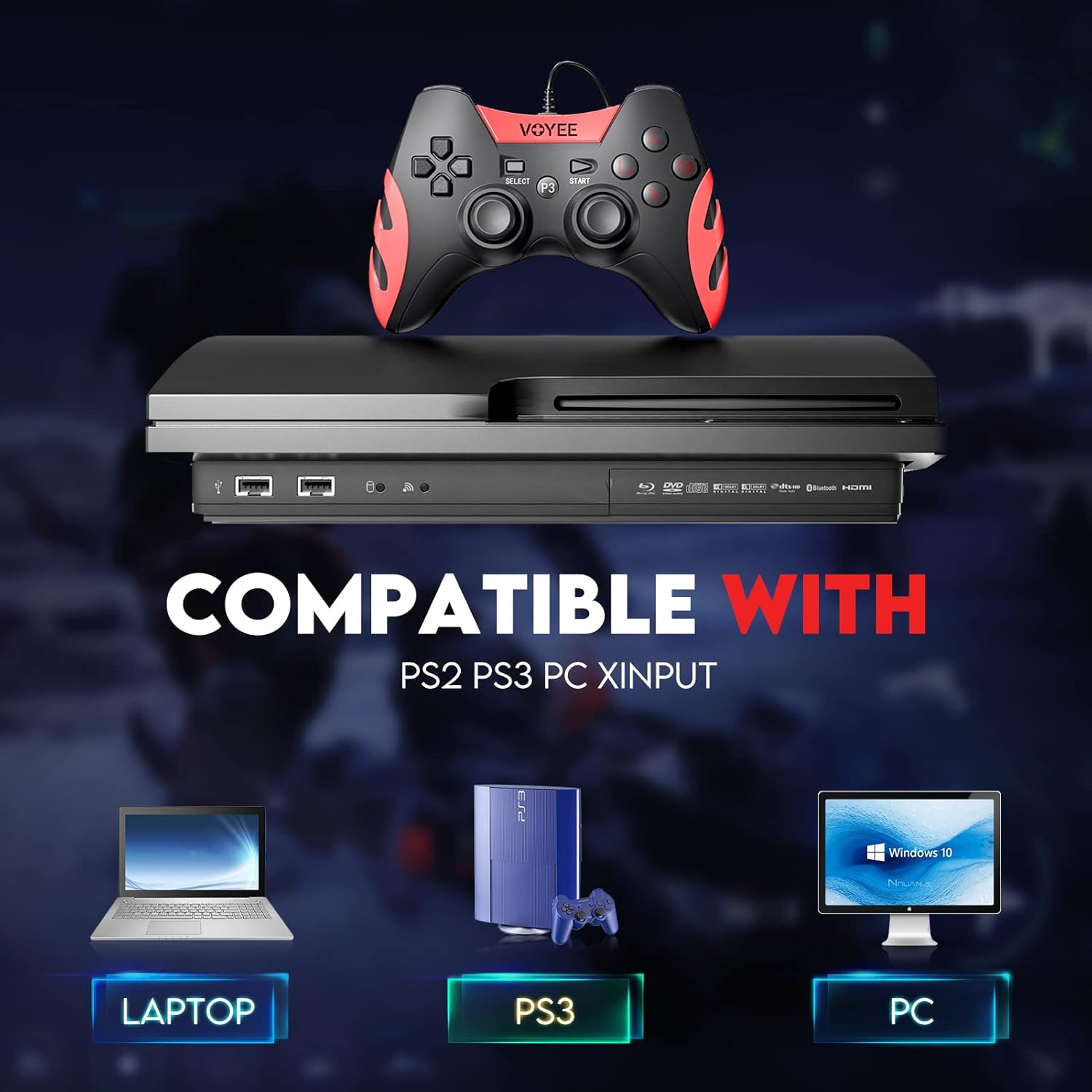
Image: A graphic demonstrating the VOYEE WE-07 controller's compatibility with various platforms, including laptops, PlayStation 3 consoles, and desktop PCs, highlighting its versatility.
5. Betjeningsvejledning
Once connected, the VOYEE WE-07 controller functions similarly to standard gamepads. Here are some general operating tips:
- Spilkontrol: Use the joysticks and D-Pad for movement and navigation. The action buttons (A, B, X, Y) and shoulder/trigger buttons (L1, R1, L2, R2) perform in-game actions as defined by the specific game.
- Vibrationsfeedback: The dual shock motors will provide tactile feedback during gameplay, enhancing immersion. This feature is automatically enabled when supported by the game.
- HOME/P3 Button: Press this button to access the system menu on PS3 or to bring up the game overlay on PC (depending on the game or platform).
- Ergonomi: The controller's matte finish and ergonomic design are intended for comfortable use during long gaming sessions.
6. Fejlfinding
If you encounter issues with your VOYEE WE-07 controller, please refer to the following common solutions:
| Problem | Løsning |
|---|---|
| Controller not recognized by PC/PS3. |
|
| Vibrationsfeedbacken virker ikke. |
|
| Knapper eller joysticks reagerer ikke. |
|
7. Vedligeholdelse
To ensure the longevity and optimal performance of your VOYEE WE-07 controller, follow these maintenance guidelines:
- Rensning: Brug en blød, tør klud til at tørre overfladen på controlleren af. Ved genstridigt snavs, tør letampRengør kluden med vand. Undgå at bruge skrappe kemikalier eller slibende rengøringsmidler.
- Opbevaring: Opbevar controlleren et køligt og tørt sted, væk fra direkte sollys og ekstreme temperaturer. Undgå at placere tunge genstande oven på controlleren.
- Kabelpleje: Do not sharply bend or pull the USB cable. Always grasp the plug when disconnecting, not the cable itself.
- Undgå dråber: Beskyt controlleren mod fald og stød, som kan beskadige de interne komponenter.
8. Specifikationer
| Model | WE-07 |
| Mærke | VOYEE |
| Forbindelse | Kablet USB |
| Kabellængde | 1.8 meter (5.9 fod) |
| Kompatible enheder | PC (Windows 7/8/8.1/10/11), PlayStation 3 |
| Controller type | Gamepad, Joystick (DInput & XInput) |
| Yderligere funktioner | Dual Shock Vibration, Ergonomic Design, Matte Finish |
| Knap Antal | 17 |
9. Garanti og support
VOYEE provides a 365 dages garanti for the WE-07 wired gamepad controller from the date of purchase. This warranty covers manufacturing defects under normal use.
If you encounter any problems or have questions regarding your VOYEE WE-07 controller, please do not hesitate to contact our customer service team via e-mail. Our friendly customer service is available to assist you.
For support, please visit the official VOYEE webwebstedet eller se din købsdokumentation for kontaktoplysninger.