
1. Introduktion
The Dilwe T11 Smart Voice Translator is a portable, real-time translation device designed to facilitate communication across language barriers. Featuring a 2.4-inch touchscreen, it supports multi-language voice and photo translation, making it suitable for travel, business, and educational purposes.
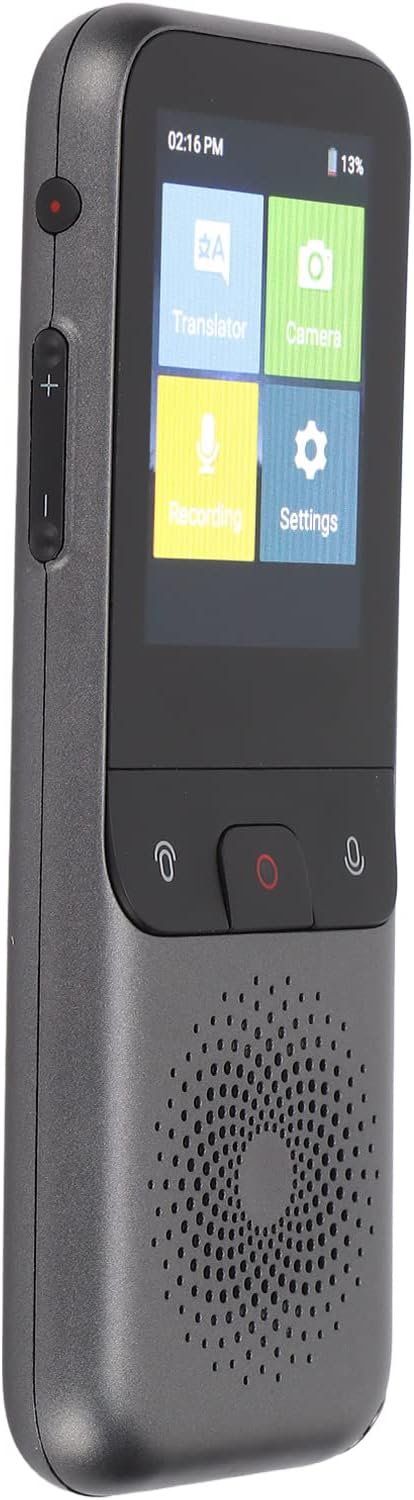
Figur 1.1: The Dilwe T11 Smart Voice Translator device.
2. Pakkens indhold
Bekræft at alle varer er til stede i pakken:
- 1 x Dilwe T11 Smart Voice Translator
- 1 x datakabel (Type-C)
- 1 x Brugermanual (dette dokument)

Figur 2.1: Translator device and included data cable.
3. Enhed overview
Familiarize yourself with the physical components of your T11 translator.
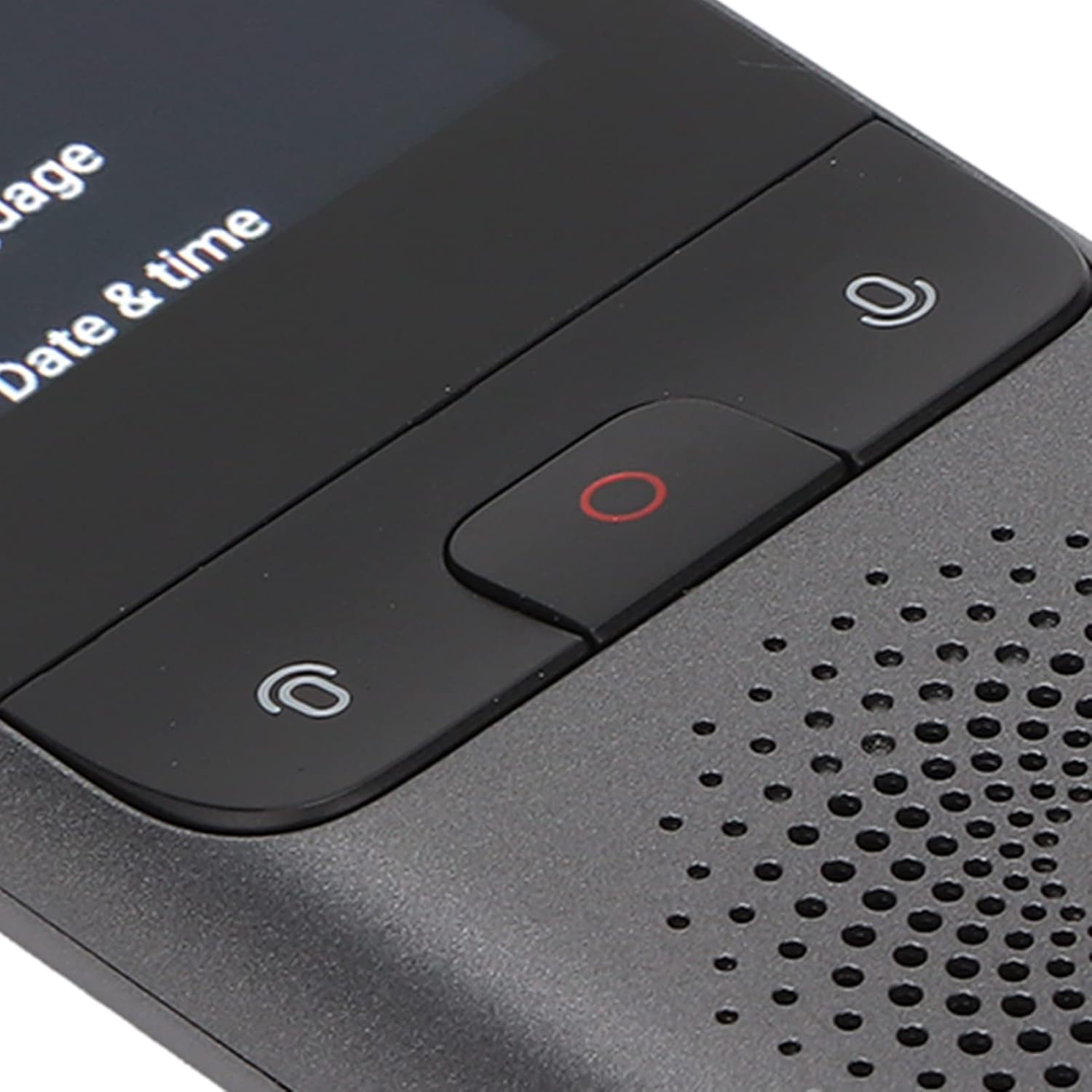
Figur 3.1: Front control buttons for translation input.
- Power knap: Located on the side, used for powering on/off and screen wake/sleep.
- Lydstyrkeknapper: Located on the side, used to adjust audio output.
- Mikrofonknapper: Two buttons on the front for initiating voice input for translation.
- Optag knap: Central red button on the front for recording functions.
- Højttaler: Located at the bottom front for audio output.
- Type-C interface: Til opladning og dataoverførsel.
- Hovedtelefonstik: Til privat lytning.
- Kamera: Rear-facing camera for photo translation.
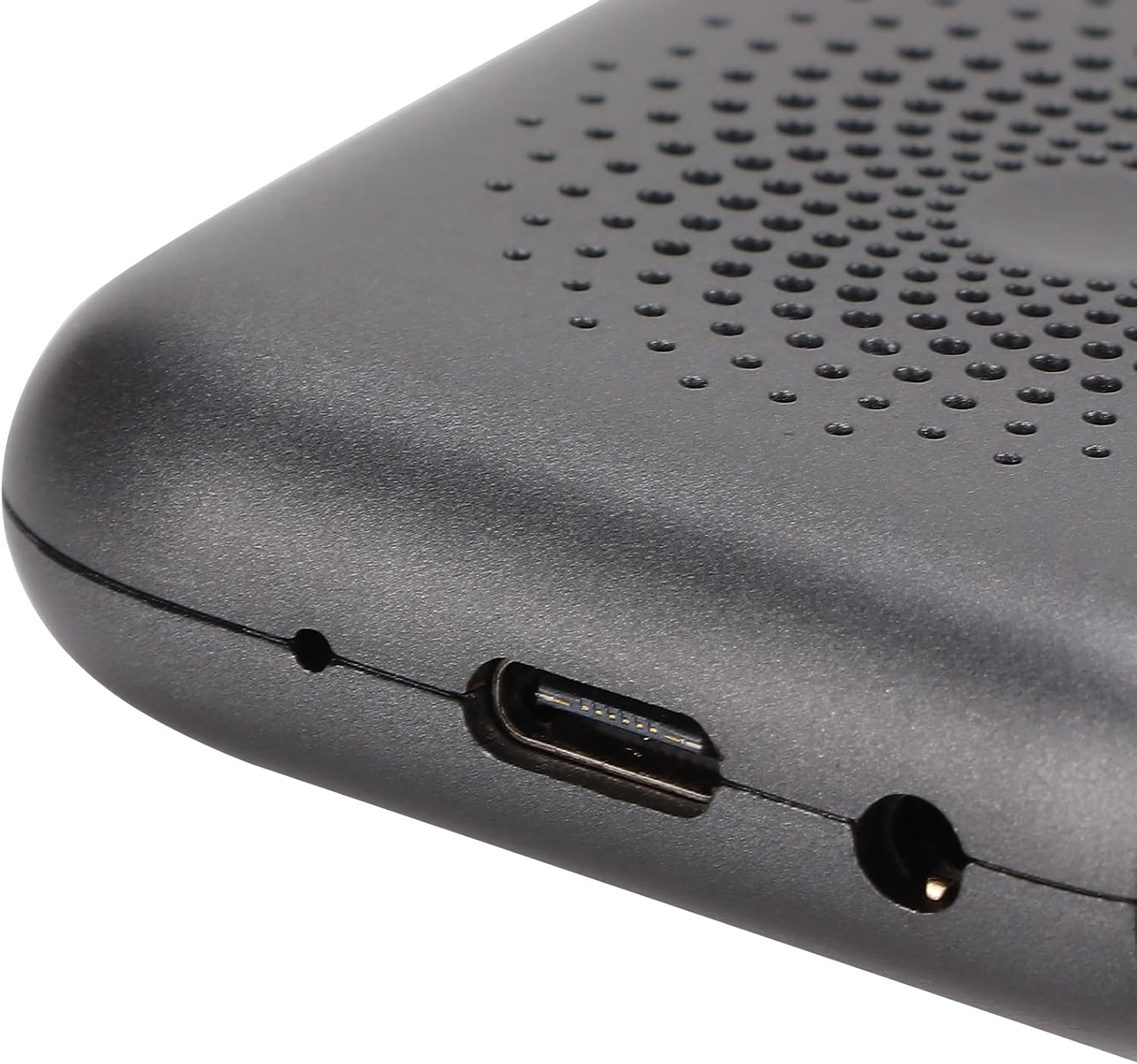
Figur 3.2: Type-C charging port and headphone jack.
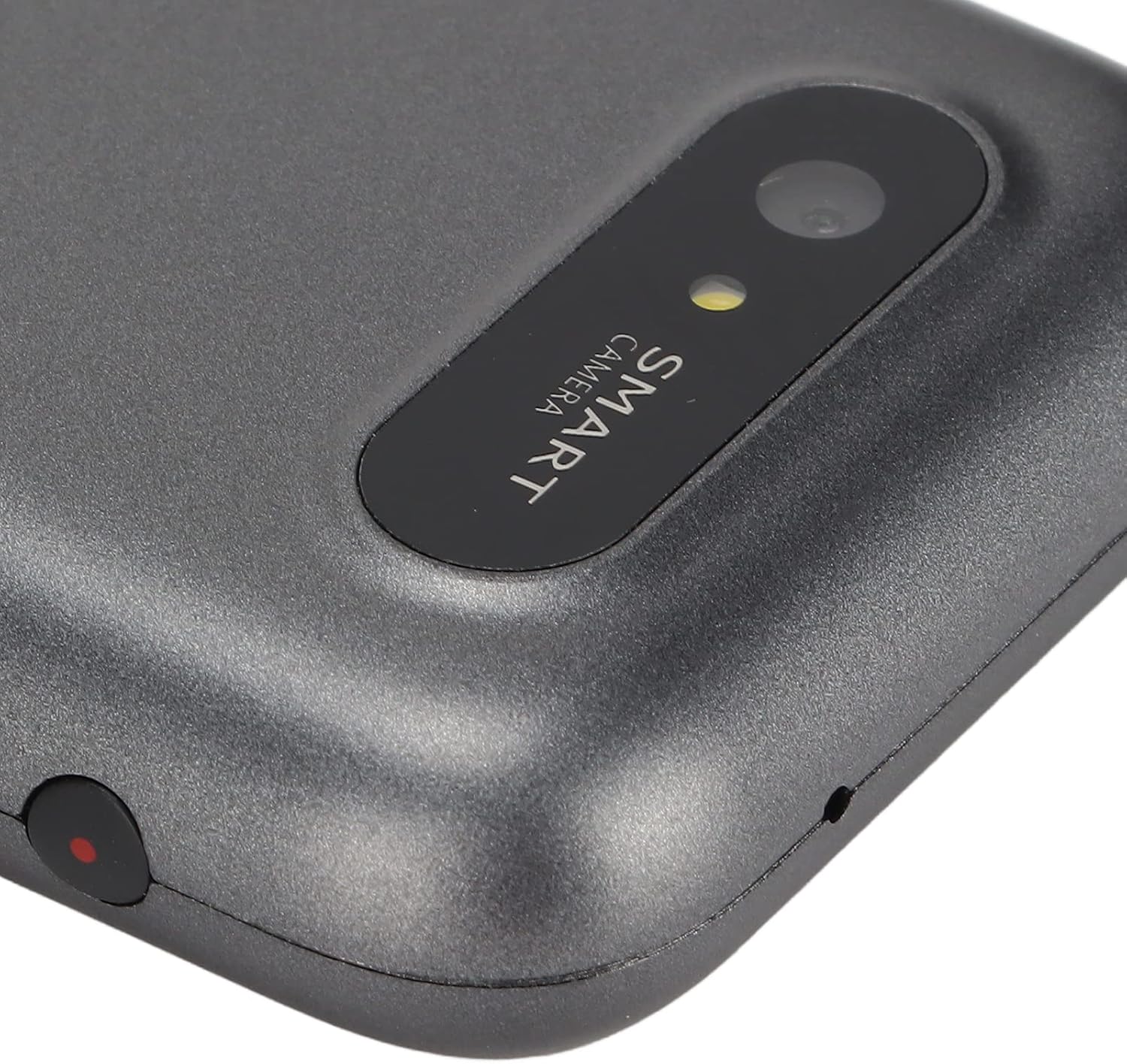
Figur 3.3: Rear-facing camera for photo translation.
4. Opsætning og første brug
4.1. Opladning af enheden
Before first use, fully charge the device using the provided Type-C data cable and a compatible USB power adapter (not included). The device has a built-in 1500mAh lithium battery.
4.2. Tænd/sluk
- To power on: Press and hold the power button for 3 seconds until the screen illuminates.
- To power off: Press and hold the power button for 3 seconds, then select "Power Off" on the screen.
4.3. Netværksforbindelse
For most translation functions, an internet connection is required. The T11 supports Wi-Fi networking.
- From the home screen, tap the "Settings" icon.
- Select "Wi-Fi" from the settings menu.
- Toggle Wi-Fi on and select your desired network.
- Indtast adgangskoden, hvis du bliver bedt om det, og opret forbindelse.
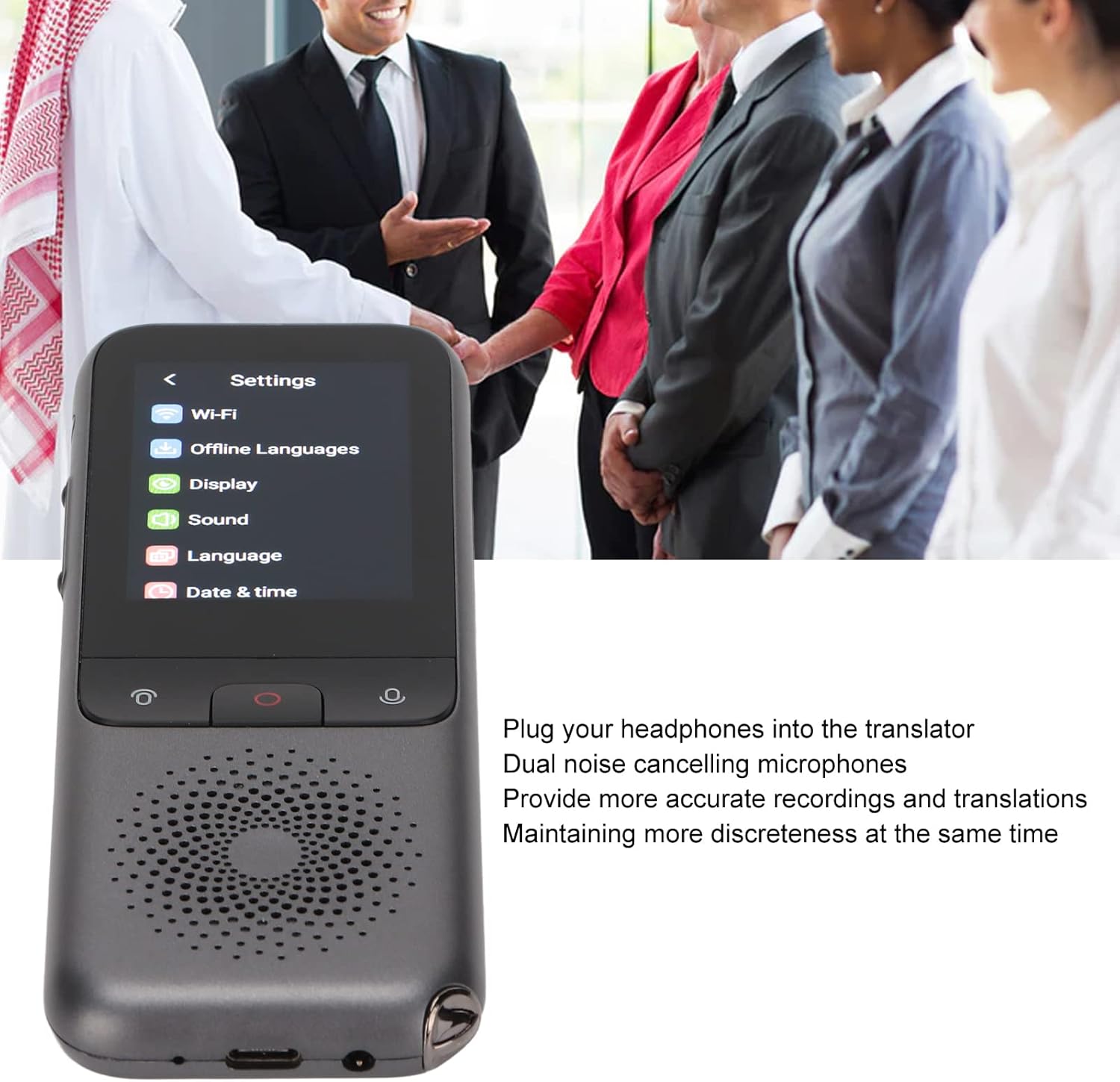
Figur 4.1: Accessing the settings menu to configure Wi-Fi.
4.4. Valg af oprindeligt sprog
Set your preferred interface language and default translation languages in the settings menu.
Video 4.1: Demonstrates connecting the charging cable and powering on the Dilwe T11 translator device.
5. Betjeningsvejledning
5.1. Stemmeoversættelse (online)
The T11 supports 112 online languages for real-time two-way voice translation.
- From the home screen, tap the "Translator" icon.
- Select the source and target languages on the screen.
- Press and hold the microphone button corresponding to the language you will speak.
- Speak clearly into the device.
- Slip knappen, og enheden vil oversætte og læse oversættelsen højt.
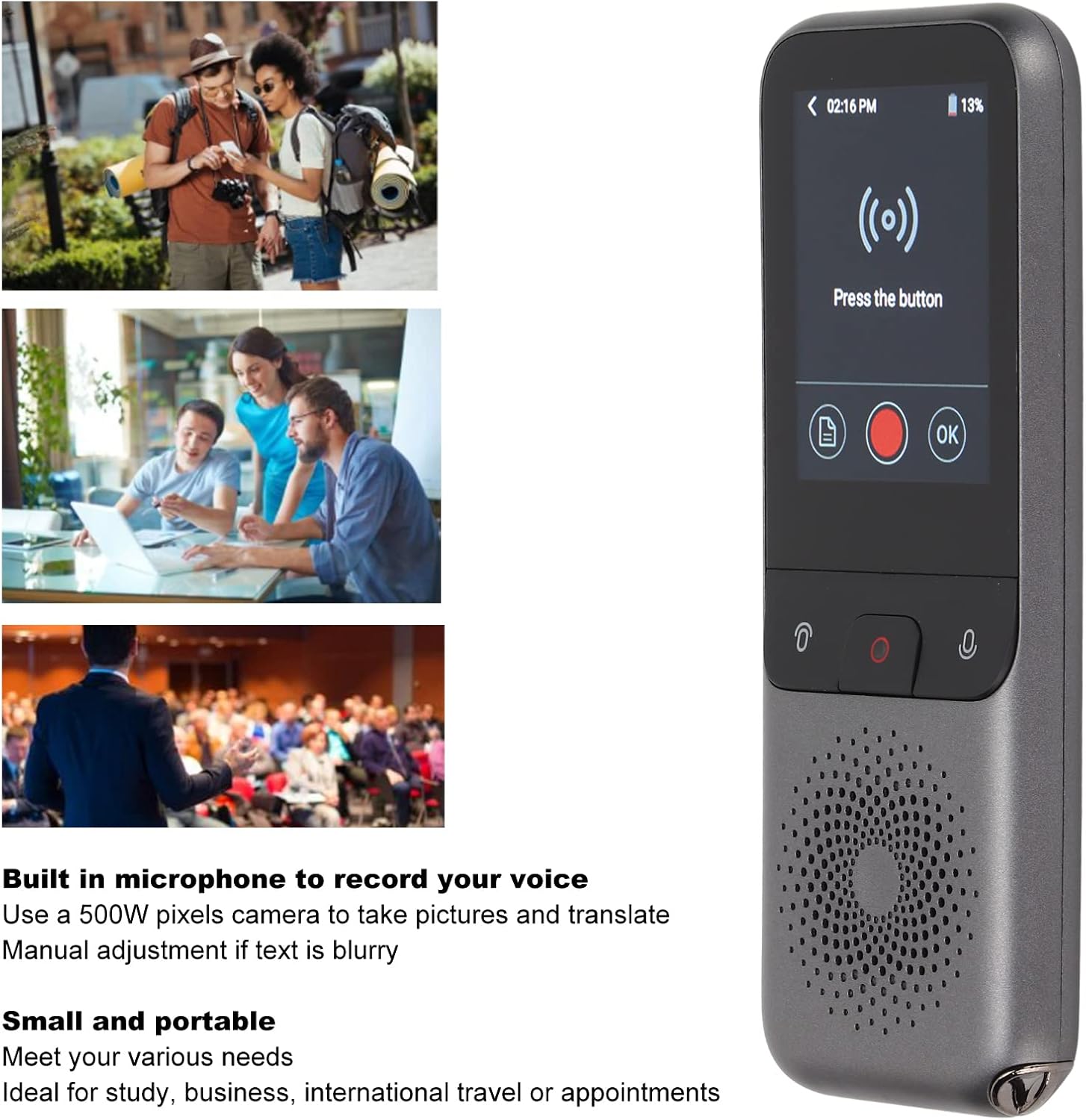
Figur 5.1: Using the voice translation feature in a real-world scenario.
5.2. Fotooversættelse
The 500W pixel camera allows for translation of text from images.
- From the home screen, tap the "Camera" icon.
- Point the camera at the text you wish to translate. Ensure good lighting and focus.
- Tryk på skærmen for at tage billedet.
- Vælg kilde- og målsprog.
- Enheden viser den oversatte tekst.
5.3. Optagelse af oversættelse
The device supports recording translation for specific languages (Mandarin, Simplified Chinese; Taiwanese, Traditional Chinese; Cantonese; English (US)).
- From the home screen, tap the "Recording" icon.
- Press the central red record button to start recording.
- Speak or place the device near the audio source.
- Press the record button again to stop.
- Select the recorded audio and choose the target language for translation.
5.4. Offline oversættelse
The T11 supports offline translation for 10 languages: Simplified Chinese, Traditional Chinese, English, German, Spanish, French, Japanese, Korean, Russian, and Thai.
- Go to "Settings" and then "Offline Languages".
- Download the language packs you require for offline use.
- Once downloaded, you can perform voice translation between these languages without an internet connection.
5.5. Brug af hovedtelefoner
For private listening or in noisy environments, plug headphones into the 3.5mm audio jack. The device features dual noise-canceling microphones for clearer input.

Figur 5.2: The settings menu, illustrating the device's use in various professional settings.
6. Vedligeholdelse og pleje
- Hold enheden tør. Undgå udsættelse for vand eller for høj luftfugtighed.
- Rengør skærmen og kabinettet med en blød, tør klud. Brug ikke slibende rengøringsmidler.
- Undgå at tabe enheden eller udsætte den for kraftige stød.
- Opbevar enheden på et køligt, tørt sted, når det ikke er i brug.
- Regularly update the device firmware for optimal performance and new features.
7. Fejlfinding
7.1. Enheden tændes ikke
- Sørg for, at enheden er fuldt opladet. Tilslut den til en strømkilde, og vent et par minutter, før du forsøger at tænde den igen.
- Press and hold the power button for at least 5-10 seconds to perform a hard reset.
7.2. Translation Inaccurate or Not Working
- Check your internet connection (Wi-Fi). Most online translation requires a stable connection.
- Verify that the correct source and target languages are selected.
- Tal tydeligt og i et moderat tempo. Undgå baggrundsstøj.
- For photo translation, ensure the text is well-lit, in focus, and not blurry.
- If using offline translation, confirm that the required language packs are downloaded.
7.3. Dårlig lydkvalitet
- Juster lydstyrken ved hjælp af sideknapperne.
- Sørg for, at højttaleren ikke er blokeret.
- If using headphones, check the headphone connection and try another pair if available.
8. Specifikationer
| Model | T11 |
| Materiale | ABS |
| Farve | Grå |
| Batterikapacitet | Indbygget 1500mAh lithiumbatteri |
| Løbehukommelse | 2G |
| Lagerkapacitet | 32G |
| Skærmstørrelse | 2.4 tommer |
| Opløsning | 240 x 320 |
| Netværksmetode | Wi-Fi |
| Kamera | 500W pixel |
| Datagrænseflade | Type-C Interface |
| Online Supported Languages | 112 |
| Offline Supported Languages | 10 (Simplified Chinese, Traditional Chinese, English, German, Spain, French, Japanese, Korean, Russian, Thai) |
| Recording Translation Languages | 4 (Mandarin, Simplified Chinese; Taiwanese, Traditional Chinese; Cantonese; English (US)) |
| Pakkedimensioner | 6.42 x 3.03 x 1.5 tommer |
| Varens vægt | 7.9 ounce |
| Fabrikant | Dilwe |
9. Garanti og support
For warranty information and technical support, please refer to the documentation provided at the time of purchase or contact Dilwe customer service. Keep your purchase receipt for warranty claims.
You may also visit the official Dilwe store for additional product information and support resources: Dilwe Store on Amazon.