
1. Introduktion
This manual provides detailed instructions for the Infinix Smart 6 smartphone, model X657b. It covers essential information regarding device setup, operation, maintenance, and troubleshooting to ensure optimal performance and user experience. Please read this manual carefully before using your device.
2. Produktet er slutview
The Infinix Smart 6 (X657b) is a smartphone featuring a 6.6-inch HD+ display, a 5000mAh battery, and biometric security options including a fingerprint sensor and face recognition. It supports dual SIM functionality and operates on Android 12.0.
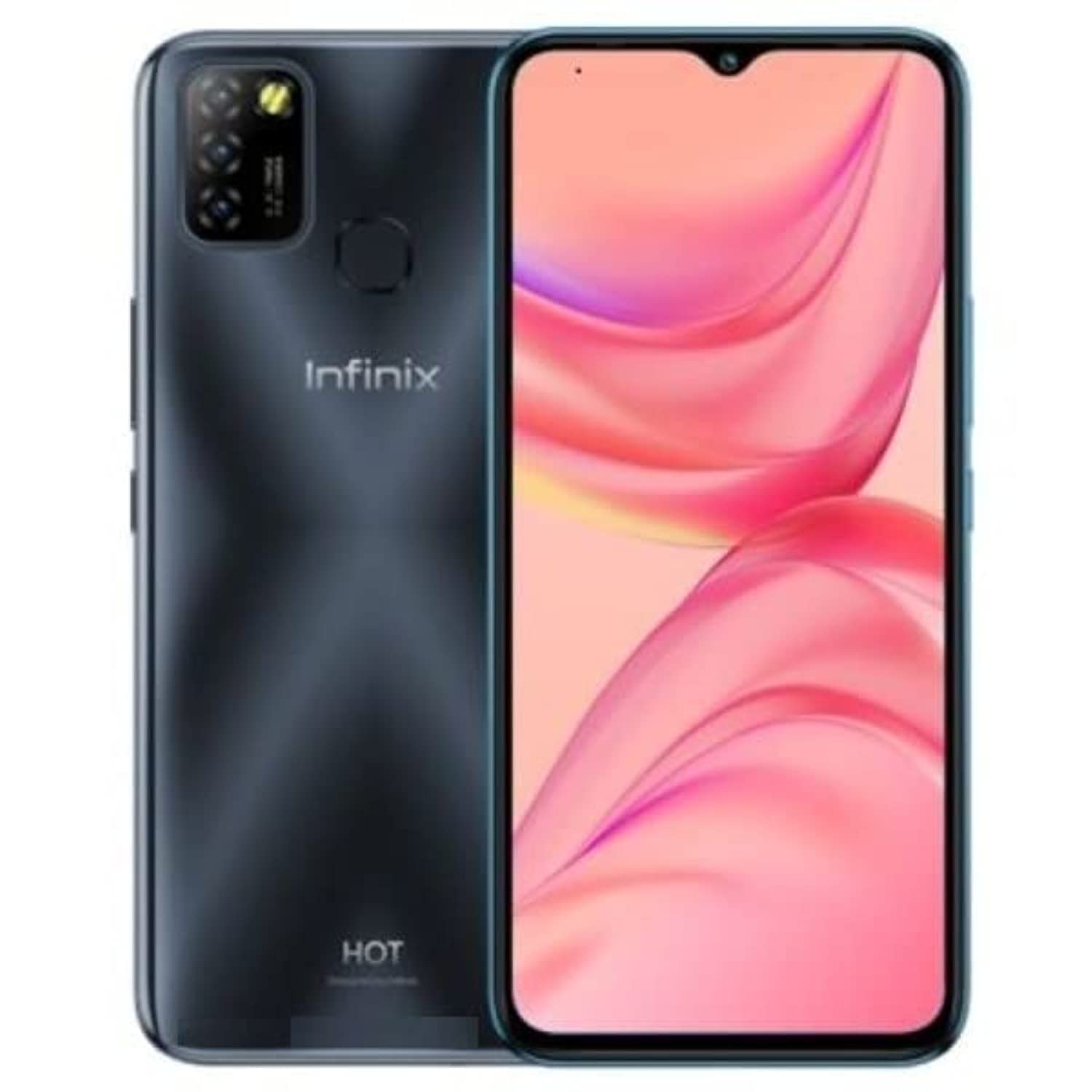
Figur 2.1: Bagside view of the Infinix Smart 6, showing the camera module and fingerprint sensor.
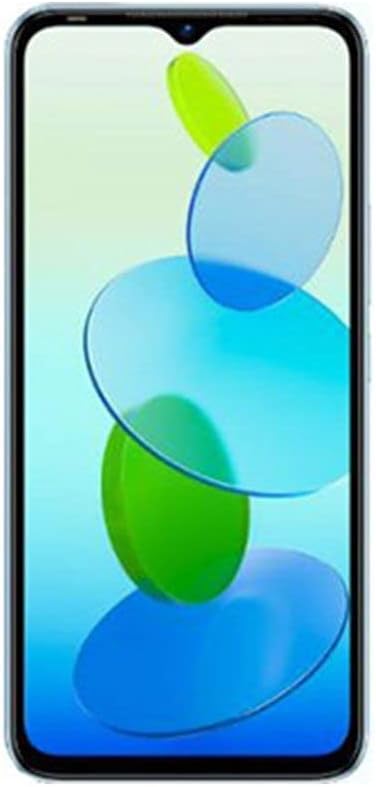
Figur 2.2: Forside view of the Infinix Smart 6, displaying the 6.6-inch screen with a waterdrop notch.
3. Opsætning
3.1 Isætning af SIM-kort og SD-kort
- Find SIM-kortbakken på siden af din enhed.
- Sæt SIM-kortudkastningsværktøjet i det lille hul ved siden af bakken, og skub forsigtigt, indtil bakken springer ud.
- Place your Nano SIM cards into the designated slots. Ensure the gold contacts face downwards. If using an SD card for expanded storage, insert it into its dedicated slot.
- Skub forsigtigt bakken tilbage i enheden, indtil den flugter med siden.
3.2 Tænd/sluk
- For at tænde: Tryk og hold tænd/sluk-knappen nede (normalt på højre side), indtil Infinix-logoet vises.
- For at slukke: Press and hold the Power button until the power options appear on the screen. Tap 'Power off'.
- For at genstarte: Press and hold the Power button until the power options appear. Tap 'Restart'.
3.3 Indledende opsætning
Upon first power-on, follow the on-screen prompts to configure your device. This includes selecting your language, connecting to Wi-Fi, setting up your Google account, and configuring security features like fingerprint and face recognition.
4. Betjeningsvejledning
4.1 Foretage opkald
- Åbn applikationen 'Telefon'.
- Indtast telefonnummeret ved hjælp af opkaldstastaturet, eller vælg en kontakt fra din adressebog.
- Tryk på opkaldsikonet for at starte opkaldet.
4.2 Afsendelse af beskeder
- Åbn applikationen 'Beskeder'.
- Tryk på ikonet 'Start chat' eller '+' for at skrive en ny besked.
- Indtast modtagerens nummer, eller vælg fra kontakter.
- Skriv din besked, og tryk på send-ikonet.
4.3 Brug af kameraet
The Infinix Smart 6 features a 13MP rear camera and an 8MP front camera.
- Åbn applikationen 'Kamera'.
- Select between front and rear cameras using the toggle icon.
- Tryk på udløserknappen for at tage et billede.
- Explore various shooting modes, including High Dynamic Range (HDR).
4.4 Internetforbindelse
- Wi-Fi: Gå til Indstillinger > Netværk og internet > Wi-Fi. Slå Wi-Fi til, og vælg det ønskede netværk. Indtast adgangskoden, hvis du bliver bedt om det.
- Mobildata (4G): Go to Settings > Network & internet > Mobile network. Ensure mobile data is enabled.
5. Vedligeholdelse
5.1 Pleje af batterier
- Undgå at udsætte enheden for ekstreme temperaturer.
- Brug kun den originale oplader og det kabel, der fulgte med enheden.
- For optimal batterilevetid bør du undgå at aflade batteriet helt ofte eller oplade det til 100 % i længere perioder.
- The 5000mAh Lithium Polymer battery provides extended usage. The AppSqueeze feature can optimize storage, which may indirectly contribute to better performance and battery life.
5.2 Rengøring af din enhed
- Brug en blød, fnugfri klud til at rengøre telefonens skærm og kabinet.
- Undgå at bruge skrappe kemikalier eller slibende materialer.
- The device is water-resistant; however, avoid submerging it in water.
5.3 Softwareopdateringer
Søg regelmæssigt efter og installer softwareopdateringer for at sikre, at din enhed har de nyeste funktioner, sikkerhedsrettelser og forbedringer af ydeevnen. Gå til Indstillinger > System > Systemopdatering.
6. Fejlfinding
6.1 Almindelige problemer og løsninger
| Spørgsmål | Mulig løsning |
|---|---|
| Enheden tænder ikke | Ensure the battery is charged. Connect to a charger for at least 15 minutes. If still unresponsive, perform a force restart by holding the Power button for 10-15 seconds. |
| Dårlig batterilevetid | Close unused apps, reduce screen brightness, disable Wi-Fi/Bluetooth when not in use. Check for background app activity in battery settings. |
| Apps går ned eller fryser | Clear the app's cache (Settings > Apps > [App Name] > Storage > Clear cache). If the issue persists, uninstall and reinstall the app. Ensure your device software is up to date. |
| Kan ikke oprette forbindelse til Wi-Fi | Genstart din telefon og Wi-Fi-router. Glem netværket, og genopret forbindelsen. Sørg for, at Wi-Fi-adgangskoden er korrekt. |
| Fingeraftrykssensoren virker ikke | Sørg for, at din finger er ren og tør. Registrer dit fingeraftryk igen i Indstillinger > Sikkerhed > Fingeraftryk. |
7. Specifikationer
| Feature | Detalje |
|---|---|
| Mærkenavn | Infinix |
| Modelnavn | X657b |
| Operativsystem | Android 12.0 |
| Installeret RAM | 3 GB |
| Hukommelseslagringskapacitet | 64 GB |
| Skærmstørrelse | 6.6 tommer |
| Opløsning | 720 x 1600 pixel |
| Cellulær teknologi | 4G |
| Farve | Sort |
| Antal SIM-kortpladser | Dobbelt SIM |
| Connector Type | USB Type-C |
| Biometrisk sikkerhedsfunktion | Ansigtsgenkendelse |
| Vandmodstandsniveau | Vandtæt |
| Hovedtelefonstik | 3.5 mm |
| Front Photo Sensor Resolution | 8 MP |
| Rear Camera Photo Sensor Resolution | 13 MP |
| Batterikapacitet | 5000 mAh |
| Batterilevetid | Op til 30 timer |
| Videooptagelsesopløsning | 4K |
| Forbindelsesteknologi | USB, Bluetooth, Wi-Fi |
| Inkluderede komponenter | USB kabel |
| Varens vægt | 360 gram |
| GPS | Ja |
8. Garanti og support
8.1 Garantioplysninger
This product carries a manufacturer's warranty for 1 year from the date of purchase. Please retain your proof of purchase for warranty claims.
8.2 Kundesupport
For technical assistance, service, or warranty inquiries, you can contact the manufacturer or their authorized service agent. Alternatively, you may contact Amazon customer service for further details regarding your purchase.
- Fabrikant: Infinix
- Garantiperiode: 1 Year from purchase date


