
1. Introduktion
Thank you for choosing the Severin HV 7152 Cordless 2-in-1 Stick Vacuum Cleaner. This manual provides important information regarding the safe and efficient use, maintenance, and troubleshooting of your appliance. Please read it thoroughly before first use and keep it for future reference.
The Severin HV 7152 is a versatile 2-in-1 cordless vacuum cleaner designed for general floor cleaning, quick clean-ups, car interior cleaning, and above-floor tasks like furniture and ceiling cobweb removal. It features a high-speed rotating brush with LED lighting and offers up to 40 minutes of runtime.
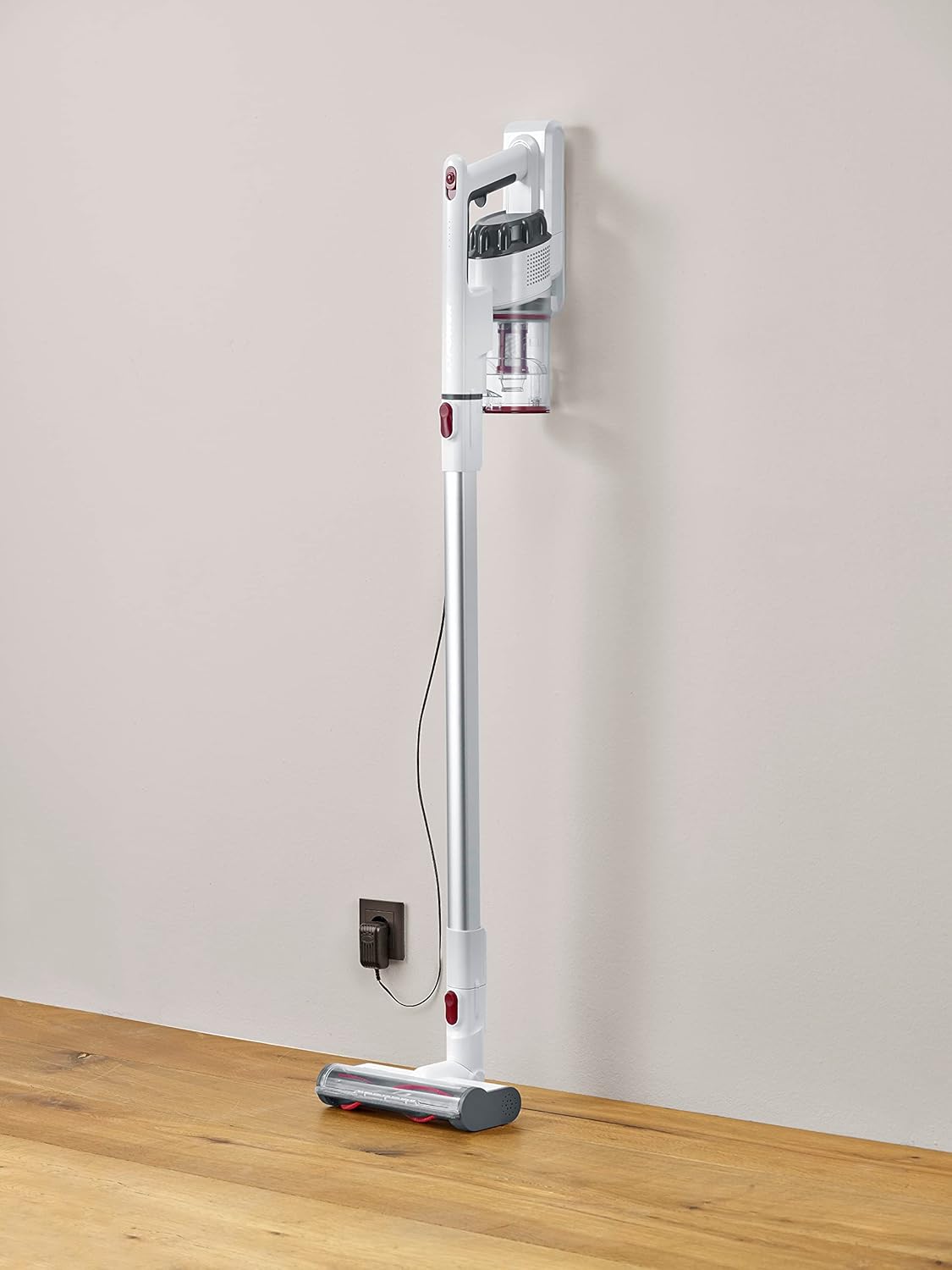
Image 1.1: The Severin HV 7152 Cordless 2-in-1 Stick Vacuum Cleaner in its upright position, charging.
2. Sikkerhedsoplysninger
- Læs alle instruktioner før brug af apparatet.
- Brug ikke støvsugeren udendørs eller på våde overflader.
- Lad ikke børn betjene apparatet. Nøje opsyn er nødvendigt, når det bruges i nærheden af børn.
- Saml ikke brændbare eller brændbare væsker, såsom benzin, og brug ikke i områder, hvor de kan være til stede.
- Tag ikke noget op, der brænder eller ryger, såsom cigaretter, tændstikker eller varm aske.
- Må ikke bruges uden støvskål og/eller filtre på plads.
- Sluk apparatet, før du tilslutter eller frakobler batteriopladeren.
- Brug kun den oplader, der er leveret af producenten.
- Opbevar apparatet indendørs på et køligt, tørt sted.
3. Opsætning og montering
The Severin HV 7152 is designed for easy assembly. Follow these steps to prepare your vacuum cleaner for first use:
3.1 Udpakning og komponentidentifikation
Fjern forsigtigt alle komponenter fra emballagen. Sørg for, at alle nedenstående dele er til stede:
- Main unit (motor and dust container)
- Forlængerør
- Motoriseret gulvbørste med LED-lys
- Sprækkeværktøj
- Upholstery brush / 2-in-1 brush
- Wall mount (if included)
- Opladningsadapter

Image 3.1: Included accessories: crevice tool and upholstery brush.
3.2 Indledende opladning
Before first use, fully charge the battery. Connect the charging adapter to the main unit and plug it into a power outlet. The battery indicator lights will show the charging status. A full charge takes approximately 5 hours.
3.3 Samling af stavsugeren
- Attach the extension tube to the main unit until it clicks into place.
- Attach the motorized floor brush to the other end of the extension tube until it clicks into place.
Your stick vacuum is now assembled. For handheld use, detach the extension tube and attach desired accessories directly to the main unit.
Video 3.2: En overview of the cordless vacuum cleaner, demonstrating its features and assembly.
4. Betjeningsvejledning
The Severin HV 7152 offers flexible cleaning options with its 2-in-1 design and multiple power levels.
4.1 Power On/Off and Suction Levels
Press the power button on the main unit to turn the vacuum cleaner on. The appliance has 3 power levels. Press the power button repeatedly to cycle through the suction levels (low, medium, high). The battery level indicators will show the remaining charge.
4.2 Brug som stavstøvsuger
For floor cleaning, use the assembled stick vacuum with the motorized floor brush. The brush features 3 LED lights to illuminate dark areas, making dirt more visible.

Image 4.1: The motorized floor brush with LED lights in action.
4.3 Brug som håndstøvsuger
To convert to a handheld vacuum, press the release button to detach the extension tube from the main unit. Attach the desired accessory (crevice tool or upholstery brush) directly to the main unit.

Image 4.2: Using the handheld vacuum with the crevice tool for hard-to-reach areas.
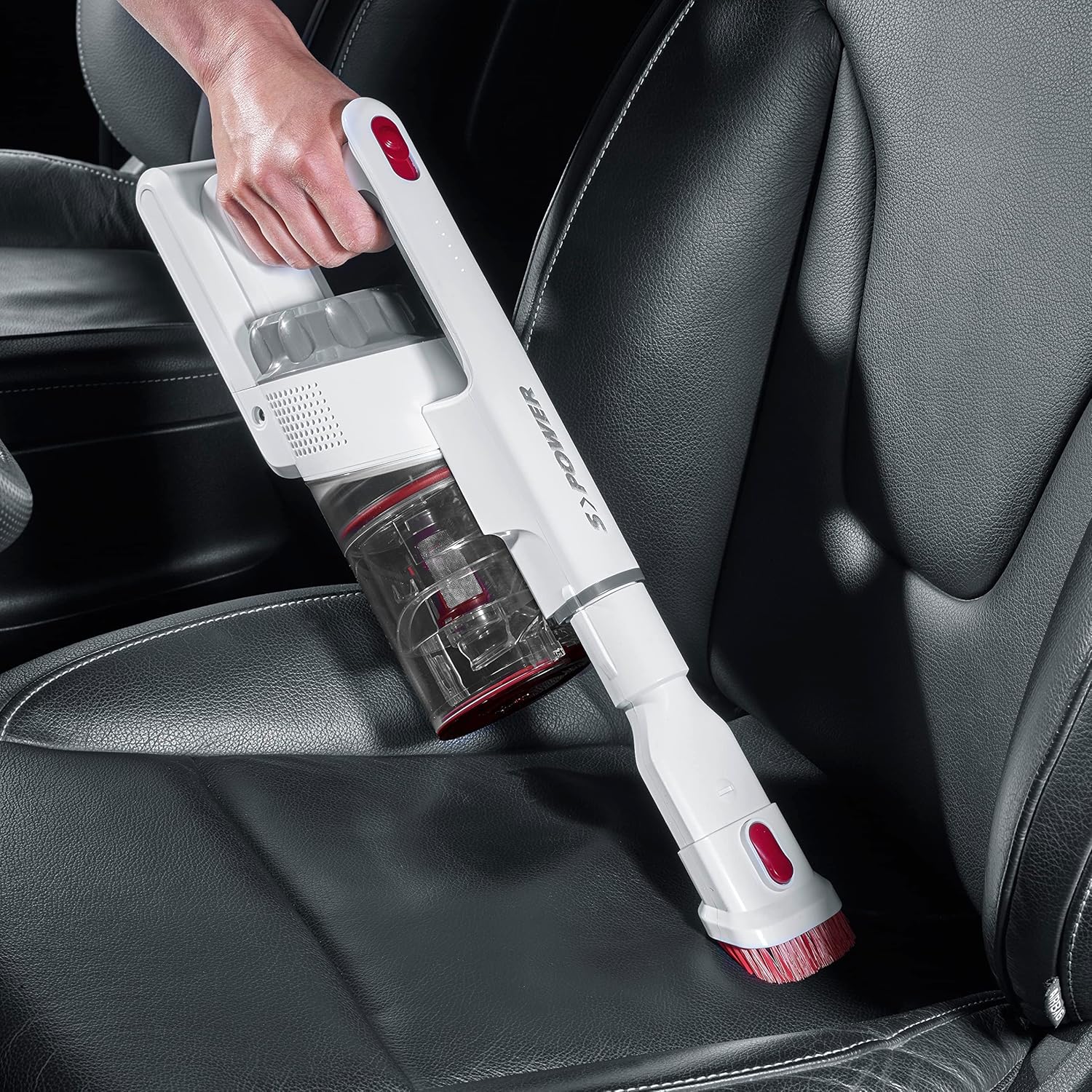
Image 4.3: Cleaning a car interior with the handheld vacuum and upholstery brush.
Video 4.4: Practical product illustration showing various uses and features of the vacuum cleaner.
5. Vedligeholdelse
Regular maintenance ensures optimal performance and extends the lifespan of your Severin HV 7152.
5.1 Tømning af støvbeholderen
The dust container has a capacity of 500 ml. Empty it regularly to maintain suction power.
- Sørg for, at støvsugeren er slukket.
- Press the release button on the dust container to open the bottom flap and empty contents into a waste bin.

Image 5.1: Emptying the dust container.
5.2 Rengøring af filtrene
The vacuum cleaner uses a cartridge filter. Clean the filters regularly to prevent clogging and maintain suction.
- Sørg for, at støvsugeren er slukket.
- Fjern støvbeholderen fra hovedenheden.
- Twist and pull out the filter assembly from the dust container.
- Adskil de enkelte filterkomponenter.
- Tap the filters to remove loose dust. If heavily soiled, rinse them under running water. Ensure they are completely dry before reassembling and placing back into the vacuum cleaner.

Image 5.2: Removing the filter from the dust container.
5.3 Cleaning the Rotating Brush
Kontrollér regelmæssigt den motoriserede gulvbørste for sammenfiltrede hår eller snavs.
- Ensure the vacuum cleaner is turned off and disconnected from the extension tube.
- Find udløsermekanismen på siden af børstehovedet.
- Fjern børstevalsen.
- Use scissors or a brush to remove any tangled hair or fibers.
- Reinsert the brush roller until it clicks into place.

Image 5.3: Underside of the motorized floor brush, showing the brush roller.
Video 5.4: Detailed view of product features, including maintenance aspects like filter cleaning.
6. Fejlfinding
If you encounter issues with your Severin HV 7152, refer to the following table for common problems and solutions.
| Problem | Mulig årsag | Løsning |
|---|---|---|
| Støvsugeren tænder ikke. | Batteriet er afladet. | Oplad batteriet helt. |
| Lav sugeevne. | Støvbeholderen er fuld. | Tøm støvbeholderen. |
| Lav sugeevne. | Filtrene er tilstoppede. | Rengør eller udskift filtrene. |
| Lav sugeevne. | Børstevalsen er viklet ind. | Rengør børstevalsen. |
| Motorized brush does not rotate. | Brush roller is jammed or tangled. | Clean the brush roller and check for obstructions. |
| Batteriet oplades ikke. | Oplader ikke korrekt tilsluttet. | Ensure charger is securely connected to both the vacuum and the power outlet. |
| Batteriet oplades ikke. | Defekt oplader eller batteri. | Kontakt kundesupport for at få hjælp. |
7. Specifikationer
| Feature | Detalje |
|---|---|
| Mærke | Severin |
| Modelnavn | HV7152 |
| Modelnummer | HV 7152 |
| Speciel funktion | Taskeløs |
| Filtertype | Patron |
| Anbefalede overflader | Upholstery, General floor cleaning, Quick cleaning, Car interiors, Above-floor cleaning (furniture, cobwebs) |
| Strømkilde | Batteridrevet |
| Kapacitet | 500 milliliter |
| Farve | Hvid |
| Støjniveau | 75 decibel |
| Antal hastigheder/effektniveauer | 3 |
| Transportabel | Ja |
| Indendørs/Udendørs brug | Indendørs |
| Finish Type | Blank |
| Trådløs | Ja |
| Varens vægt | 1.42 kilo |
| Varedimensioner (L x B x H) | 28L x 15B x 68H cm |
| Kontroltype | Manual Control, Touch |
| Formfaktor | Støvsuger |
| Inkluderede komponenter | Spaltedyse |
| Voltage | 22.2 volt |
| Wattage | 120 watt |
| Batteriopladningstid | 5 timer |
| Batterilevetid/Køretid | Op til 40 minutter |
| Forbindelsesteknologi | USB |
8. Garanti og support
8.1 Garantioplysninger
This Severin appliance comes with a standard manufacturer's warranty. Please refer to the warranty card included in your product packaging for specific terms, conditions, and duration. Keep your proof of purchase for any warranty claims.
8.2 Kundesupport
For technical assistance, spare parts, or any questions regarding your Severin HV 7152, please contact Severin customer support. Contact details can typically be found on the official Severin webwebstedet eller på produktemballagen.