
1. Introduktion
This manual provides detailed instructions for the safe and efficient use of your Avatar Controls AWP16L Smart Socket. Please read this manual thoroughly before operating the device and retain it for future reference. The AWP16L Smart Socket allows you to control connected appliances remotely, monitor energy consumption, and integrate with smart home systems.

Billede 1.1: The Avatar Controls AWP16L Smart Socket and its accompanying mobile application interface, showing real-time energy usage data. The image displays four smart sockets, highlighting their compact design, alongside a smartphone screen indicating "Today (KWh) 1.68" and detailed current, power, voltage, and total KWh readings.
2. Sikkerhedsoplysninger
- Enheden må ikke skilles ad eller modificeres.
- Do not expose the device to water or humid environments.
- Ensure the connected appliance's power consumption does not exceed the smart socket's maximum rating (3680W, 16A).
- Opbevares utilgængeligt for børn.
- Use only in dry, indoor locations.
3. Pakkens indhold
- Avatar Controls AWP16L Smart Sockets (Quantity as purchased, e.g., 4 pcs)
- Brugervejledning (dette dokument)
4. Opsætning og installation
4.1 Download af app og kontoregistrering
- Download the "Avatar Controls" app from your smartphone's app store (iOS App Store or Google Play Store).
- Opret en ny konto, eller log ind, hvis du allerede har en.
4.2 Adding the Smart Socket
- Plug the Avatar Controls AWP16L Smart Socket into a standard wall outlet.
- Ensure your smartphone is connected to a 2.4 GHz Wi-Fi network. The smart socket does not support 5 GHz Wi-Fi.
- Open the Avatar Controls app. Tap the "+" icon in the top right corner to add a device.
- Vælg "Stikkontakt" eller "Smart stik" fra enhedslisten.
- Follow the on-screen instructions to put the smart socket into pairing mode. This usually involves pressing and holding the power button on the socket until the indicator light blinks rapidly.
- Bekræft, at indikatorlampen blinker hurtigt i appen.
- Indtast din Wi-Fi-netværksadgangskode.
- The app will connect to the smart socket. Once connected, you can rename the device for easier identification.
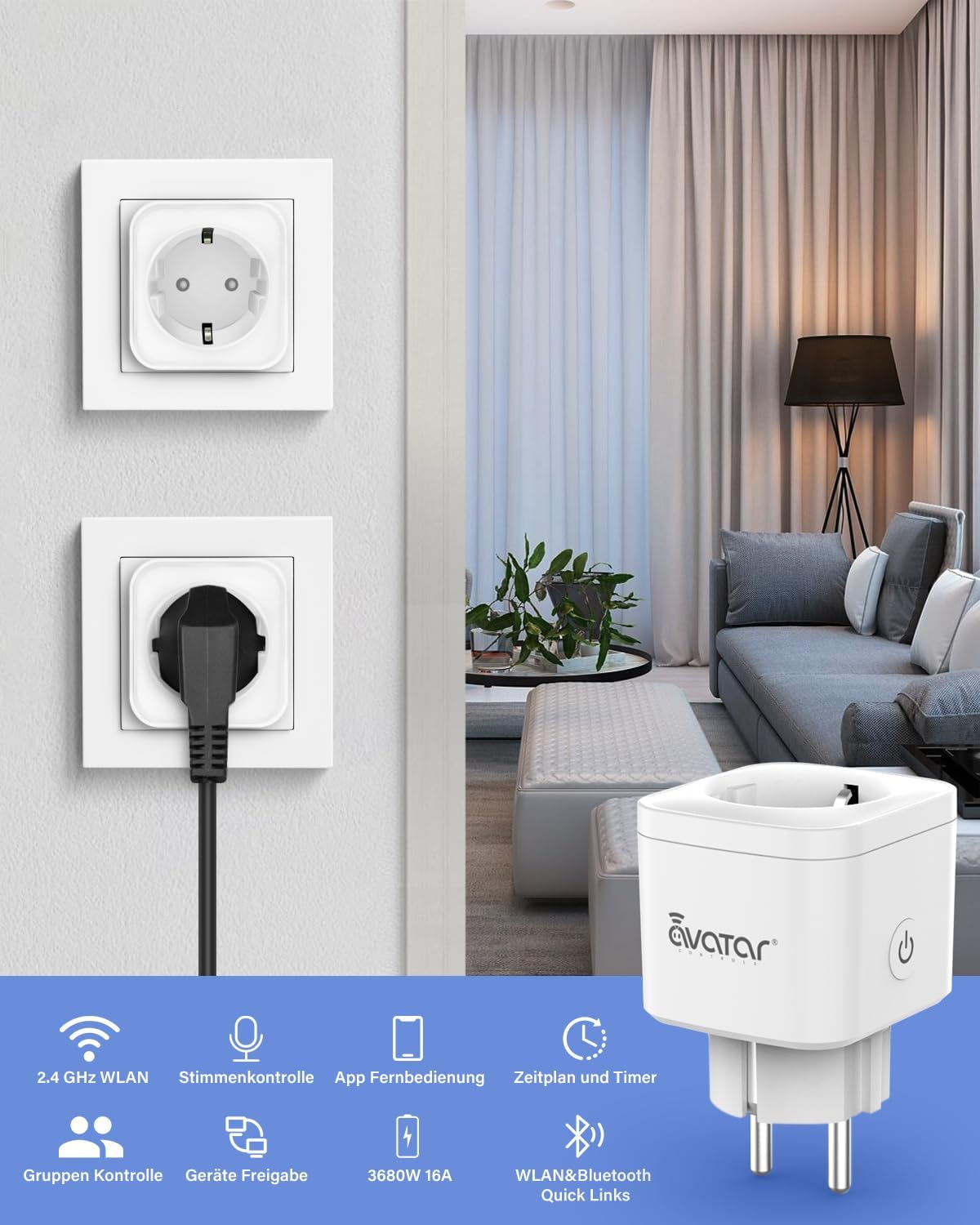
Billede 4.1: A visual representation of the Avatar Controls AWP16L Smart Socket in use, highlighting its key features such as 2.4 GHz Wi-Fi connectivity, voice control, app remote control, scheduling, group control, device sharing, and its 3680W/16A capacity.
5. Betjeningsvejledning
5.1 Fjernbetjening via app
Once the smart socket is added to the app, you can turn connected devices on or off from anywhere using your smartphone. Simply tap the power icon next to the device name in the app.

Billede 5.1: Demonstrates remote control capabilities, showing a user operating the smart plug from a car, and the smart plug controlling a home appliance (food steamer).
5.2 Planlægning og timere
- Tidsplaner: Set specific times for the smart socket to turn on or off automatically. This is useful for daily routines, such as turning on a coffee maker in the morning or lights in the evening.
- Timere: Set a countdown timer for a connected device to turn off after a specified duration.

Billede 5.2: Illustrates the scheduling feature, showing a mobile app interface for setting daily schedules for appliances like a washing machine, and a countdown timer function for devices such as an oven.
5.3 Integration af stemmestyring
The AWP16L Smart Socket is compatible with popular voice assistants. Follow the instructions in your smart assistant's app (e.g., Amazon Alexa, Google Home, Apple Siri Shortcuts, SmartThings) to link your Avatar Controls account and enable voice commands.
- Example kommandoer:
- "Alexa, tænd for stuen"amp."
- "Hej Google, sluk ventilatoren."
- "Siri, activate kitchen plug."
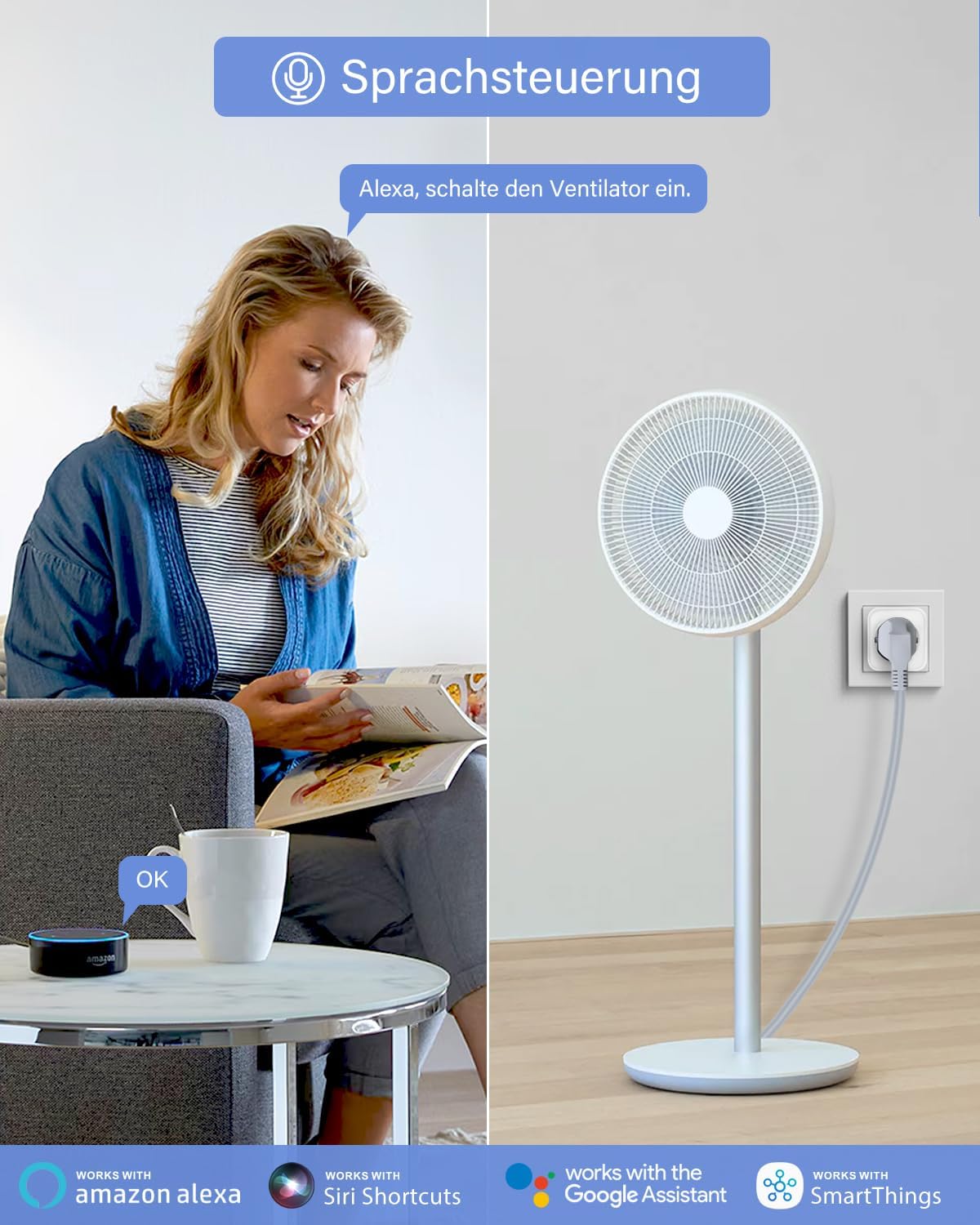
Billede 5.3: Depicts voice control functionality, showing a user interacting with an Amazon Alexa device to control a fan connected to the smart plug.
5.4 Energiovervågning
The smart socket provides real-time power consumption data for connected devices. View current (mA), power (W), voltage (V), and total kilowatt-hours (KWh) directly within the Avatar Controls app. This feature helps in understanding and managing energy usage.
5.5 Overbelastningsbeskyttelse
The AWP16L Smart Socket is equipped with an overload protection feature. If the power consumption of the connected electrical equipment exceeds the maximum safe limit, the socket will automatically turn off to prevent damage to the appliance and the socket itself.
5.6 Gruppekontrol og enhedsdeling
- Gruppekontrol: Group multiple smart sockets together in the app to control them simultaneously with a single command.
- Deling af enhed: Share control of your smart sockets with family members or other authorized users through the app.

Billede 5.4: Visualizes advanced features such as group control, where multiple devices in a home can be managed together, and device sharing, allowing multiple users to control the smart plugs via the app.
5.7 Absence Mode
Activate "Absence Mode" in the app to randomly turn connected lights or other devices on and off, simulating occupancy to deter potential intruders when you are away from home.
6. Vedligeholdelse
- Clean the smart socket with a dry, soft cloth. Do not use liquid cleaners or aerosols.
- Ensure the socket is unplugged before cleaning.
- Regularly check for firmware updates through the Avatar Controls app to ensure optimal performance and security.
7. Fejlfinding
| Problem | Mulig årsag | Løsning |
|---|---|---|
| Enheden kan ikke oprette forbindelse til Wi-Fi. | Incorrect Wi-Fi password, 5 GHz network, weak signal, or incorrect pairing mode. |
|
| Smart socket is unresponsive. | No power, Wi-Fi disconnected, or app issue. |
|
| Stemmestyring virker ikke. | Incorrect setup with voice assistant, device name mismatch. |
|
| Smart socket turns off unexpectedly. | Overbelastningsbeskyttelse aktiveret. |
|
8. Specifikationer
- Model: AWP16L
- Dimensioner: 5.1 x 5.1 x 8.2 cm
- Vægt: 360 g
- Materiale: Plast
- Voltage: 230 volt
- Nuværende vurdering: 16 Amps
- Maksimal effekt: 3680 watt
- Trådløs forbindelse: 2.4 GHz WLAN (Wi-Fi)
- Plug Format: Type F
- Inkluderede komponenter: Smart Sockets (quantity varies by pack), User Manual
- Fabrikant: Shenzhen Avatar Controls Co., Ltd
9. Garantioplysninger
Avatar Controls products are designed and manufactured to the highest quality standards. For specific warranty details, please refer to the warranty card included with your purchase or visit the official Avatar Controls webDenne garanti dækker typisk fabrikationsfejl under normale brugsforhold i en bestemt periode fra købsdatoen.
10. Kundesupport
If you encounter any issues or have questions regarding your Avatar Controls AWP16L Smart Socket, please contact our customer support team. You can find contact information on the official Avatar Controls website or through the support section of the Avatar Controls app.
- Online support: Besøg www.avatarcontrols.com (eksamplinket, verificér det faktiske webwebsted)
- E-mail support: Se produktemballagen eller den officielle website for email contact.