
DEPSTECH DS350DL
DEPSTECH DS350DL Brugermanual til endoskop med dobbelt linse
Model: DS350DL | Brand: DEPSTECH
1. Introduktion
This manual provides detailed instructions for the safe and effective use of your DEPSTECH DS350DL Dual Lens Endoscope. Please read this manual thoroughly before operating the device and retain it for future reference.
The DEPSTECH DS350DL is a high-definition borescope inspection camera designed for examining hard-to-reach areas. It features dual lenses for simultaneous front and side viewing, a 4.3-inch LCD display, adjustable LED lights, and a waterproof semi-rigid cable.
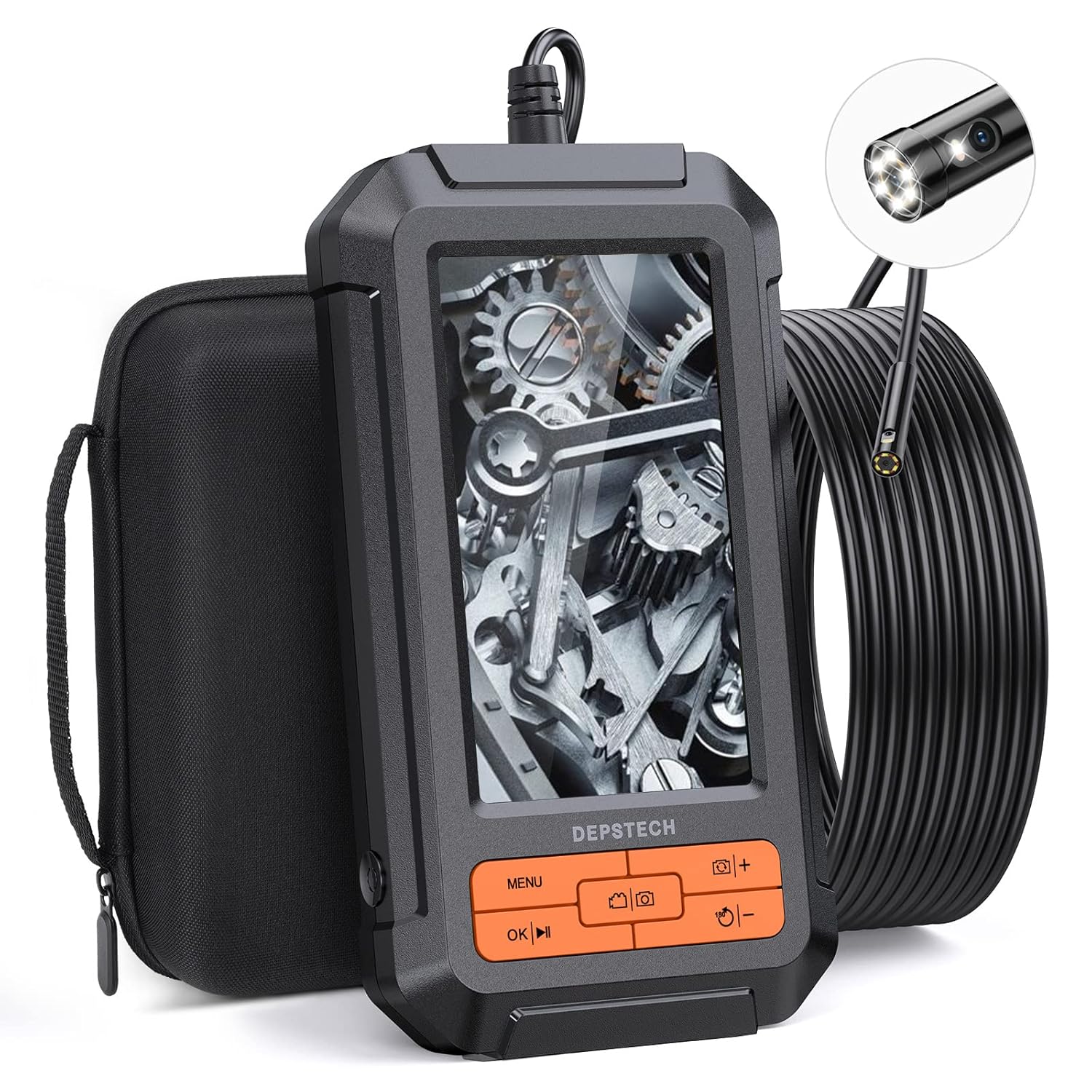
Image: The DEPSTECH DS350DL Dual Lens Endoscope, showing the main unit, coiled cable, and carrying case.
2. Produktet er slutview
The DS350DL endoscope is equipped with advanced features for comprehensive inspections:
- Dobbelt linsesystem: Features both a front-facing and a side-facing camera, allowing for simultaneous or switchable views.
- 1080P HD-opløsning: Captures clear and detailed images and videos with BLUART tech and an improved digital image sensor.
- Justerbare LED-lys: Seven adjustable LED lights provide illumination in dark environments, reducing glare and shadows.
- 4.3 tommer LCD-skærm: A vivid, anti-glare screen with a 178° viewing angle and 60Hz refresh rate for smooth viewing.
- 16.5ft Semi-Rigid Cable: A durable, waterproof (IP67) cable with a 7.9mm camera head for navigating tight spaces.
- Indbygget genopladeligt batteri: Provides approximately four hours of continuous operation on a full charge.
- Direkte betjening: No Wi-Fi, apps, or external devices required for operation.
3. Pakkens indhold
Bekræft at alle varer er til stede i pakken:
- DEPSTECH DS350DL Dual Lens Endoscope Unit
- 16.5ft Semi-Rigid Camera Cable with Dual Lenses
- Bæretaske
- USB opladningskabel
- Krogfastgørelse
- Magnet vedhæftning
- Brugervejledning (dette dokument)
- 32 GB Micro SD-kort (forinstalleret eller medfølger separat)

Image: All components included in the DEPSTECH DS350DL package, neatly arranged.
4. Opsætning
- Oplad enheden: Before first use, fully charge the endoscope using the provided USB charging cable. Connect the cable to the charging port on the device and a standard USB power adapter (not included). The charging indicator will show the charging status.
- Indsæt Micro SD-kort: Ensure the 32GB Micro SD card is properly inserted into the designated slot on the side of the device. This card is necessary for saving photos and videos.
- Fastgør tilbehør (valgfrit): If needed, attach the hook or magnet accessory to the camera head. These can be useful for retrieving small objects or navigating in specific environments.

Image: A diagram illustrating the correct insertion of the Micro SD card into the endoscope unit.
5. Betjeningsvejledning
5.1 Tænd/sluk
- For at tænde skal du trykke på tænd/sluk-knappen og holde den nede, indtil skærmen lyser.
- To power off, press and hold the Power button until the screen turns off.
5.2 Kamera View Tilstande
The DS350DL offers three viewing-tilstande:
- Front View: Displays the image from the front-facing camera.
- Side View: Displays the image from the side-facing camera.
- Split-Screen View: Viser både forside og side views samtidigt på skærmen.
Tryk på Kamerakontakt button (often labeled with a camera icon or "M") to cycle through these viewing-tilstande.

Image: Visual representation of the three viewing modes: Front View, Side Viewog dobbelt View (split-screen).

Image: A user holding the endoscope, demonstrating the split-screen dual view funktion.
5.3 Justering af LED-lysstyrke
The camera probe features adjustable LED lights to illuminate dark inspection areas. Use the +/- knapper on the device to increase or decrease the brightness level of the LEDs.

Billede: Et nærbillede view of the endoscope's camera head, highlighting the seven adjustable LED lights.
5.4 Optagelse af billeder og videoer
- Tryk på for at tage et billede Fotoknap (often labeled with a camera icon).
- Tryk på for at starte optagelsen af en video Videoknap (often labeled with a video camera icon). Press it again to stop recording.
- All captured media will be saved to the inserted Micro SD card.
5.5 Navigering i menuer og afspilning
- Tryk på Menu-knap to access settings and playback options.
- Brug Op/Ned piletaster to navigate through menu options or media files.
- Tryk på OK knap to confirm a selection or play a video.
- During video playback, use the OK/Play/Pause button for at styre afspilningen.

Billede: En detaljeret view of the endoscope's control panel, showing the various buttons for operation.
6. Vedligeholdelse
- Rensning: Efter hver brug, især i snavsede eller våde omgivelser, skal kameraets sonde og objektiv forsigtigt tørres af med en blød klud.amp cloth. Ensure no debris remains on the lens for clear imaging.
- Opbevaring: Store the endoscope and its accessories in the provided carrying case to protect them from dust, moisture, and physical damage. Keep the cable neatly coiled.
- Batteripleje: For at forlænge batteriets levetid bør du undgå at aflade batteriet helt ofte. Oplad enheden regelmæssigt, selvom den ikke er i brug i længere perioder.
- Vandtæthed: The camera probe is IP67 waterproof, meaning it can withstand immersion in up to 1 meter of water for 30 minutes. The main unit is not waterproof; avoid exposing it to liquids.
7. Fejlfinding
| Problem | Mulig årsag | Løsning |
|---|---|---|
| Enheden tænder ikke. | Lavt batteri. | Oplad enheden helt. |
| Intet billede på skærmen. | Camera cable not securely connected. | Ensure the camera cable is firmly plugged into the main unit. |
| Billedet er sløret eller uklart. | Lens is dirty or scratched; insufficient lighting. | Clean the camera lens. Adjust LED brightness. Ensure the object is within the macro focus range (1.18 to 3.15 inches). |
| Kan ikke gemme billeder/videoer. | Micro SD-kortet er fuldt, ikke isat eller beskadiget. | Check if the Micro SD card is inserted correctly. Delete unnecessary files or replace the card. Format the card if necessary (refer to menu options). |
| Cable is difficult to maneuver around bends. | Tight angles or obstructions. | The cable is semi-rigid; for very sharp turns, gentle manipulation may be required. Avoid excessive force. |
8. Specifikationer
| Feature | Detalje |
|---|---|
| Modelnummer | DS350DL |
| Skærm | 4.3 tommer LCD |
| Videooptagelsesopløsning | 1080p |
| Kamera Diameter | 7.9 mm |
| Kabellængde | 16.5 fod (5 fod) |
| Vandtæt vurdering | IP67 (kun til kameraprobe) |
| Makrofokusområde | 1.18 til 3.15 tommer (3 til 8 cm) |
| Batterilevetid | Cirka 4 timer |
| Opbevaring | Understøtter Micro SD-kort (32 GB inkluderet) |
| Farve | Orange |
9. Garanti og support
DEPSTECH offers a worry-free 24-month warranty for the DS350DL Dual Lens Endoscope. For warranty claims, technical support, or any inquiries, please contact DEPSTECH customer service through the following channels:
- Visit the official DEPSTECH webwebsted: www.depstech.com
- Refer to the contact information provided on the product packaging or the official DEPSTECH store page on Amazon.
Please have your model number (DS350DL) and purchase details ready when contacting support.
Ask a question about this manual
Ask about setup, troubleshooting, compatibility, parts, safety, or missing instructions. Manuals+ will review the question and use this page’s manual context to help answer it.