
CREATE Chefbot Touch
CREATE IKOHS Chefbot Touch User Manual
Model: Chefbot Touch | Brand: CREATE
1. Introduktion
Welcome to the world of smart cooking with the CREATE IKOHS Chefbot Touch. This innovative kitchen robot is designed to simplify your cooking process, offering a wide range of functions and pre-programmed recipes to help you prepare delicious meals with ease. With its intuitive touch screen and integrated WiFi, the Chefbot Touch brings convenience and versatility to your kitchen.
Please read this manual carefully before using the appliance to ensure safe and optimal operation. Keep this manual for future reference.

Image: The CREATE IKOHS Chefbot Touch, a versatile kitchen robot featuring a stainless steel mixing bowl and an interactive touchscreen interface.
2. Nøglefunktioner
The CREATE IKOHS Chefbot Touch is equipped with advanced features to enhance your culinary experience:
- Integreret Wi-Fi: Allows for periodic updates of recipes and software.
- 5-tommer berøringsskærm: For easy navigation and recipe selection.
- 24 automatiske programmer: Pre-set functions for various cooking tasks.
- 12 Speeds + Turbo Function: For precise control over mixing and processing.
- Temperaturområde: Justerbar fra 37°C til 120°C.
- Tilberedningstid: Up to 90 minutes of continuous operation.
- 140+ Preloaded Recipes: A wide variety of recipes available directly on the device.
- Alsidige funktioner: Capable of beating, whipping, emulsifying, mixing, stirring, confiting, precision cooking (degree by degree), kneading, boiling, keeping warm, fermenting, poaching, bain-marie, low-temperature cooking, slow cooking, steaming, crushing, chopping, grinding, grating, peeling, slicing, dicing, and pulverizing.
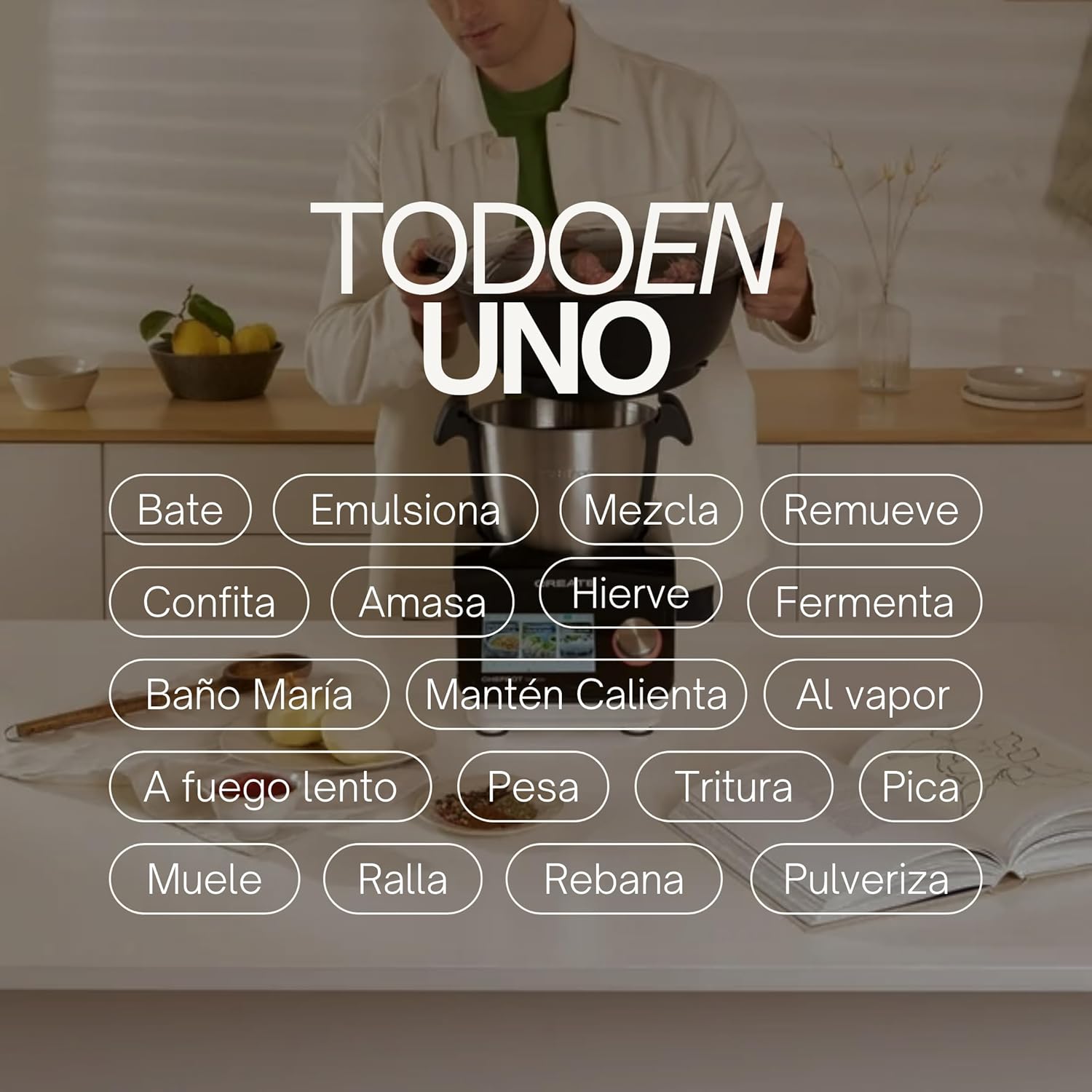
Image: An illustration highlighting the "All-in-One" capabilities of the Chefbot Touch, including functions such as beating, emulsifying, mixing, and more.

Image: A visual summary of the Chefbot Touch's core features: 24 automatic programs, 12 speeds with turbo, and over 140 pre-installed recipes.
3. Komponenter og tilbehør
The Chefbot Touch comes with a comprehensive set of accessories to support its many functions:
- Ice-crushing Blades: For crushing ice and hard ingredients.
- Blandepaddel: Til forsigtig omrøring og blanding.
- Hand Spatula: For scraping and stirring.
- Separator Basket: For cooking ingredients separately within the bowl.
- Målebæger: Til præcise væskemålinger.
- Butterfly Whisk: Til piskning og emulgering.
- Reversible Cutting Disc: For slicing and grating.
- Food Processor Lid: For use with the cutting disc.
- Madskubbemaskine: For safely guiding food into the cutting disc.
- 2-level Steamer Basket: For steaming multiple ingredients simultaneously.

Image: The Chefbot Touch displayed with its full set of ten accessories, designed for various cooking tasks.
4. Opsætning
4.1 Udpakning og første placering
Carefully remove all components from the packaging. Place the Chefbot Touch on a stable, flat, and dry surface. Ensure there is adequate ventilation around the unit. Keep the appliance away from heat sources and direct sunlight.
4.2 Strømtilslutning
Tilslut netledningen til en jordet stikkontakt. Sørg for, at lydstyrken er korrekt.tage stemmer overens med specifikationerne for dit apparat (110 volt).
4.3 Indledende rengøring
Before first use, clean all removable parts (bowl, lid, accessories) with warm soapy water. Rinse thoroughly and dry completely. Wipe the main unit with a damp klæde. Nedsænk ikke hovedenheden i vand.
4.4 WiFi-forbindelse
To access online recipes and updates, connect your Chefbot Touch to your home WiFi network.
- Turn on the Chefbot Touch.
- Navigate to the settings menu on the touch screen.
- Select "WiFi" or "Network Settings".
- Choose your WiFi network from the list.
- Indtast din WiFi-adgangskode, hvis du bliver bedt om det.
- Confirm the connection. Once connected, the device will be able to download recipe updates.
5. Betjeningsvejledning
5.1 Generel drift
The Chefbot Touch is operated primarily through its 5-inch touch screen and the control knob.
- Berøringsskærm: Use to select programs, recipes, and adjust settings.
- Betjeningsknap: Rotate to adjust values (time, temperature, speed) and press to confirm selections.
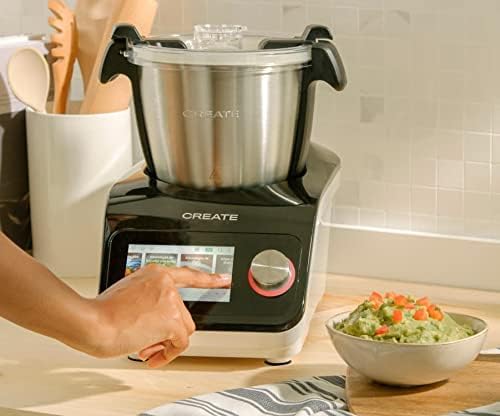
Image: A user demonstrating interaction with the Chefbot Touch's intuitive touchscreen interface.
5.2 Brug af automatiske programmer
The 24 automatic programs simplify complex cooking tasks.
- From the main menu, select "Programs".
- Browse through the available programs (e.g., Knead, Steam, Chop).
- Select the desired program. The device will guide you through the necessary steps and settings.
5.3 Following Preloaded Recipes
Access over 140 preloaded recipes directly on the device.
- Select "Recipes" from the main menu.
- Browse or search for a recipe.
- Select the recipe. The screen will display step-by-step instructions, including ingredients, quantities, and cooking parameters.
- Follow the on-screen prompts to add ingredients and operate the machine.
5.4 Manuel tilstand
For custom cooking, use the manual mode to set time, temperature, and speed independently.
- Select "Manual" or "Custom" mode.
- Use the touch screen and control knob to set the desired cooking time (up to 90 minutes), temperature (37°C to 120°C), and speed (1-12 or Turbo).
- Tryk på start for at begynde tilberedningen.
5.5 Sikkerhedsforanstaltninger under drift
- Always ensure the lid is properly secured before operating, especially when using high speeds or hot liquids.
- Overfyld ikke skålen.
- Be cautious when handling hot liquids or steam.
- Use the provided spatula or other appropriate utensils to scrape down ingredients, always stopping the machine first.
- Keep hands and utensils away from moving blades.
6. Vedligeholdelse og rengøring
Regular cleaning ensures the longevity and optimal performance of your Chefbot Touch.
6.1 Rengøring af skål og tilbehør
- The stainless steel bowl should be washed by hand with warm soapy water. Rinse thoroughly and dry immediately to prevent water spots.
- Most accessories are dishwasher safe. Refer to individual accessory instructions for specific cleaning guidelines.
- Ved genstridige madrester, læg delene i blød i varmt sæbevand inden rengøring.
6.2 Rengøring af hovedenheden
- Tør hovedenhedens yderside af med en blød, tør klud.amp klæde.
- Brug ikke slibende rengøringsmidler eller skuresvampe, da de kan beskadige overfladen.
- Nedsænk aldrig hovedenheden i vand eller anden væske.
- Sørg for, at enheden er taget ud af stikkontakten før rengøring.
6.3 Opbevaring
Store the Chefbot Touch and its accessories in a clean, dry place when not in use. Ensure all parts are completely dry before storage.
7. Fejlfinding
If you encounter issues with your Chefbot Touch, refer to the following common problems and solutions:
| Problem | Mulig årsag | Løsning |
|---|---|---|
| Apparatet tændes ikke. | Ikke tilsluttet; strømafbryder slukket; strøm udtage. | Ensure power cord is securely plugged in. Check the main power switch. Verify power supply. |
| Motoren stopper under drift eller overopheder. | Overload; prolonged continuous use; safety mechanism activated. | Reduce the amount of ingredients. Allow the appliance to cool down for at least 30-60 minutes before resuming use. This is a safety feature to prevent damage. |
| Låget lukker ikke ordentligt. | Obstruction; incorrect alignment. | Check for any food particles or accessories blocking the lid. Ensure the lid is correctly aligned and locked into place. |
| Problemer med WiFi-forbindelse. | Forkert adgangskode; svagt signal; routerproblemer. | Double-check the WiFi password. Move the unit closer to the router. Restart your router. |
| Fejlmeddelelse på skærmen. | Specifikt driftsproblem. | Note the error code or message. Refer to the digital manual on the device or contact customer support for specific guidance. |
Hvis problemet fortsætter efter at have forsøgt disse løsninger, bedes du kontakte CREATEs kundesupport.
8. Specifikationer
Technical specifications for the CREATE IKOHS Chefbot Touch:
| Feature | Specifikation |
|---|---|
| Mærke | SKABE |
| Model | Chefbot Touch |
| Farve | Sort |
| Magt | 1400 watt |
| Voltage | 110 volt |
| Materiale | Stainless Steel (bowl), Aluminum (body) |
| Antal hastigheder | 12 + Turbo |
| Temperaturområde | 37°C til 120°C |
| Max Continuous Operation | 90 minutter |
| Kompatible enheder | IOS, Android |
| Produktmål (L x B x H) | 38 x 24 x 23 cm |
| Produktets vægt | 10 kg |

Billede: Forside view of the Chefbot Touch, illustrating its dimensions (465mm height, 380mm width) and 3.5L bowl capacity.
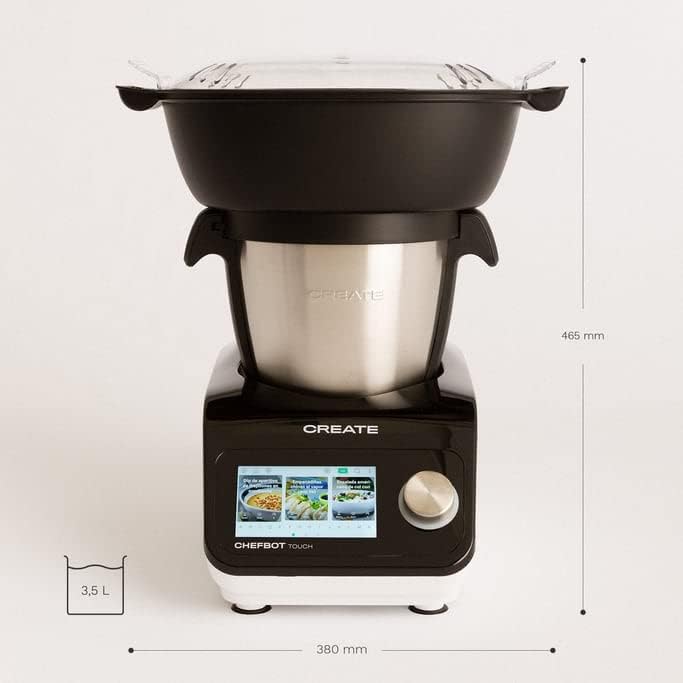
Billede: Side view of the Chefbot Touch, showing its depth dimension of 380mm.
9. Garanti og support
For information regarding warranty coverage, terms, and conditions, please refer to the documentation included with your purchase or visit the official CREATE webwebsted.
If you require technical assistance, have questions about your product, or need to report an issue, please contact CREATE customer support through their official channels.
Fabrikant: LAV IKOHS
Ask a question about this manual
Ask about setup, troubleshooting, compatibility, parts, safety, or missing instructions. Manuals+ will review the question and use this page’s manual context to help answer it.