
1. Introduktion
The Kipcush E1 White Noise Bluetooth Transmitter is a portable device designed to provide a relaxing audio environment. It features 20 high-fidelity soothing sounds and a timer function to help users fall asleep faster and stay asleep longer. This device is specifically designed for use with Bluetooth-enabled earphones, such as Apple AirPods.

Image: Kipcush E1 device highlighting its Hi-Fi Lossless Sound capabilities and DAC audio decoder chip.
2. Vigtige sikkerhedsinstruktioner
- Never drop or insert any objects into openings of the device.
- This device should not be used near water, such as in bathtubs, swimming pools, faucets, or basins.
- Disconnect the power supply of the device when it is unused for an extended period of time or when moving the machine.
- Brug kun denne enhed til dens tilsigtede brug som beskrevet i denne vejledning.
- Never operate this device if it has damaged cord, cable, or housing.
- Do not use this product if you have a pacemaker or other medical device that may be affected by electromagnetic radiation.
- Opbevar dette produkt utilgængeligt for børn.
- Do not use this product while sleeping to avoid the risk of overheating.
- Charge the battery only with the provided charger to avoid the risk of electric shock.
- Do not use this product if the battery is damaged or leaking.
- Dette produkt er ikke et legetøj og er ikke beregnet til brug af børn.
- Følg altid producentens anvisninger for sikker brug og opbevaring.
3. Pakkens indhold
- Kipcush E1 White Noise Bluetooth Transmitter x1
- USB Type-C ladekabel x1
- Brugervejledning x1
4. Produktet er slutview
Kontroller og indikatorer
Billede: Top view of the Kipcush E1 device displaying its control buttons and indicators.
- PAIR knap: Starter Bluetooth-parringstilstand.
- Tænd / sluk-knap: Tænder eller slukker for enheden.
- Knap til lydstyrke op (+) / Næste nummer: Increases volume or skips to the next sound.
- Knap til lydstyrke ned (-) / Forrige nummer: Decreases volume or goes to the previous sound.
- Afspil/pause knap: Plays or pauses the current sound.
- Timer knap: Aktiverer eller justerer sleeptimeren.
- Bluetooth-indikator: Viser status for Bluetooth-forbindelse.
- Tidsindikator: Shows timer status.
- Batteriniveauindikator: Displays current battery charge.
- USB Type-C Jack: Til opladning af enheden.
5. Opsætning
5.1 Opladning af enheden
Before first use, fully charge your Kipcush E1 using the provided USB Type-C cable. Connect the cable to the device's Type-C jack and a compatible USB power source. The battery level indicator will show charging status.
5.2 Tænd/sluk
To power on the device, press and hold the Power On/Off button until the power/pairing indicator flashes blue three times. To power off, repeat the process.
5.3 Bluetooth -parring
The Kipcush E1 is designed to connect with Bluetooth audio devices, primarily Apple earphones. Follow these steps to pair your device:
- Turn on your Bluetooth headphone device (e.g., Apple AirPods) and ensure it is in pairing mode. This is usually found on your earphone's charging case.
- With the E1 transmitter powered on, press and hold the PAR button until the Bluetooth indicator blinks blue, indicating it is in 'ready to pair' mode.
- Briefly press and hold both the PAR button on the E1 and the pairing button on your headphone device until the Bluetooth light on the E1 stays solid blue.
- Once successfully paired, you will hear a sound confirming the connection. The E1 will automatically connect to this device in the future.
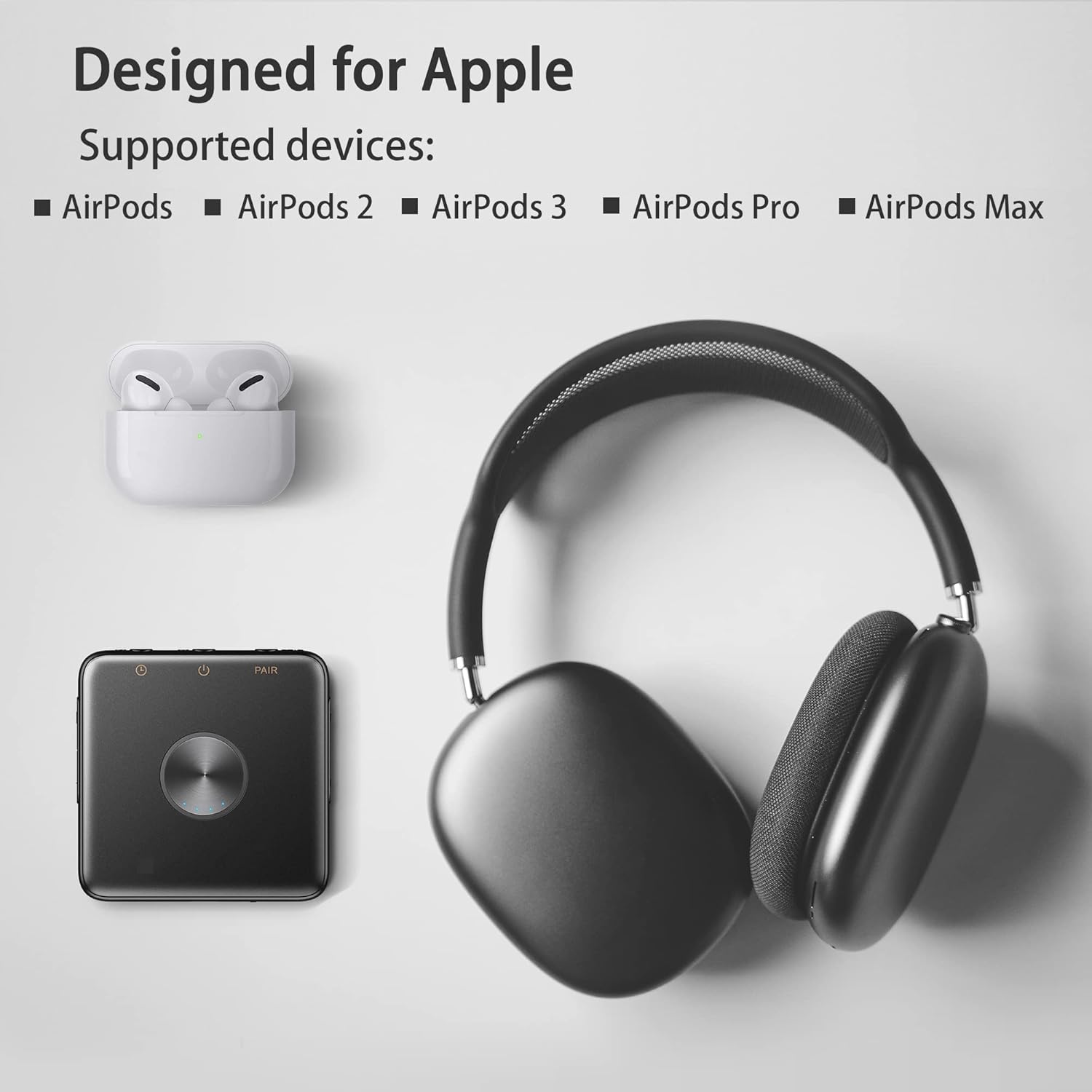
Image: Kipcush E1 shown with various Apple AirPods models, indicating compatibility.
Video: Demonstration of the Kipcush E1 Bluetooth Transmitter pairing process with Apple earphones.
6. Betjening af enheden
6.1 Lydvalg
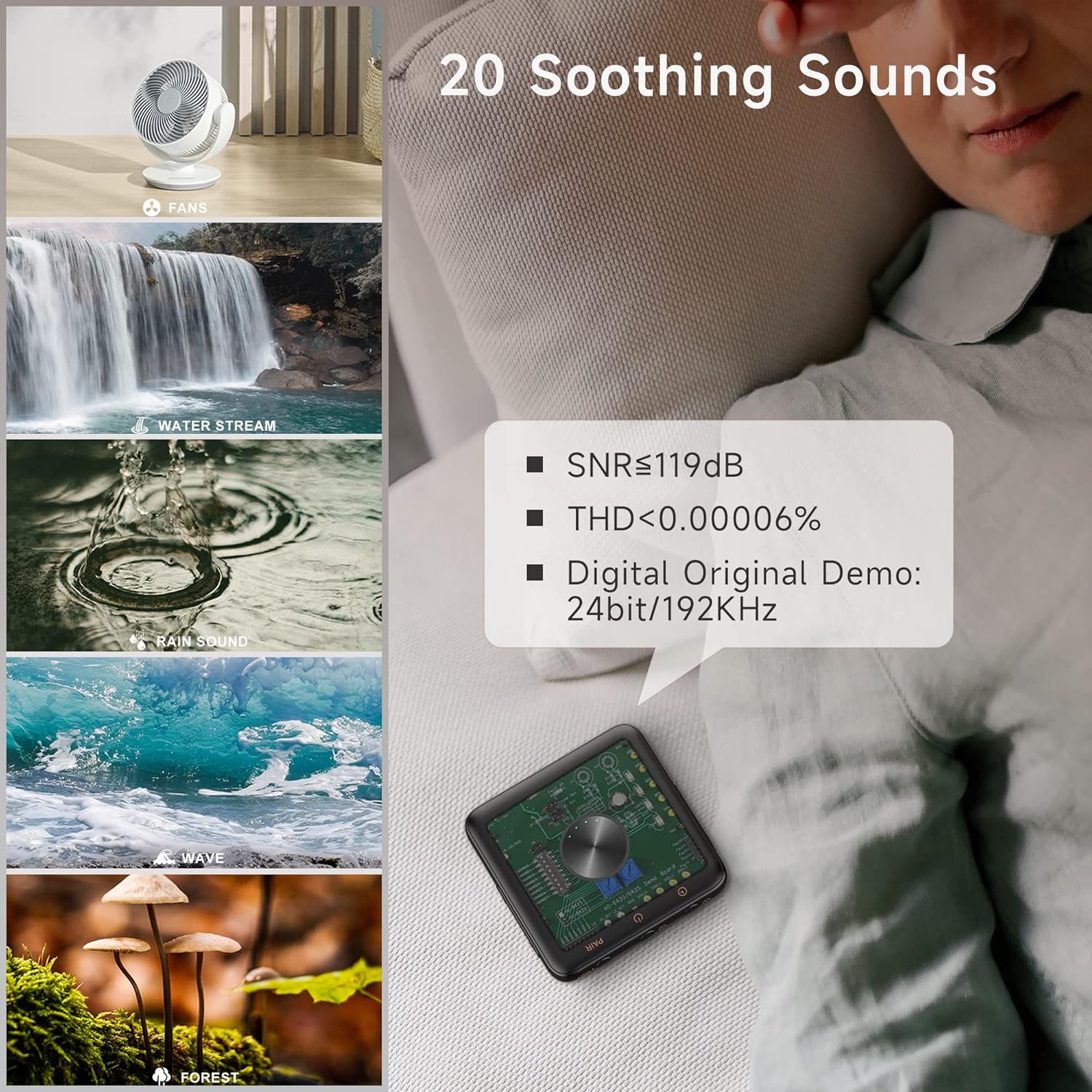
The Kipcush E1 offers 20 high-fidelity soothing sounds, including white noise, fan noises, natural sounds, and water stream sounds. Use the Lydstyrke op (+) / Næste spor button to skip to the next sound, and the Lydstyrke ned (-) / Forrige spor button to go to the previous sound.

Image: Visual representation of the 20 soothing sounds available on the Kipcush E1, including natural and fan noises.
6.2 Lydstyrkekontrol
Juster lydstyrken ved hjælp af Lydstyrke op (+) og Skrue ned (-) buttons. The device has up to 32 volume level settings.
6.3 Afspil/pause
Tryk på Afspil/pause button to start or stop the current sound.
6.4 Timer funktion
The Kipcush E1 includes timer functions at 15, 30, 60, 90, and 120-minute intervals. Tap the Timer button to cycle through the available timer settings. The timing indicator will turn green when a timer is successfully set. To turn off the timer, press the Timer button until the timing indicator turns off.
7. Vedligeholdelse
- Tør enheden af med en blød, tør klud. Brug ikke slibende rengøringsmidler eller opløsningsmidler.
- Opbevar enheden et køligt, tørt sted væk fra direkte sollys og ekstreme temperaturer.
- Ensure the USB Type-C port is free from dust and debris.
8. Fejlfinding
| Problem | Løsning |
|---|---|
| Enheden tænder ikke. | Ensure the device is fully charged. Press and hold the Power On/Off button for a few seconds. |
| Cannot pair with Bluetooth earphones. | Ensure both the E1 and your earphones are in pairing mode. Make sure your earphones are not connected to another device. Re-enter pairing mode on both devices if necessary. |
| Ingen lyd eller lav lydstyrke. | Check the volume level on both the E1 and your connected earphones. Ensure the devices are properly paired. |
| Lydkvaliteten er dårlig. | Ensure the E1 is within range of your Bluetooth earphones. Avoid obstacles that may interfere with the signal. |
| Timerfunktionen virker ikke. | Ensure the Timer button is pressed correctly to select a duration. The timing indicator should light up green. |
9. Specifikationer
| Feature | Detalje |
|---|---|
| Model | E1 |
| Type-C indgang | 5V = 1.5A |
| Batterikapacitet | 1000mAh |
| Produktdimensioner | 70 x 70 mm |
| Typical Bluetooth Transmit Power | 2dBm |
| Driftstemperaturområde | -10°C til 45°C |
| Opbevaringstemperaturområde | -30°C til 45°C |
| Varens vægt | 50 gram |
| Materiale | Plast |
10. Garanti og support
Garanti
We strive to build our products with the highest attention to detail and craftsmanship. However, sometimes there are occurrences of defects, and we understand this. As such, we are happy to offer a one-year hassle-free warranty on all our devices as we continue and strive to make amazing products.
Støtte
Please contact us if you have any questions regarding this product or require assistance. Refer to the product packaging or the official Kipcush webwebsted for kontaktoplysninger.