
1. Introduktion
This manual provides detailed instructions for the installation, operation, and maintenance of your Reobiux 1080P Wireless WiFi Light Bulb Security Camera. Please read this manual thoroughly before using the product to ensure correct usage and optimal performance. Keep this manual for future reference.
2. Produktet er slutview
The Reobiux Light Bulb Security Camera integrates a 1080P HD camera into a standard E27 light bulb form factor, offering discreet surveillance. It features 2.4GHz WiFi connectivity, two-way audio, motion detection, and night vision capabilities for comprehensive home monitoring.
- 1080P Full HD-video: Optager klare HD-videooptagelsertage.
- 2.4GHz Wireless WiFi: Connects to your home network for remote access.
- Pan & Vip-funktionalitet: Offers 355° horizontal rotation and 90° vertical tilt for wide area coverage.
- Tovejs lyd: Indbygget mikrofon og højttaler muliggør kommunikation i realtid.
- Bevægelsesdetektering og advarsler: Detects movement and sends notifications to your smartphone.
- IR Night Vision & Full Color Night Vision: Provides clear video monitoring in low-light conditions, with options for infrared or color night vision.
- Lokal og cloud-lagring: Supports Micro SD card storage (up to 128GB, not included) and optional cloud storage.
- Nem installation: Skrues ind i en standard E27-pærefatning.

Billede: Detaljeret view of the Reobiux Light Bulb Security Camera, highlighting its components such as the E27 light socket, enhanced WiFi module, microphone, speaker, HD lens, light sensor, 4 white LEDs, 4 array LEDs, Micro SD card slot, and reset button. Dimensions are also shown.
3. Pakkens indhold
Kontroller venligst pakkens indhold ved åbning. Hvis der mangler eller er beskadigede dele, skal du kontakte kundesupport.
- Reobiux Light Bulb Security Camera (1)
- E27 Lamp Holder (1)
- Mounting Screws and Wall Plugs (1 set)
- Brugervejledning (1)
4. Opsætningsvejledning
4.1. Fysisk installation
- Sluk: Sørg for, at strømmen til lyskontakten er slukket før installation for at forhindre elektrisk stød.
- Skru kameraet i: Carefully screw the Reobiux Light Bulb Security Camera into a standard E27 light bulb socket. Ensure it is securely tightened.
- Tænd: Restore power to the light socket. The camera will power on and initiate its self-test sequence. You should hear a prompt indicating it is ready for connection.

Billede: A person's hands are shown screwing the Reobiux Light Bulb Security Camera into an E27 light socket, illustrating the easy installation process.
4.2. Download af app og kontoregistrering
- Download app: Søg efter "ICSEE" in your smartphone's app store (Google Play Store for Android or Apple App Store for iOS) and download the application.
- Registrer konto: Open the ICSEE app and follow the on-screen instructions to register a new account. If you already have an account, log in.
4.3. Connecting the Camera to WiFi
Ensure your smartphone is connected to a 2.4GHz WiFi network. The camera does not support 5GHz WiFi.
- Tilføj enhed: In the ICSEE app, tap the "+" icon to add a new device. Select "Add Camera" or "Smart Camera".
- Vælg forbindelsesmetode: Choose the "WiFi Connection" or "Scan QR Code" method as prompted by the app.
- Indtast WiFi-oplysninger: Input your 2.4GHz WiFi network name (SSID) and password.
- Parring: Follow the app's instructions to complete the pairing process. This usually involves holding your phone's QR code in front of the camera lens or listening for a connection sound.
- Bekræftelse: Once connected, the camera will indicate successful pairing (e.g., a voice prompt or LED indicator change). You can then name your camera and begin live viewing.
5. Betjeningsvejledning
5.1. Lev View og afspilning
- Adgang til livefeed: Open the ICSEE app and select your camera from the device list to view live video-feedet.
- Afspilning af optaget Footage: Navigate to the playback section in the app to review videos stored on the Micro SD card or cloud storage.
5.2. Panorerings- og vippekontrol
Use the directional controls within the ICSEE app to remotely adjust the camera's viewvinkel.
- Vandret rotation: The camera supports 355° pan movement.
- Lodret hældning: The camera supports 90° tilt movement.

Billede: The Reobiux Light Bulb Security Camera is shown with arrows indicating its 355-degree horizontal pan and 90-degree vertical tilt capabilities, alongside a smartphone displaying the camera's control interface.
5.3. Tovejslyd
Sådan bruger du tovejslydfunktionen:
- Tale: Tryk på mikrofonikonet i live-udsendelsen view grænseflade til at tale gennem kameraets højttaler.
- Lytte: The camera's built-in microphone will pick up audio from the monitored area.
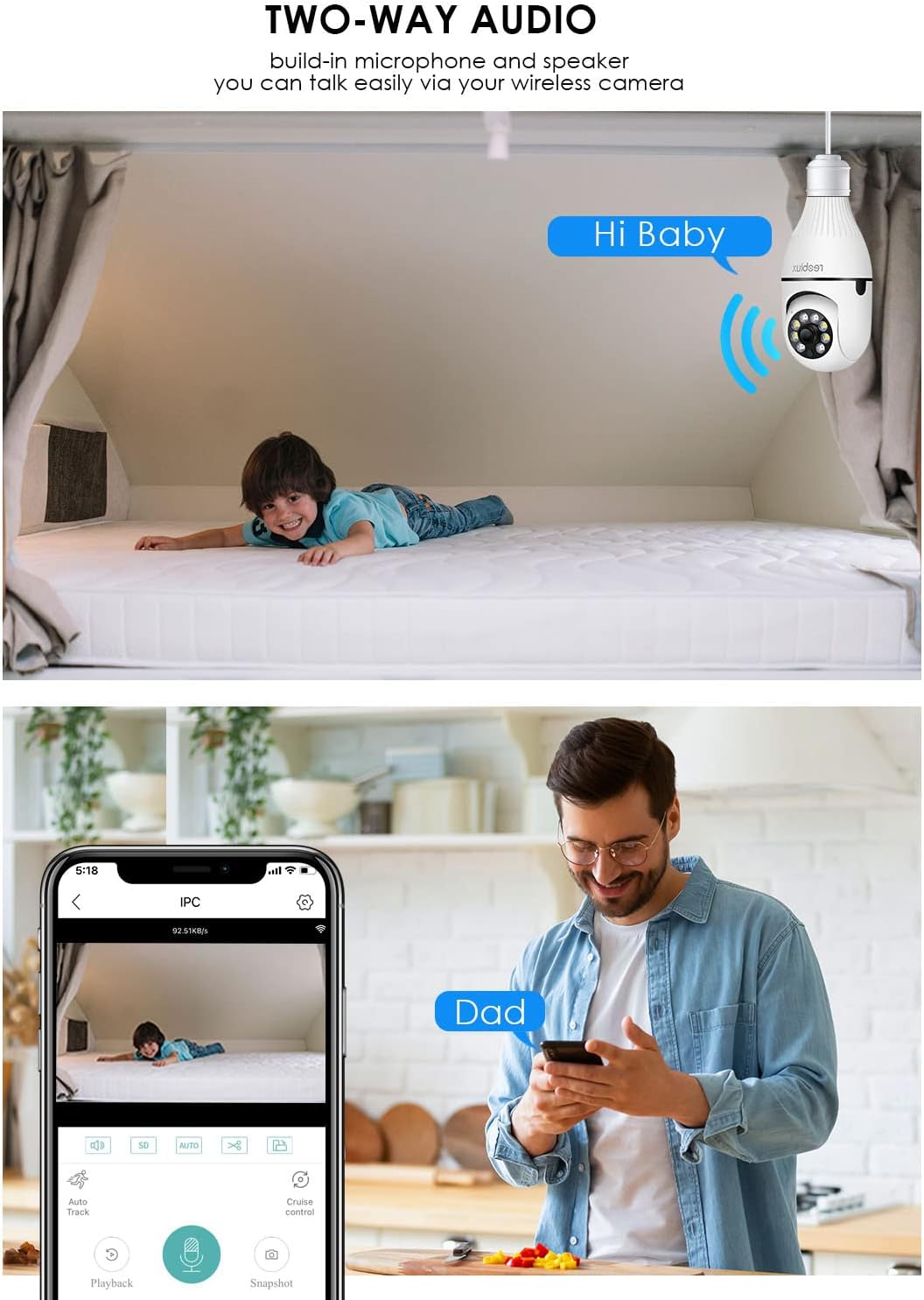
Billede: Illustrates the two-way audio function, showing a child on a bed and a person on a phone, with speech bubbles indicating communication through the camera.
5.4. Bevægelsesdetektion og advarsler
Kameraet kan registrere bevægelse og sende advarsler til din smartphone.
- Aktiver/deaktiver: Access the camera settings in the ICSEE app to enable or disable motion detection.
- Følsomhed: Juster bevægelsesdetektionens følsomhed for at minimere falske alarmer.
- Advarsler: Configure notification settings to receive push alerts on your phone when motion is detected.
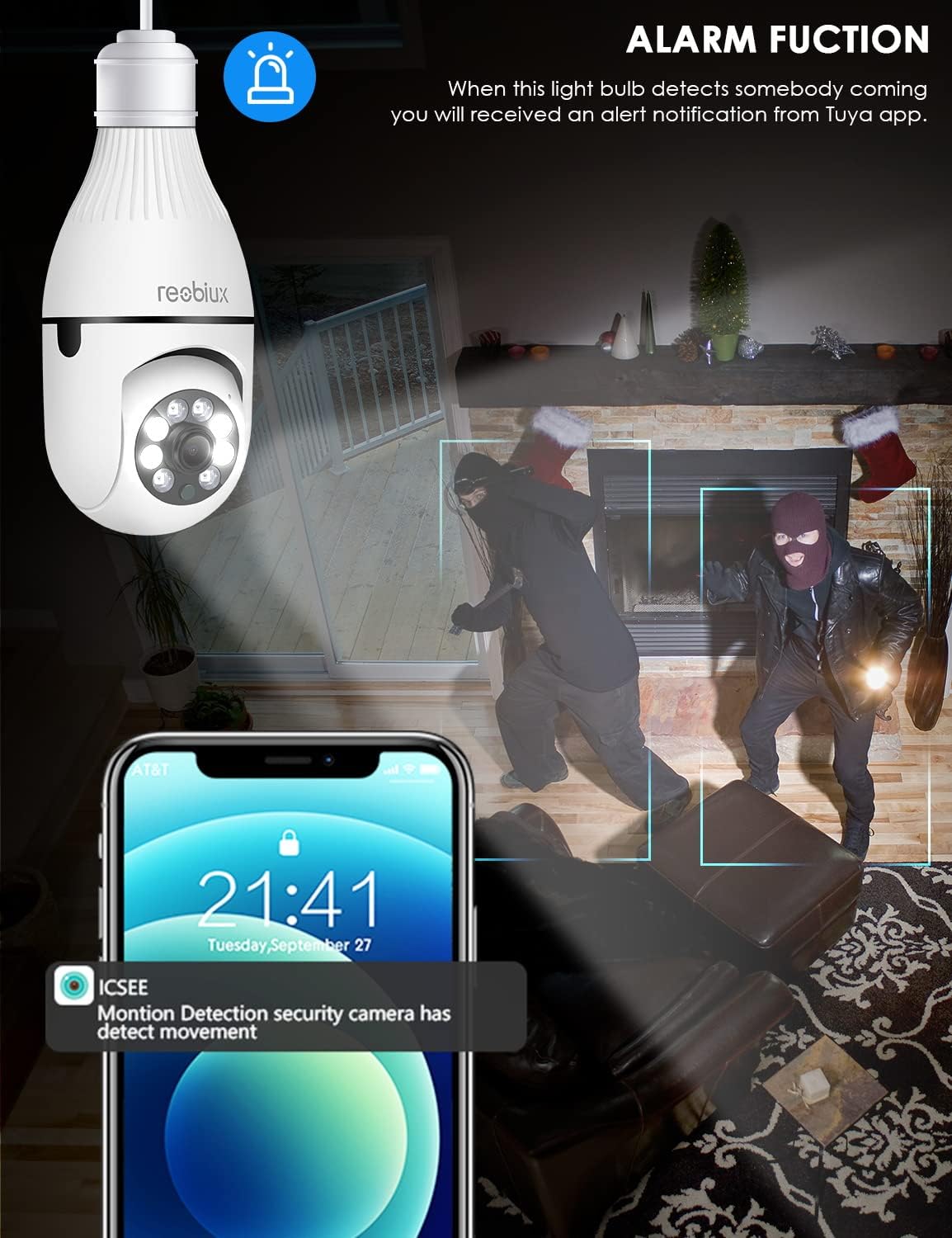
Billede: Depicts the camera's alarm function, showing an alert notification on a smartphone screen when motion is detected by the light bulb camera.
5.5. Nattesynstilstande
The camera offers enhanced night vision capabilities.
- IR nattesyn: Utilizes infrared LEDs for clear black-and-white video in complete darkness.
- Fuld farve nattesyn: Activates white supplement lights to provide color video even in low-light conditions.
- Valg af tilstand: Select your preferred night vision mode in the app settings.
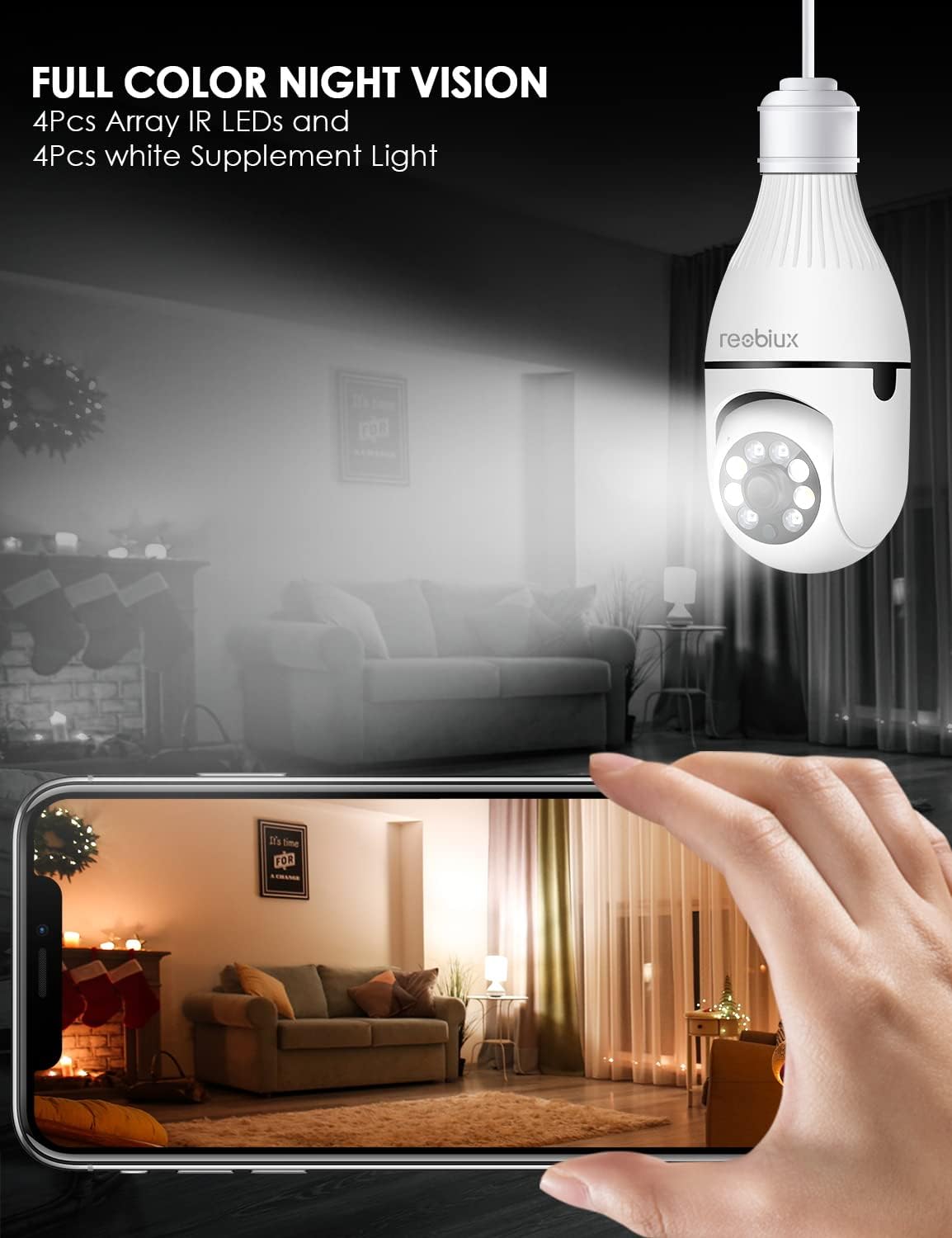
Billede: Shows the camera's full-color night vision feature, with a smartphone displaying a clear, illuminated view of a room at night, enabled by the camera's IR LEDs and white supplement lights.
5.6. Opbevaringsmuligheder
- Micro SD-kort: Insert a Micro SD card (up to 128GB, Class 10 or higher recommended) into the designated slot for local video storage. The camera will automatically overwrite older footage når kortet er fuldt.
- Cloud Storage: The ICSEE app may offer optional cloud storage services for a subscription fee. Refer to the app for details.
6. Vedligeholdelse
- Rensning: Tør forsigtigt kameralinsen og huset af med en blød, tør klud. Brug ikke flydende rengøringsmidler eller slibende materialer.
- Firmwareopdateringer: Periodically check the ICSEE app for available firmware updates. Keeping the firmware updated ensures optimal performance and security.
- Nulstilling af kameraet: If you encounter persistent issues or need to reconfigure the camera, locate the reset button (refer to Product Overview image) and press and hold it for approximately 5-10 seconds until you hear a reset confirmation.
7. Fejlfinding
| Problem | Mulig årsag | Løsning |
|---|---|---|
| Kameraet kan ikke oprette forbindelse til WiFi. | Incorrect WiFi password, 5GHz WiFi network, camera too far from router, weak signal. |
|
| Ingen live videofeed. | No internet connection, camera offline, app issue. |
|
| Bevægelsesdetektionsadvarsler er ikke modtaget. | Bevægelsesdetektering deaktiveret, app-notifikationer slået fra, forkert følsomhed. |
|
| Dårlig videokvalitet. | Weak WiFi signal, dirty lens, low light conditions. |
|
8. Specifikationer
| Model | B09P8H6BMY |
| Videooptagelsesopløsning | 1080p |
| Trådløs kommunikationsteknologi | Wi-Fi (kun 2.4 GHz) |
| Monteringstype | Ceiling Mount (E27 Socket) |
| Controller type | Android, iOS (via ICSEE app) |
| Strømkilde | AC/DC (via E27 socket) |
| Voltage | 240 volt |
| Wattage | 3 watt |
| Low Light teknologi | Night Color, Infrared |
| Alert Type | Kun bevægelse |
| Materiale | Plast |
| International Protection Rating | IP67 (Note: The lightbulb connection itself is not typically rated for outdoor exposure without additional protection.) |
| Varens vægt | 10.5 ounce |
| Pakkedimensioner | 6.46 x 4.13 x 3.62 tommer |
9. Garantioplysninger
Reobiux products are typically covered by a limited warranty against defects in materials and workmanship. For specific warranty terms and conditions, please refer to the documentation included with your purchase or contact Reobiux customer support. Keep your proof of purchase for warranty claims.
10. Kundesupport
If you have any questions, encounter issues, or require technical assistance with your Reobiux Light Bulb Security Camera, please contact our customer support team. Refer to the product packaging or the official Reobiux webhjemmeside for de seneste kontaktoplysninger.
- Online support: Visit the official Reobiux webwebsted med ofte stillede spørgsmål, fejlfindingsvejledninger og kontaktformularer.
- E-mail support: (Specific email address not provided in data, so general statement)
- Telefonsupport: (Specific phone number not provided in data, so general statement)