
9 DIGITAL Lite
9 DIGITAL Benledningshovedtelefoner Lite Brugermanual
Model: Lite
Indledning
Thank you for choosing the 9 DIGITAL Bone Conduction Headphones Lite. These open-ear headphones utilize patented bone conduction technology to deliver audio through your cheekbones, allowing you to remain aware of your surroundings while enjoying sound. Designed for comfort and durability, they are ideal for various activities including running, cycling, hiking, and gym workouts.

Image: The 9 DIGITAL Bone Conduction Headphones Lite in black, showcasinderes ergonomiske design.
Bone conduction technology transmits sound vibrations directly to the inner ear via the cheekbones, bypassing the eardrum. This method allows for an open-ear listening experience, enhancing safety during outdoor activities by keeping your ears open to ambient sounds.
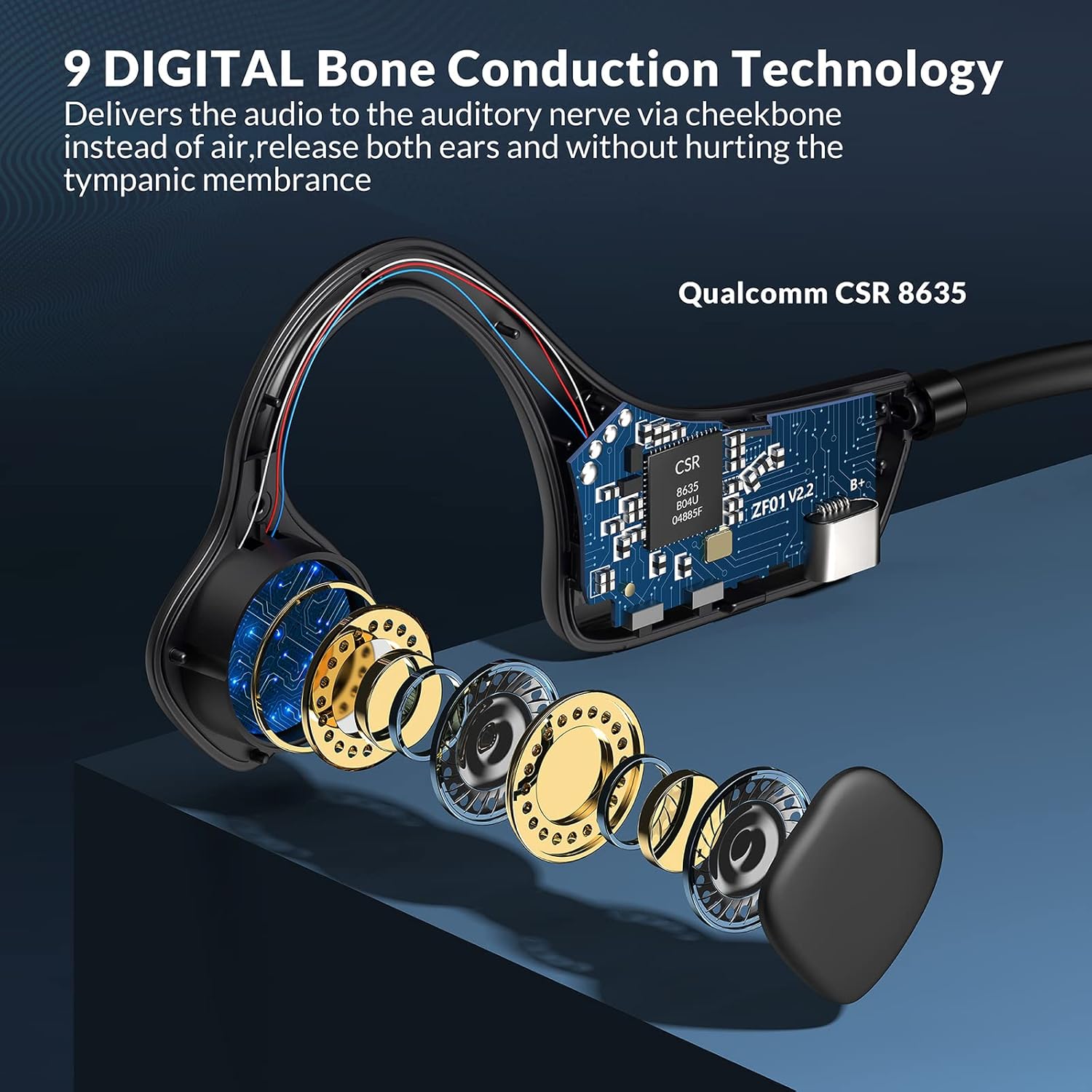
Billede: En eksploderet view illustrating the internal bone conduction components and Qualcomm CSR 8635 chip.
Opsætning
1. Opladning af hovedtelefonerne
Oplad dine hovedtelefoner helt inden første brug. En fuld opladning tager cirka 2 timer.
- Connect the charging cable to the USB port on the headphones.
- Tilslut den anden ende af kablet til en USB-strømkilde (f.eks. computer, vægadapter).
- The LED indicator will show charging status (refer to product specific LED behavior for details).
2. Bluetooth-parring
The headphones use Bluetooth 5.0 for wireless connectivity.
- Sørg for, at hovedtelefonerne er slukket.
- Press and hold the power button (often the multifunction button) for approximately 3-5 seconds until the LED indicator flashes red and blue, indicating pairing mode.
- Aktiver Bluetooth på din enhed (smartphone, tablet, computer) og søg efter tilgængelige enheder.
- Select "9 DIGITAL Lite" (or similar name) from the list of devices.
- Når den er tilsluttet, vil LED-indikatoren typisk vise et konstant blåt lys eller blinke langsomt blåt.
3. Brug af hovedtelefoner
Position the transducers on your cheekbones, just in front of your ears, with the band resting comfortably behind your head. The open-ear design ensures comfort and situational awareness.
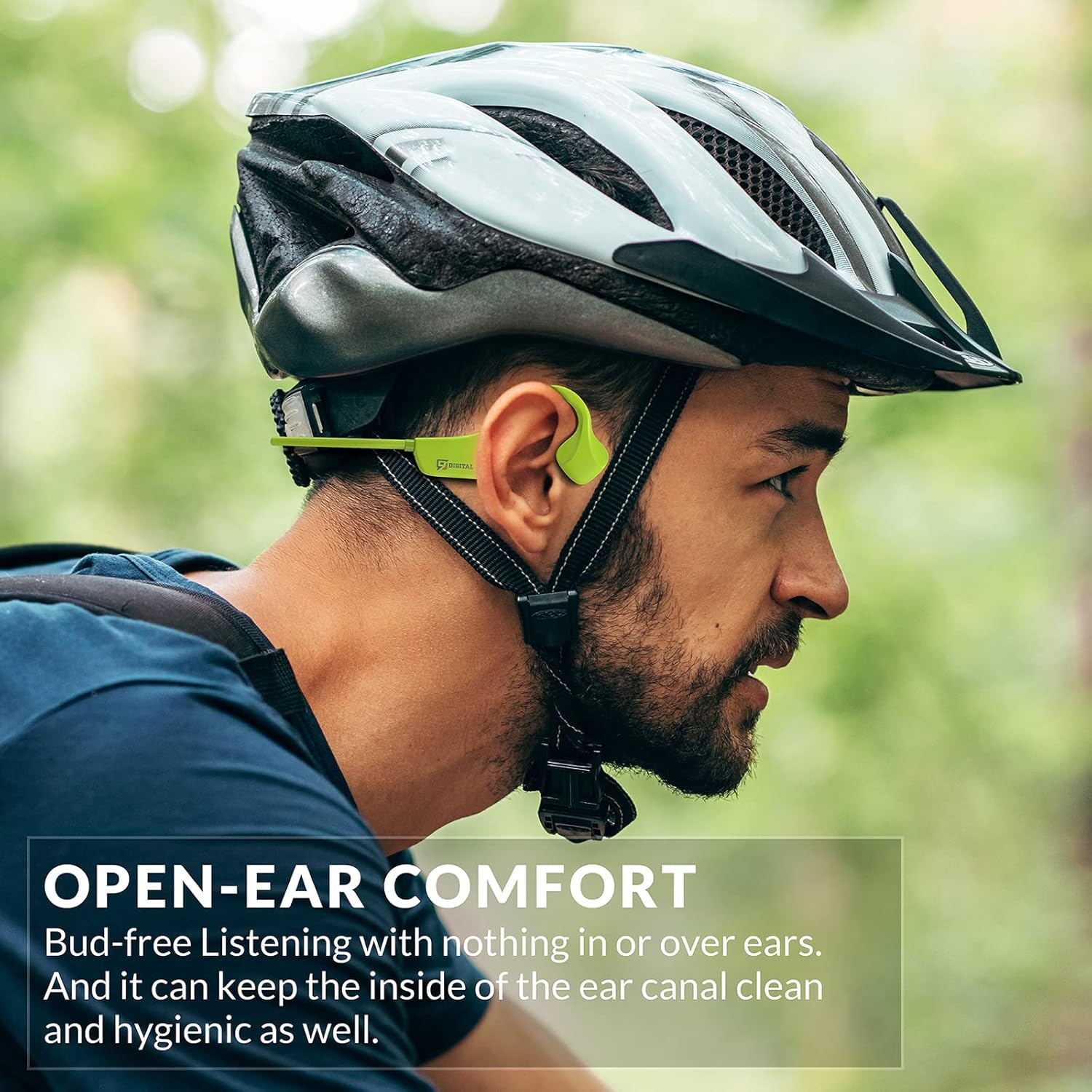
Image: A man wearing the headphones while cycling, demonstrating the secure and open-ear fit.
Betjeningsvejledning
The 9 DIGITAL Bone Conduction Headphones Lite feature intuitive controls for media playback and call management.

Image: A visual guide to the headphone's control buttons and their functions.
Knap funktioner:
- Tænd/sluk: Press and hold the Multifunction Button (MFB) for 3 seconds.
- Afspil/pause: Klik på MFB én gang.
- Næste nummer: Dobbeltklik på MFB.
- Besvar/afslut opkald: Click the MFB once during an incoming call or active call.
- Afvis opkald: Tryk og hold MFB-knappen nede i 2 sekunder under et indgående opkald.
- Lydstyrke op: Klik én gang på knappen '+'.
- Skrue ned for lyden: Klik én gang på knappen '-'.
Note: The playing time is dependent on the volume level. It is recommended to adjust the volume to 80% for optimal battery life during playback or calls.
Opretholdelse
Rengøring og pleje
- Tør hovedtelefonerne af med en blød, damp klæde. Undgå at bruge skrappe kemikalier eller slibende materialer.
- Sørg for, at opladningsporten er tør, før du tilslutter opladningskablet.
Vandmodstand
These headphones are certified waterproof and sweatproof, making them suitable for indoor and outdoor sports. However, they are ikke egnet til svømning.

Image: A woman exercising, highlighting the sweatproof design of the headphones.
Opbevaring
- Opbevar hovedtelefonerne et køligt, tørt sted væk fra direkte sollys og ekstreme temperaturer.
- Undgå at placere tunge genstande på hovedtelefonerne.
Fejlfinding
| Problem | Mulig løsning |
|---|---|
| Kan ikke tænde | Sørg for, at hovedtelefonerne er fuldt opladet. Tilslut dem til en strømkilde, og prøv igen. |
| Kan ikke parres med enheden |
|
| Ingen lyd eller lav lydstyrke |
|
| Sound quality issues (e.g., buzzing) |
|
| Headphones feel uncomfortable or don't fit well | Adjust the position of the transducers on your cheekbones. While designed for comfort, individual fit may vary. |
Specifikationer
| Feature | Detalje |
|---|---|
| Modelnavn | Bone Conduction Headphone Lite |
| Forbindelsesteknologi | Trådløs, Bluetooth |
| Bluetooth version | 5.0 |
| Bluetooth rækkevidde | 10 meter |
| Audio driver type | Knogleledningsdriver |
| Batterilevetid | Up to 6.5 Hours (music/calls) |
| Standby tid | 480 timer |
| Opladningstid | 2 timer |
| Frekvensområde | 20 Hz - 20,000 Hz |
| Vandmodstandsniveau | Waterproof (IP54 Sweatproof) |
| Varens vægt | 25 gram (0.882 ounce) |
| Materiale | PC&ABS&Titanium |
| Mikrofon | Indbygget |
| Kontrolmetode | Touch / Media Control Buttons |
| Øreplacering | Åbent øre |
Garanti og support
9 DIGITAL is committed to providing quality products and customer satisfaction.
- Garanti: The product includes a 12-month satisfying service.
- Teknisk support: Livstids teknisk support er tilgængelig.
- Kontakte: For any questions or issues, please contact Nine Digital Direct. We aim to reply and resolve all inquiries within 12 hours.
Ask a question about this manual
Ask about setup, troubleshooting, compatibility, parts, safety, or missing instructions. Manuals+ will review the question and use this page’s manual context to help answer it.